Why Establishing Clear Digital Boundaries Shapes Positive Student Outcomes
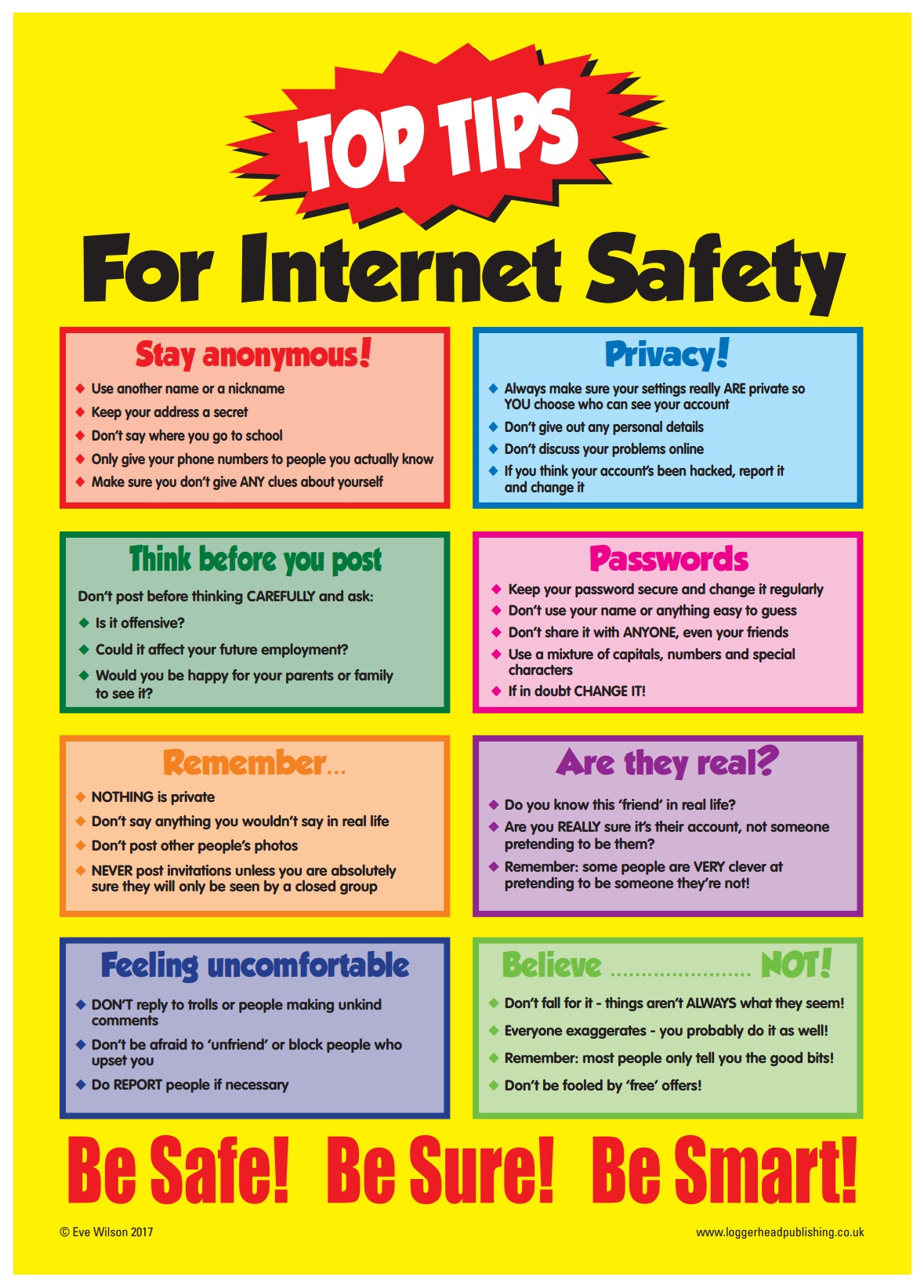
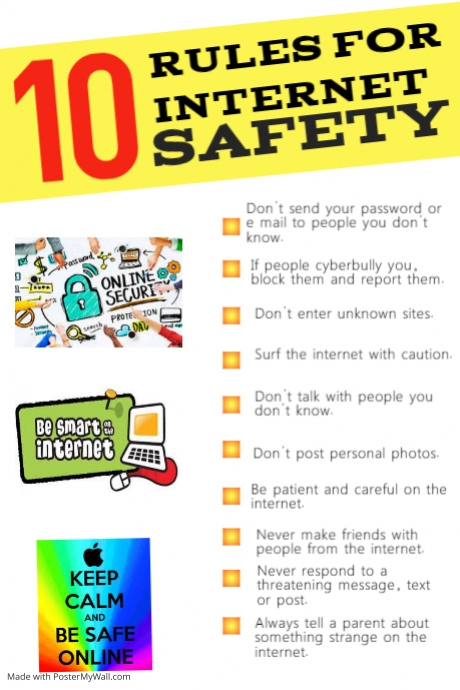
Navigating the modern web requires more than just good intentions; it demands proactive guidance that bridges the gap between home devices and classroom tech. When educators and parents collaborate on top rated internet safety rules for kids that do work, children build lasting self-regulation habits. Organizations like ConnectSafely and the Cybersecurity and Infrastructure Security Agency emphasize that technical filters alone are never enough. Kids need simple, memorable guidelines that help them recognize online friction, protect personal data, and manage screen time without constant friction or panic.
💡 Educational Key Takeaways:
- Core Skill: Structured Top Rated Internet Safety Rules For Kids That Do focused on developing pencil grip, stroke control, and early literacy/math confidence.
- Target Scope: Suited for homeschoolers, preschool, kindergarten, and elementary learners.
- Best Recommendation: Practice 10–15 minutes daily with ergonomic writing tools to reinforce muscle memory without hand fatigue.
Technical Risk Signals Versus Effective Device Guardrails
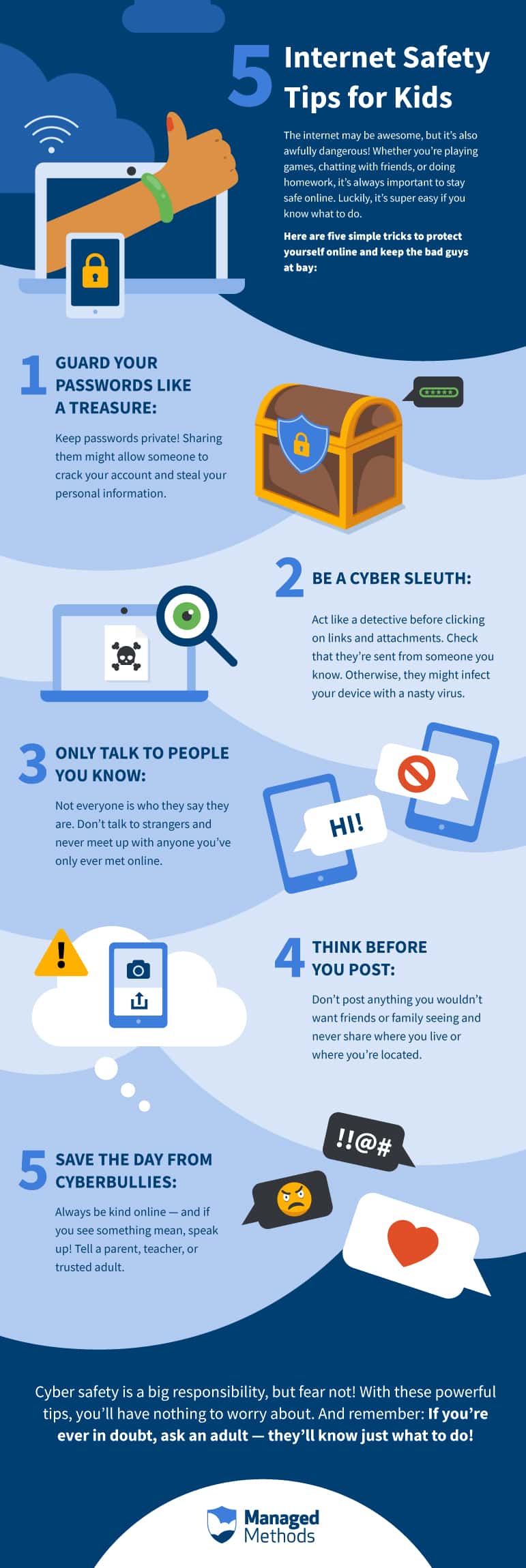
Implementing reliable safety boundaries starts with understanding where students most often encounter digital hazards. Whether managing school-issued Chromebooks or personal smartphones at home, adults must align device configurations with everyday behavioral patterns to prevent accidental exposure. Related guide: 5 Cyber Safety Tips Symbols That Can Be Read By The Grede 7 Students.
| Setting / Context | Common Vulnerability | Practical Safeguard |
|---|---|---|
| Home Wi-Fi & Tablets | Unfiltered overnight browsing and unsupervised late-night app downloads. | Establish a centralized household charging station and enable strict parental content filters. |
| School Chromebooks | Bypassing extension-based content blockers or disabling safe-search toggles. | Partner with IT staff to lock browser extensions and review active Internet and Digital Safety logs regularly. |
| Messaging & Chat Apps | Interacting with unverified peer profiles or clicking malicious links in games. | Turn off direct messaging on gaming networks and teach children the two-tap rule for reporting strange messages. |
Core Habits and Routines Families and Schools Can Apply Together
Consistency between school and home transforms abstract safety concepts into second nature. Start by anchoring device usage to physical spaces, such as keeping screens out of bedrooms during sleep hours. Encourage open communication by framing technical glitches or strange pop-ups as learning moments rather than rule violations. To reinforce these lessons during lessons or family meetings, adults can incorporate structured Worksheets that prompt kids to identify secure URLs and strong passwords. Furthermore, ensure that children know the exact reporting workflow at school and home, guaranteeing they can ask for help without fearing device confiscation or shame.
Handling Student Workarounds and Pushback Without Breaking Trust
Oversrict digital restrictions often backfire, driving kids to seek clever workarounds like proxy sites or hidden apps. Rather than relying solely on punitive bans, pair technical guardrails with transparent conversations. Explain the reasoning behind specific rules—such as why location sharing should remain disabled for public apps—so students understand the real-world safety implications. When youth feel respected as partners in their own digital safety, they are far more likely to alert an adult immediately if they stumble upon inappropriate content, cyberbullying, or phishing attempts.
Frequently Asked Questions From Educators and Parents
Child safety experts recommend delaying unrestricted social media until middle school or later, prioritizing feature phones or supervised messaging apps first. Readiness depends far more on a child’s emotional maturity and impulse control than their chronological age.
How should teachers handle accidental exposure to inappropriate content in the classroom?
Instruct students to immediately turn down their screens, keep their hands away from the keyboard, and quietly notify an educator. Clear, calm responses prevent panic and allow teachers to document technical filter gaps alongside IT staff.
How can I talk to my child about cyberbullying without sounding overly critical?
Ask open-ended questions about their favorite online games and multiplayer chats, focusing on how people treat each other virtually. Use relatable scenarios from books or news to prompt discussions about empathy and bystander intervention.
Explore More Digital Citizenship Resources
Building a safer digital ecosystem takes ongoing partnership, shared vocabulary, and practical tools tailored to evolving youth technology trends. Discover additional guidance, educator toolkits, and student activities by visiting SafeWiredSchools.org to support your community today.
Visual Reference Gallery