Introduction
Children encounter digital environments long before reaching double digits, often starting with shared family tablets or interactive educational games. Navigating these spaces requires intentional guidance rather than restrictive fear. Educators and caregivers frequently search for accessible tools to introduce foundational tech habits without overwhelming young minds. This free printable digital safety skills resource provides a structured starting point for discussions about online boundaries. Coloring reinforces safety messages through creative engagement while opening natural channels for important conversations. It sounds simple, and that’s the point. Young learners process complex concepts best through tactile, low-pressure activities that anchor abstract rules in concrete actions. Related guide: 5 Cyber Safety Tips Symbols That Can Be Read By The Grede 7 Students.
💡 Educational Key Takeaways:
- Core Skill: Structured Digital Safety Skills For Elementary Students focused on developing pencil grip, stroke control, and early literacy/math confidence.
- Target Scope: Suited for homeschoolers, preschool, kindergarten, and elementary learners.
- Best Recommendation: Practice 10–15 minutes daily with ergonomic writing tools to reinforce muscle memory without hand fatigue.
What This Printable Covers
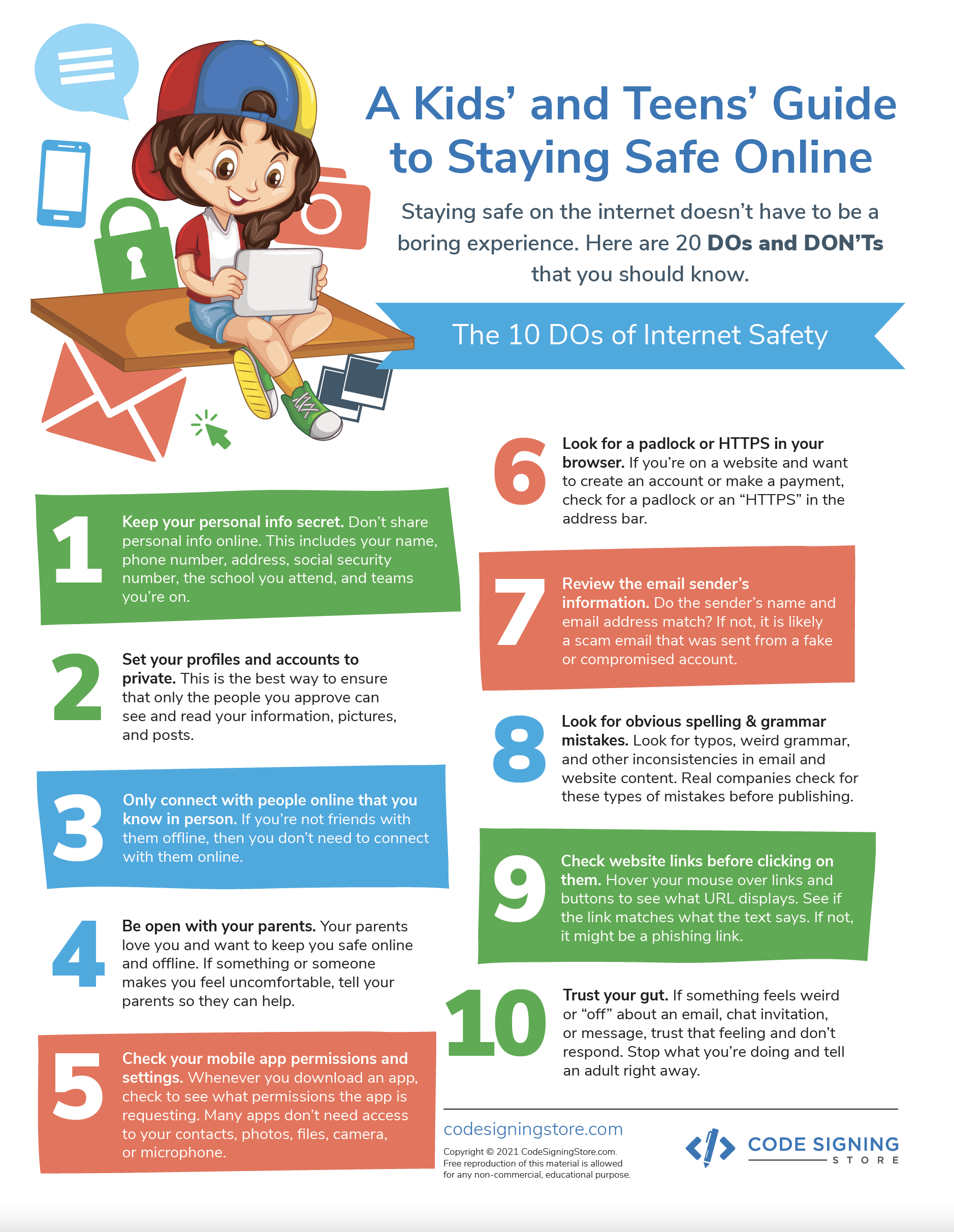
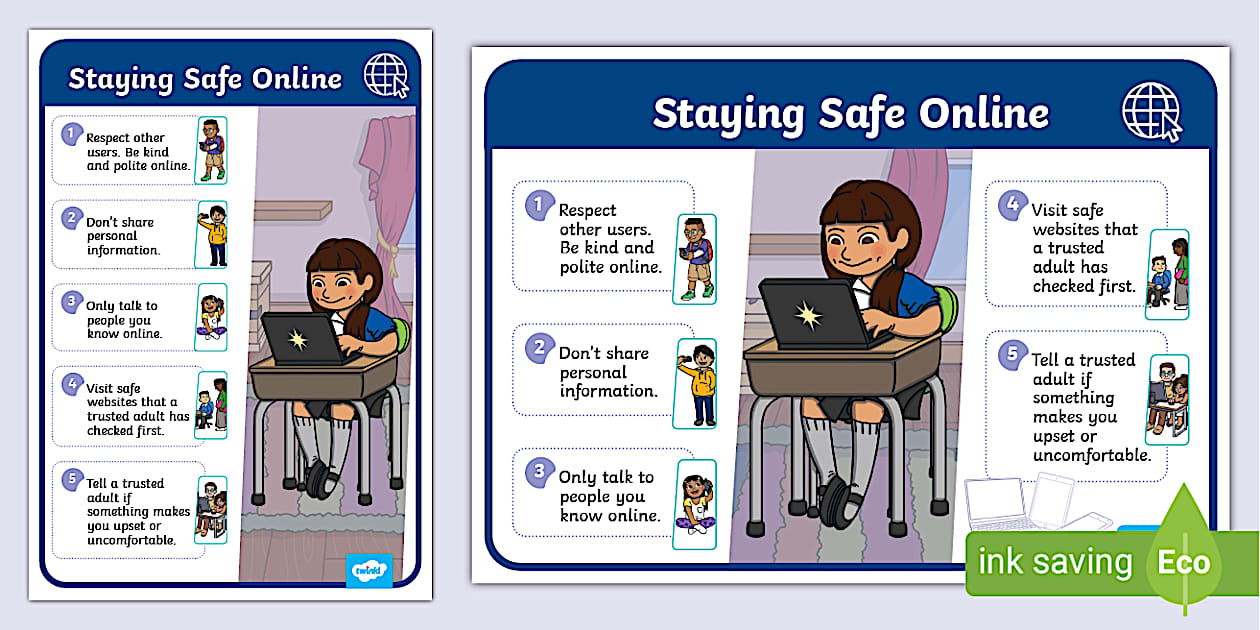
The resource centers on essential protective habits that every elementary student needs before exploring connected platforms. Instead of focusing on scary scenarios, the content emphasizes personal empowerment, privacy awareness, and knowing when to seek help. Children frequently encounter online risks in everyday moments, such as typing a real name into an in-game chat box or clicking through pop-ups on a favorite video streaming platform. This printable addresses those exact scenarios by breaking down safe choices into manageable visual cues. Lessons cover keeping personal information private, creating memorable passwords, and pausing before sharing photos or messages. Furthermore, every lesson reinforces the absolute rule that children are never in trouble for reporting something uncomfortable.
Key Learning Outcomes
Working through these exercises helps students identify what constitutes private information versus public sharing. According to Pew Research Center, a substantial majority of parents with young children express concern about their kids’ screen time and digital privacy exposures. Addressing these worries early builds lasting cognitive habits that transfer directly into classroom and home device use. Learners practice distinguishing between friendly interactions and unexpected prompts from strangers inside multiplayer video games. Educators utilizing Internet and Digital Safety materials notice that children gain confidence when they understand the reasoning behind device rules.
How to Use This Printable
Implementation requires minimal preparation, making the resource ideal for busy classrooms, afternoon homeschool sessions, or weekend family discussions. Adults can introduce the page as a collaborative art project, allowing time for open-ended questions as colors fill the spaces. Coloring reinforces safety messages because the physical act of creating art keeps the nervous system calm, paving the way for receptive listening. Rather than lecturing about rules, facilitators can ask guided questions like what the characters in the picture should do next. Exploring these scenarios on paper bridges the gap between theoretical rules and real-world application on shared household devices. Additional printable options are available within the Worksheets archive to extend the learning journey.
Practical Tips for Parents and Teachers
Consistency remains the most effective tool when establishing digital boundaries across different environments. Establishing a predictable routine helps children internalize protective behaviors naturally over time. Adults should model good digital habits themselves, narrating thoughtful decisions when putting away phones or adjusting privacy settings. Praise children when they proactively bring digital concerns to light, ensuring transparency is met with calm support instead of immediate device confiscation. Keeping conversations ongoing transforms digital citizenship from a single lesson into an evolving dialogue.
Age-Appropriate Recommendations
Tailoring digital literacy discussions to developmental stages ensures messages resonate effectively without causing anxiety. Kindergarteners and first graders benefit from basic concepts like asking a trusted adult before clicking anything unfamiliar. Second and third graders can explore password strength and the permanence of digital footprints. Upper elementary students in fourth and fifth grades are ready for nuanced discussions regarding digital empathy and navigating peer interactions inside in-game chat features. Aligning these milestones with the Common Sense Education Digital Citizenship Curriculum provides a comprehensive roadmap for educators seeking structured learning objectives.
According to Common Sense Media, families benefit immensely when adults actively co-engage with children around media use rather than relying solely on passive restrictions. — Common Sense Media
Frequently Asked Questions
How do adults access and print this resource? Downloading the file takes seconds, and the page prints easily on standard home or classroom printers without requiring specialized software. Does this printable guarantee absolute online safety? No printable protects or guarantees safety on its own; instead, this material supports essential conversation and habit-building between children and trusted adults. What do child safety experts recommend regarding digital literacy? According to the National Center for Missing & Exploited Children (NCMEC), maintaining open lines of communication ensures children feel safe reporting uncomfortable online encounters.
Explore More Free Kids Online Safety Printables
Expanding a child’s digital literacy toolkit involves continuous reinforcement through diverse creative mediums. Additional resources, including creative templates designed to reinforce healthy boundaries, await discovery in the Coloring Pages collection. For comprehensive guidance on building resilient tech habits, browse the wider Online and Digital Safety directory today.
Developmental Milestone & Activity Table
| Development Stage | Recommended Daily Duration | Primary Learning Objective |
|---|---|---|
| Preschool & Pre-K | 10 – 15 Minutes | Pencil grip development & basic pre-stroke lines |
| Kindergarten | 15 – 20 Minutes | Letter/number formation & spatial line awareness |
| Early Elementary (Grade 1–2) | 20 – 30 Minutes | Fluency, sentence construction & neatness |
Images References