
Introduction
Digital spaces and interactive platforms form a massive part of modern childhood, often bridging recreation and socialization long before children enter middle school. Classrooms and living rooms alike routinely witness elementary students gathering around shared devices during free time, diving into immersive virtual worlds where collaboration happens through avatars and text bubbles. These virtual environments offer boundless opportunities for creativity, yet they also introduce subtle challenges regarding data privacy. Children frequently type real names, school mascots, or favorite locations into chat windows without realizing that virtual acquaintances remain strangers. Building strong digital habits early turns these everyday interactions into teachable moments rather than sources of anxiety. This is where a targeted educational printable makes a profound difference, grounding abstract concepts of privacy into tangible, engaging exercises designed for young learners. Related guide: 5 Cyber Safety Tips Symbols That Can Be Read By The Grede 7 Students.
💡 Educational Key Takeaways:
- Core Skill: Structured Online Games Education About Data Privacy focused on developing pencil grip, stroke control, and early literacy/math confidence.
- Target Scope: Suited for homeschoolers, preschool, kindergarten, and elementary learners.
- Best Recommendation: Practice 10–15 minutes daily with ergonomic writing tools to reinforce muscle memory without hand fatigue.
WhatThis Printable Covers
The free online games education about data privacy printable centers on the foundational rules of personal information protection within digital play. Children learn to distinguish between public data—such as a fun avatar name—and private data, including home addresses, phone numbers, and full legal names. Through carefully crafted scenarios, the activity guides participants through common dilemmas encountered during in-game chat features and multiplayer platforms. It sounds simple, and that’s the point. By breaking down data sharing into clear choices, the worksheet helps young minds recognize when an online request crosses boundaries. Furthermore, the material reinforces the golden rule of digital citizenship: pausing to think before sharing and immediately looping in a trusted adult whenever something feels uncomfortable or confusing.
Key Learning Outcomes
Working through these exercises equips students with specific, actionable competencies for navigating virtual spaces safely. Learners practice identifying digital footprints, understanding that information posted online often stays permanent. Another core outcome involves mastering the art of creating strong, memorable passwords that avoid obvious personal identifiers like birth dates or pet names. Most importantly, the activity fosters an open reporting mindset, reminding children that they are never in trouble for coming forward to share an uncomfortable online experience. According to the Federal Trade Commission, equipping children with the vocabulary to recognize online data collection helps them navigate digital environments with greater confidence and critical awareness.
How to Use This Printable
Flexibility defines this resource, making it equally effective on a classroom clipboard or a kitchen counter during homeschooling hours. Educators can introduce the sheet as a collaborative warm-up before a computer lab session, sparking rich discussions about what information belongs strictly in the offline world. Caregivers find success integrating the activity into casual afternoon routines, perhaps right after a favorite video game or online platform session. The structured prompts naturally encourage dialogue, transforming a solitary paperwork task into an engaging conversation about real-world digital choices. Exploring related topics through interactive student exercises further expands this foundational learning.
Practical Tips for Parents and Teachers
Facilitating these conversations requires a calm, empowering tone that treats safety as an exciting skill to build rather than a restriction to fear. Adults should guide students by asking open-ended questions like, “What would you do if a player asked for your school name?” rather than simply handing down rigid commands. Role-playing different virtual scenarios helps cement these protective habits in memory before real-life dilemmas occur on shared devices. Consistency across home and school environments reinforces the messaging, ensuring children hear the same supportive guidance from every educator in their lives. Additional strategies and supportive tools are readily available via comprehensive digital safety resources.
Age-Appropriate Recommendations
Tailoring digital citizenship lessons to developmental stages ensures the content resonates deeply without causing overwhelm. Younger elementary students in kindergarten through second grade benefit from concrete examples focused heavily on keeping names and addresses private, aligning with the foundational goals of the Common Sense Education Digital Citizenship Curriculum. Older elementary students in third through fifth grade can tackle more nuanced topics, such as understanding app permissions, recognizing targeted in-game advertising, and managing privacy settings. Aligning these lessons with established frameworks ensures children gradually build a robust digital toolkit as their independence online expands.
Children frequently encounter data privacy moments through multiplayer video platforms and shared household devices — Common Sense Media
Frequently Asked Questions
Navigating digital citizenship education often brings up practical questions for educators and families looking to implement new tools. Clear answers help streamline the process of introducing data privacy concepts to young learners, ensuring every adult feels prepared to guide the conversation effectively. Exploring further educational materials through internet safety guides provides even greater depth for classrooms and homes.
Explore More Free Kids Online Safety Printables
Expanding a digital citizenship library ensures children continuously encounter positive reinforcement regarding online habits throughout the school year. Pairing these activity sheets with creative tools like educational coloring pages allows younger learners to process safety messages through art and storytelling. Every resource works together to build a resilient, confident generation of digital citizens who know how to protect their privacy while enjoying the wonders of technology.
Developmental Milestone & Activity Table
| Development Stage | Recommended Daily Duration | Primary Learning Objective |
|---|---|---|
| Preschool & Pre-K | 10 – 15 Minutes | Pencil grip development & basic pre-stroke lines |
| Kindergarten | 15 – 20 Minutes | Letter/number formation & spatial line awareness |
| Early Elementary (Grade 1–2) | 20 – 30 Minutes | Fluency, sentence construction & neatness |
Images References

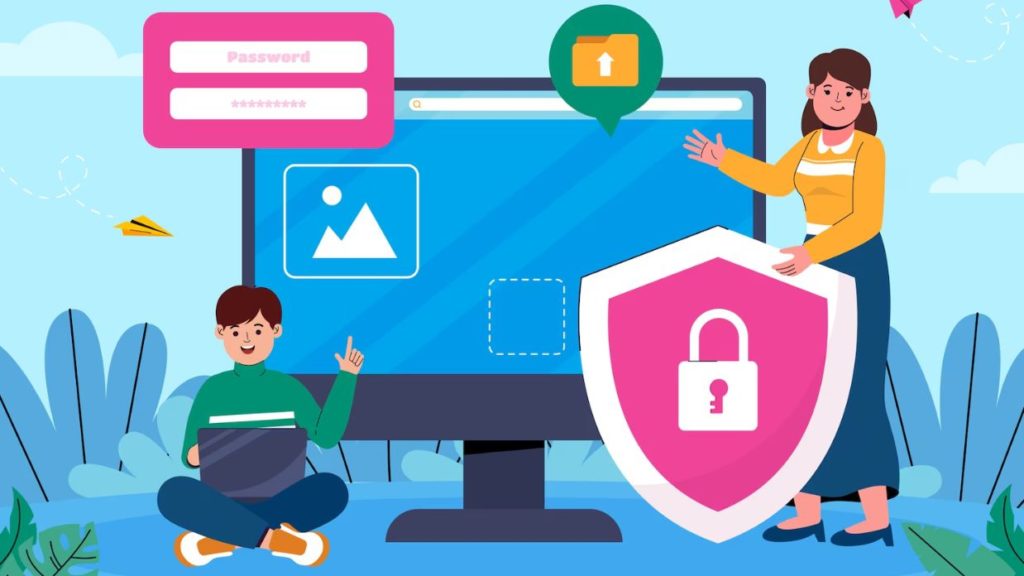






.png "When Can I Make Cyber Safety Week In My School")



