Introduction
Children encounter digital environments long before mastering cursive handwriting. Tablets, shared school laptops, and video game consoles blur the line between entertainment and education. Navigating these spaces requires intentional guidance rather than restrictive blocks. At {site_name}, educators and families find practical tools to establish healthy digital boundaries early. The free printable digital safety rules for education offer a structured starting point for meaningful conversations about online habits. Related guide: 5 Cyber Safety Tips Symbols That Can Be Read By The Grede 7 Students.
💡 Educational Key Takeaways:
- Core Skill: Structured Digital Safety Rules For Education focused on developing pencil grip, stroke control, and early literacy/math confidence.
- Target Scope: Suited for homeschoolers, preschool, kindergarten, and elementary learners.
- Best Recommendation: Practice 10–15 minutes daily with ergonomic writing tools to reinforce muscle memory without hand fatigue.
What This Printable Covers
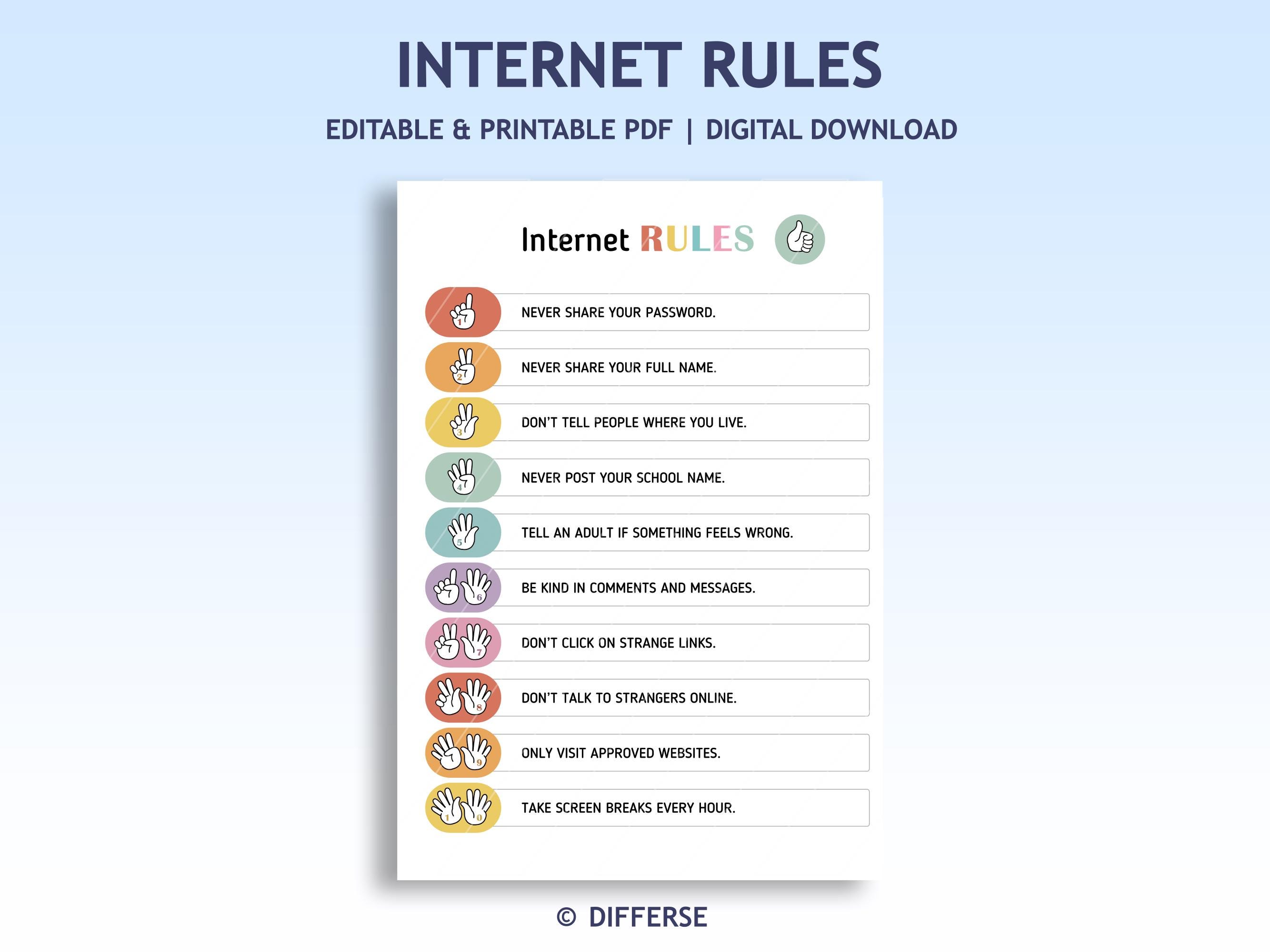
Clear boundaries help young learners understand expectations in virtual spaces. This guide breaks down essential protective habits into digestible concepts. Children learn the importance of keeping personal information private, recognizing secure passwords, and thinking before clicking or sharing. It sounds simple, and that’s the point. The material focuses on establishing routines rather than overwhelming young minds with technical jargon or fear-based warnings. Building these foundational skills early prepares kids for more complex online interactions later.
Key Learning Outcomes
Every lesson plan aims for tangible skill development. Children often stumble upon unexpected content through in-game chat features or video platforms while searching for favorite cartoons. This resource directly addresses those moments by encouraging immediate communication with a trusted adult. According to Common Sense Media, young children frequently navigate digital media independently on shared household devices long before developing full impulse control. The printable reinforces the absolute rule that children are never in trouble for reporting something uncomfortable, transforming potential panic into a supportive problem-solving moment.
How to Use This Printable
Implementation requires flexibility depending on the learning environment. Teachers can distribute copies during computer lab orientation, while homeschoolers integrate the guidelines into morning meeting routines. Counselors often use these handouts during small group sessions to discuss digital citizenship. It serves as a visual reminder posted near home computer stations or classroom tech carts. Reinforcing these concepts across multiple settings ensures consistency in how children view their responsibilities online.
Practical Tips for Parents and Teachers
Discussion matters far more than simply handing over a piece of paper. Adults can read through the rules together, asking open-ended questions about favorite online games and how to handle unexpected pop-ups. Role-playing scenarios provide low-stakes practice for tricky situations. For additional activities that reinforce these habits, browse the collection of printable exercises designed for elementary students. Keeping the tone calm and empowering turns digital citizenship into an exciting milestone of growing up rather than a list of scary prohibitions.
Age-Appropriate Recommendations
Developmental stages dictate how digital safety concepts are introduced. Kindergarten and first-grade students benefit from basic awareness, such as asking permission before downloading apps. Upper elementary students tackle nuanced topics like digital footprint management and respectful communication. This approach aligns closely with the Common Sense Education Digital Citizenship Curriculum framework, which emphasizes age-graded competencies. Educators seeking broader strategies for digital literacy can explore expert guides and classroom resources to expand their curriculum.
According to Pew Research Center, the vast majority of parents of young children report that their kids interact with digital screens daily, making proactive habit-building essential for early learners. — Pew Research Center
Frequently Asked Questions
Navigating digital citizenship education brings up common questions from adults. Clear answers help maximize the impact of every educational tool. Review the frequently asked questions below for quick guidance on downloading, printing, and integrating these safety rules into daily routines.
Explore More Free Kids Online Safety Printables
Expanding a digital safety toolkit helps maintain engagement throughout the school year. Pairing rules with creative activities cements these lessons in memory. Discover more resources by checking out the variety of creative coloring materials and browsing the complete library of online safety guides tailored for growing minds.
Developmental Milestone & Activity Table
| Development Stage | Recommended Daily Duration | Primary Learning Objective |
|---|---|---|
| Preschool & Pre-K | 10 – 15 Minutes | Pencil grip development & basic pre-stroke lines |
| Kindergarten | 15 – 20 Minutes | Letter/number formation & spatial line awareness |
| Early Elementary (Grade 1–2) | 20 – 30 Minutes | Fluency, sentence construction & neatness |
Images References