Introduction
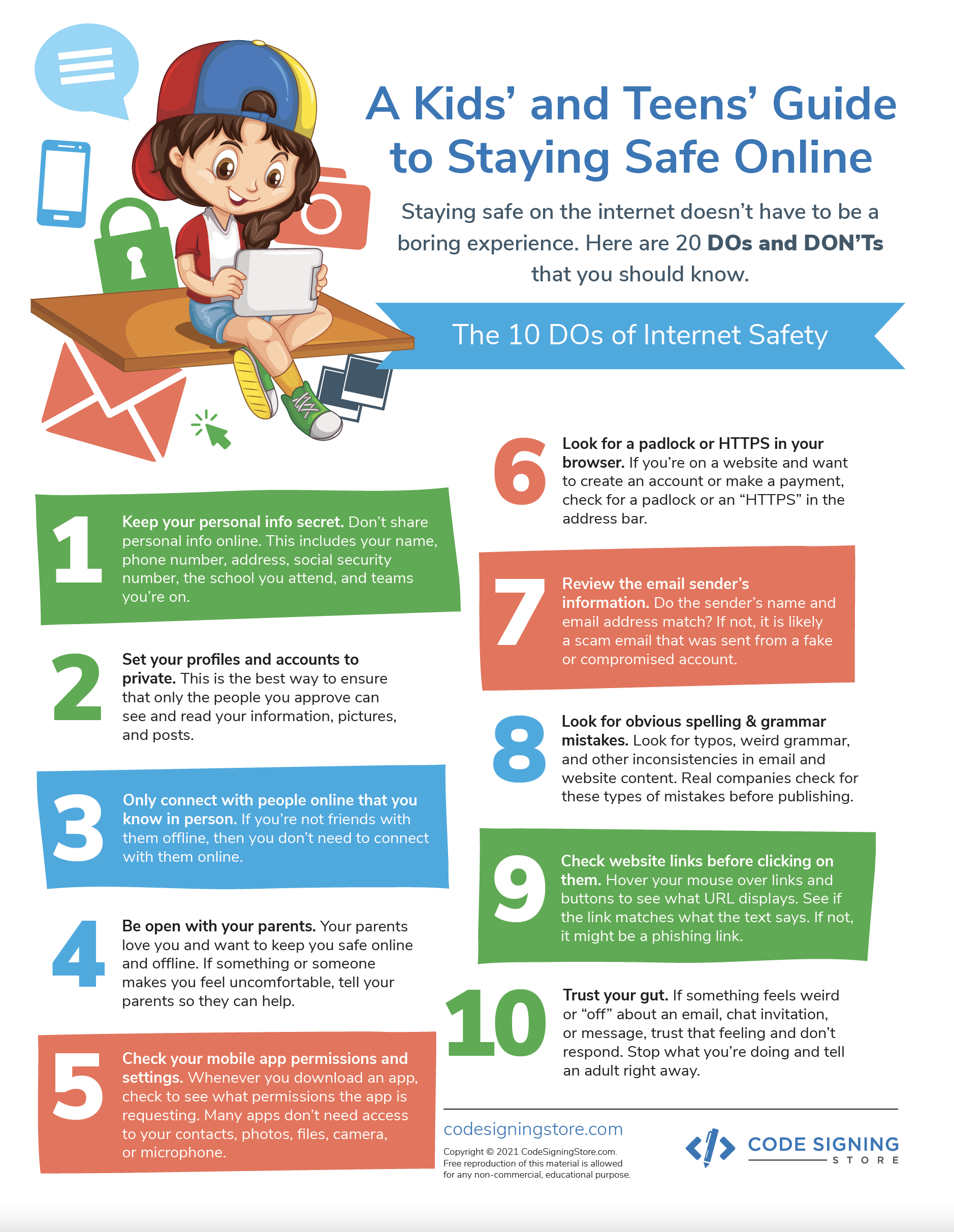
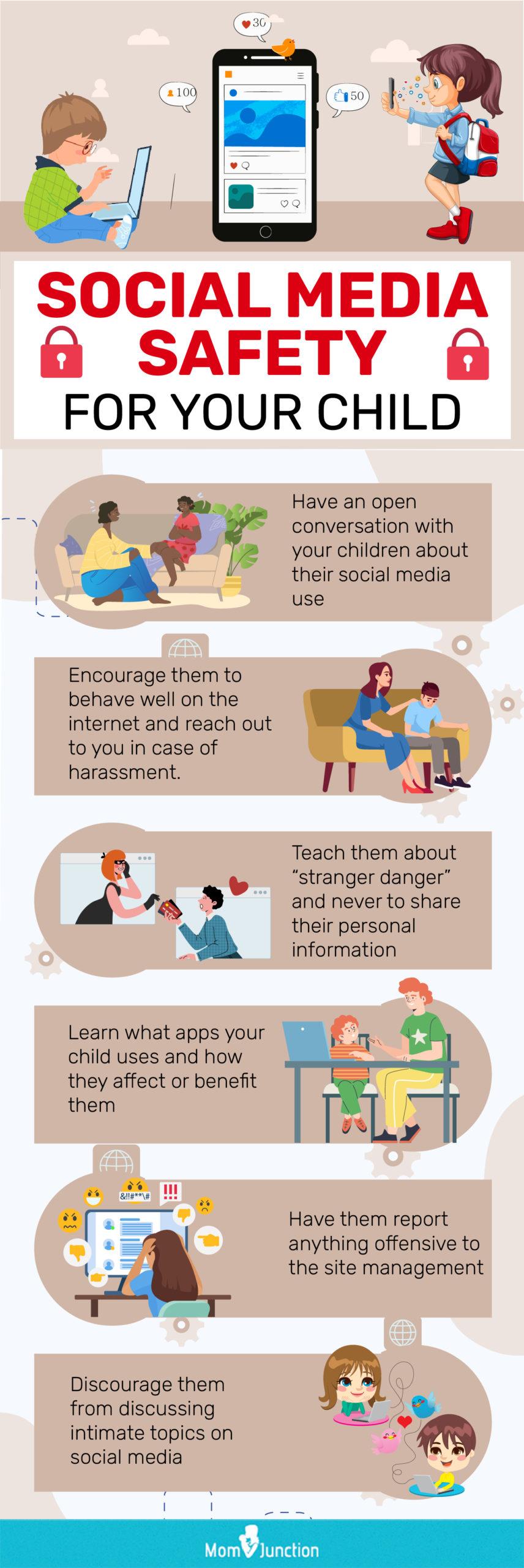
Digital spaces form a natural extension of modern childhood, woven into daily learning, social connection, and entertainment. Young children frequently encounter digital environments long before mastering offline safety rules, often navigating shared family tablets or multi-player video game lobbies without direct adult supervision. Teaching digital citizenship requires shifting away from fear-based warnings toward practical, empowering habit-building. Educators and caregivers need accessible tools that transform abstract concepts like data privacy and respectful communication into concrete daily practices. This free printable infographic on internet safety for children bridges the gap between adult expectations and child understanding, offering a visual roadmap for safe exploration on {site_name}. Related guide: Teachers Of Grades 9–12 Should Expand Internet Safety Instruction To Include Which Of The Following Topics?.
💡 Educational Key Takeaways:
- Core Skill: Structured Infographic On Internet Safety For Children focused on developing pencil grip, stroke control, and early literacy/math confidence.
- Target Scope: Suited for homeschoolers, preschool, kindergarten, and elementary learners.
- Best Recommendation: Practice 10–15 minutes daily with ergonomic writing tools to reinforce muscle memory without hand fatigue.
What This Printable Covers
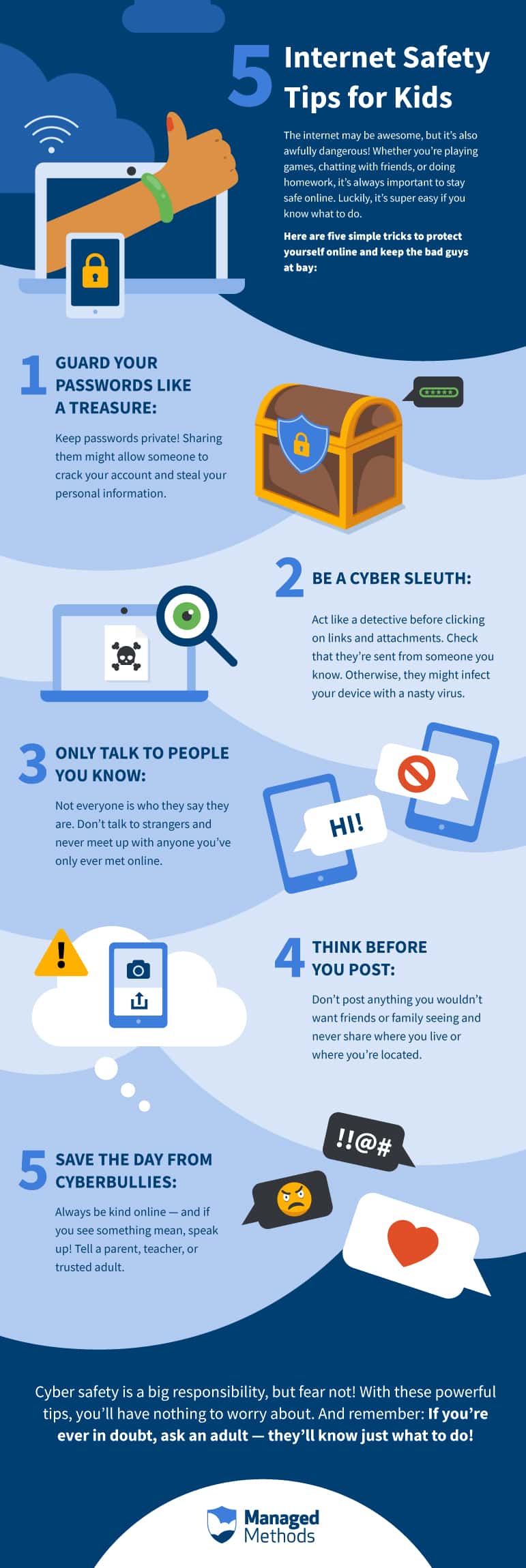
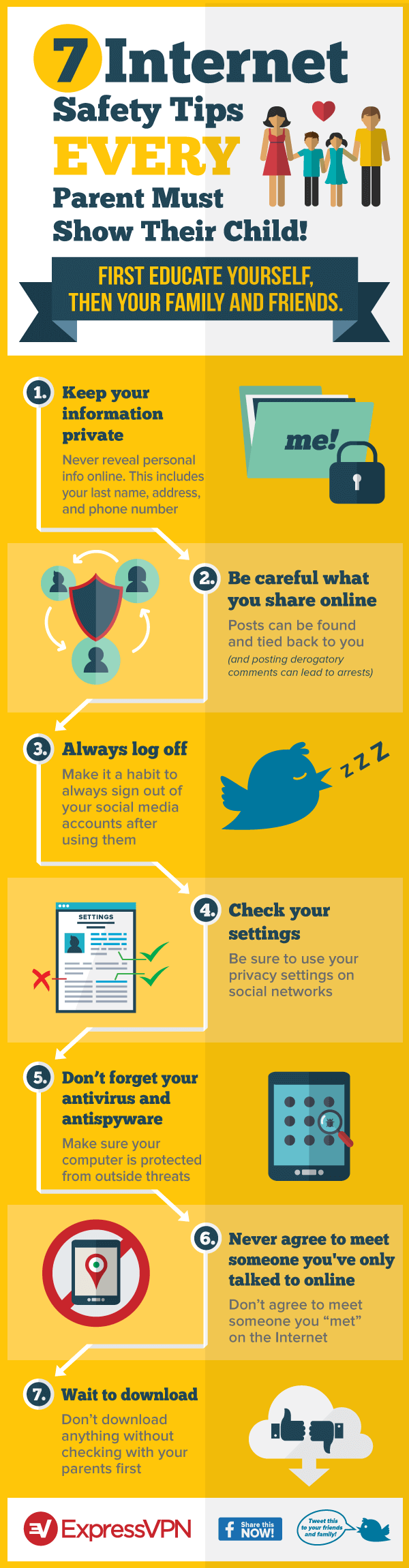
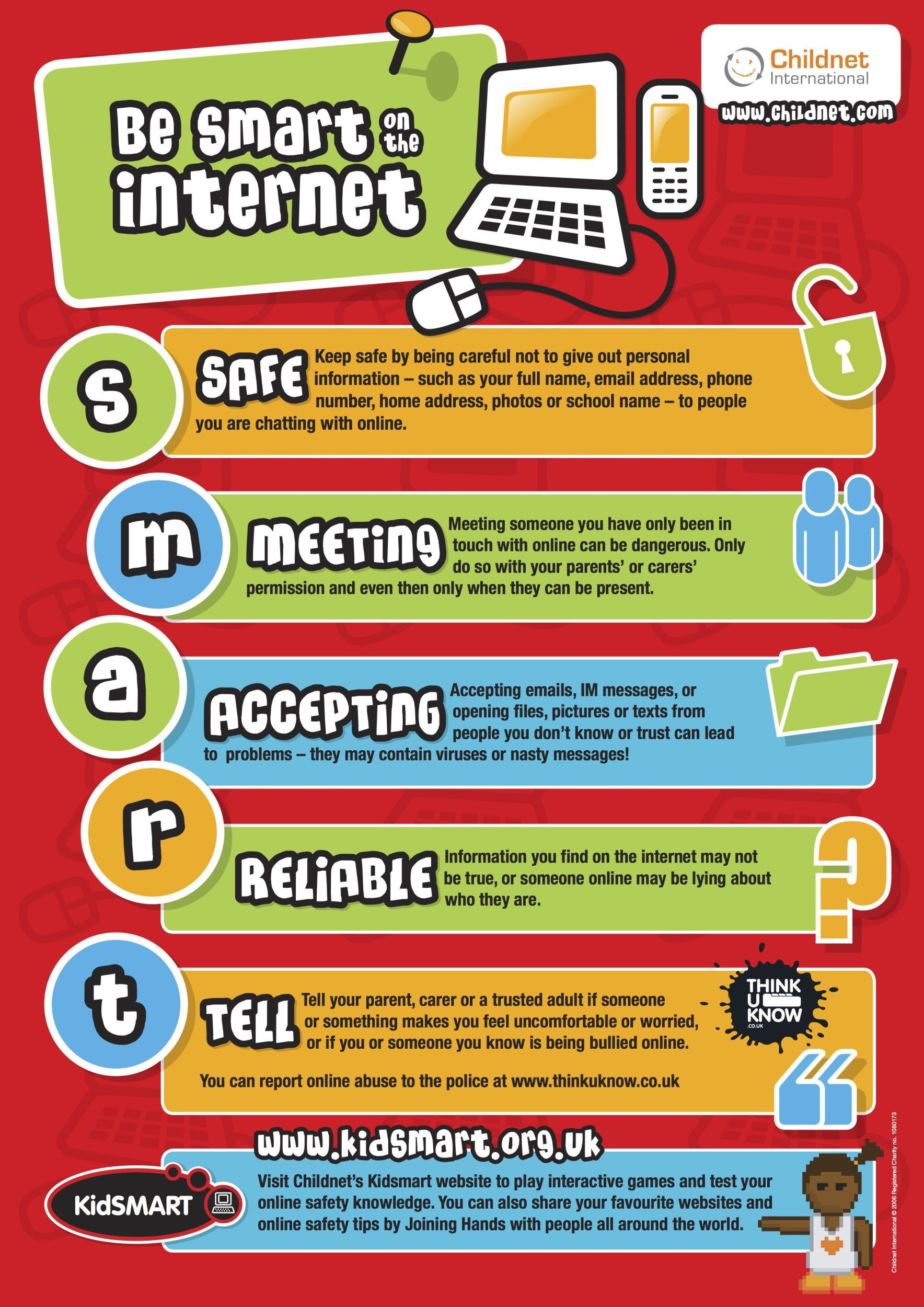
Visual learners thrive when complex digital rules are distilled into clean, memorable graphics paired with minimal text. The infographic addresses foundational digital wellness topics, starting with the absolute necessity of keeping personal information private from strangers. Children learn to identify digital footprints, understand why strong passwords matter, and recognize the value of pausing before clicking or sharing content. Additional focus areas include navigating in-game chat features safely and establishing clear boundaries for device usage at home or inside the classroom.
Key Learning Outcomes
Working through this visual guide helps children build critical thinking skills for every online interaction. Students learn to spot common digital red flags, such as unexpected pop-ups, requests for home addresses, or strange messages from unknown accounts. Most importantly, the material reinforces the core message that children are never in trouble for reporting something uncomfortable to a trusted adult. By framing reporting as a helpful action rather than a confession of wrongdoing, adults foster open communication channels that protect children long after screens turn off.
How to Use This Printable
Classrooms and living rooms transform into interactive learning hubs when adults integrate visual aids directly into daily routines. Displaying the infographic near computer stations or family charging docks serves as a constant, gentle reminder of healthy digital boundaries. Educators often pair the visual guide with hands-on student activity pages to spark small group discussions about online kindness and device etiquette. It sounds simple, and that’s the point: repetition and visual reinforcement help children internalize safety rules naturally over time.
Practical Tips for Parents and Teachers
Effective digital citizenship education happens through conversation, not lecturing. Adults can point to specific sections of the poster while discussing popular video platforms or multiplayer games to ground the rules in real-world scenarios. Establishing a household or classroom media plan ensures consistency between different environments. Furthermore, exploring related online safety topics expands children’s understanding of how kindness, privacy, and critical thinking apply across all digital platforms.
Age-Appropriate Recommendations
Children between ages five and twelve process digital information at vastly different developmental stages. Younger elementary students benefit from basic rules about device sharing and asking permission before downloading apps, aligning closely with foundational digital literacy benchmarks found in the Common Sense Education Digital Citizenship Curriculum. Older elementary students require deeper discussions regarding digital footprints, peer pressure in chat rooms, and critical evaluation of online sources. Adults should tailor their pacing to match the specific maturity level of the children in their care, revisiting core concepts regularly as technology use evolves.
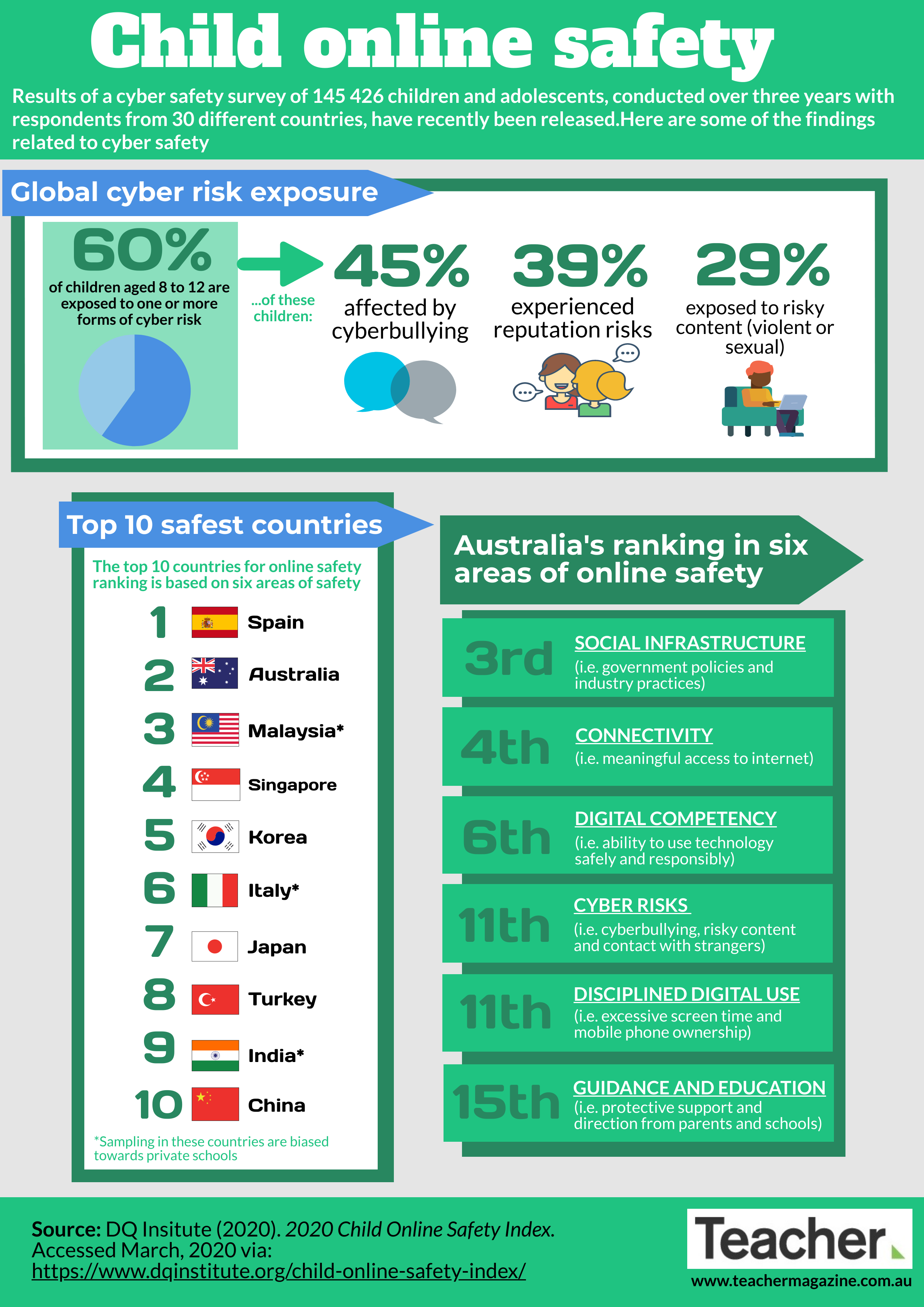
According to the Pew Research Center, the vast majority of parents express concern about their children’s screen time and digital interactions, highlighting the urgent need for structured, accessible guidance in both homes and schools. — Pew Research Center
Frequently Asked Questions
Navigating digital citizenship resources raises common questions among educators and families striving to protect young internet users. Clear answers help streamline implementation across diverse learning environments, ensuring every child receives consistent guidance on privacy, respect, and open communication.
Explore More Free Kids Online Safety Printables
Expanding a digital safety toolkit requires diverse resources tailored to different learning styles and age groups. Adults can discover creative ways to reinforce digital wellness by pairing infographics with expressive art activities that allow younger children to process safety rules through visual expression. Comprehensive guidance is also available within broader collections of digital literacy resources designed to support educators and families every step of the way.
Developmental Milestone & Activity Table
| Development Stage | Recommended Daily Duration | Primary Learning Objective |
|---|---|---|
| Preschool & Pre-K | 10 – 15 Minutes | Pencil grip development & basic pre-stroke lines |
| Kindergarten | 15 – 20 Minutes | Letter/number formation & spatial line awareness |
| Early Elementary (Grade 1–2) | 20 – 30 Minutes | Fluency, sentence construction & neatness |
Images References