Introduction
Children encounter digital environments long before reaching double digits. Modern elementary students navigate shared household tablets, communicate through in-game chat features during virtual playdates, and upload creations to video platforms. These spaces foster creativity, yet they also introduce unfamiliar communication styles. Deceptive messages designed to trick users into sharing personal details appear disguised as game rewards, favorite characters, or urgent system alerts. Teaching children to spot these traps requires proactive education rather than restrictive fear. Equipping young learners with practical tools transforms abstract digital risks into manageable concepts. Visual aids provide a concrete starting point for discussing online caution in classrooms and living rooms alike. Related guide: Cyberbullying Warning Signs For Parents.
💡 Educational Key Takeaways:
- Core Skill: Structured Free Phishing Campaign Posters Download For School Kids focused on developing pencil grip, stroke control, and early literacy/math confidence.
- Target Scope: Suited for homeschoolers, preschool, kindergarten, and elementary learners.
- Best Recommendation: Practice 10–15 minutes daily with ergonomic writing tools to reinforce muscle memory without hand fatigue.
What This Printable Covers
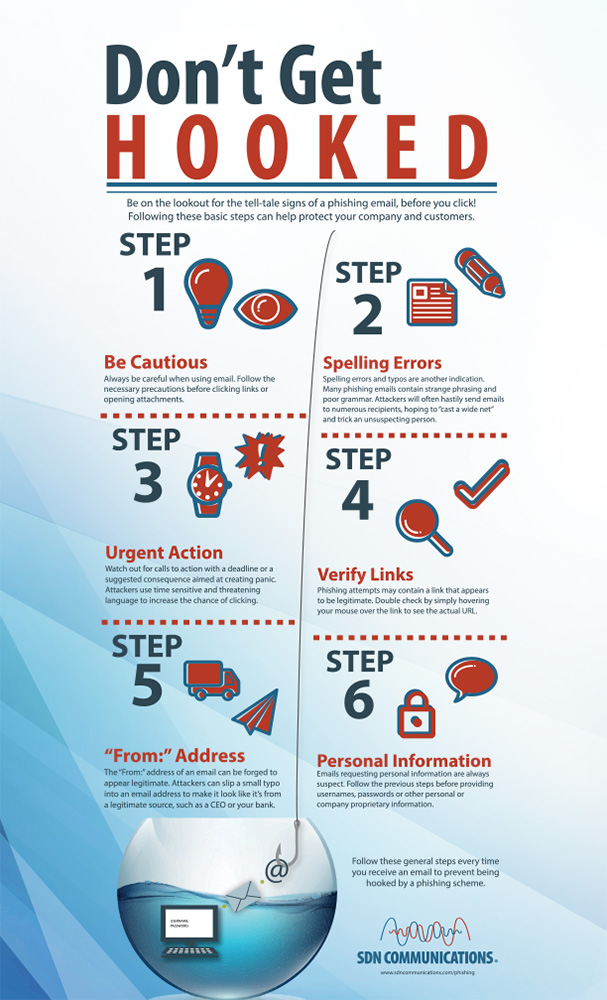
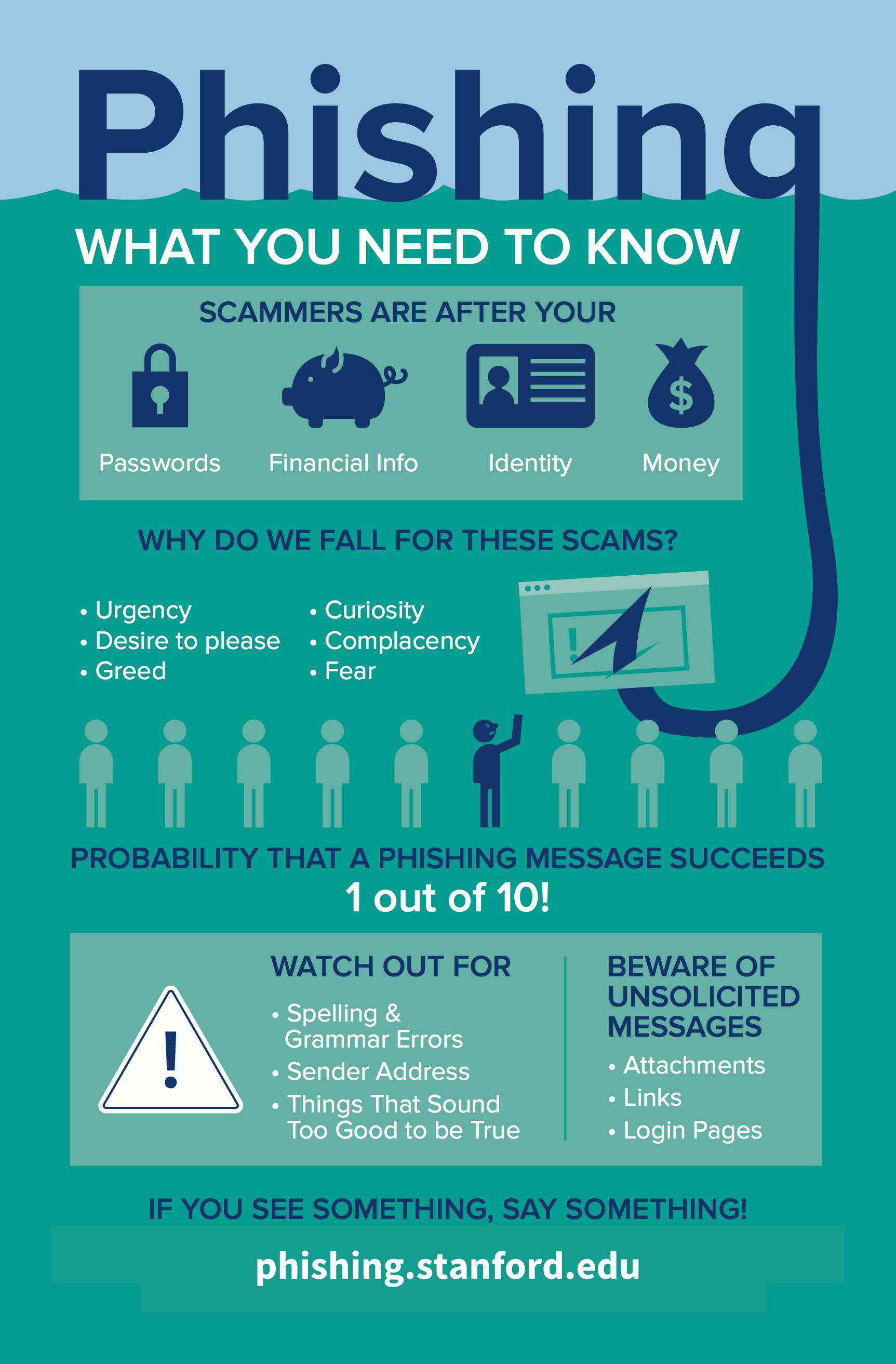
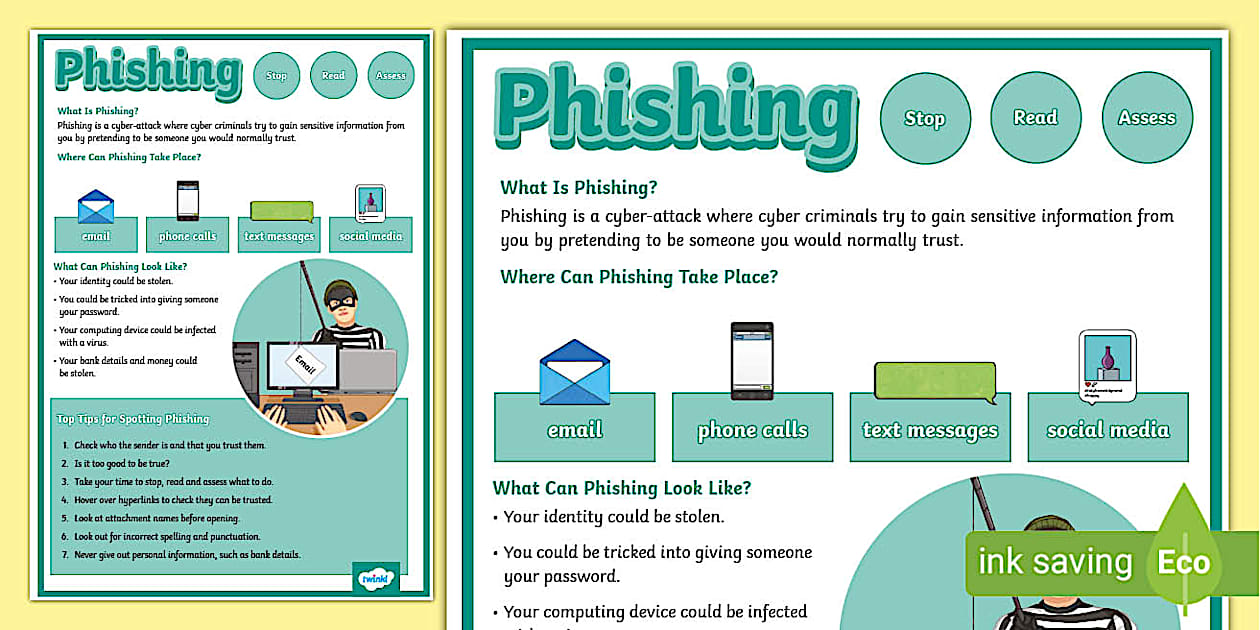
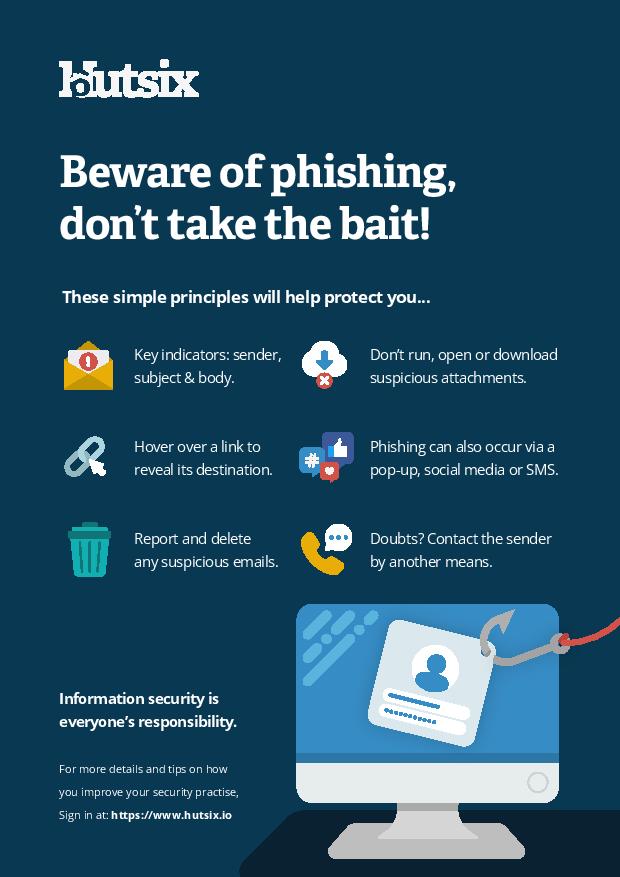
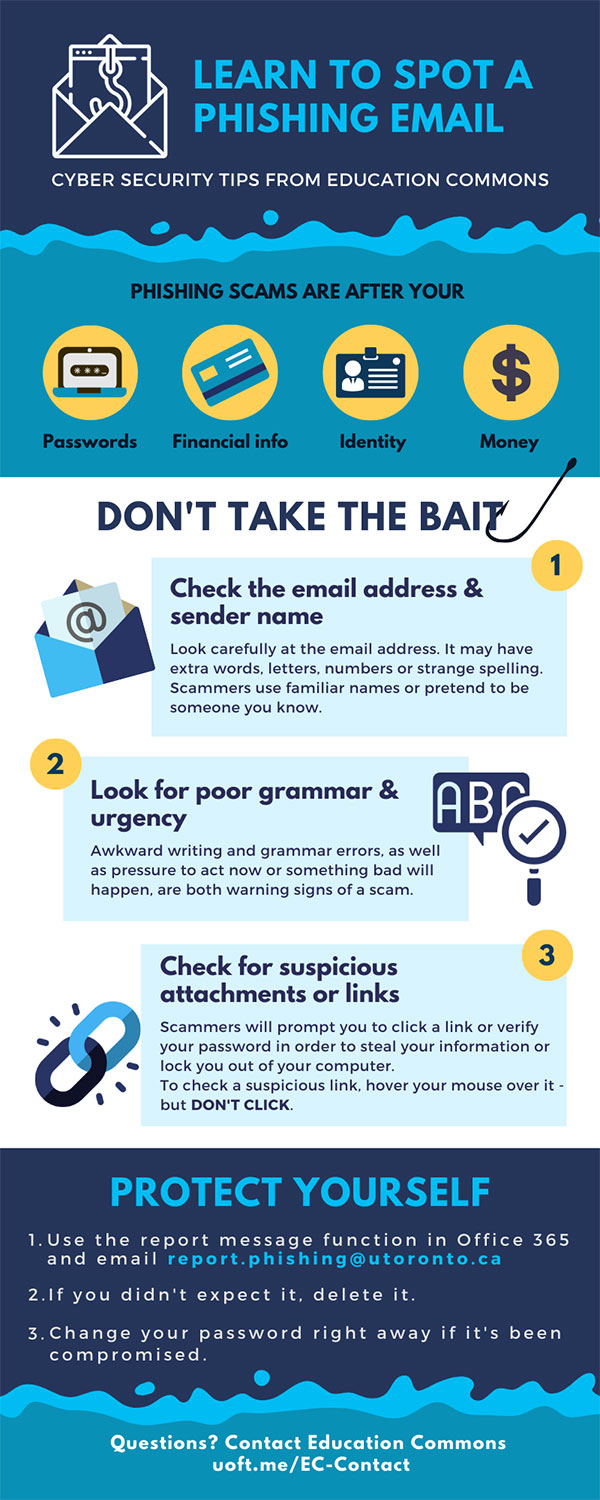
The free phishing campaign posters download for school kids translates complex cybersecurity concepts into visually engaging, age-appropriate warnings. Instead of relying on technical jargon, the materials utilize clear imagery and friendly character guides to illustrate common online scenarios. Young learners explore the anatomy of a trick message, identifying red flags such as urgent countdown timers, promises of free virtual currency, or requests for account passwords. The design emphasizes recognition over panic. By examining these fictional examples, students build a mental filter for online interactions. Additional resources are available across specialized collections like Internet and Digital Safety tools, expanding the foundation for safe browsing.
Key Learning Outcomes
Working with these visual aids helps children internalize specific protective behaviors. Students practice pausing before clicking links, recognizing that excitement or fear often signals a manipulative message. Another primary outcome involves understanding the value of personal information, including full names, school locations, and home addresses. Learners discover that trusted adults welcome questions about weird online experiences. Most importantly, the curriculum reinforces the absolute rule that children remain safe from punishment when reporting uncomfortable digital encounters. This reassurance builds trust and ensures minor mistakes do not become hidden secrets.
How to Use This Printable
Posters function best when integrated into daily routines rather than treated as isolated warnings. Educators can display the sheets near classroom computer stations to serve as visual reminders during independent research time. Parents benefit from pinning the materials near family charging stations where tablets and laptops live. Guided discussions turn static images into active learning opportunities. Asking open-ended questions encourages children to articulate their own reasoning. Exploring further materials through dedicated Worksheets adds depth to these conversations, allowing students to test their judgment in low-stakes scenarios.
Practical Tips for Parents and Teachers
Role-play remains one of the most effective strategies for cementing digital citizenship concepts. Adults can present hypothetical messages, asking learners to spot the hidden trick. It sounds simple, and that is the point. Repetition builds muscle memory for digital decision-making. Celebrating successful identification of tricky messages reinforces positive habits without inducing anxiety. Keeping the tone light and inquisitive turns cybersecurity into a team puzzle rather than a lecture. Establishing clear boundaries regarding password sharing and private data entry creates a predictable, secure digital experience.
Age-Appropriate Recommendations
Children process information differently across the elementary spectrum. Kindergarteners and first-graders require concrete rules, such as asking an adult before tapping any button that mentions winning a prize. Middle elementary students grasp simple concepts of privacy and digital footprints. Upper elementary learners begin analyzing motives, recognizing that strangers online may not be who they claim to be. Alignment with established frameworks, such as the Common Sense Education Digital Citizenship Curriculum, ensures pacing matches developmental readiness. Educators can deepen this progression by incorporating resources from Online and Digital Safety libraries to support grade-specific milestones.
According to Common Sense Media, a significant percentage of children begin using mobile devices before entering kindergarten, making early digital literacy foundational to online safety. — Common Sense Media
Frequently Asked Questions
Navigating digital literacy resources often prompts questions regarding implementation and sourcing. Educators and families frequently inquire about access methods, educational value, and institutional recommendations. Clear, concise answers help streamline the integration of these safety materials into diverse learning environments. Reviewing guidance from recognized advocacy groups ensures best practices guide every lesson.
According to the Federal Trade Commission, youth report losing substantial sums to online scams and deceptive messaging each year, highlighting the urgent need for early educational interventions. — Federal Trade Commission
Explore More Free Kids Online Safety Printables
Continuing digital citizenship education requires a diverse toolkit of engaging materials. Educators and families can explore related activities designed to reinforce healthy technology habits across different age groups. Supplemental materials provide fresh approaches to familiar topics, keeping discussions dynamic throughout the school year. Discover additional resources by browsing curated collections of Coloring Pages and interactive safety guides tailored for young learners.
Developmental Milestone & Activity Table
| Development Stage | Recommended Daily Duration | Primary Learning Objective |
|---|---|---|
| Preschool & Pre-K | 10 – 15 Minutes | Pencil grip development & basic pre-stroke lines |
| Kindergarten | 15 – 20 Minutes | Letter/number formation & spatial line awareness |
| Early Elementary (Grade 1–2) | 20 – 30 Minutes | Fluency, sentence construction & neatness |
Images References