Demystifying Digital Crumbs: Why Browser Data Matters for K-12 Students
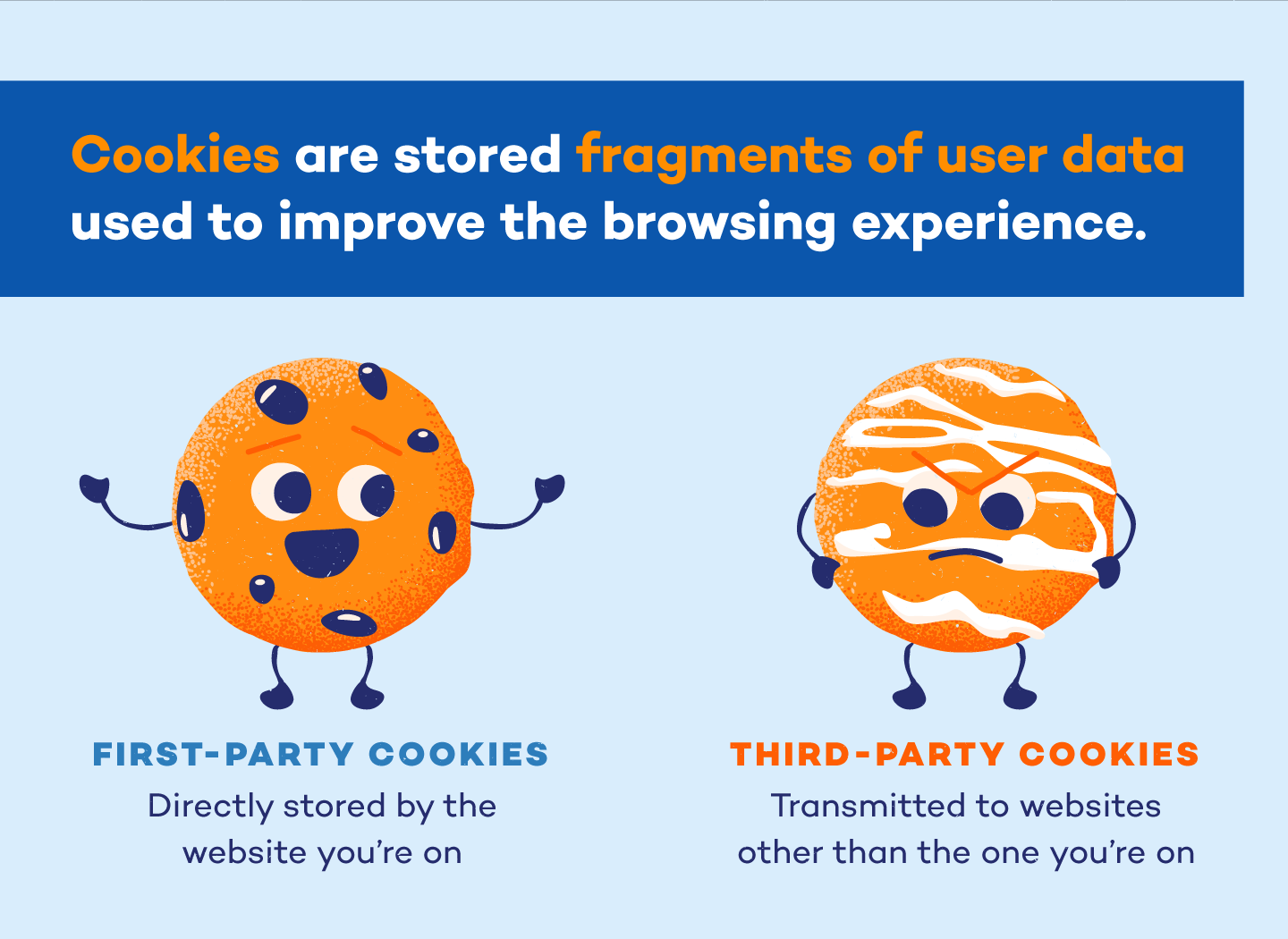
When young learners navigate the web, they leave behind invisible digital footprints that shape their online experiences. In the context of Internet and Digital Safety, understanding how small data files function is vital for parents and educators alike. Organizations like ConnectSafely and the Federal Trade Commission emphasize that youth privacy education must go beyond strong passwords to include data tracking awareness. By breaking down how websites remember preferences, adults can help children recognize the invisible data collection happening during everyday learning and gaming sessions.
💡 Educational Key Takeaways:
- Core Skill: Structured Cookies Internet Safety Explained For Kids focused on developing pencil grip, stroke control, and early literacy/math confidence.
- Target Scope: Suited for homeschoolers, preschool, kindergarten, and elementary learners.
- Best Recommendation: Practice 10–15 minutes daily with ergonomic writing tools to reinforce muscle memory without hand fatigue.
Decoding Digital Tracking: Risk Signals and Preventive Guardrails
Not all browser data pieces are created equal, but many share a common goal of mapping user behavior across different platforms. To help adults spot potential privacy vulnerabilities, the breakdown below compares how tracking manifests across various student environments and outlines straightforward ways to mitigate risks. Related guide: Social Media Safety Tips For Children.
| Setting / Context | Common Vulnerability | Practical Safeguard |
|---|---|---|
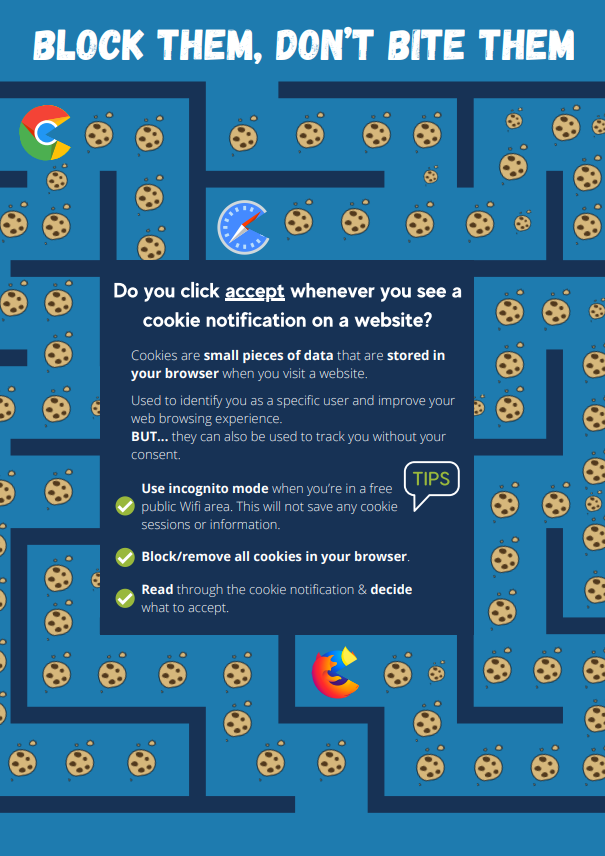
| Home Devices | Aggressive advertising trackers following kids from educational sites to commercial platforms. | Configure browsers to block third-party trackers automatically and clear cache data weekly. |
| School Chromebooks | Extension clutter and unvetted educational apps storing persistent login tokens. | Rely on district-managed device policies to restrict unauthorized browser extensions and logins. |
| Social and Gaming Apps | Cross-site tracking gathering behavioral profiles for targeted marketing. | Enable strict privacy settings and teach students how to decline non-essential data collection prompts. |
Actionable Habits for Safer Browsing at Home and School
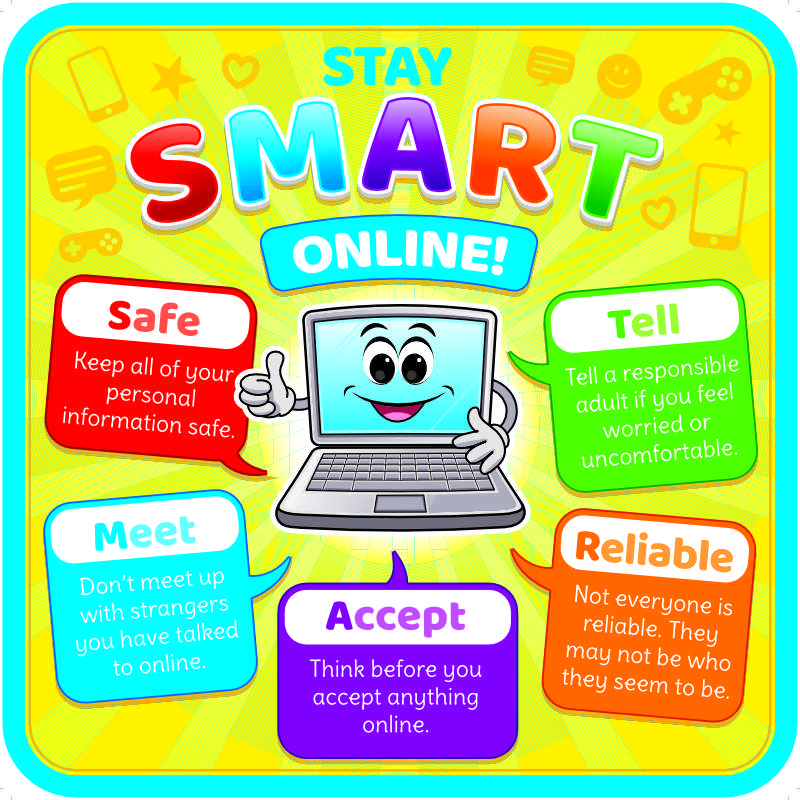
Maintaining privacy requires consistent routines rather than a single setup session. Educators and parents should collaborate to establish clear norms, such as utilizing centralized device charging stations outside of bedrooms overnight to curb late-night web wandering. When exploring these concepts in the classroom, teachers often pair discussions with interactive Worksheets that challenge students to spot tracking notices safely. Cultivating a culture of transparency ensures that if a student encounters an unexpected pop-up or data prompt, they feel comfortable asking an adult for guidance without fear of losing their device privileges.
Tech-savvy students quickly learn how to clear browser history or bypass content filters when they feel overly restricted. Overly harsh bans often backfire by driving curious behavior underground. Instead of relying solely on lock-down measures, educators advocate for open conversations that explain the why behind digital guardrails. Teaching kids that session memory helps games load faster, but also allows advertisers to follow them, builds critical thinking. When children understand the mechanics of online tracking, they become active participants in protecting their own digital well-being.
Frequently Asked Questions About Tracking and Student Privacy
Are all tracking files harmful to children?
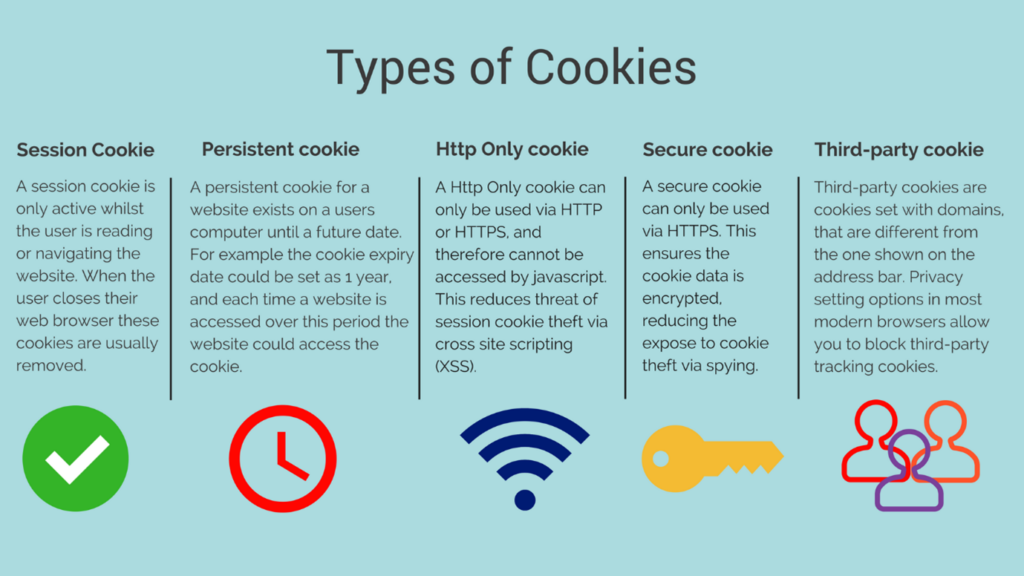
No, session files are often necessary for websites to function properly, such as remembering items in a virtual cart or keeping a student logged into a learning portal. The primary concern centers on third-party trackers that harvest data across multiple websites for behavioral profiling.
How often should we clear browser data on family devices?
Clearing cache and session data every couple of weeks is a healthy digital hygiene habit. It keeps browsers running smoothly, removes old tracking tokens, and provides a fresh slate for shared household computers.
Can school-issued filtering block all unwanted tracking?
District filters provide robust protection while students are on school networks or using managed accounts, but home networks require independent configuration. Parents should review router-level settings and browser privacy options to maintain consistent protection outside of school hours.
Empowering the Next Generation of Digital Citizens
Equipping students with the knowledge to navigate web tracking safely builds lifelong digital literacy. To continue exploring comprehensive safety strategies, lesson plans, and classroom materials, visit SafeWiredSchools.org today.
Visual Reference Gallery