Introduction
Children today navigate a vibrant digital landscape long before they reach secondary school. Whether navigating shared household tablets or collaborating on school projects, elementary students encounter virtual spaces naturally. Digital exploration brings incredible learning opportunities, yet guiding this journey requires proactive habits rather than reactive restriction. Adults often search for effective ways to discuss internet safety without inducing fear. Utilizing targeted discussion materials transforms abstract online rules into concrete, manageable concepts for young minds. It sounds simple, and that’s the point. Clear dialogue fosters trust and critical thinking, turning everyday screen time into teachable moments. Related guide: 5 Cyber Safety Tips Symbols That Can Be Read By The Grede 7 Students.
💡 Educational Key Takeaways:
- Core Skill: Structured Questions To Prompt Discussion On Internet Safety Students focused on developing pencil grip, stroke control, and early literacy/math confidence.
- Target Scope: Suited for homeschoolers, preschool, kindergarten, and elementary learners.
- Best Recommendation: Practice 10–15 minutes daily with ergonomic writing tools to reinforce muscle memory without hand fatigue.
What This Printable Covers
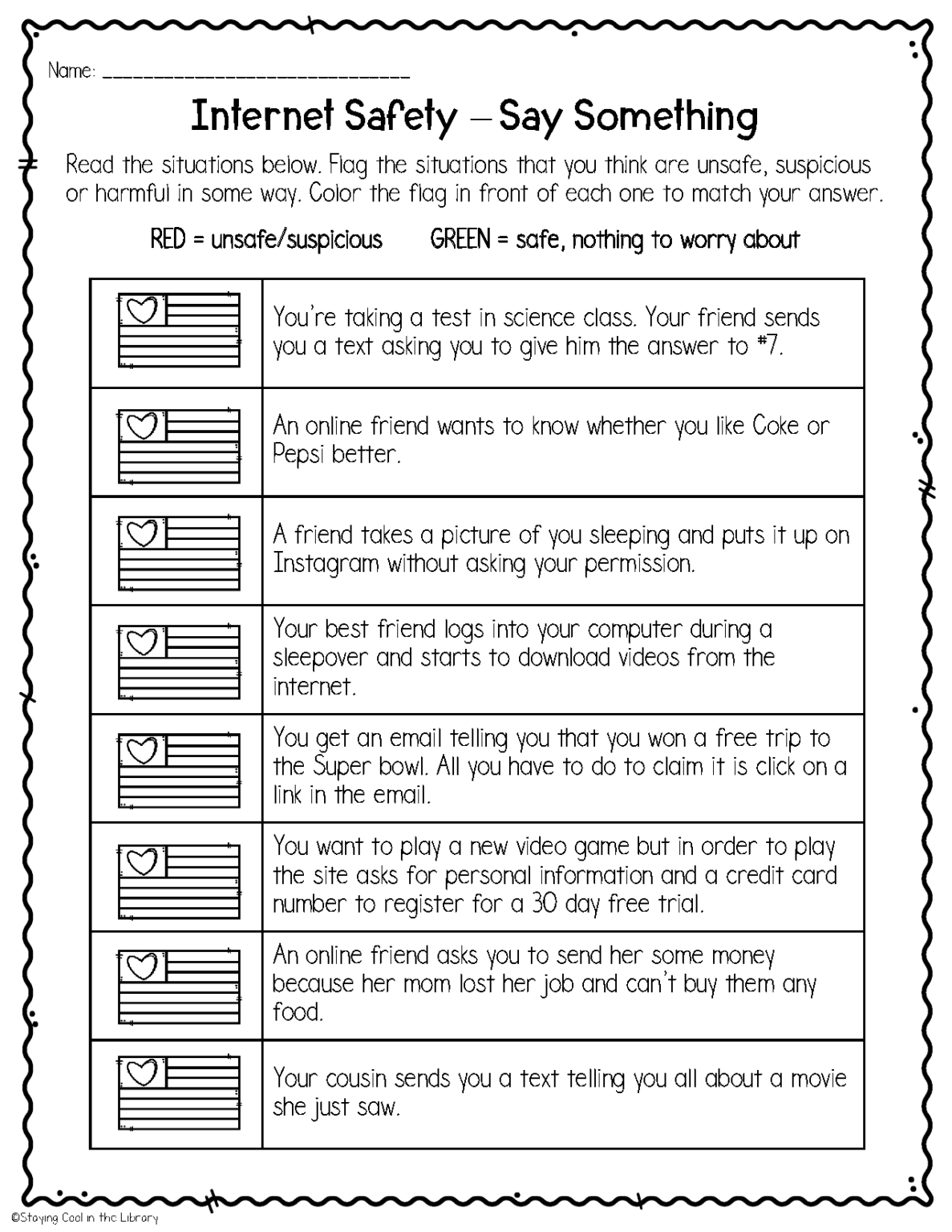
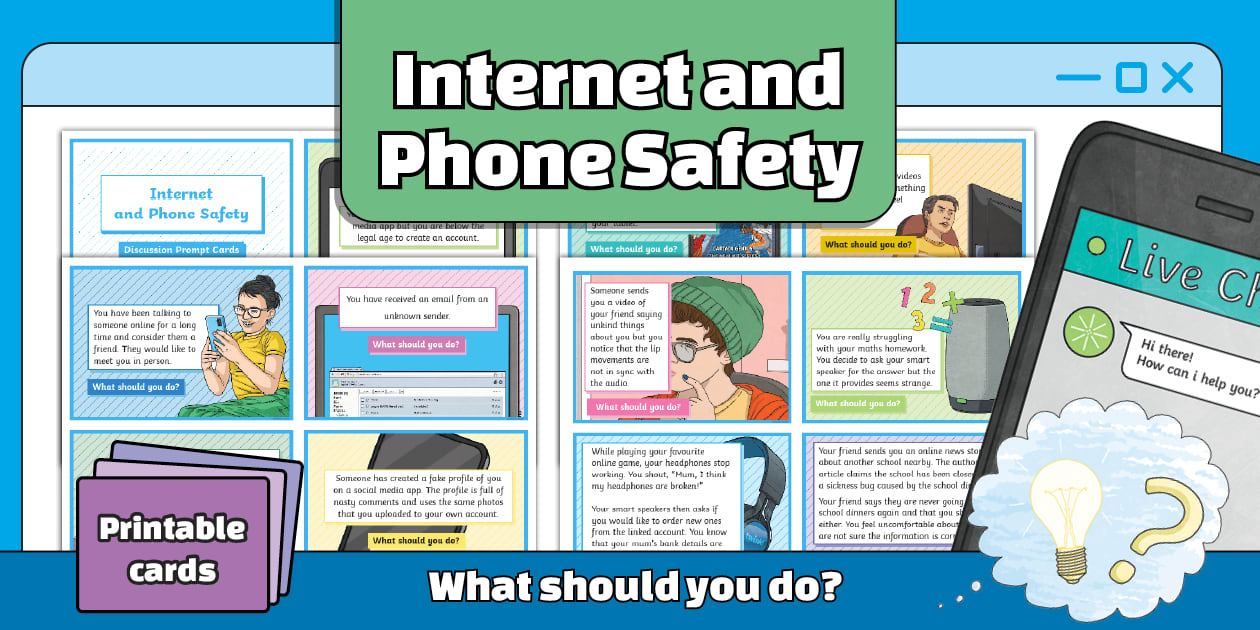
The free printable questions to prompt discussion on internet safety students provides an interactive framework for meaningful conversations. Instead of lecturing, adults can use these structured prompts to encourage children to articulate their own thoughts regarding online behavior. The resource covers essential protective habits, such as keeping personal information private, recognizing tricky situations, and understanding the importance of strong passwords. Furthermore, it reinforces the foundational rule that young users are never in trouble for reporting something uncomfortable to a trusted adult. Digital citizenship encompasses more than just avoiding danger; it involves building positive online relationships and recognizing the human beings behind the screens. Exploring broader internet and digital safety strategies helps families establish consistent expectations across devices and platforms.
Key Learning Outcomes
Engaging with these discussion prompts helps children practice the crucial skill of pausing before sharing. According to Pew Research Center, a vast majority of parents worry about their young children’s screen time and online interactions, highlighting the urgent need for open communication channels at home and in the classroom. When students talk through hypothetical scenarios, they build mental muscle memory for real-world digital dilemmas. They learn to identify red flags, such as requests for home addresses or school names, and practice immediate refusal strategies. Building these competencies early ensures that as children grow and encounter more complex in-game chat features or video platforms, they possess the instinctive tools to handle unexpected interactions safely and calmly.
How to Use This Printable
Implementation requires flexibility, patience, and a non-judgmental atmosphere. Educators can integrate these questions into morning meetings, counseling sessions, or media literacy blocks, while families might review a single prompt during dinner or evening commutes. Here’s what makes this resource different: it relies on inquiry rather than mandates, inviting children to solve dilemmas collaboratively. Asking open-ended questions like “What would you do if a game asked for your real name?” allows young learners to reason through the situation independently. Pairing these conversations with creative coloring pages can further reinforce safety messages and keep hands busy while processing complex ideas in younger elementary classrooms.
Practical Tips for Parents and Teachers
Consistency remains the cornerstone of effective digital citizenship education. Adults should normalize talking about technology use as regularly as discussing bike helmets or street crossing. Whenever a child reports an uncomfortable online pop-up or message, respond with immediate praise and validation for coming forward. This positive reinforcement ensures the child feels secure and supported, knowing honesty always yields help rather than punishment or device confiscation. Educators can also display selected prompts on bulletin boards to spark spontaneous hallway conversations among students sharing devices in computer labs.
Age-Appropriate Recommendations
Tailoring discussions to developmental stages ensures comprehension and retention. Younger elementary students, aged five to eight, benefit from simple, concrete scenarios involving shared family tablets and basic kindness guidelines. Older elementary students, aged nine to twelve, can tackle nuanced topics like digital footprints, in-game chat etiquette, and respectful communication. Aligning these conversations with the Common Sense Education Digital Citizenship Curriculum provides a structured progression that addresses media balance, privacy, and cyberbullying across all grade bands. For additional practice-based activities, incorporating targeted worksheets helps solidify these lessons through engaging, age-appropriate literacy and critical thinking exercises.
According to Common Sense Media research, nearly half of children aged seven to nine use mobile devices daily, making early and consistent safety dialogues essential for healthy digital habits. — Common Sense Media
Frequently Asked Questions
How can these discussion materials be downloaded and printed? Accessing the free resource takes just a few clicks, allowing parents and educators to save the file as a PDF and print multiple copies for classroom use or home binders. Do these conversation prompts guarantee total online safety? Printables support conversation and habit-building, but they do not replace active supervision, open communication, and technical safeguards. What do organizations recommend for teaching digital citizenship? According to the United Nations Children’s Fund (UNICEF), empowering children with digital literacy and open communication is vital for protecting them from online risks while maximizing digital benefits.
Explore More Free Kids Online Safety Printables
Expanding a child’s digital literacy toolkit requires a variety of engaging formats and consistent reinforcement. Educators and caregivers can discover additional resources by browsing comprehensive collections dedicated to online and digital safety. Combining discussion prompts with hands-on activities ensures that children internalize protective habits naturally, transforming screen time into a safe, empowering, and educational experience.
Developmental Milestone & Activity Table
| Development Stage | Recommended Daily Duration | Primary Learning Objective |
|---|---|---|
| Preschool & Pre-K | 10 – 15 Minutes | Pencil grip development & basic pre-stroke lines |
| Kindergarten | 15 – 20 Minutes | Letter/number formation & spatial line awareness |
| Early Elementary (Grade 1–2) | 20 – 30 Minutes | Fluency, sentence construction & neatness |
Images References