Introduction
Digital citizenship education often begins long before a child receives a personal device. Young learners frequently encounter shared family tablets, in-game chat features on gaming consoles, and video streaming platforms much earlier than previous generations. Navigating these virtual spaces requires deliberate practice, patience, and clear guidance from the adults in their lives. Children stumble across online risks naturally during routine play, making proactive instruction essential for healthy development. Introducing foundational concepts early helps children build resilience without unnecessary fear. Educators and families look for accessible tools that translate abstract digital rules into concrete, manageable actions. Free printables bridge the gap between complex cyber concepts and early childhood comprehension. These materials provide tangible anchors for abstract topics like data privacy and interpersonal respect. Related guide: 5 Cyber Safety Tips Symbols That Can Be Read By The Grede 7 Students.
💡 Educational Key Takeaways:
- Core Skill: Structured Digital Education For Children Regarding The Concequences Of Data Protection Especially Picture Sharing, And Digital Bullying Online What Is This Called focused on developing pencil grip, stroke control, and early literacy/math confidence.
- Target Scope: Suited for homeschoolers, preschool, kindergarten, and elementary learners.
- Best Recommendation: Practice 10–15 minutes daily with ergonomic writing tools to reinforce muscle memory without hand fatigue.
What This Printable Covers
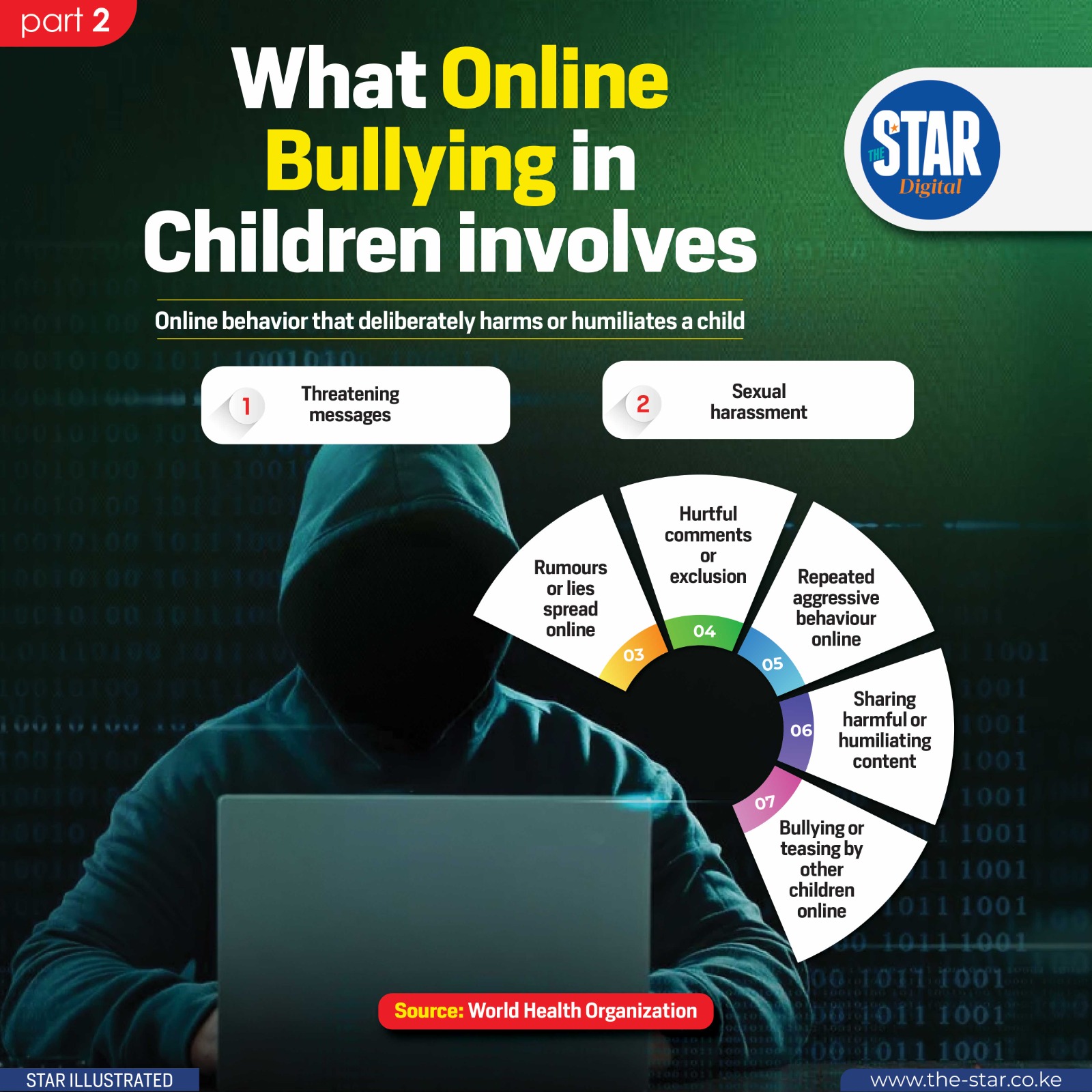
Digital footprint education and cyber civics encompass the core themes addressed in this structured teaching aid. The resource specifically targets data protection, the permanence of picture sharing, and the dynamics of online bullying. According to Common Sense Media, children engage with digital media at increasingly young ages, making early discussions about personal information vital. Young minds grasp physical boundaries much faster than virtual ones, so the material uses relatable analogies. A digital footprint remains visible indefinitely, much like footprints left in wet cement. The activity challenges learners to identify what constitutes private information versus public knowledge. Protecting full names, locations, and schedules becomes a game of strategy rather than a restrictive rule. Furthermore, the printout explores kindness in virtual environments. Text-based communication lacks tone of voice and facial expressions, which frequently leads to misunderstandings among peers. Exploring these nuances helps students develop empathy before conflicts arise in digital spaces.
Key Learning Outcomes
Working through these exercises instills several core protective habits that serve elementary students throughout their schooling. Learners discover how to pause and think before uploading images or sending messages across a network. Recognizing the difference between a kind joke and hurtful exclusion forms another critical lesson. Strong password habits and the importance of keeping login credentials private receive clear, age-appropriate attention. Most importantly, children internalize the message that reporting uncomfortable interactions never gets them in trouble. Adults emphasize that turning to a trusted teacher or parent resolves conflicts safely. These outcomes transform passive screen time into active, thoughtful engagement with technology.
How to Use This Printable
Classrooms and homes function best when digital safety lessons integrate smoothly into daily routines. Educators often pair these exercises with foundational units found in Internet and Digital Safety curriculums. The format allows for flexible pacing, whether implemented during morning meeting discussions or quiet afternoon stations. Adults sit alongside learners, guiding conversations rather than lecturing from above. Open-ended questions spark critical thinking about online behavior. A child might consider what happens when a funny photo spreads beyond a close group of friends. Guided discussions provide a safe environment to explore these scenarios before real-world mistakes occur. No single worksheet guarantees complete protection, but consistent dialogue builds lasting protective instincts. Practicing these skills on paper makes virtual navigation feel much more manageable.
Practical Tips for Parents and Teachers
Facilitating these conversations requires a calm, supportive demeanor that encourages honesty from young learners. Adults validate children’s curiosity while establishing firm boundaries regarding personal safety. Establishing a shared family media agreement reinforces the concepts practiced on paper. Educators can explore additional resources like Worksheets to maintain engagement across multiple subjects. Role-playing common scenarios helps children practice what to say when a peer shares something unkind or asks for private data. Keeping the tone empowering rather than punitive ensures that children feel comfortable speaking up when something goes wrong. Trust remains the ultimate safeguard in any digital environment.
Age-Appropriate Recommendations
Tailoring digital citizenship instruction to developmental stages ensures that lessons resonate deeply with the audience. Kindergartners and first graders focus on basic device sharing and telling an adult when screen content feels confusing. Second and third graders begin exploring the concept of a digital footprint and why photographs should remain within trusted family circles. Upper elementary students in fourth and fifth grades tackle complex topics like digital drama, bystander intervention, and data privacy. Aligning these lessons with the International Society for Technology in Education Standards for Students helps educators track digital literacy milestones. Children at all levels benefit from reinforcement that emphasizes empathy, respect, and personal responsibility.
Young children frequently encounter digital risks through shared family devices and interactive gaming platforms — Pew Research Center
Frequently Asked Questions
Finding clear answers helps adults implement digital citizenship lessons with confidence and ease. Common inquiries focus on accessibility, integration, and established research guidelines. The section below addresses the most frequent questions from educators and caregivers seeking reliable guidance.
Explore More Free Kids Online Safety Printables
Expanding a digital citizenship library ensures ongoing engagement throughout the school year. Educators can browse collections dedicated to Online and Digital Safety for comprehensive lesson plans. Incorporating creative activities from Coloring Pages offers younger children a relaxing way to process important safety concepts. Consistent reinforcement across various formats turns good habits into lifelong digital behaviors. Empowering children today creates thoughtful, respectful innovators of tomorrow.
Developmental Milestone & Activity Table
| Development Stage | Recommended Daily Duration | Primary Learning Objective |
|---|---|---|
| Preschool & Pre-K | 10 – 15 Minutes | Pencil grip development & basic pre-stroke lines |
| Kindergarten | 15 – 20 Minutes | Letter/number formation & spatial line awareness |
| Early Elementary (Grade 1–2) | 20 – 30 Minutes | Fluency, sentence construction & neatness |
Images References