Protecting Students When Upgrading to Affordable Home and School Connectivity
Securing digital devices becomes a primary concern for families and educators when navigating budget-friendly broadband promotions. Finding low-cost connectivity is a great way to bridge the digital divide, but newly connected homes and classrooms must establish robust boundaries immediately. According to guidance from organizations like ConnectSafely and the Cybersecurity and Infrastructure Security Agency (CISA), expanding web access requires pairing affordable hardware and data plans with consistent guardrails. Whether you are setting up a discounted provider package or managing school-issued Chromebooks, students need clear guidance on how to navigate cyberspace safely without feeling overwhelmed. Related guide: 5 Cyber Safety Tips Symbols That Can Be Read By The Grede 7 Students.
💡 Educational Key Takeaways:
- Core Skill: Structured Cheap Internet Safety Rules For Kids How Deals focused on developing pencil grip, stroke control, and early literacy/math confidence.
- Target Scope: Suited for homeschoolers, preschool, kindergarten, and elementary learners.
- Best Recommendation: Practice 10–15 minutes daily with ergonomic writing tools to reinforce muscle memory without hand fatigue.
Technical Risk Signals and Preventive Guardrails
To keep young users secure across various platforms, adults must recognize potential digital vulnerabilities and implement proactive fixes. Budget-friendly internet deals often arrive with basic routers that lack modern parental control features, leaving default administrator passwords active. Reviewing technical settings, tracking app permissions, and understanding how data moves across devices helps educators and parents close security gaps before exploitation occurs.
| Setting / Context | Common Vulnerability | Practical Safeguard |
|---|---|---|
| Home Wi-Fi Routers | Default admin passwords and unencrypted guest networks exposing traffic. | Change router credentials immediately and enable WPA3 encryption for home connections. |
| School Chromebooks & Tablets | Unmonitored extension installation and bypassing of district web filters. | Enforce strict enterprise device management policies and lock down browser extensions. |
| Social Apps & Messaging | Direct messages from unverified strangers via gaming chat features. | Disable private messaging on youth-oriented platforms and review privacy configurations together. |
Establishing Daily Safety Habits at Home and in the Classroom
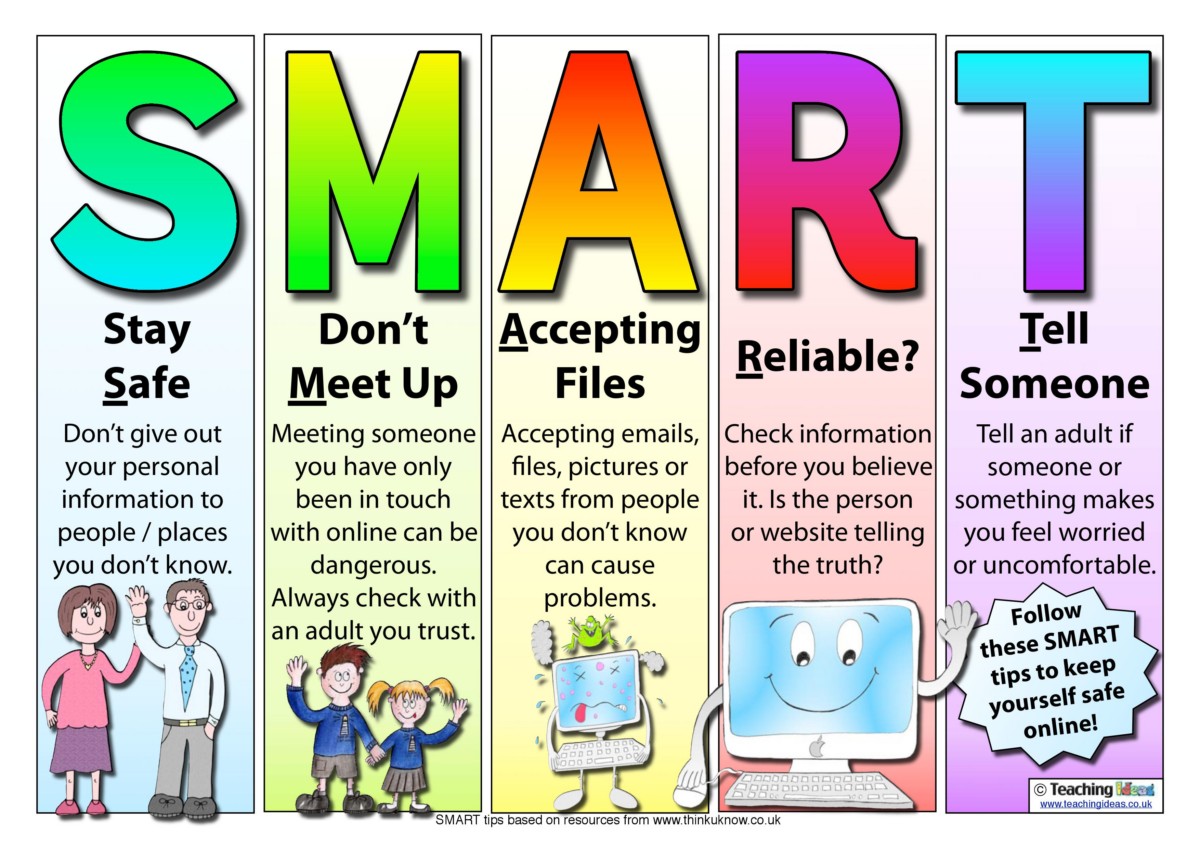
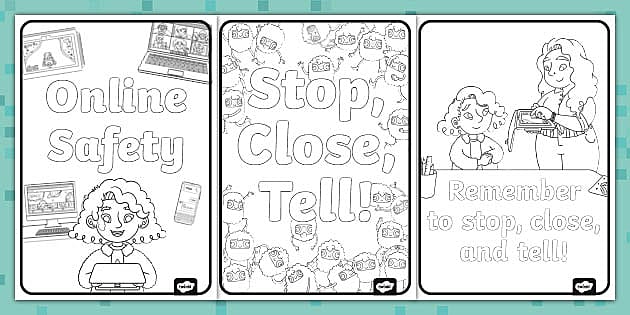
Technical filters alone cannot substitute for open dialogue and consistent behavioral routines. Building a secure digital ecosystem starts with predictable expectations that both educators and parents can reinforce. Establish a shared charging station in a common family area where all mobile devices, tablets, and laptops rest overnight to prevent unregulated late-night browsing. Educators can integrate structured Worksheets into digital citizenship lessons to test student comprehension of privacy concepts. Furthermore, teach children a simple reporting workflow: if they encounter anything disturbing online, they should immediately document it, close the tab, and notify a trusted adult without fear of losing their device privileges.
When adults impose strict technical limitations, tech-savvy students often find workarounds, such as utilizing proxy sites or borrowing unrestricted devices from peers. Overly draconian bans typically backfire by driving online activity underground, making kids hesitant to report genuinely dangerous cyberbullying or phishing attempts out of fear of punishment. Instead of relying solely on reactive blocking, pair your network filters with collaborative check-ins. When introducing younger learners to online concepts, supplement your discussions with creative, offline Internet and Digital Safety tools that reinforce critical thinking in an engaging, pressure-free environment.
Frequently Asked Questions About Managing Budget Connectivity and Kids
How can I verify that a low-cost internet provider package includes adequate security features?
Most budget-friendly broadband deals focus on pricing rather than built-in cybersecurity tools. You should supplement basic ISP offerings by manually configuring device-level content filters, setting up safe-search parameters on web browsers, and installing reputable antivirus software on all shared family computers.
What is the best way to introduce digital safety rules to younger elementary students?
Keep initial conversations simple by using physical analogies, such as comparing public websites to busy city streets where you never talk to strangers or accept strange packages. Integrating interactive Online and Digital Safety modules helps children grasp abstract privacy rules through relatable, age-appropriate scenarios.
How should teachers handle students attempting to bypass classroom network filters?
Treat filter evasion as a teachable moment regarding network integrity and digital citizenship rather than defaulting to immediate punitive measures. Reiterate why security protocols exist to protect the entire school community, and collaborate with your IT department to address underlying curiosity constructively.
Explore More Digital Citizenship Resources
Empowering the next generation of digital citizens requires ongoing education, practical tools, and collaborative strategies between home and school. To discover additional lesson plans, printable guides, and expert advice for keeping kids secure online, visit SafeWiredSchools.org today.
Visual Reference Gallery