Introduction
Children encounter digital environments long before mastering complex abstract thinking. Tablet screens, shared family laptops, and multiplayer gaming consoles often serve as primary portals for modern entertainment and early socialization. Navigating these spaces safely requires active practice rather than passive instruction. Adults frequently look for practical tools that bridge the gap between abstract rules and daily habits. The free printable role plays on internet safety available on {site_name} offer a structured approach to building digital resilience through guided dialogue and active participation. Related guide: 5 Cyber Safety Tips Symbols That Can Be Read By The Grede 7 Students.
💡 Educational Key Takeaways:
- Core Skill: Structured Role Plays On Internet Safety focused on developing pencil grip, stroke control, and early literacy/math confidence.
- Target Scope: Suited for homeschoolers, preschool, kindergarten, and elementary learners.
- Best Recommendation: Practice 10–15 minutes daily with ergonomic writing tools to reinforce muscle memory without hand fatigue.
What This Printable Covers
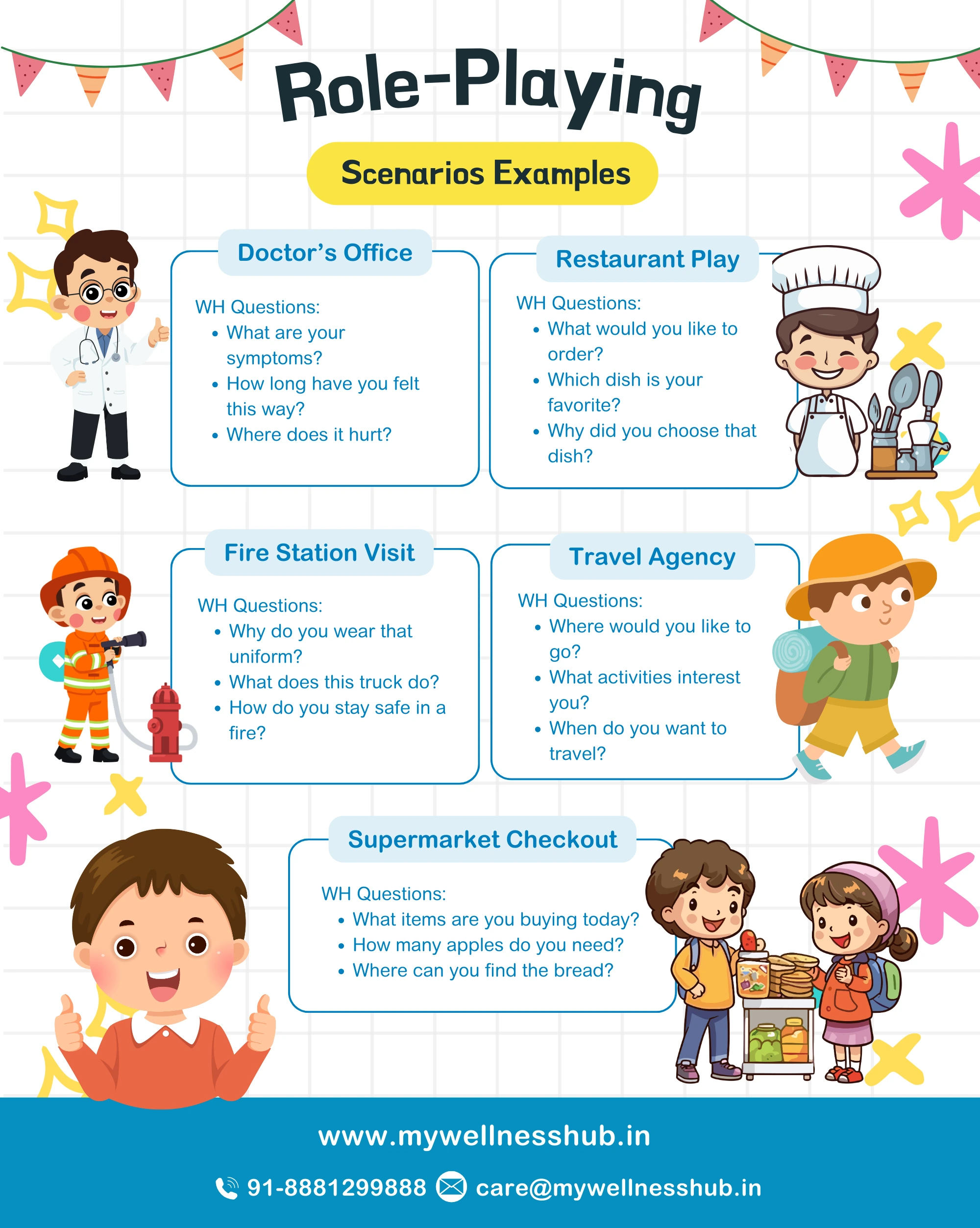
Realistic scenarios form the core of effective digital citizenship education. Children routinely face tricky moments through in-game chat features, video platforms, and shared devices where boundaries blur rapidly. These downloadable scripts guide learners through everyday dilemmas involving private information, unverified downloads, and sudden digital discomfort. Rather than relying on lectures, the scenarios place students directly into manageable problem-solving situations. It sounds simple, and that’s the point. Rehearsing responses aloud helps neurological pathways lock in positive behavioral patterns for future online interactions.
Key Learning Outcomes
Empowerment drives every successful internet safety initiative. Participants learn to recognize the subtle difference between sharing hobbies safely and exposing sensitive personal data like home addresses, full names, or school locations. Another primary goal centers on establishing strong instincts for password protection and thoughtful sharing. Crucially, the scenarios reinforce a fundamental rule: children are never in trouble for reporting something uncomfortable, confusing, or unsettling to a trusted adult. According to the Federal Trade Commission, open dialogue about digital habits significantly improves a child’s ability to navigate unexpected online encounters.
How to Use This Printable
Classrooms, living rooms, and counseling offices transform easily into interactive rehearsal spaces using these physical handouts. Adults assign roles to students or children, inviting them to read through scripted dilemmas and improvise appropriate responses. This active strategy helps educators observe how participants process peer pressure, urgency, and curiosity in digital spaces. To dive deeper into foundational lessons, explore additional concepts within Internet and Digital Safety modules. Following the performance, guided reflection prompts encourage group discussion about alternative choices and safe reporting pathways.
Practical Tips for Parents and Teachers
Patience and neutral observation yield the best educational outcomes during scenario practice. Adults should avoid shaming participants for choosing the wrong simulated action, viewing missteps instead as valuable teachable moments. Pause the scenarios frequently to ask open-ended questions like what feelings arise when a stranger asks for personal details online. Establishing a calm, reassuring atmosphere encourages honest participation without fear of judgment. For related reinforcement activities, browse the curated collection of Worksheets designed for young learners.
Age-Appropriate Recommendations
Developmental readiness dictates how scenario-based learning unfolds across elementary school grades. Kindergarteners and first graders benefit from simple, tangible conversations regarding screen time limits and basic device boundaries. Older elementary students handle nuanced peer interactions, such as managing group chat dynamics and recognizing digital footprints. This progression aligns directly with the Common Sense Education Digital Citizenship Curriculum, which emphasizes age-graded competencies for media balance and privacy. Educators can further expand their instructional toolkit by reviewing resources found under Online and Digital Safety guidelines.
According to Pew Research Center, the vast majority of parents express concern about their young children’s digital safety and screen exposure habits. — Pew Research Center
Frequently Asked Questions
How do adults access and print these materials? Simply click the download link, save the PDF file to any device, and send the document to a standard home or school printer for immediate use.
How does this resource support online safety learning? Role-playing builds muscle memory for decision-making, allowing children to practice calm, safe responses to uncomfortable digital situations before encountering them in real life.
According to the National Center for Missing & Exploited Children, what is a recommended first step when children encounter suspicious online contact? NCMEC recommends that children immediately stop communicating, save evidence if possible, and tell a trusted adult right away.
Explore More Free Kids Online Safety Printables
Expanding a digital citizenship curriculum requires a diverse mix of visual aids, discussion starters, and creative activities. Educators and families can pair these role-playing scenarios with complementary materials such as vibrant Coloring Pages that reinforce core online safety messages through art. Combining varied media formats ensures that visual, auditory, and kinesthetic learners all grasp essential protective habits effectively.
Developmental Milestone & Activity Table
| Development Stage | Recommended Daily Duration | Primary Learning Objective |
|---|---|---|
| Preschool & Pre-K | 10 – 15 Minutes | Pencil grip development & basic pre-stroke lines |
| Kindergarten | 15 – 20 Minutes | Letter/number formation & spatial line awareness |
| Early Elementary (Grade 1–2) | 20 – 30 Minutes | Fluency, sentence construction & neatness |
Images References