Introduction
Digital spaces are as natural to modern elementary students as the physical playground. Children navigate shared household tablets, jump into cooperative in-game chats with school peers, and explore streaming video platforms before dinner. These environments offer vast learning potential alongside occasional confusion. Guiding kids through this digital world requires proactive, calm conversations rather than reactive fear. Using free resources like quotes about internet safety entertaining students helps bridge the gap between abstract rules and daily online habits. Educators and caregivers often struggle to find engaging ways to introduce cybersecurity and digital citizenship to young minds. This printable resource turns serious concepts into approachable, creative discussions that resonate with kids aged five through twelve. Related guide: 5 Cyber Safety Tips Symbols That Can Be Read By The Grede 7 Students.
💡 Educational Key Takeaways:
- Core Skill: Structured Quotes About Internet Safety Entertaining Students focused on developing pencil grip, stroke control, and early literacy/math confidence.
- Target Scope: Suited for homeschoolers, preschool, kindergarten, and elementary learners.
- Best Recommendation: Practice 10–15 minutes daily with ergonomic writing tools to reinforce muscle memory without hand fatigue.
What This Printable Covers
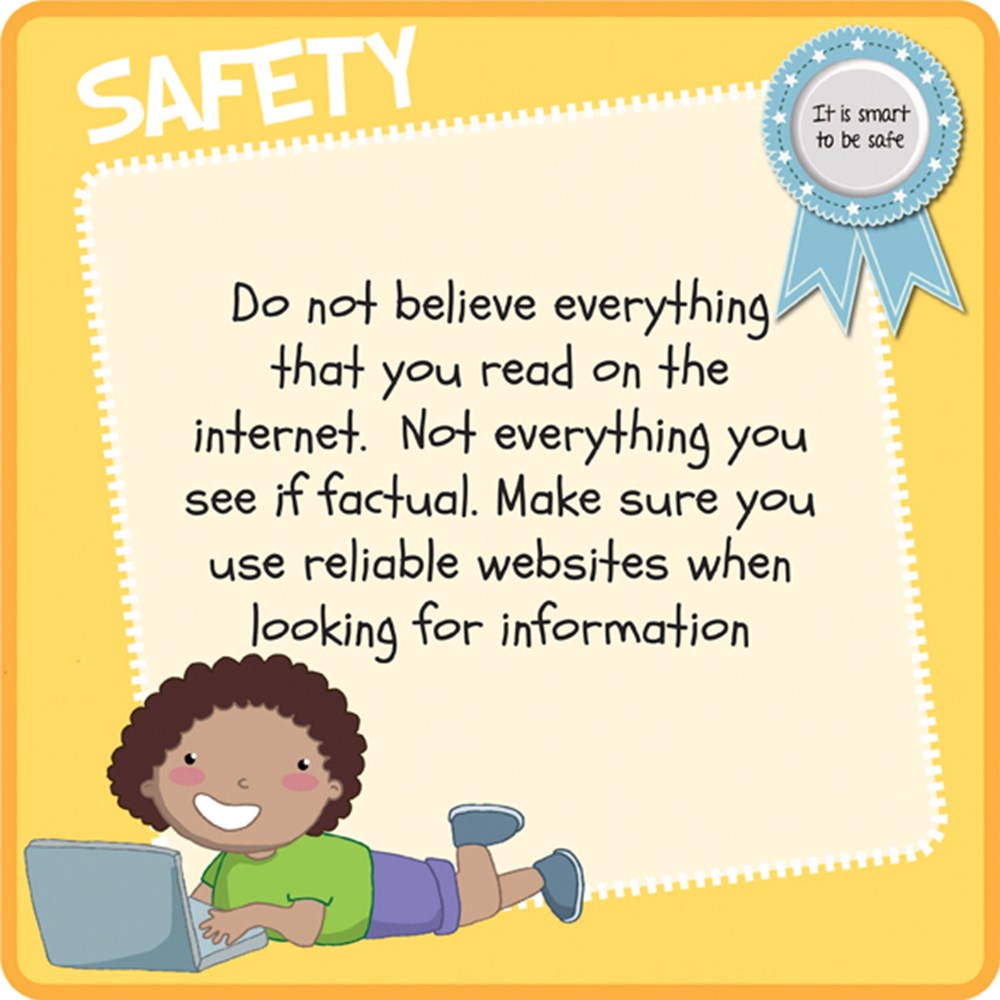
The free printable focuses on foundational digital literacy habits wrapped in catchy, child-friendly wording. Instead of imposing strict restrictions, the featured phrases prompt young users to pause, reflect, and evaluate their choices before clicking. Content addresses essential protective pillars such as keeping personal information private, recognizing when something feels off, and using strong passwords. It sounds simple, and that’s the point. Young learners absorb messages faster when presented through memorable phrasing paired with creative elements. Furthermore, every page reinforces the vital reassurance that children are never in trouble for reporting an uncomfortable online encounter to a trusted adult.
Key Learning Outcomes
Working through these educational pages builds critical cognitive skills for the digital age. Children learn to identify digital footprints and understand that text, images, and videos posted online can remain permanent. The activities emphasize the pause-and-think method, encouraging kids to ask whether an action is safe and kind before hitting send. According to the Common Sense Education Digital Citizenship Curriculum, early instruction in online empathy and privacy management significantly reduces risky behavior as children age. Students also practice critical thinking by learning to question whether online interactions or prompts are genuine or misleading.
How to Use This Printable
Flexibility defines the best educational tools. Teachers can integrate these printables into morning meeting discussions, computer lab transitions, or technology rotation stations. Homeschoolers and parents find success using the sheets as kitchen-table conversation starters during weekend device time. Coloring reinforces safety messages because the physical act of coloring calms the nervous system, allowing children to absorb concepts without feeling lectured. When adults sit alongside children to discuss these visual quotes, kids feel supported rather than monitored. This collaborative approach transforms a standard worksheet into a bridge of trust between generations.
Practical Tips for Parents and Teachers
Maximizing the impact of any digital citizenship tool involves intentional pacing and positive reinforcement. Adults should avoid turning activity time into an interrogation about past screen habits. Instead, focus on hypothetical scenarios inspired by the printable. Ask open-ended questions like, “What would you do if a pop-up promised a free prize in your favorite game?” Establishing calm routines around device use makes children much more likely to speak up when encountering glitches, mean messages, or stranger contact in shared gaming spaces. For broader lesson planning, pairing these exercises with Internet and Digital Safety modules creates a comprehensive learning track.
Age-Appropriate Recommendations
Tailoring digital safety education to developmental stages ensures messages actually land. Younger elementary students, ages five to eight, benefit most from basic rules regarding password secrecy, device sharing, and immediate adult notification. Upper elementary students, ages nine to twelve, can tackle nuanced topics like digital footprints, respectful communication, and media literacy. Aligning activities with the ISTE Standards for Students ensures that technological fluency grows hand-in-hand with ethical responsibility. To expand the curriculum further, incorporating targeted Worksheets gives older students concrete scenarios to analyze and solve.
According to Common Sense Media research, a significant percentage of children under twelve use mobile devices daily, making early habit-building essential for safe digital exploration. — Common Sense Media
Frequently Asked Questions
How do adults access and print this resource? Downloading requires only a standard PDF reader, allowing immediate printing on regular home or classroom paper for instant use. Can these printables be used in a school counseling setting? Yes, counselors frequently utilize creative prompts to build rapport and discuss healthy online boundaries with students in small groups. What do safety experts recommend for open communication? According to the National Center for Missing & Exploited Children (NCMEC), maintaining an open, non-judgmental dialogue ensures children report uncomfortable digital encounters immediately without fear of losing device privileges.
Explore More Free Kids Online Safety Printables
Building robust digital citizenship is an ongoing journey rather than a single lesson. Exploring additional creative materials helps keep cybersecurity topics fresh, engaging, and relevant throughout the school year. Educators can browse curated Coloring Pages to find visual aids that appeal to younger learners. For advanced lessons on privacy and digital wellness, check out Online and Digital Safety guides designed to empower the entire classroom community.
Developmental Milestone & Activity Table
| Development Stage | Recommended Daily Duration | Primary Learning Objective |
|---|---|---|
| Preschool & Pre-K | 10 – 15 Minutes | Pencil grip development & basic pre-stroke lines |
| Kindergarten | 15 – 20 Minutes | Letter/number formation & spatial line awareness |
| Early Elementary (Grade 1–2) | 20 – 30 Minutes | Fluency, sentence construction & neatness |
Images References