Introduction
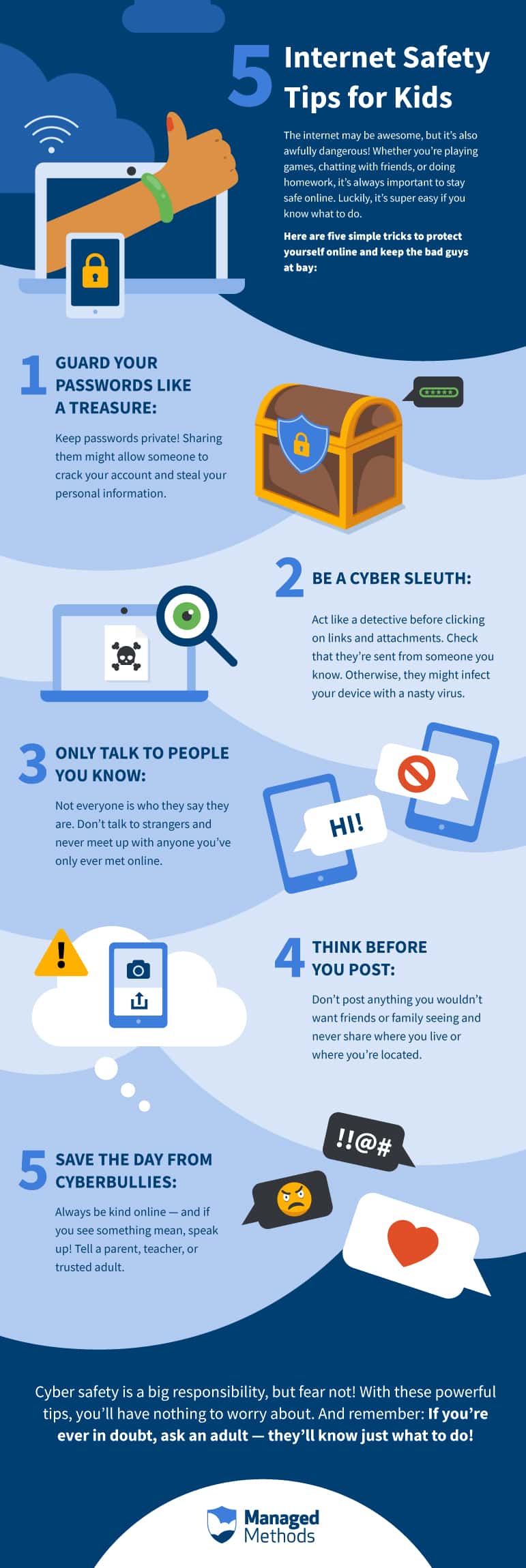
Digital devices sit on kitchen tables, fill elementary school carts, and accompany children into virtually every corner of daily life. Long before middle school arrives, young learners navigate shared household tablets, jump into the text boxes of multiplayer video games, and stream videos on autoplay. It sounds simple, and that’s the point. These everyday environments feel entirely natural to a child. Yet, navigating virtual spaces requires deliberate habits just crossing a busy street does. Adults often search for effective ways to introduce these habits without causing anxiety. The free printable drawing on internet safety rules provides an approachable bridge between screen time and constructive dialogue, turning abstract digital boundaries into creative, tangible concepts. Related guide: 5 Cyber Safety Tips Symbols That Can Be Read By The Grede 7 Students.
💡 Educational Key Takeaways:
- Core Skill: Structured Drawing On Internet Safety Rules focused on developing pencil grip, stroke control, and early literacy/math confidence.
- Target Scope: Suited for homeschoolers, preschool, kindergarten, and elementary learners.
- Best Recommendation: Practice 10–15 minutes daily with ergonomic writing tools to reinforce muscle memory without hand fatigue.
What This Printable Covers
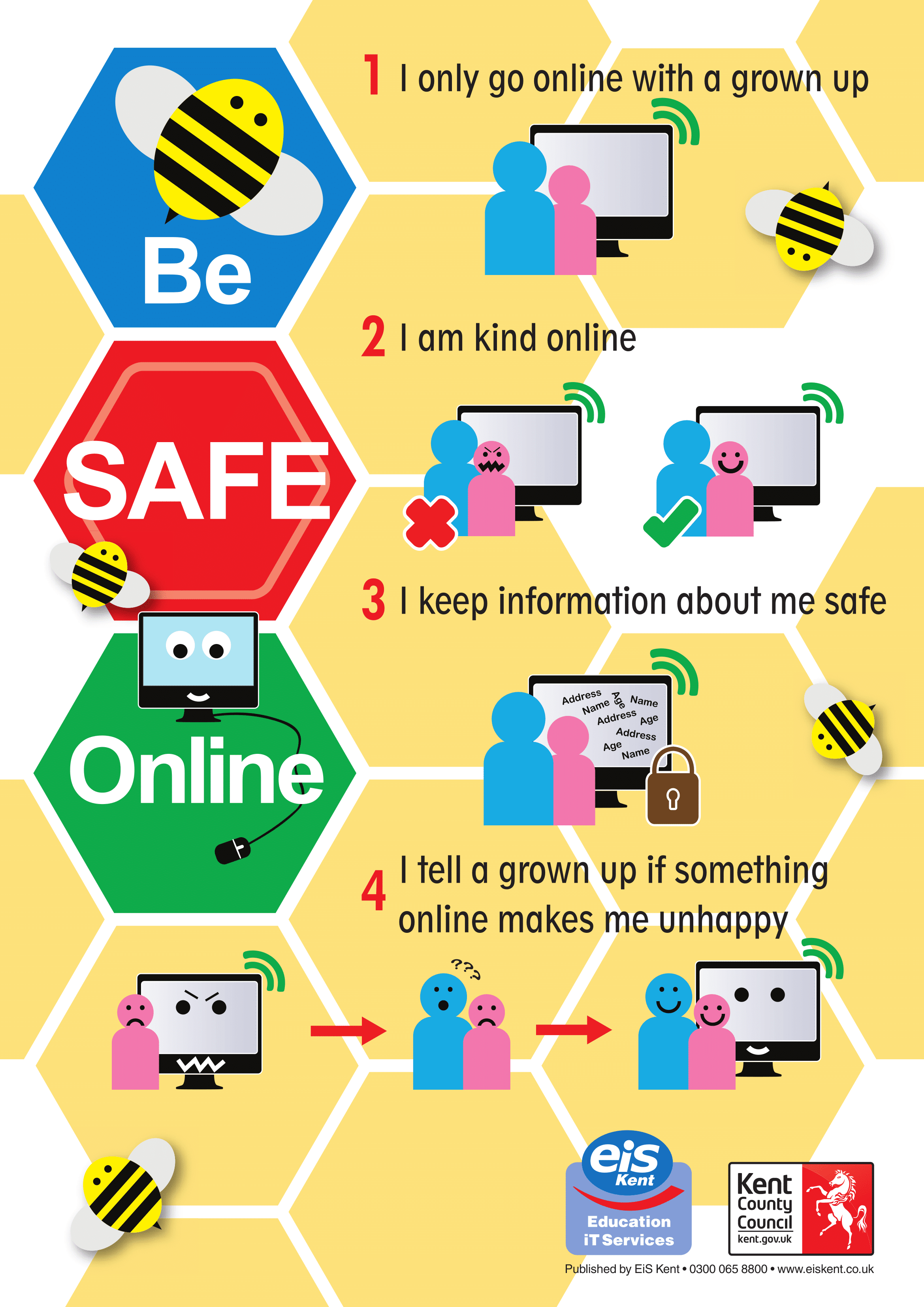
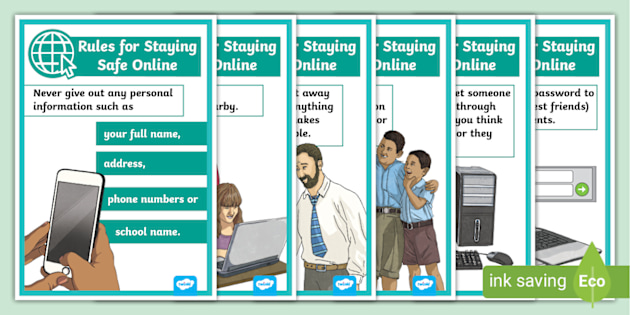
Visual learning works wonders for young minds processing complex ideas. This resource blends creative expression with foundational digital citizenship, allowing children to illustrate core protective habits rather than merely memorizing rules. Through sketching and coloring, learners explore what it means to keep personal information private, why strong passwords matter, and how pausing before sharing content protects privacy. Children often encounter tricky moments through in-game chat or shared family screens where someone asks for a name, school, or location. By drawing responses to these scenarios, learners build muscle memory for safe decision-making. The goal remains simple: foster confidence and empower young users to recognize boundaries without instilling fear.
Key Learning Outcomes
Engaging with this activity reinforces several vital protective strategies for growing digital citizens. First, children learn to identify personal details that must never be shared online, such as home addresses and full names. Second, the drawing process emphasizes the golden rule of telling a trusted adult immediately whenever something feels uncomfortable, weird, or mean. Crucially, educators and parents reinforce the message that children are never in trouble for reporting an uncomfortable online encounter. This supportive framework builds trust and ensures young users feel safe seeking help instead of hiding mistakes. Exploring broader concepts through Internet and Digital Safety modules helps solidify these lessons for long-term retention.
How to Use This Printable
Implementation requires zero preparation beyond grabbing crayons, markers, and a printer. Adults can introduce the sheet during a calm afternoon activity, a classroom morning meeting, or a library session. Rather than handing out the page with strict instructions, facilitators might ask open-ended questions about favorite online games or videos to spark natural conversation. Coloring reinforces safety messages because the physical act of drawing slows down cognitive processing, giving children time to absorb underlying rules. As pencils move across the page, conversations unfold organically about what makes a good digital choice. Additional creative materials can be paired with Coloring Pages to maintain high engagement while discussing device boundaries.
Practical Tips for Parents and Teachers
Maximizing the value of this activity involves focusing on dialogue rather than artistic perfection. Adults should sit alongside learners, asking gentle prompts like, “What is your drawing showing about password safety?” It helps to normalize that everyone makes mistakes on screens, and asking for guidance is always the right move. Educators can integrate these sheets into small group discussions where students share their drawings and explain their safety choices to peers. Consistency across home and school environments helps children internalize these protective habits faster. For further instructional support, browsing various Worksheets offers supplementary ideas for reinforcing digital citizenship in elementary settings.
Age-Appropriate Recommendations
Developmental stages dictate how children process online risks. Five-year-olds need very concrete rules, such as asking an adult before tapping any screen, whereas nine-year-olds navigate complex social dynamics within multiplayer video platforms. Aligning activities with established frameworks ensures maximum impact. According to the Common Sense Education Digital Citizenship Curriculum, lessons for younger elementary students should focus on basic privacy and kindness, while older children explore digital footprint management and critical thinking. Educators and parents can scale the complexity of the drawing prompts to match the specific age group, ensuring the concepts remain relevant and digestible.
Young children frequently encounter digital environments through shared household tablets and interactive gaming chat features long before receiving personal devices. — Common Sense Media
Frequently Asked Questions
Navigating digital citizenship questions helps adults guide children with confidence. Common inquiries involve downloading procedures, pedagogical benefits, and expert research on screen habits. According to Pew Research Center, a vast majority of parents express concern about their young children’s digital lives, making proactive, conversation-based resources essential for modern households and classrooms.
Parents and educators widely report that creative, low-pressure activities are the most effective way to start conversations about online privacy with young children. — Pew Research Center
Explore More Free Kids Online Safety Printables
Expanding a digital citizenship library takes minimal effort when utilizing curated educational tools. Educators and caregivers can access a wide array of supplementary activities by visiting Online and Digital Safety hubs for continuous learning inspiration. Building a safe digital environment is an ongoing journey supported by open communication, consistent reinforcement, and creative exploration.
Developmental Milestone & Activity Table
| Development Stage | Recommended Daily Duration | Primary Learning Objective |
|---|---|---|
| Preschool & Pre-K | 10 – 15 Minutes | Pencil grip development & basic pre-stroke lines |
| Kindergarten | 15 – 20 Minutes | Letter/number formation & spatial line awareness |
| Early Elementary (Grade 1–2) | 20 – 30 Minutes | Fluency, sentence construction & neatness |
Images References