Introduction
Digital spaces are classrooms, playgrounds, and social hubs rolled into one for modern children. Years of elementary instruction show that youngsters frequently encounter online dilemmas not through shadowy corners of the internet, but via shared family tablets, in-game chat features during cooperative play, and mainstream video streaming platforms. Transforming abstract rules into concrete habits requires tangible tools that bridge the gap between adult expectations and child comprehension. Free educational printables provide a visual anchor for these essential conversations. Rather than relying on fear, effective digital citizenship instruction builds confidence, critical thinking, and proactive problem-solving abilities. Related guide: Teachers Of Grades 9–12 Should Expand Internet Safety Instruction To Include Which Of The Following Topics?.
💡 Educational Key Takeaways:
- Core Skill: Structured Digital Safety In Education Infographic Ideas focused on developing pencil grip, stroke control, and early literacy/math confidence.
- Target Scope: Suited for homeschoolers, preschool, kindergarten, and elementary learners.
- Best Recommendation: Practice 10–15 minutes daily with ergonomic writing tools to reinforce muscle memory without hand fatigue.
What This Printable Covers
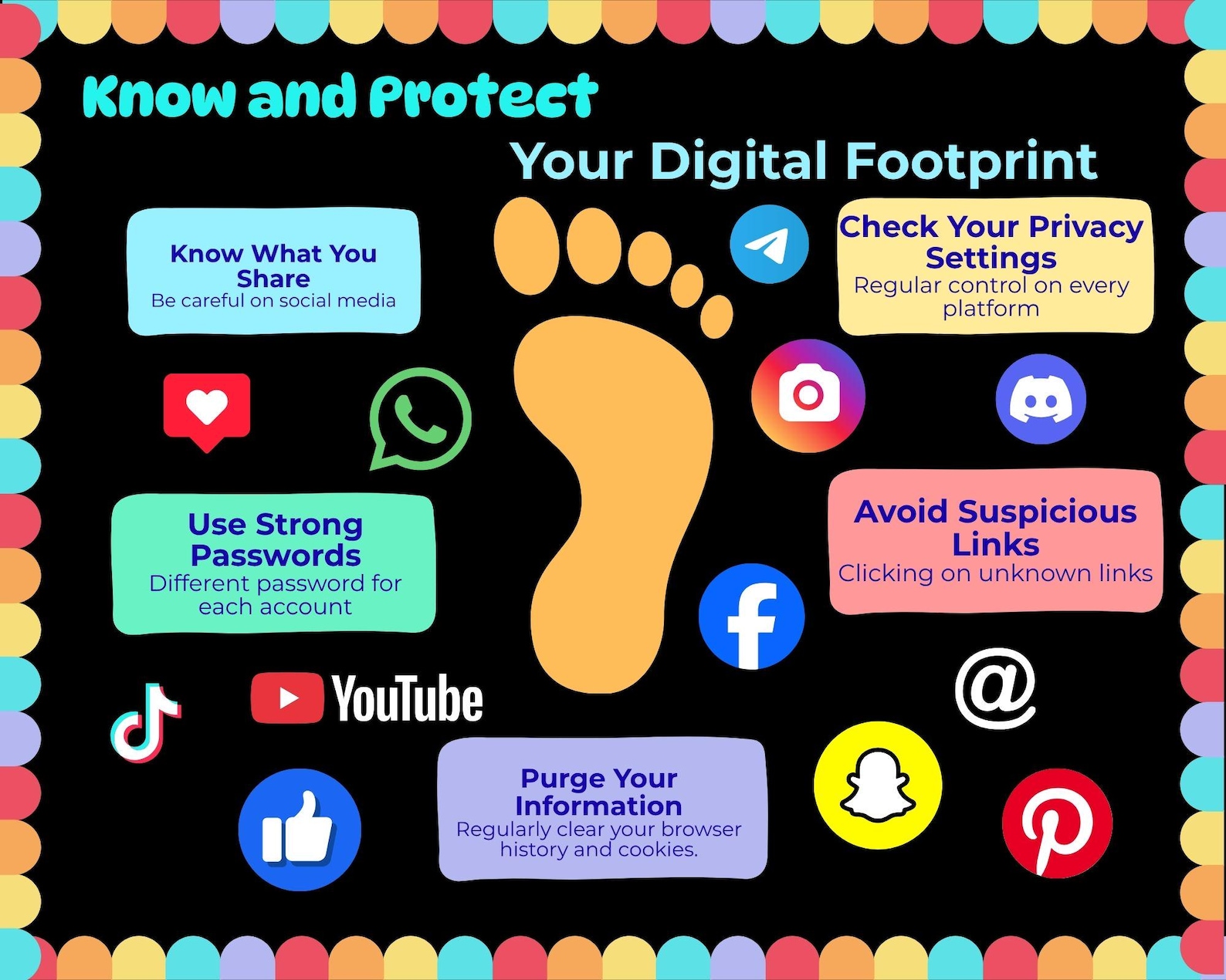
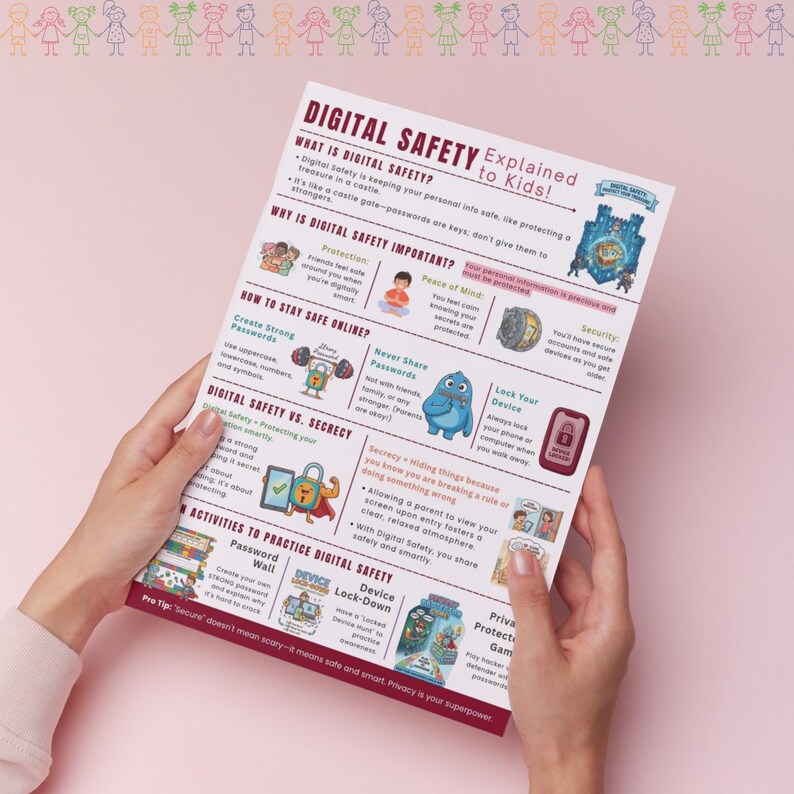
Visual guides and infographics distill complex online safety concepts into digestible chunks for young minds. The material focuses on core protective habits: guarding personal information, creating memorable yet secure passwords, and pausing before sharing comments or images. It sounds simple, and that’s the point. Children thrive when boundaries are clear and achievable. Furthermore, the content reinforces a vital emotional safety net: youth are never in trouble for reporting something uncomfortable, confusing, or mean online. This reassurance encourages immediate transparency rather than secret-keeping when digital interactions go awry.
Key Learning Outcomes
Working through these concepts strengthens several foundational skills. Students learn to recognize the difference between public information, such as a favorite hobby, and private data, including full names, school locations, and home addresses. Another major focus involves identifying trusted adults at home and in the classroom who can offer support during a digital dilemma. Educators often explore related concepts across broader Internet and Digital Safety modules to ensure comprehensive understanding. Ultimately, learners grasp that the internet is a public square where kindness and caution matter just as much as they do on the physical playground.
How to Use This Printable
Classrooms, counseling offices, and kitchen tables transform into interactive learning zones with the right facilitation approach. Educators can project the graphic onto a whiteboard for whole-group brainstorming, while parents might pin the sheet to the refrigerator as a gentle, everyday reminder. Group discussions work best when adults ask open-ended questions rather than delivering lectures. Asking what a specific icon or rule means prompts children to explain the concepts in their own words, cementing the lesson much faster. To expand the learning scope, educators frequently pair these visuals with hands-on Worksheets that challenge students to solve hypothetical online scenarios safely.
Practical Tips for Parents and Teachers
Consistency remains the bedrock of effective digital habit-formation. Adults should revisit the printable material periodically, treating digital citizenship as an ongoing dialogue rather than a one-time lecture. Here’s what makes this resource different: it shifts the dynamic from policing device usage to empowering children to self-regulate. When a child experiences a pop-up ad, a strange message, or an uncomfortable moment in a multiplayer game, the familiarity of the printed guide provides an immediate script for seeking help without fear of losing device privileges.
Age-Appropriate Recommendations
Tailoring the delivery method to developmental stages ensures maximum impact. For younger children aged five to eight, instruction centers on basic device boundaries and always checking with an adult before downloading apps or clicking unfamiliar links. Older children aged nine to twelve navigate trickier terrain involving peer dynamics, digital footprints, and respectful communication in chat rooms. Aligning these lessons with the Common Sense Education Digital Citizenship Curriculum provides a structured pathway that grows alongside the student, ensuring that digital literacy evolves naturally from basic rules to sophisticated critical thinking.
According to research from Common Sense Media, the vast majority of young children now access mobile devices daily, making early and consistent digital safety education essential for healthy habit formation. — Common Sense Media
Frequently Asked Questions
Explore More Free Kids Online Safety Printables
Building a resilient digital citizen takes a collection of varied resources tailored to different learning styles. Adults can browse additional materials through the Online and Digital Safety hub to find fresh approaches for home and school. Exploring complementary creative formats, such as resources found via Coloring Pages, offers younger children a relaxing way to internalize positive online habits through art and discussion.
Developmental Milestone & Activity Table
| Development Stage | Recommended Daily Duration | Primary Learning Objective |
|---|---|---|
| Preschool & Pre-K | 10 – 15 Minutes | Pencil grip development & basic pre-stroke lines |
| Kindergarten | 15 – 20 Minutes | Letter/number formation & spatial line awareness |
| Early Elementary (Grade 1–2) | 20 – 30 Minutes | Fluency, sentence construction & neatness |
Images References