Why Visual Learning Works Best for Early Digital Literacy
Introducing foundational cybersecurity concepts to young children requires strategies that bridge abstract digital risks with tangible everyday routines. Long before students navigate complex web applications or school-issued Chromebooks, they need to understand basic physical and virtual boundaries. Utilizing computer safety coloring pages provides a low-pressure, creative avenue to introduce these ideas. According to guidelines from organizations like ConnectSafely and the Family Online Safety Institute (FOSI), early childhood digital citizenship is most effective when adults pair artistic activities with guided, age-appropriate conversations about online privacy, screen time, and device handling.
💡 Activity Key Takeaways:
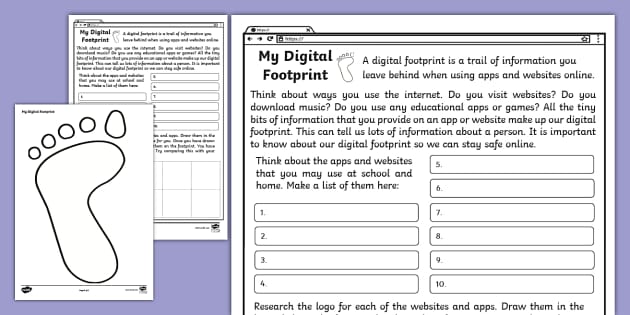
- Core Focus: Printable Computer Safety Coloring Pages designed for creative expression and fine-motor coordination.
- Target Scope: Ideal for toddlers, preschool, kindergarten, and classroom art activities.
- Best Recommendation: Use standard heavy printer paper (24–28 lb) or cardstock for vibrant results with crayons, colored pencils, or washable markers.
Technical Guardrails Matched to Behavioral Safety Signals
While creative art helps children visualize internet safety rules, adults must balance these lessons with concrete technological guardrails and active supervision. The following reference matrix outlines common vulnerabilities across home and school environments alongside actionable safeguards recommended by federal cybersecurity frameworks. Related guide: Two Factor Authentication Coloring Page Kids.
| Setting / Context | Common Vulnerability | Practical Safeguard |
|---|---|---|
| Home Shared Devices | Unsupervised browsing and accidental purchases or ad clicks. | Establish a centralized household charging station and enable strict parental controls via operating systems. |
| School Chromebooks/Tablets | Bypassing network filters or sharing login credentials with peers. | Enforce single sign-on security, clear browser history expectations, and maintain open communication with the Internet and Digital Safety coordination team. |
| Messaging & Chat Apps | Oversharing personal data or interacting with unverified strangers. | Teach kids the rule of thumb that online friends are still strangers, pairing discussions with our Online and Digital Safety instructional modules. |
Establishing Calm Routines and Open Communication at Home and School
Building a culture of trust ensures that children come to adults immediately if they encounter something upsetting or confusing online. Instead of reacting with anger or imposing immediate device bans when mistakes happen, educators and parents should establish predictable reporting workflows. You can reinforce these expectations by combining creative exercises with hands-on practice found in our curated Coloring Pages repository. Set clear expectations around password secrecy, validate children when they report strange pop-ups or messages, and ensure that every device used by young learners features updated browser extensions and age-appropriate content filters aligned with CISA recommendations.
Overcoming Student Pushback Without Crippling Trust
Children naturally test boundaries, whether by trying to circumvent school content filters or hiding device use after bedtime. When adults rely exclusively on draconian blocks or heavy surveillance, students often respond by finding clever technical workarounds or hiding their digital mistakes out of fear of punishment. To prevent this, pair technological guardrails with collaborative problem-solving. When reviewing computer safety coloring pages together, ask open-ended questions like what would you do if a pop-up game asked for your home address? This transforms a passive art activity into an active rehearsal for real-world online dilemmas.
Frequently Asked Questions About Early Tech Education
At what age should children start learning digital citizenship concepts?
Foundational concepts can begin as early as kindergarten or first grade. Using tactile activities like computer safety coloring pages helps cement basic rules regarding device care and personal information sharing long before kids receive independent smartphones.
How can teachers incorporate digital safety into standard lesson plans?
Educators can use art and computer safety worksheets during morning meetings or technology lab transitions. These activities serve as excellent prompt starters to discuss physical device safety, cyber hygiene, and respectful classroom communication.
What is the best way to handle accidental exposure to inappropriate content?
Stay calm, praise the child for closing the screen or coming to tell you immediately, and reassure them that they are not in trouble. Use the moment to reinforce safety rules before adjusting your home or school network filters accordingly.
Explore More Digital Citizenship Resources
Empowering children to navigate technology safely requires consistent, evolving resources for both educators and parents. Discover practical toolkits, printable guides, and expert strategies by visiting SafeWiredSchools.org to support your classroom and household digital safety initiatives today.
Printable Coloring Page Previews