Introduction
Children encounter digital environments long before they master independent reading, often navigating shared household tablets or interacting through in-game chat features on popular gaming consoles. Adults frequently wonder how to introduce internet boundaries without inducing fear or confusion. Educational experience shows that young learners grasp abstract digital concepts much faster when visual arts and tactile tasks bridge the gap. By integrating creative exercises into routine lessons, educators and families transform abstract rules into tangible habits. This approach builds confidence rather than anxiety, framing technology as a wonderful tool that requires mindful navigation. To support this journey, {site_name} offers a thoughtfully designed free printable online safety colouring sheet that engages young minds while reinforcing vital offline and online boundaries. Creative focus anchors the lesson, giving adults a natural opening to discuss digital citizenship without lecturing. Related guide: Please Provide Free 8.5″X11″ Digital Safety Coloring Pages For K-2 Grade.
💡 Educational Key Takeaways:
- Core Skill: Structured Online Safety Colouring focused on developing pencil grip, stroke control, and early literacy/math confidence.
- Target Scope: Suited for homeschoolers, preschool, kindergarten, and elementary learners.
- Best Recommendation: Practice 10–15 minutes daily with ergonomic writing tools to reinforce muscle memory without hand fatigue.
What This Printable Covers
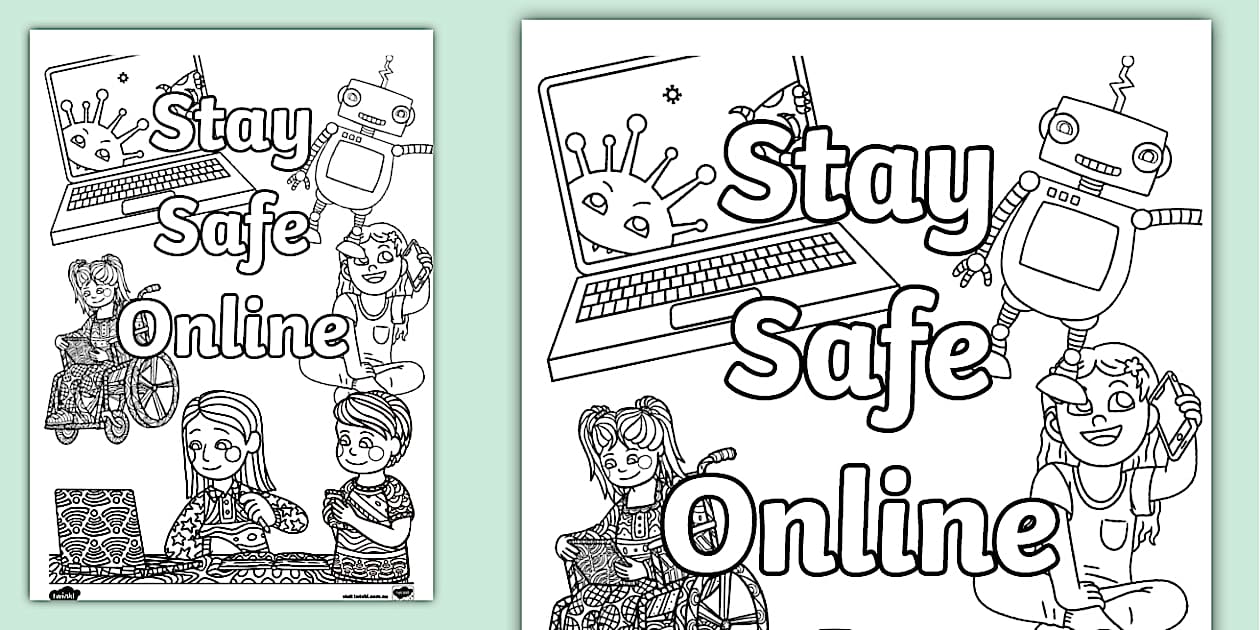
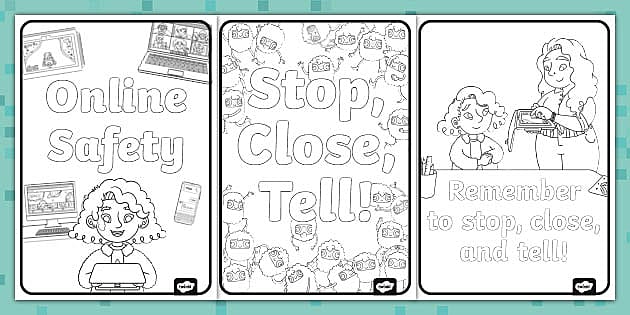
Visual storytelling forms the core of this educational resource, depicting relatable scenarios where children make smart choices on shared family devices or video platforms. The artwork highlights foundational protective habits, including guarding personal information like home addresses, creating strong passwords, and pausing before clicking unfamiliar links. It sounds simple, and that’s the point. Repetition through artistic engagement solidifies these concepts in developing brains. Furthermore, the design deliberately emphasizes the golden rule of digital wellness: stopping to think before sharing anything online. The resource also normalizes consulting a trusted adult whenever an online interaction feels confusing, weird, or uncomfortable. Crucially, the accompanying messaging reassures young learners that they are never in trouble for reporting an unsettling digital experience.
Key Learning Outcomes
Coloring reinforces safety messages and opens conversation by keeping hands busy while minds process complex emotional and social concepts. According to Pew Research Center, a vast majority of parents express concern about their young children’s digital lives, making accessible communication tools essential for modern households. When children shade in scenes depicting safe device habits, they internalize the physical posture of mindful technology use. Educators observe that kinesthetic learners retain rules better when physical motion accompanies verbal instruction. The activity prompts spontaneous questions from children, allowing adults to guide discussions naturally rather than forcing a rigid lecture. Ultimately, the sheet lays the groundwork for critical thinking, teaching kids to pause and evaluate digital content before reacting impulsively.
How to Use This Printable
Implementing this resource requires minimal preparation, fitting seamlessly into a morning classroom routine, a homeschool curriculum, or a quiet weekend afternoon at the kitchen table. Adults can introduce the sheet by asking open-ended questions about favorite online games or video channels. Here’s what makes this resource different: it shifts the dynamic from authoritarian policing to collaborative problem-solving. As children color, facilitators can ask what the characters in the picture should do next, encouraging active participation in rule-making. Displaying the finished artwork on a refrigerator or classroom bulletin board serves as an ongoing visual reminder of healthy digital habits. For deeper exploration of foundational topics, educators frequently pair these creative exercises with comprehensive Internet and Digital Safety modules.
Practical Tips for Parents and Teachers
Creating a calm, non-judgmental environment is paramount when discussing digital slip-ups or unexpected pop-ups on shared screens. Adults should avoid grabbing devices away in anger, as this discourages children from seeking help in the future. Instead, treat every unexpected online encounter as a teachable moment. Keep crayons or colored pencils accessible, letting the child set the pace of the conversation while their hands stay occupied. If a child mentions an uncomfortable chat or video, praise their honesty immediately. Reinforce that reporting weird online behavior makes them smart, brave helpers. Incorporating supplementary materials from dedicated Worksheets collections can also help reinforce these lessons through puzzles and matching games.
Age-Appropriate Recommendations
Children aged five to seven benefit most from direct, concrete imagery focusing on physical boundaries, such as keeping passwords secret from friends and asking permission before downloading apps. For older elementary students aged eight to twelve, discussions can expand to include digital footprints, respectful communication in multiplayer gaming chats, and recognizing misleading online information. According to Common Sense Media, children engage with digital media at increasingly younger ages, making early and continuous dialogue vital across all developmental stages. Grounding these lessons in established frameworks like the Common Sense Education Digital Citizenship Curriculum ensures that learning targets align with cognitive milestones. Educators should tailor their language to match the child’s maturity, ensuring that safety rules empower rather than restrict exploration.
The vast majority of parents report navigating complex decisions regarding young children’s media use and digital engagement habits. — Pew Research Center
Frequently Asked Questions
How do adults access and print this educational resource? Downloading and printing the activity sheet takes just a few clicks directly from the website, requiring standard printer paper and basic coloring supplies. Does this activity genuinely teach internet safety? Coloring reinforces safety messages and opens conversation by giving children a relaxing, tactile medium to process important rules about privacy and trusted adults. What do child safety experts recommend for starting digital citizenship talks? According to the National Center for Missing & Exploited Children, keeping open lines of communication ensures children report uncomfortable digital encounters without fear of punishment.
Explore More Free Kids Online Safety Printables
Building robust digital citizenship habits is an ongoing journey that extends far beyond a single afternoon activity. Adults can expand their educational toolkit by browsing additional creative assets found within the Coloring Pages gallery. Combining visual art with structured discussions prepares children for the complexities of modern technology. For broader lessons covering device management and respectful communication, explore the comprehensive resources available under Online and Digital Safety. Consistent, gentle guidance transforms digital safety from a daunting rulebook into second nature for every child.
Developmental Milestone & Activity Table
| Development Stage | Recommended Daily Duration | Primary Learning Objective |
|---|---|---|
| Preschool & Pre-K | 10 – 15 Minutes | Pencil grip development & basic pre-stroke lines |
| Kindergarten | 15 – 20 Minutes | Letter/number formation & spatial line awareness |
| Early Elementary (Grade 1–2) | 20 – 30 Minutes | Fluency, sentence construction & neatness |
Images References