Why Creative Expression Strengthens Digital Habits Early
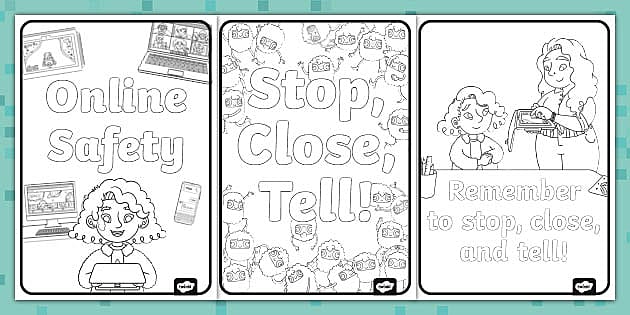
Teaching children how to navigate digital spaces securely requires tools that meet them at their developmental level. When adults integrate social media and online safety drawings for colouring into daily lesson plans, they bridge the gap between abstract internet rules and tangible concepts. Guidance from organizations like ConnectSafely and the Family Online Safety Institute highlights that young minds absorb privacy principles far better when they engage motor skills and creativity. Instead of lecturing students about geolocation sharing or password secrecy, educators and parents can use these artistic activities to spark calm, non-punitive discussions about what it means to be safe online. Related guide: Please Provide Free 8.5″X11″ Digital Safety Coloring Pages For K-2 Grade.
💡 Educational Key Takeaways:
- Core Skill: Structured Social Media And Online Safety Drawings For Colouring focused on developing pencil grip, stroke control, and early literacy/math confidence.
- Target Scope: Suited for homeschoolers, preschool, kindergarten, and elementary learners.
- Best Recommendation: Practice 10–15 minutes daily with ergonomic writing tools to reinforce muscle memory without hand fatigue.
Spotting Digital Vulnerabilities Before They Escalate
Understanding where risks emerge across home and school environments helps adults apply preventive guardrails before a minor misstep turns into a major safety concern. The breakdown below details common technological and behavioral danger zones alongside actionable mitigations tailored for K-12 environments.
| Setting / Context | Common Vulnerability | Practical Safeguard |
|---|---|---|
| Home Mobile Devices | Unmonitored app downloads and location services enabled by default on personal tablets. | Configure parental control suites, disable background location tracking, and review app stores together. |
| School Chromebooks & Tablets | Circumventing web filters through unauthorized extensions or incognito windows during downtime. | Ensure IT department monitoring is active, enforce classroom device parking rules, and check browser extensions weekly. |
| Social Media & Chat Apps | Interacting with direct messages from unverified profiles or oversharing personal schedules. | Set profiles to private, disable direct messaging for younger users, and practice healthy boundary-setting through Online and Digital Safety modules. |
Establishing Balanced Rules and Calm Family Routines
Technical filters alone cannot replace open communication. Schools and homes work best when they align on clear, predictable routines. Designate a central charging station in the kitchen or classroom media center so screens are tucked away overnight, reducing late-night scrolling temptations. Pair these environmental setups with age-appropriate device controls, such as strict content filters and two-factor authentication managed by an adult. When introducing new concepts, lean on resources found in Coloring Pages collections to make lessons approachable. Crucially, establish a zero-shame reporting workflow so students know they can come forward if they encounter cyberbullying or uncomfortable content without fearing device confiscation.
Overly strict bans or punitive tech restrictions often backfire, driving children to find clever workarounds like peer-to-peer file sharing or hidden secondary accounts. Instead of draconian lock-downs, pair robust technical guardrails with collaborative conversations. If a child pushes back against privacy settings, explain the reasoning behind them using analogies they can relate to, such as locking the front door of a house. Incorporating creative exercises like social media and online safety drawings for colouring allows kids to process these boundaries visually, transforming what feels like an arbitrary restriction into an empowering rule they understand and respect.
Educator and Parent Questions Answered
What age is appropriate to introduce digital safety coloring materials?
Children in pre-K through early elementary school benefit immensely from visual safety concepts. Introducing simple coloring sheets about keeping personal information private helps build a foundation of digital citizenship long before they receive their first smartphone or school tablet.
How can teachers use safety artwork alongside standard curricula?
Educators can integrate these activities into art class, homeroom discussions, or computer lab introductions. Pairing a coloring session with a brief guided conversation about secure passwords or kind online communication reinforces the lesson through multiple learning styles.
Are printable safety activities effective for older elementary students?
While older children may outgrow basic coloring, they still respond well to structured activities such as creating their own comic strips, designing safety infographics, or completing exercises found in our Worksheets archive.
Explore More Digital Citizenship Resources
Empowering the next generation of digital citizens requires ongoing collaboration between parents, teachers, and school administrators. Discover more practical guides, downloadable tools, and expert tips to protect youth online by visiting SafeWiredSchools.org.
Visual Reference Gallery