Why Teaching Digital Boundaries Early Shapes Lifelong Online Habits
Helping young students grasp the difference between secure online spaces and potential digital hazards requires tools that match their developmental level. When children transition from physical classrooms to digital devices, they need foundational awareness to navigate web browsers safely. Organizations like ConnectSafely and the Cybersecurity and Infrastructure Security Agency emphasize that early digital literacy acts as a primary defensive layer. By introducing concepts through creative activities like a safe vs unsafe websites coloring page, educators and parents can translate abstract cybersecurity rules into memorable, tactile lessons that resonate with elementary and middle school learners.
💡 Activity Key Takeaways:
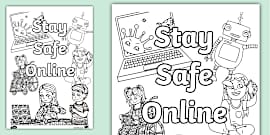
- Core Focus: Printable Safe Vs Unsafe Websites Coloring Page designed for creative expression and fine-motor coordination.
- Target Scope: Ideal for toddlers, preschool, kindergarten, and classroom art activities.
- Best Recommendation: Use standard heavy printer paper (24–28 lb) or cardstock for vibrant results with crayons, colored pencils, or washable markers.
Spotting Digital Risk Signals: A Practical Evaluation Matrix
Adults often rely on complex technical terminology when discussing web safety, but children need straightforward behavioral cues and age-appropriate device controls. To bridge this gap, classrooms and households can use structured frameworks to categorize safe versus risky digital behaviors. Reviewing how school-issued Chromebooks, home tablets, and interactive browser games handle external links helps adults establish consistent boundaries across every device environment. Related guide: Fire Safety Coloring Book Printable.
| Setting / Context | Common Vulnerability | Practical Safeguard |
|---|---|---|
| Home Tablets & Laptops | Accidental clicks on malicious pop-up ads disguised as game rewards. | Configure strict browser content filters, enforce safe search toggles, and use our Coloring Pages to reinforce visual web identification. |
| School Chromebooks | Students opening unapproved browser tabs during independent research time. | Maintain active classroom monitoring software, restrict extension installations, and pair technology blocks with lessons found in our Worksheets collection. |
| Chat & Multiplayer Games | Unvetted players sharing external links within in-game messaging windows. | Disable direct messaging features on youth accounts, restrict chat to approved friends lists, and teach kids to consult resources on Internet and Digital Safety. |
Actionable Routines for Classrooms and Family Living Rooms
Translating digital safety theory into daily practice requires predictable routines that children can easily adopt. Educators can kick off computer lab sessions by distributing a safe vs unsafe websites coloring page, inviting students to color green lock icons and red warning shields before touching a keyboard. At home, families should establish shared charging stations in common areas like the kitchen rather than isolated bedrooms, eliminating late-night unsupervised web browsing. Adults must also communicate clear reporting workflows, assuring children that if a strange popup appears or a web page makes them feel uncomfortable, coming forward will never result in the loss of device privileges or harsh punishment.
Overcoming Student Workarounds and Managing Digital Pushback
As children grow older, they naturally test boundaries, occasionally discovering workarounds to bypass parental controls or school content filters. Overly restrictive bans often backfire by driving curious students to seek out risky web environments in secret. Instead of relying solely on heavy-handed blocks, pair technical safeguards with transparent conversations. Explain the reasoning behind specific firewall rules so students understand that safety measures protect their personal privacy and device integrity from malware. Fostering a collaborative atmosphere encourages children to ask questions when they encounter unfamiliar websites rather than hiding potential online mishaps.
Frequently Asked Questions About Visual Digital Safety Tools
What age group benefits most from a safe vs unsafe websites coloring page?
Children in kindergarten through third grade gain the most value from visual, hands-on activities that introduce basic internet concepts. Coloring exercises help young learners associate specific symbols, like padlocks and warning signs, with online trust and caution.
How can teachers integrate digital citizenship into traditional subjects?
Educators can seamlessly blend digital safety lessons into art, computer science, or library media periods. Pairing creative offline activities with guidance from Online and Digital Safety materials ensures students connect physical classroom rules to digital environments.
What should a child do immediately if they land on an unsafe web page?
Children should be taught to immediately close the browser tab, walk away from the screen, and notify a trusted adult without fear of getting into trouble. Emphasizing a calm, blame-free reporting process ensures kids speak up quickly when things go wrong online.
Explore More Digital Citizenship Resources
Equipping the next generation of digital citizens requires ongoing collaboration between parents, teachers, and school administrators. Discover more expert-backed lesson plans, printable activities, and device management strategies by visiting SafeWiredSchools.org to support your students every step of the way.
Printable Coloring Page Previews