Introduction
Establishing clear boundaries regarding what are the dos and donts on the internet for kids is vital for protecting students from digital hazards while fostering positive Internet and Digital Safety habits across educational environments. According to the Federal Trade Commission (FTC Consumer Advice), teaching minors to recognize online risks early prevents identity exposure and reduces susceptibility to malicious exploitation. Educators, administrators, and parents must collaboratively enforce structured digital protocols that govern student online behavior, device hygiene, and classroom screen balance. The implementation of robust digital citizenship frameworks ensures that middle school learners navigate virtual platforms responsibly without compromising personal security or academic integrity.
Digital Safety Snapshot:
- Core Focus: Establishing definitive operational dos and donts to safeguard minors during digital engagement.
- Target Scope: Middle school students, classroom educators, school administrators, and supervising parents.
- Key Recommendation: Enforce strict privacy configurations and consistent school device management protocols.
Core Principles and Detailed Overview
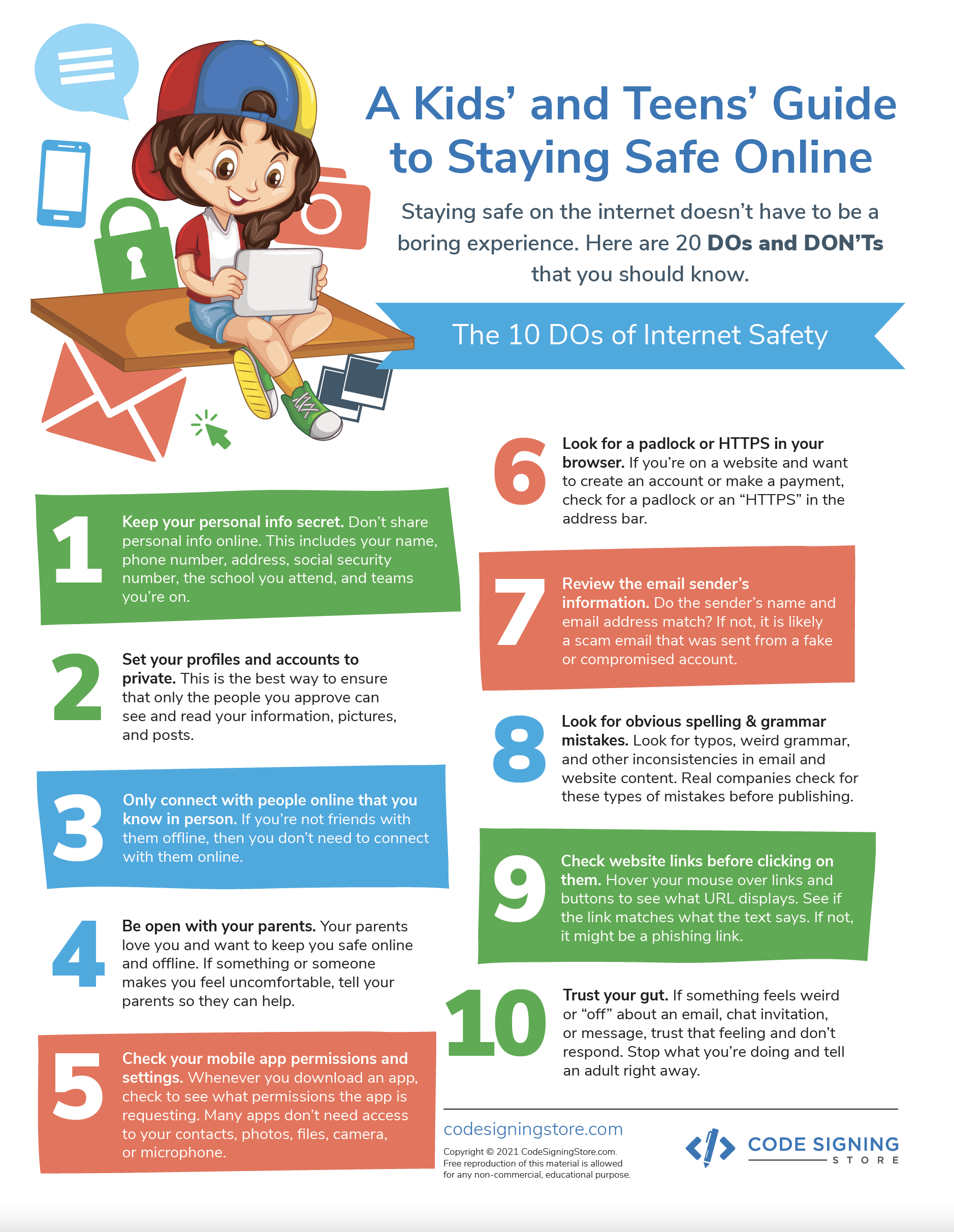
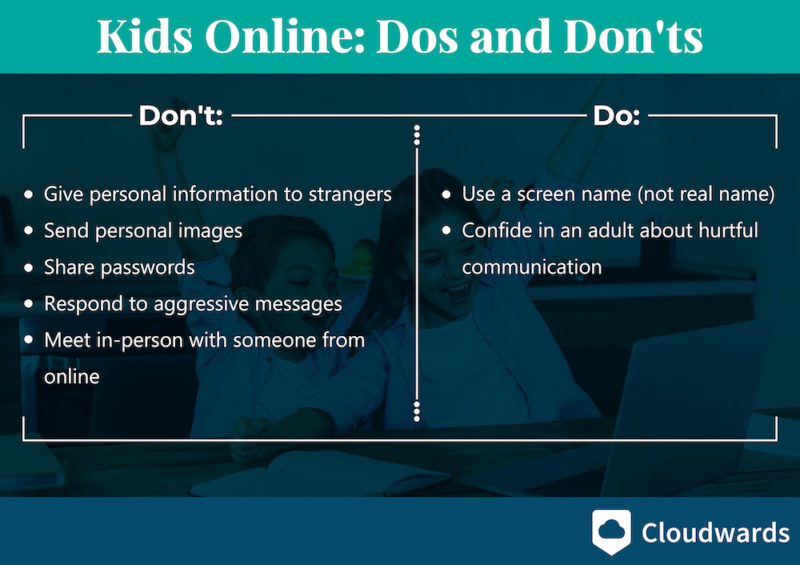
Understanding what are the dos and donts on the internet for kids requires balancing open technological exploration with stringent preventive measures against cyberbullying and digital footprint accumulation. Safe online conduct mandates that students verify information before sharing, maintain confidentiality regarding home addresses or telephone numbers, and immediately report abusive messaging to trusted educators. Conversely, forbidden actions include engaging with unverified profiles, distributing peer media without authorization, and disabling institutional firewall protections. Integrating these guidelines into daily academic routines reinforces foundational Online and Digital Safety competencies that protect youth across connected spaces.
Key Specifications and Breakdown
| Safety Pillar | Digital Risk Factor | Actionable Protective Habit |
|---|---|---|
| Data Privacy | Unsecured profile sharing and data harvesting | Never disclose personal identifiers, locations, or passwords online. |
| Cyber Civility | Harassment, exclusion, and targeted digital aggression | Practice empathetic communication and report hostile online interactions. |
| Device Hygiene | Malware injection and compromised network access | Update school hardware regularly and avoid downloading unauthorized files. |
Maintain strict data minimization practices and continuous open communication regarding digital experiences to ensure comprehensive youth protection. — ConnectSafely Research
Step-by-Step Practical Application and Guidelines
Implementing practical protocols regarding what are the dos and donts on the internet for kids involves establishing transparent rules for school-issued devices and personal screen time management. Educators must initiate instructional modules utilizing targeted Worksheets to assess student comprehension of safe search practices and password complexity. Concurrently, administrative frameworks should mandate regular device audits, restrict unauthorized application downloads, and promote scheduled offline breaks to maintain optimal classroom screen balance. Establishing predictable routines allows students to internalize protective digital behaviors both inside and outside school grounds.
Common Challenges and How to Avoid Them
Mitigating inadvertent policy breaches regarding what are the dos and donts on the internet for kids demands proactive oversight to counter peer pressure and natural adolescent curiosity. Common pitfalls include sharing credentials with classmates, bypassing content filters through proxy servers, and participating in viral challenges that compromise personal safety. Schools counteract these vulnerabilities by maintaining transparent monitoring policies, conducting regular digital literacy assemblies, and providing constructive feedback rather than purely punitive measures when safety infractions occur. Cultivating a supportive reporting culture empowers students to seek help immediately if they encounter inappropriate content or predatory online behavior.
💬 Frequently Asked Questions
Explore More Kids Safety and Digital Citizenship Guides on SafeWiredSchools
Access comprehensive educational resources, interactive teaching tools, and specialized compliance materials by visiting the main directory at Safe Wired Schools. Continued professional development and structured student activities remain essential for sustaining a secure and productive digital learning culture.
Visual Reference Gallery