Introduction
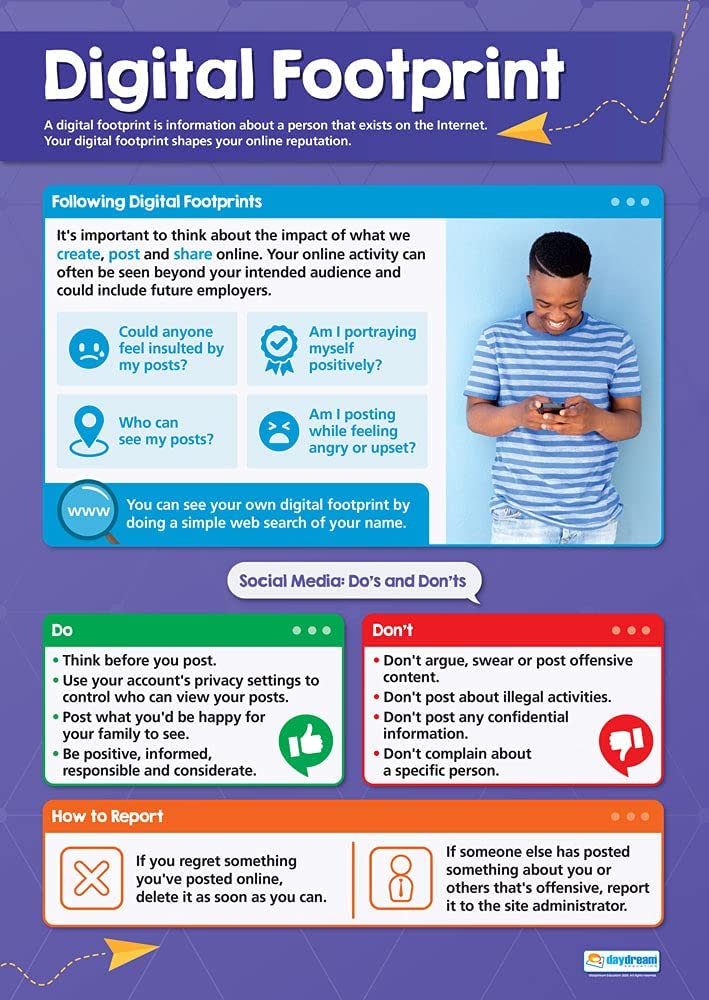
An internet safety digital footprint encompasses the permanent trail of data, interactions, and media that users leave behind online, posing both reputational and physical security risks to minors. According to the Federal Trade Commission (FTC Consumer Advice), teaching young learners to carefully manage what they share protects long-term privacy and curtails identity exposure. Educational institutions, guardians, and students must actively collaborate to cultivate robust digital hygiene habits that withstand modern cyber threats. Navigating the modern web demands a comprehensive understanding of Internet and Digital Safety to ensure that educational technology remains a secure asset.
Digital Safety Snapshot:
- Core Focus: Managing student data trails and mitigating online vulnerabilities in educational environments.
- Target Scope: Middle school students, classroom teachers, school administrators, and parents.
- Key Recommendation: Enforce strict privacy configurations and audit school-issued accounts regularly.
Core Principles and Detailed Overview
Managing a student digital footprint requires a multi-layered defensive strategy that blends technical safeguards with behavioral awareness regarding school internet safety. Every comment posted, photo uploaded, and profile created contributes to a permanent ledger that colleges, future employers, and malicious actors can access. Cyberbullying prevention relies heavily on recognizing how harmful digital interactions amplify personal vulnerabilities and leave searchable evidence of harassment. Furthermore, maintaining classroom screen balance ensures that students engage with digital tools purposefully rather than accumulating passive screen time that compromises focus and digital wellness. Educational stakeholders must continuously monitor network usage to prevent unauthorized data collection across school devices.
Key Specifications and Breakdown
| Safety Pillar | Digital Risk Factor | Actionable Protective Habit |
|---|---|---|
| Device Hygiene | Malware infection and unauthorized tracking | Apply scheduled software updates and clear browser caches weekly. |
| Digital Footprint | Permanent public exposure of personal data | Conduct regular search audits of student usernames and associated profiles. |
| Cyberbullying | Anonymous harassment and hostile messaging | Document incidents immediately using screenshots and report via Online and Digital Safety protocols. |
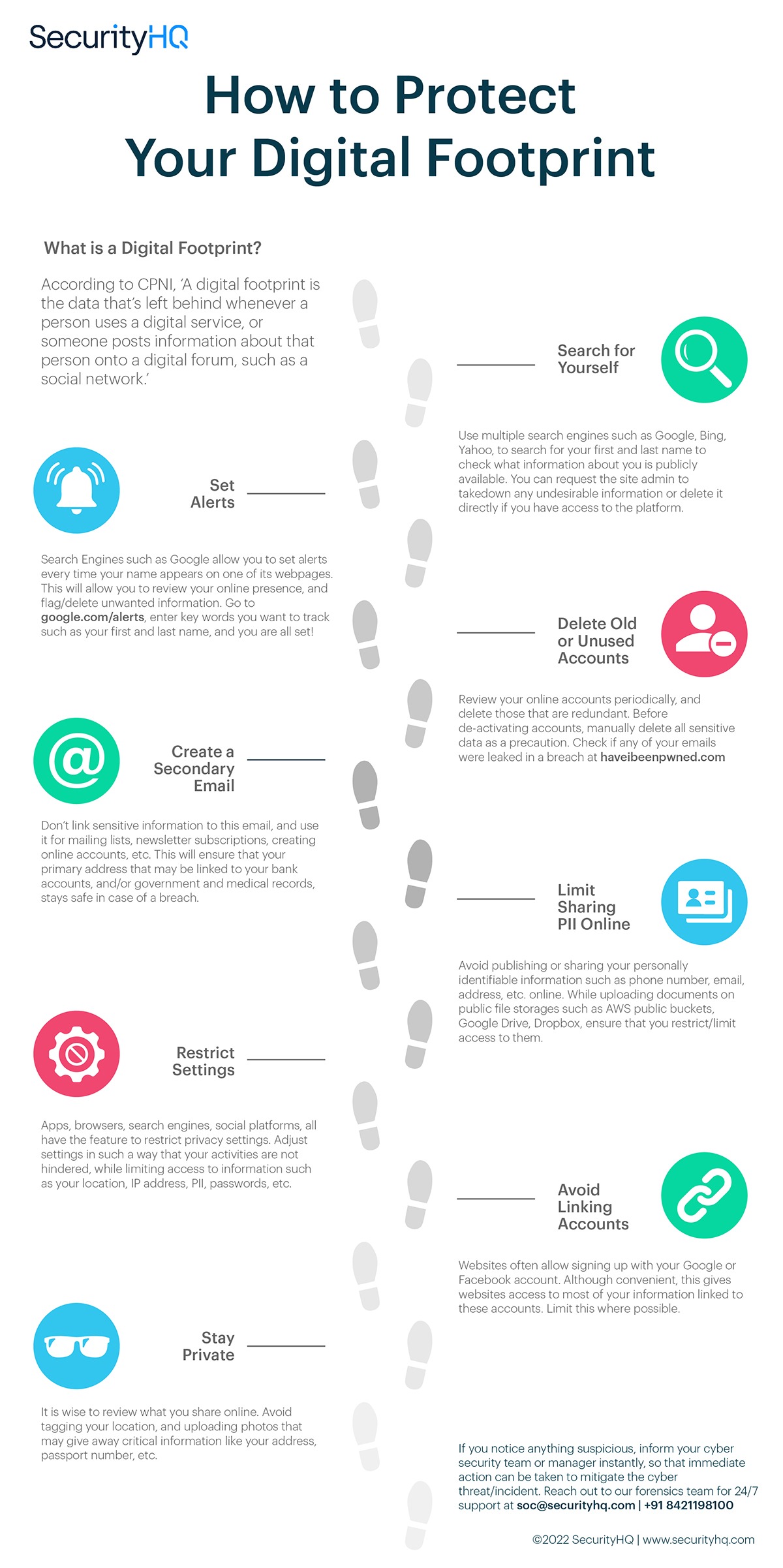
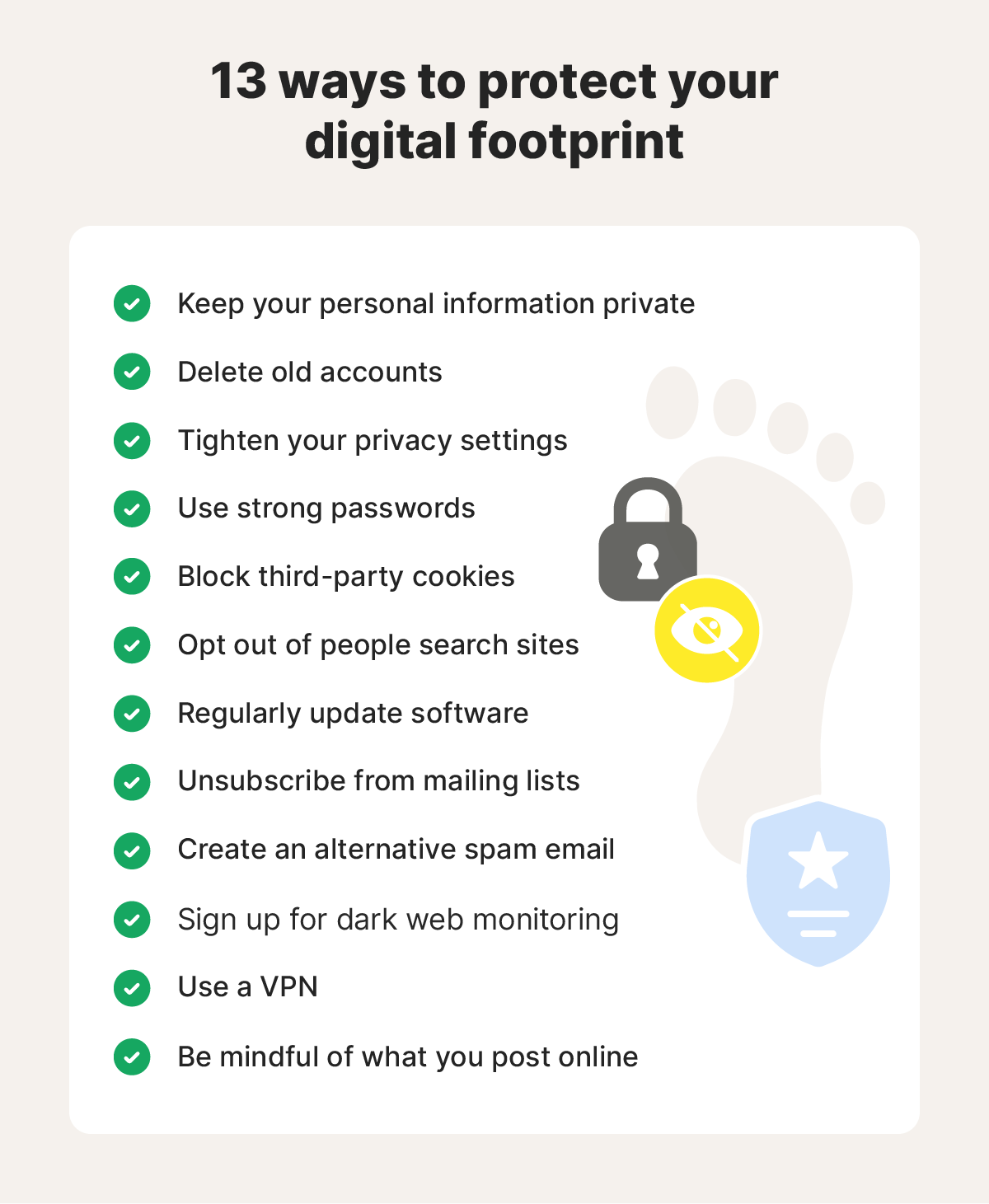
Minimizing persistent online exposure requires continuous evaluation of account privacy settings and deliberate restriction of personally identifiable information on shared platforms. — Cybersecurity & Infrastructure Security Agency (CISA)
Step-by-Step Practical Application and Guidelines
Establishing reliable internet safety protocols involves implementing concrete, repeatable actions across both academic and residential settings. Educators should begin by guiding students through privacy audits on all active school-issued applications, ensuring location services and public sharing toggles remain disabled by default. Next, teachers must integrate dedicated Worksheets into digital citizenship curricula to reinforce conceptual learning regarding permanent data trails. Parents and instructors must also establish device-free zones or time limits to encourage healthy screen balance and reduce impulsive online publishing. Finally, school administrators need to maintain transparent reporting mechanisms for cyberbullying, ensuring swift intervention before harmful content embeds permanently into a student’s digital ledger.
Common Challenges and How to Avoid Them
Overconfidence in privacy settings and the rapid deletion misconception represent the most frequent pitfalls encountered when managing a student digital footprint. Many middle school users assume that deleting a post or clearing a messaging history completely erases the data from the internet, failing to account for screen captures and server caching. To counter this, educators must emphasize that digital permanence is absolute, advising students to apply the ‘billboard test’ before publishing any text or image. Another persistent hurdle involves balancing comprehensive monitoring with student privacy rights, which administrators resolve by deploying transparent web filters that safeguard minors without overstepping personal boundaries. Consistent communication between home and school closes existing gaps in device oversight.
💬 Frequently Asked Questions
Explore More Kids Safety and Digital Citizenship Guides on SafeWiredSchools
Empowering the next generation requires continuous access to vetted educational resources, proactive administrative policies, and collaborative community guidance. Explore additional expert-backed strategies, instructional tools, and safety frameworks by visiting the complete library at Safe Wired Schools to build a safer online environment for every student.
Visual Reference Gallery