Introduction
Six-year-olds navigate digital environments with surprising dexterity. They tap through shared household tablets, join video calls with relatives, and explore interactive gaming worlds long before reading fluent sentences. This early exposure makes foundational guidance essential. Adults often struggle to initiate digital citizenship discussions without sounding alarmist or overly technical. Young children learn best through scaffolded conversations that meet them at their developmental level. The free printable questions to ask 1st graders about internet safety transforms abstract digital concepts into concrete, approachable dialogue. Educators and caregivers need accessible tools that bridge the gap between screen time and real-world safety habits. This resource acts as a dependable conversational bridge, helping adults ask the right questions while keeping the atmosphere calm and empowering. Related guide: 5 Cyber Safety Tips Symbols That Can Be Read By The Grede 7 Students.
💡 Educational Key Takeaways:
- Core Skill: Structured Questions To Ask 1St Graders About Internet Safety focused on developing pencil grip, stroke control, and early literacy/math confidence.
- Target Scope: Suited for homeschoolers, preschool, kindergarten, and elementary learners.
- Best Recommendation: Practice 10–15 minutes daily with ergonomic writing tools to reinforce muscle memory without hand fatigue.
WhatThis Printable Covers
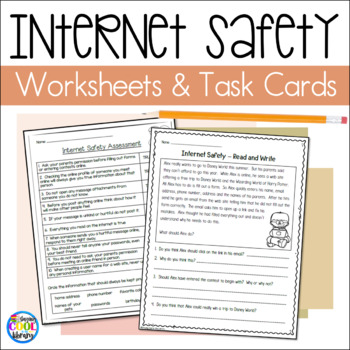
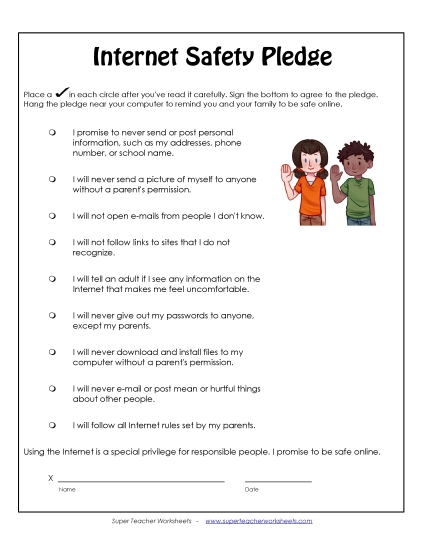
The printable worksheet focuses on everyday digital scenarios familiar to first-grade learners. Rather than dwelling on terrifying threat scenarios, the prompts center on boundary-setting, privacy awareness, and emotional regulation. Children frequently encounter online risks in unassuming spaces, such as pop-up advertisements within educational apps, unexpected chat prompts in multiplayer games, or shared family devices left logged into personal accounts. The questions encourage children to identify what constitutes private personal information, such as home addresses, full names, or favorite places. Another core area addresses the crucial habit of pausing before clicking or sharing content. Most importantly, every prompt reinforces the absolute rule that children remain safe and blameless when reporting uncomfortable online encounters to a trusted adult. No printable can substitute for active adult supervision, but this tool supports thoughtful habit-building by giving children the vocabulary they need to articulate their digital experiences.
Key Learning Outcomes
Working through these discussion prompts helps children recognize when something feels wrong on a screen. First graders build the confidence to pause and seek help rather than hide mistakes or confusing pop-ups out of fear of losing device privileges. The activity reinforces the distinction between the physical world and the digital sphere, reminding young minds that people online are not always who they claim to be. Children learn to identify trusted adults at home and in the classroom to whom they can report strange messages or unexpected content. Exploring these concepts through targeted educational printables ensures that safety remains a skill practiced over time, rather than a single, intimidating lecture. It sounds simple, and that is precisely the point. Consistent, low-pressure conversations build resilient digital citizens from an early age.
How toUse This Printable
Implementation requires zero preparation beyond downloading and printing the sheet. Adults can use the questions during a quiet morning routine, a homeschool check-in, or an after-school snack break. The layout is designed to keep young children engaged without overwhelming visual clutter. Educators might project the prompts onto a whiteboard for a whole-class circle discussion, encouraging students to share ideas about responsible device use. Parents can keep a copy on the refrigerator to spark natural dinner-table conversations about favorite apps and online discoveries. Here’s what makes this resource different: it treats the child as an active participant in their own safety rather than a passive recipient of rules. By asking open-ended questions, adults validate children’s lived experiences in digital spaces and establish an open channel of communication for future concerns.
Practical Tips for Parents and Teachers
Tone sets the boundary between anxiety and empowerment. Approach the questions with curiosity rather than interrogation, treating digital safety with the same casual importance as looking both ways before crossing the street. Listen actively when children describe how characters behave in their favorite games or what advertisements pop up while they watch videos. Validate their answers warmly, even when they make mistakes or admit to clicking something unexpected. Reinforce the primary message frequently: asking for help immediately makes everyone safer, and children are never in trouble for bringing a strange screen experience to light. Educators can pair these discussions with broader lessons found within trusted online and digital safety curricula to ensure consistent messaging across school and home environments.
Age-Appropriate Recommendations
Child development experts emphasize that first graders think in concrete, literal terms. Abstract warnings about hackers or malware fly right over the heads of six and seven-year-olds. Instead, explanations must connect directly to tangible concepts like keeping bedroom doors closed or not talking to strangers at the park. This aligns closely with the Common Sense Education Digital Citizenship Curriculum, which emphasizes empathy, privacy, and respectful communication tailored specifically to early elementary learners. At this age, children should understand that usernames protect their real identities and that sharing personal details online is similar to shouting home addresses out loud on the playground. Adults should continuously review foundational internet and digital safety habits as children grow more independent with school-issued laptops and shared household gadgets.
Young children frequently encounter digital media through shared family devices, making early guidance on privacy and trusted reporting essential for safe exploration. — Common Sense Media
Frequently Asked Questions
Navigating early digital citizenship raises many practical questions for educators and families alike. Clear answers help adults maximize the impact of every printable resource they bring into the classroom or living room. Below are answers to the most common inquiries regarding this specific discussion tool and its role in child online safety education.
The National Center for Missing & Exploited Children (NCMEC) emphasizes that open, non-judgmental communication between children and trusted adults is a primary defense against online risks. — NCMEC
Explore More Free Kids Online Safety Printables
Expanding a digital citizenship toolkit requires a variety of engaging formats that appeal to different learning styles. Beyond discussion prompts, visual learners benefit immensely from creative exercises that reinforce core safety habits through artistic expression. Exploring additional resources like specialized coloring pages provides another low-stress avenue for reinforcing rules about keeping personal information private. Combining different printable formats ensures that young learners encounter vital safety messages repeatedly, solidifying good habits that will protect them as they grow older and explore more complex digital landscapes.
Developmental Milestone & Activity Table
| Development Stage | Recommended Daily Duration | Primary Learning Objective |
|---|---|---|
| Preschool & Pre-K | 10 – 15 Minutes | Pencil grip development & basic pre-stroke lines |
| Kindergarten | 15 – 20 Minutes | Letter/number formation & spatial line awareness |
| Early Elementary (Grade 1–2) | 20 – 30 Minutes | Fluency, sentence construction & neatness |
Images References