Introduction
The “online safety fill in the blank worksheet” offers a valuable, hands-on learning experience for students navigating the digital world. This particular resource is designed for Elementary grades 15, providing foundational knowledge crucial for safe online interactions. It serves as a practical tool for reinforcing internet safety concepts through active engagement, transforming abstract rules into memorable lessons. Printable worksheets remain trusted educational instruments for a compelling reason: they facilitate active learning, encourage critical thinking, and provide a tangible record of understanding. Educators and parents consistently rely on such resources to build digital awareness and cultivate responsible online behavior from an early age, establishing a solid groundwork for lifelong digital citizenship.
💡 Educational Key Takeaways:
- Core Skill: Structured Online Safety Fill In The Blank Worksheet focused on developing pencil grip, stroke control, and early literacy/math confidence.
- Target Scope: Suited for homeschoolers, preschool, kindergarten, and elementary learners.
- Best Recommendation: Practice 10–15 minutes daily with ergonomic writing tools to reinforce muscle memory without hand fatigue.
What This Worksheet Covers
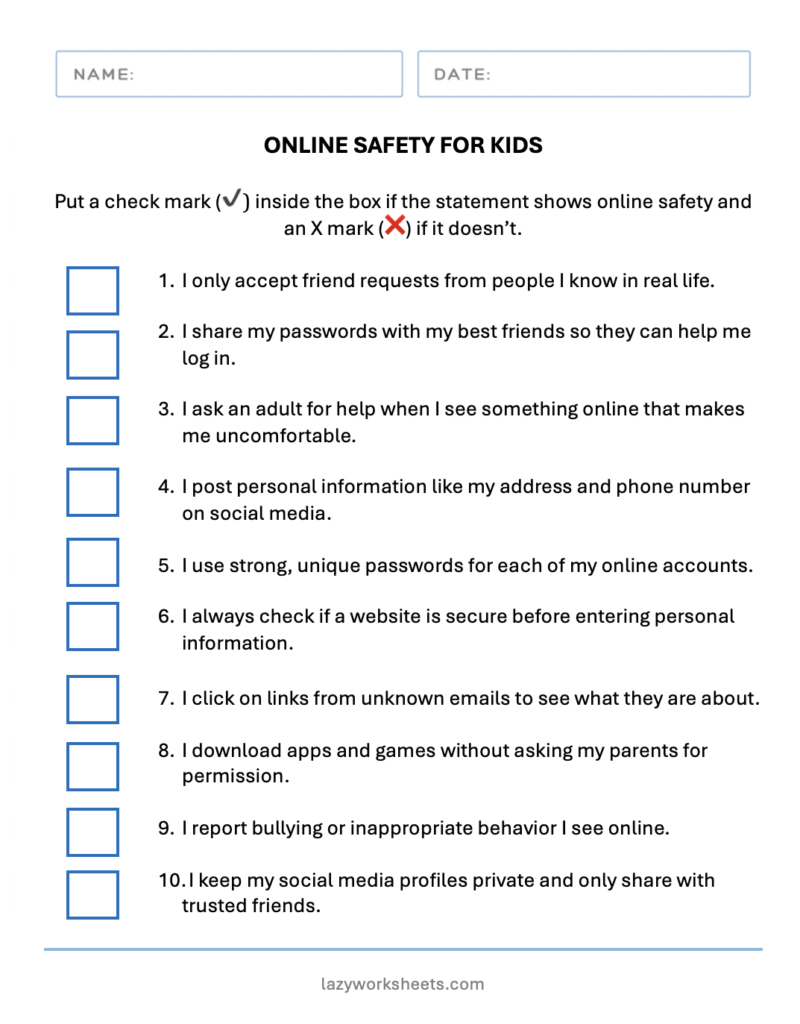
The “online safety fill in the blank worksheet” addresses essential internet safety topics by focusing on identifying safe online practices and recognizing potential risks. The worksheet systematically covers fundamental concepts such as understanding private versus public information, recognizing the importance of asking for permission before sharing personal details, and identifying trusted adults to approach with online concerns. It introduces scenarios where discernment is required, helping young learners differentiate between safe websites and suspicious links or pop-ups. The content aligns directly with recognized digital citizenship and child safety education standards, which emphasize personal safety, privacy, and responsible communication within digital environments. Its structure promotes comprehension of basic digital etiquette and self-protection strategies.
Key Learning Outcomes
Completing the “online safety fill in the blank worksheet” helps students develop several critical skills and knowledge areas:. Browse more guides on Safe Wired Schools.
- Distinguishing between information that should be kept private and information that is safe to share online.
- Identifying trusted adults, such as parents, teachers, or guardians, who can provide support with online issues.
- Recognizing common online risks, including suspicious links, unknown contacts, or inappropriate content.
- Formulating appropriate and safe responses to various online communication scenarios.
- Understanding the crucial importance of seeking permission from a parent or guardian before downloading, clicking, or sharing anything online.
How to Use This Worksheet
The “online safety fill in the blank worksheet” offers flexible integration into both classroom curricula and home learning routines. The worksheet format primarily involves fill-in-the-blank questions, where students complete sentences with appropriate internet safety terms or concepts. It may also include simple matching exercises or short scenario-based prompts requiring a brief response, designed to progressively scaffold learning. The difficulty level is carefully calibrated for elementary school students, ensuring instructions are clear and vocabulary is accessible. This resource functions effectively as a standalone activity to introduce a specific safety topic, as a reinforcing component of a broader lesson plan on digital citizenship, or as a thoughtful homework assignment to extend learning beyond the classroom or structured family time.
Practical Tips for Parents and Teachers
Maximizing the educational impact of the “online safety fill in the blank worksheet” involves thoughtful preparation and engagement:
- Preparation: Ensure the worksheet is printed clearly, and students have appropriate writing tools readily available. Briefly review any new vocabulary words before beginning the activity.
- Facilitation: Read instructions and questions aloud for younger learners, providing clear examples where necessary. Encourage independent thought but offer gentle guidance when students encounter difficulties.
- Discussion: After completion, review the answers together as a group or individually. Use this opportunity to initiate open discussions about the concepts covered, encouraging students to explain their reasoning.
- Extension Activities: Expand learning by having students create their own internet safety rules, role-play safe online scenarios, or draw pictures illustrating key safety messages.
- Consistent Reinforcement: Integrate internet safety discussions into daily routines, making it an ongoing conversation rather than a one-time lesson. Refer back to the worksheet’s concepts regularly.
Age-Appropriate Recommendations
Effective implementation of the “online safety fill in the blank worksheet” requires tailoring the approach to different developmental stages within the elementary age range.
For Ages 58 (Grades K-2), a high level of parental or teacher involvement is recommended. Instructions should be read aloud, and questions can be discussed verbally before writing. Focus on the most basic concepts, such as identifying trusted adults and understanding that personal information like names and addresses should not be shared without permission. Keep activity sessions short and engaging, providing ample praise for effort and correct answers. Vocabulary support is crucial, with new terms explained simply and clearly.
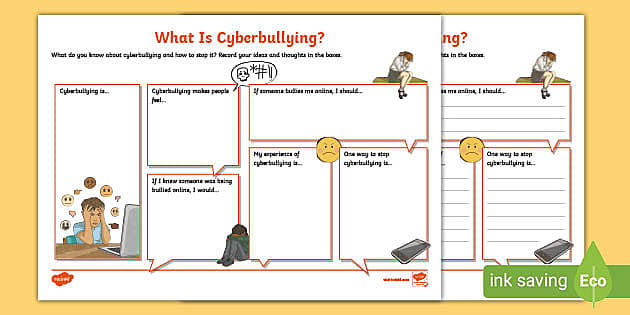
For Ages 912 (Grades 3-5), students can approach the worksheet with more independence. Encourage them to read instructions and attempt answers on their own first. Facilitate deeper discussions after completion, exploring the “why” behind internet safety rules and discussing hypothetical scenarios. This age group benefits from analyzing the consequences of unsafe online actions and thinking critically about online interactions. The worksheet can serve as a springboard for more complex conversations about online privacy, cyberbullying prevention, and responsible digital footprints. Parental or teacher involvement transitions to a supportive, guiding role, prompting further thought rather than direct answers.
Frequently Asked Questions
Q: What specific online safety topics does this worksheet cover?
A: This worksheet primarily covers foundational online safety concepts, including the importance of keeping personal information private, identifying trusted adults for help, recognizing potential online risks, and understanding safe communication practices. It builds a strong base for responsible digital citizenship.
Q: How can this worksheet be integrated into a broader digital citizenship curriculum?
A: The “online safety fill in the blank worksheet” serves as an excellent introductory or review activity within a comprehensive digital citizenship curriculum. It reinforces core vocabulary and concepts, preparing students for more in-depth discussions on topics like cyberbullying, digital footprint, and media literacy. It can be used as a pre-assessment or post-assessment tool.
Q: How is the “online safety fill in the blank worksheet” accessed and downloaded?
A: This free printable resource is easily accessible through the SafeWiredSchools.org website. Navigate to the worksheets section, locate the “online safety fill in the blank worksheet,” and click the download link. It is typically available as a PDF file, ready for printing.
Explore More Free Printable Worksheets
While the “online safety fill in the blank worksheet” provides a robust learning experience, its true value is amplified when integrated into a consistent digital safety learning routine. A single worksheet functions optimally as part of a broader collection of printable resources. Educators and parents are invited to explore a full collection of free printable internet safety worksheets, activity sheets, checklists, quizzes, and more at SafeWiredSchools.org Worksheets. This extensive library covers every essential internet safety topic and is thoughtfully designed for every grade level and diverse learning environment, ensuring comprehensive digital safety education for all young learners.
Developmental Milestone & Activity Table
| Development Stage | Recommended Daily Duration | Primary Learning Objective |
|---|---|---|
| Preschool & Pre-K | 10 – 15 Minutes | Pencil grip development & basic pre-stroke lines |
| Kindergarten | 15 – 20 Minutes | Letter/number formation & spatial line awareness |
| Early Elementary (Grade 1–2) | 20 – 30 Minutes | Fluency, sentence construction & neatness |