Introduction
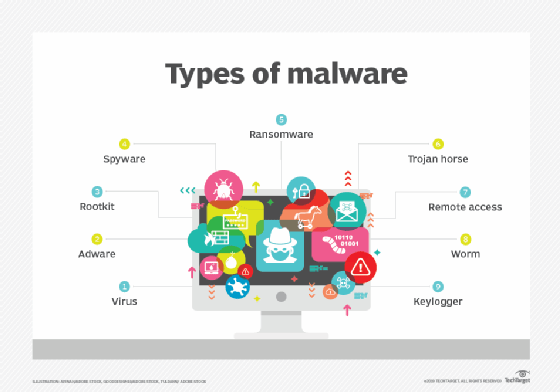
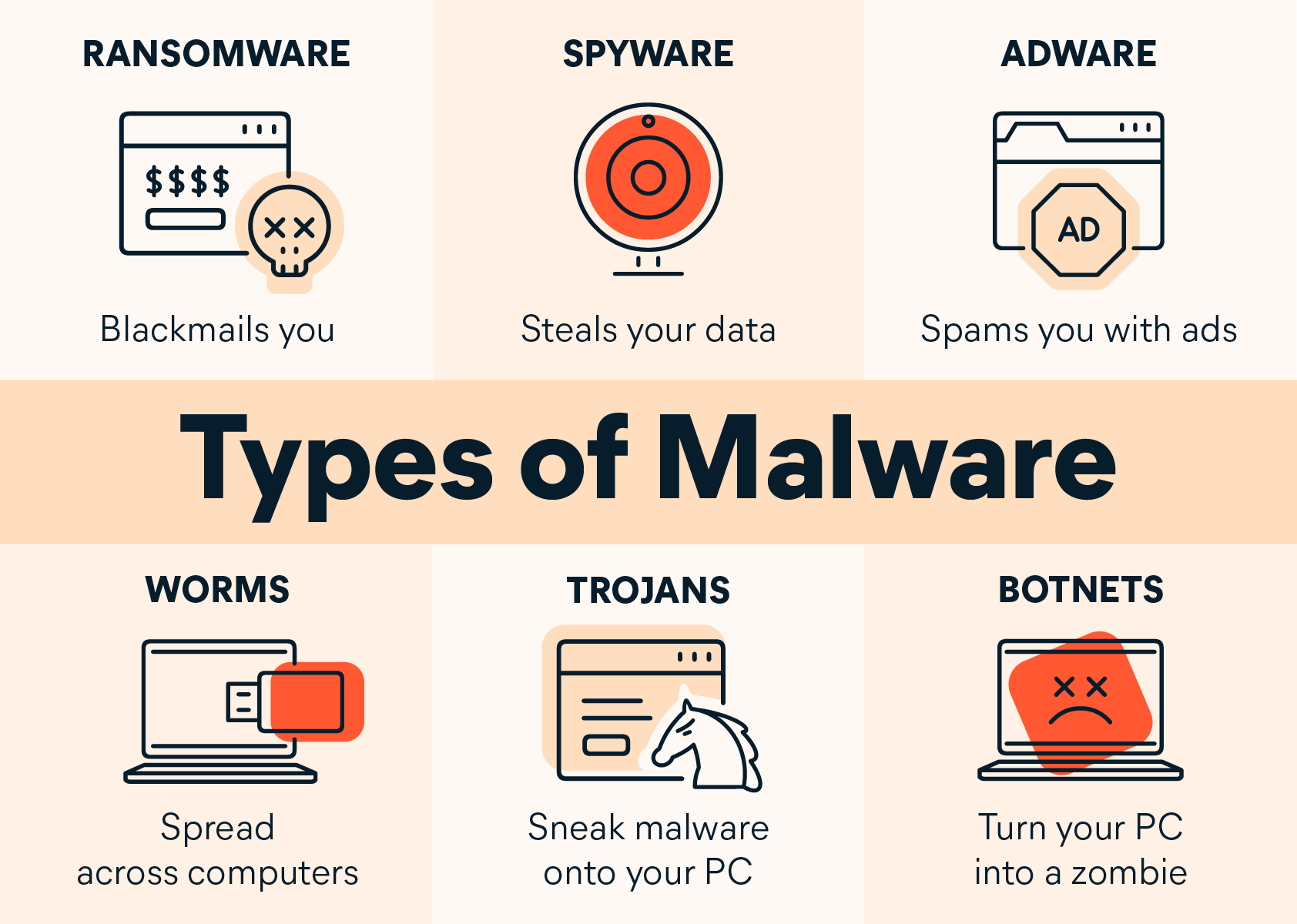
Children encounter digital environments long before they fully grasp the underlying mechanics of computers and networks. Modern elementary students navigate shared household tablets, communicate through in-game chat features, and stream educational or entertaining videos on family devices. These spaces offer rich opportunities for learning and connection, yet they also introduce unfamiliar digital clutter. Malicious software, often shortened to malware, represents one of those invisible hazards that can confuse young users. Adults need approachable tools to demystify these technical concepts without inducing panic. Simplifying complex cybersecurity terminology turns abstract threats into manageable, everyday habits. Educators and caregivers find success when educational resources bridge the gap between technical jargon and a child’s daily digital experiences. Building digital resilience relies on open dialogue rather than strict prohibition. Children absorb safety lessons much faster when concepts are paired with creative, hands-on learning materials designed specifically for their developmental stage. Related guide: 5 Cyber Safety Tips Symbols That Can Be Read By The Grede 7 Students.
💡 Educational Key Takeaways:
- Core Skill: Structured Malware Definition Explaimed For Kids focused on developing pencil grip, stroke control, and early literacy/math confidence.
- Target Scope: Suited for homeschoolers, preschool, kindergarten, and elementary learners.
- Best Recommendation: Practice 10–15 minutes daily with ergonomic writing tools to reinforce muscle memory without hand fatigue.
What This Printable Covers
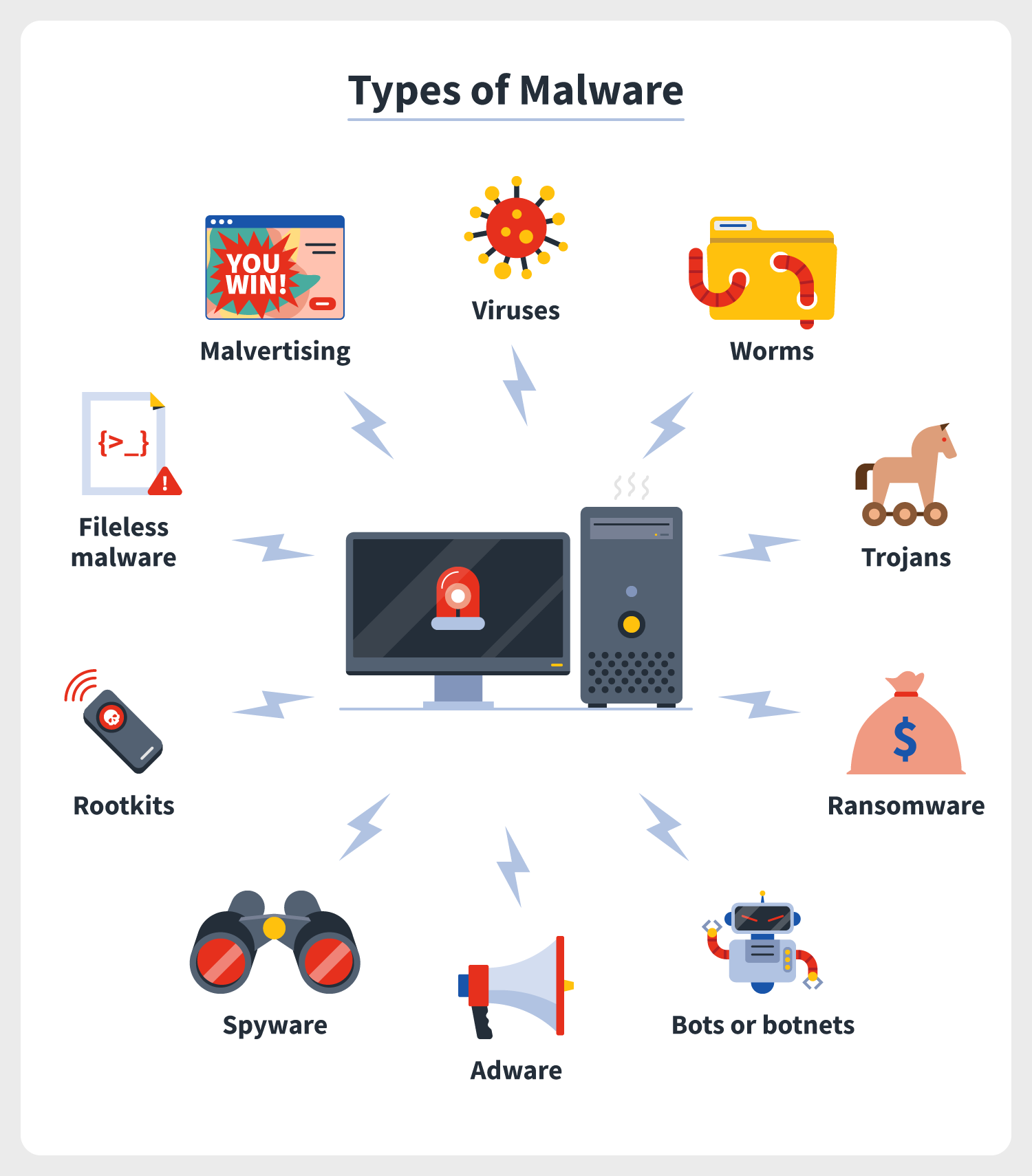
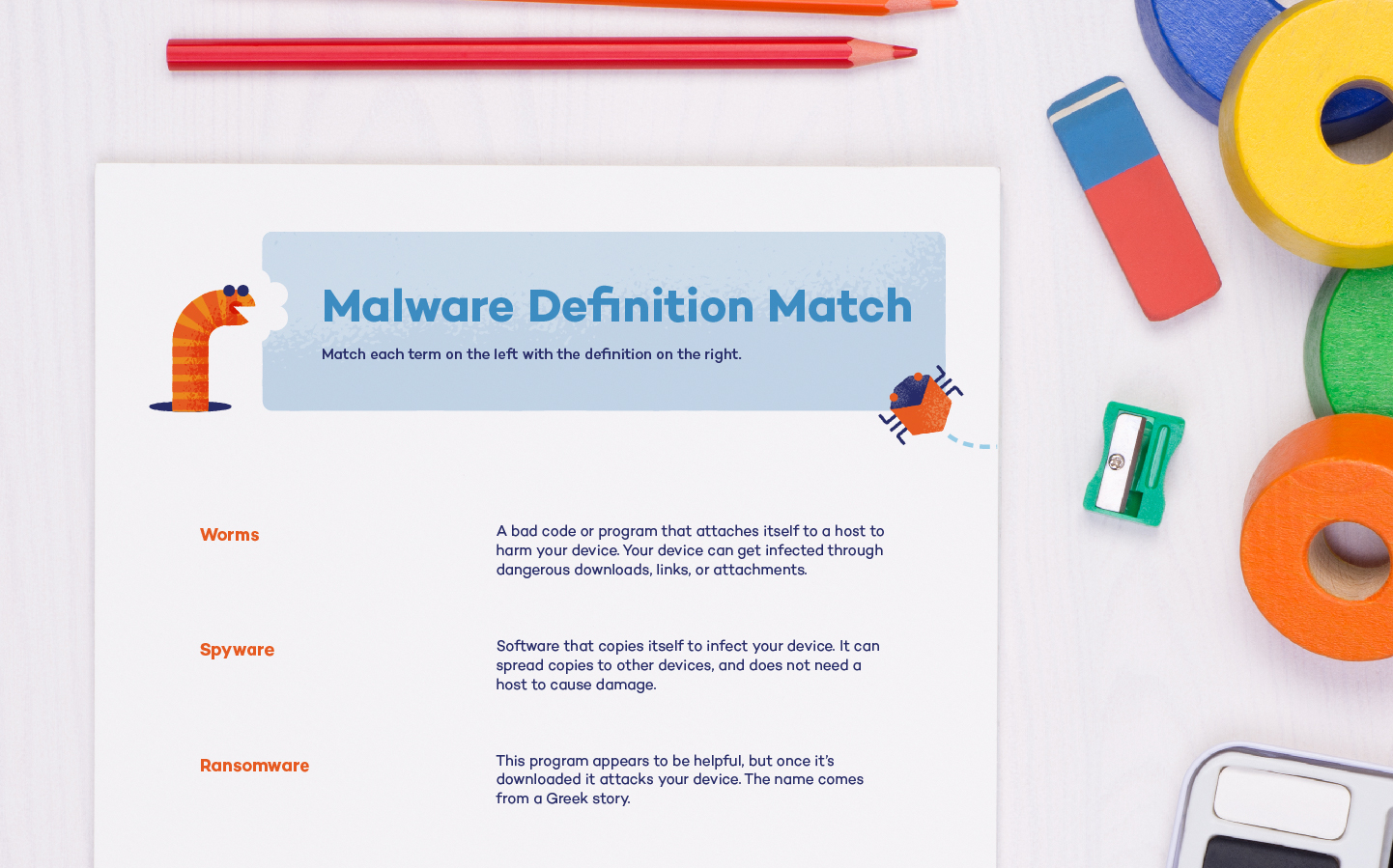
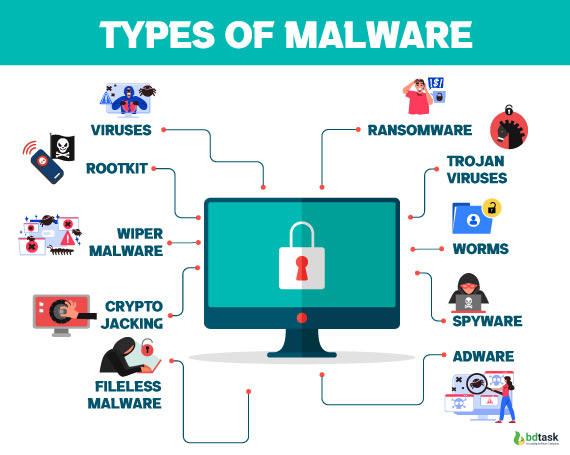
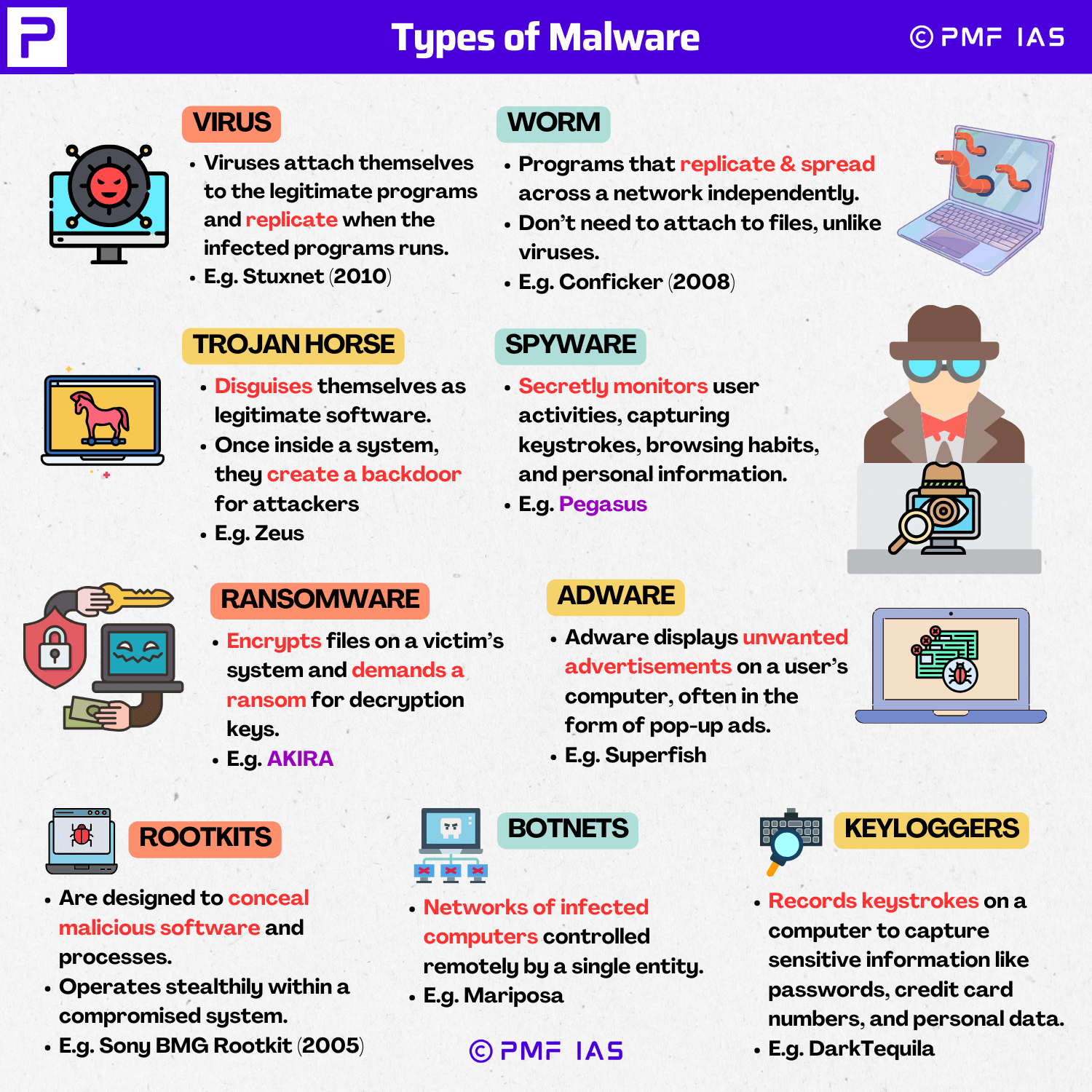
The free printable malware definition explained for kids breaks down intimidating technical terms into friendly, accessible concepts. Instead of focusing on fear or system destruction, the resource introduces malware as digital hitchhikers—uninvited programs that sneak onto devices when people click strange links or download unverified files. Through engaging visual aids, the worksheet illustrates how these unwanted visitors slow down games or pop up unexpected messages. It sounds simple, and that’s the point. Young learners grasp abstract ideas much more effectively when they are personified or compared to familiar physical experiences, like leaving the front door wide open in a bustling neighborhood. The material emphasizes core protective habits, such as asking a trusted adult before downloading a new game or clicking an unfamiliar pop-up window. Children also learn that they are never in trouble for reporting an uncomfortable screen experience, fostering an environment of transparent communication.
Key Learning Outcomes
Working through this educational sheet helps students identify digital warning signs independently. Learners discover why downloading files from unknown sources poses risks to household technology. Furthermore, participants practice the crucial habit of pausing to think before clicking buttons that promise free prizes or unexpected game upgrades. According to Pew Research Center, a vast majority of parents express concern about their children’s digital safety and screen time, making proactive educational tools vital for home and school environments. The printable reinforces the understanding that computers and tablets require careful stewardship, much like a bicycle or a favorite toy. Children build critical thinking skills as they evaluate whether a specific online action is safe or questionable. Ultimately, the activity transforms passive device users into mindful, observant digital citizens who know who to turn to when something looks out of the ordinary.
How to Use This Printable
Implementing this educational asset requires no advanced technical background from the adult facilitator. Caregivers can introduce the sheet during a rainy afternoon, while teachers might incorporate it into a broader technology readiness unit. The layout encourages collaborative reading and discussion rather than independent, silent completion. Adults can read the definitions aloud, inviting children to share examples of strange things they have noticed while playing online games or watching videos. Exploring Internet and Digital Safety concepts through guided questions allows adults to gauge current knowledge gaps. The printable serves as a reliable conversation starter, paving the way for discussions about strong passwords, personal information privacy, and device care. Consistency matters when establishing healthy screen routines, so revisiting the concepts periodically ensures the lessons stick.
Practical Tips for Parents and Teachers
Maximizing the impact of any instructional printout involves creating a welcoming, non-judgmental atmosphere. Adults should invite children to color or complete the tasks side-by-side, modeling curiosity and calm problem-solving. Here’s what makes this resource different: it transforms a scary cybersecurity topic into a relatable story about protecting digital spaces. Adults can pair the activity with a quick audit of family devices, checking that popup blockers are active and software updates are current. Educators seeking additional hands-on exercises often browse curated collections of Worksheets to reinforce related offline learning objectives. Celebrating proactive reporting reinforces positive behaviors; when a child mentions a weird pop-up, praise their attentiveness rather than reacting with frustration.
Age-Appropriate Recommendations
Kindergarten and early elementary students benefit from highly visual explanations that focus strictly on asking a trusted adult before clicking anything unfamiliar. Middle elementary learners, roughly ages eight to ten, can engage with the basic mechanics of how unwanted programs travel through downloads and unverified links. Older elementary students nearing middle school are ready to explore broader digital citizenship frameworks, such as the ISTE Standards for Students, which emphasize empowered and responsible technology use. Tailoring the conversation to developmental readiness prevents cognitive overload and keeps the tone empowering. Younger children only need to know that strange windows are like digital litter, while older students can discuss digital footprints and device hygiene in greater depth. Every developmental stage requires patience, clear boundaries, and reassurance that mistakes are simply opportunities to learn.
Parents increasingly seek structured guidance to navigate evolving digital safety challenges alongside their children — Pew Research Center
Frequently Asked Questions
Clear answers to common inquiries help families and educators implement digital safety strategies with confidence. The following section addresses the most frequent questions regarding accessibility, educational value, and institutional recommendations. Adults often wonder how to seamlessly integrate these printable materials into busy school schedules or relaxed home routines. Reviewing these responses provides a solid foundation for guiding children toward safer digital habits and proactive communication strategies across all connected environments.
Explore More Free Kids Online Safety Printables
Expanding a child’s digital literacy toolkit involves exploring diverse topics beyond basic definitions. Caregivers and educators can discover supplementary activities by browsing vibrant Coloring Pages designed to spark joyful, stress-free conversations about device boundaries. Additional resources covering password strength, cyberbullying prevention, and respectful online communication are readily available within specialized directories dedicated to Online and Digital Safety. Consistent exposure to these core themes normalizes safe habits and empowers children to navigate virtual spaces with confidence and common sense.
Developmental Milestone & Activity Table
| Development Stage | Recommended Daily Duration | Primary Learning Objective |
|---|---|---|
| Preschool & Pre-K | 10 – 15 Minutes | Pencil grip development & basic pre-stroke lines |
| Kindergarten | 15 – 20 Minutes | Letter/number formation & spatial line awareness |
| Early Elementary (Grade 1–2) | 20 – 30 Minutes | Fluency, sentence construction & neatness |
Images References