Why Teaching Empathy Early Through a Kindness Online Coloring Page Printable Shapes Safer Digital Citizens
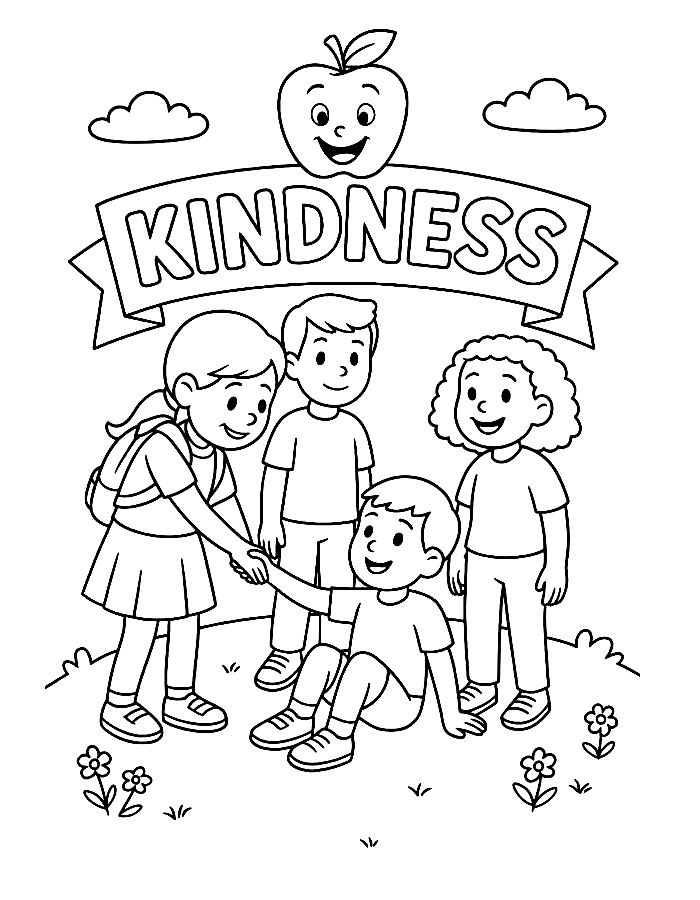
As K-12 students navigate school-issued Chromebooks, classroom tablets, and home devices at increasingly younger ages, building foundational empathy becomes just as crucial as installing technical firewalls. Organizations like ConnectSafely and the Family Online Safety Institute consistently emphasize that proactive conversations about digital respect prevent online cruelty before it starts. Using a creative hands-on activity like a kindness online coloring page printable offers a gentle, low-pressure entry point for educators and parents to discuss how words carry weight online. When children color and talk about positive communication, they bridge abstract internet safety rules into tangible everyday behaviors, whether they are chatting in a multiplayer game or responding to a classmate’s shared document.
💡 Activity Key Takeaways:
- Core Focus: Printable Kindness Online Coloring Page Printable designed for creative expression and fine-motor coordination.
- Target Scope: Ideal for toddlers, preschool, kindergarten, and classroom art activities.
- Best Recommendation: Use standard heavy printer paper (24–28 lb) or cardstock for vibrant results with crayons, colored pencils, or washable markers.
Digital Signals and Behavioral Guardrails for Young Learners
Adults need to monitor both technical device settings and behavioral warning signs to ensure children stay safe while interacting online. Balancing age-appropriate parental controls with open dialogue helps catch early signs of digital peer stress. Review the breakdown below to align home and school protective strategies. Related guide: Please Provide Free 8.5″X11″ Digital Safety Coloring Pages For K-2 Grade.
| Setting / Context | Common Vulnerability | Practical Safeguard |
|---|---|---|
| Home Tablets & Phones | Unfiltered browser access and open app store downloads leading to unregulated chat rooms. | Enable strict content filters, lock down app store permissions with a PIN, and explore Coloring Pages that reinforce offline balance. |
| School Chromebooks | Using shared school logins for private messaging or unmonitored collaborative docs. | Partner with IT administrators to verify classroom extension monitoring, and utilize Worksheets on digital footprint basics. |
| Multiplayer Gaming & Chat | Sudden withdrawal, secretive screen switching, or distress following anonymous peer comments. | Establish common-area screen rules and maintain calm reporting workflows inspired by Online and Digital Safety guidelines. |
Actionable Routines to Foster Positive Device Habits at Home and School
Turning internet safety into a daily habit requires consistent routines rather than one-time lectures. Schools can embed digital citizenship lessons into morning meetings, while parents can establish predictable offline boundaries at home. Start by implementing a centralized charging station in the kitchen or family room so devices stay out of bedrooms overnight, reducing late-night screen fatigue and risky late-hour messaging. Pair these physical boundaries with transparent reporting workflows; reassure children that coming to an adult about a cyberbullying incident or uncomfortable message will never result in having their devices confiscated out of anger. When kids trust that reporting a problem brings support instead of punishment, they speak up much earlier. Reinforce these lessons by pairing art activities like a kindness online coloring page printable with a quick chat about what it means to be a supportive digital friend.
Overcoming Student Workarounds and Adult Pushback
Overly restrictive device bans often backfire by driving student activity underground. When children feel micromanaged or fear losing device privileges entirely, they quickly learn how to bypass web filters, use incognito windows, or hide alternate communication apps. Instead of relying solely on heavy-handed technical blocks, adults should combine robust CISA-aligned network filters with ongoing, non-judgmental conversations. If a child attempts to work around a restriction, treat it as a teachable moment to discuss why the safety boundary exists in the first place. Pairing technical safeguards with creative, reflective exercises ensures kids understand the human impact of their online actions, transforming compliance into genuine digital maturity.
Frequently Asked Questions From Educators and Parents
How can a kindness online coloring page printable help prevent cyberbullying?
Creative activities open up calm, non-confrontational dialogue where children can explore concepts of empathy and respect. By anchoring digital citizenship concepts to a visual and tactile task, younger students grasp the real-world impact of their words and actions online.
At what age should children start learning about digital citizenship and online kindness?
Children benefit from basic digital citizenship concepts as soon as they begin touching shared tablets or school laptops, often in kindergarten or first grade. Introducing simple rules about being kind and asking permission before clicking helps establish healthy habits early.
How do I balance strict technical filters with open communication at home?
Technical filters act as an essential safety net, but they cannot replace human judgment. Combine robust device controls with regular check-ins, transparent rule-setting, and an atmosphere where children feel safe reporting online mistakes without fear.
Explore More Digital Citizenship Resources
Empowering children to become safe, kind, and responsible digital citizens takes a collaborative community effort between educators and families. Continue exploring practical tools, safety guides, and educational materials by visiting SafeWiredSchools.org today.
Printable Coloring Page Previews