Introduction
Seven-year-old learners tap screens with the same casual confidence adults use to turn on a lamp. Digital tools surround modern elementary students, shifting from distant novelties into everyday environments for learning, playing, and connecting. Classrooms feature shared tablets, living rooms host family streaming sessions, and neighborhood multiplayer games unfold in virtual worlds. Children frequently encounter online spaces long before they possess the emotional maturity to navigate complex social situations independently. Real risks rarely arrive through dramatic movie scenarios; instead, they appear quietly via in-game chat features, shared household devices, or video platforms that recommend endless streams of content. Equipping children with protective habits requires shifting away from fear-based warnings and focusing on practical skill-building. Free printable group activities to teach internet safety to grade 2 offer structured opportunities to transform abstract digital rules into concrete, memorable behaviors. Collaborative learning invites young learners to discuss privacy, passwords, and digital kindness in low-stakes environments, laying a strong foundation for lifelong digital citizenship. Related guide: 5 Cyber Safety Tips Symbols That Can Be Read By The Grede 7 Students.
💡 Educational Key Takeaways:
- Core Skill: Structured Group Activities To Teach Internet Safety To Grade 2 focused on developing pencil grip, stroke control, and early literacy/math confidence.
- Target Scope: Suited for homeschoolers, preschool, kindergarten, and elementary learners.
- Best Recommendation: Practice 10–15 minutes daily with ergonomic writing tools to reinforce muscle memory without hand fatigue.
What This Printable Covers
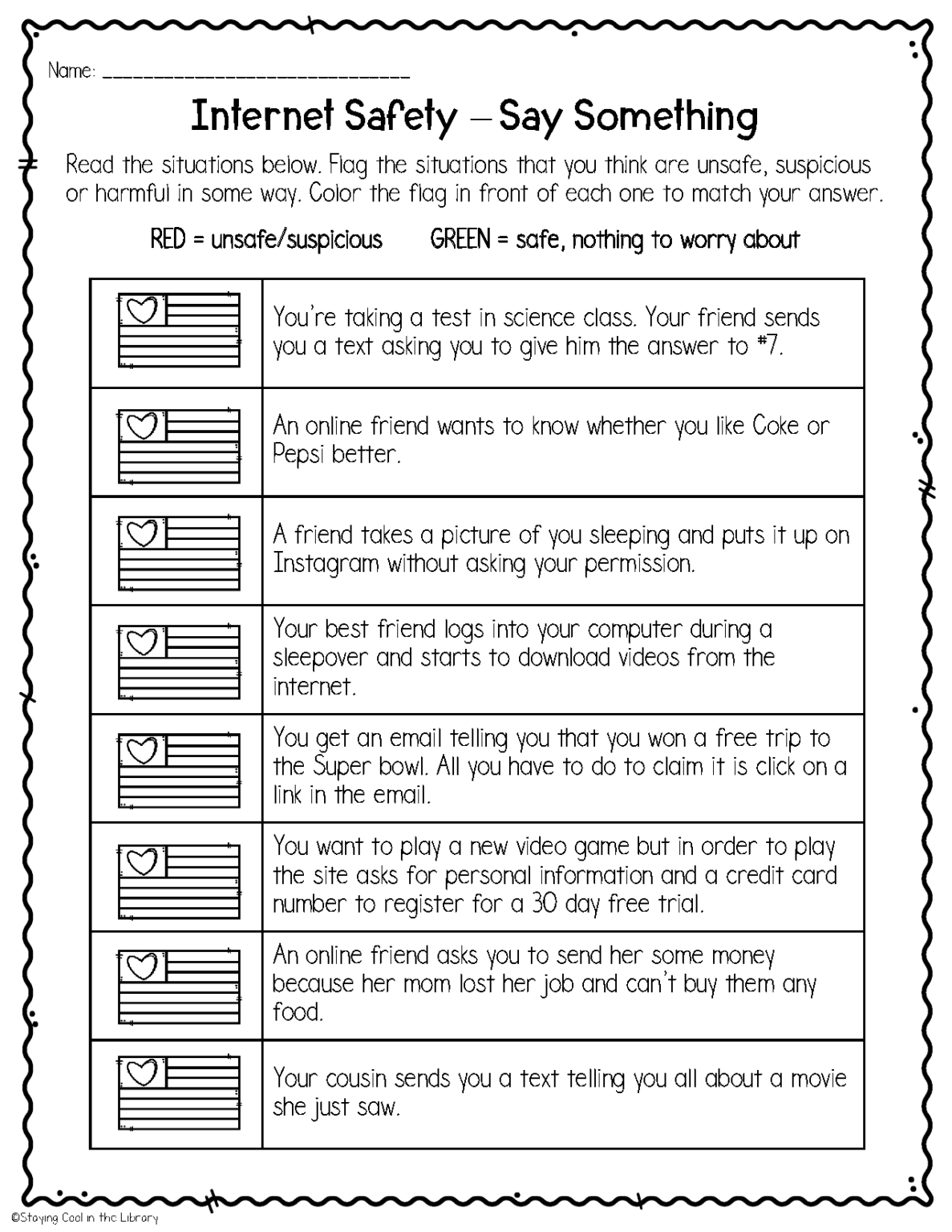
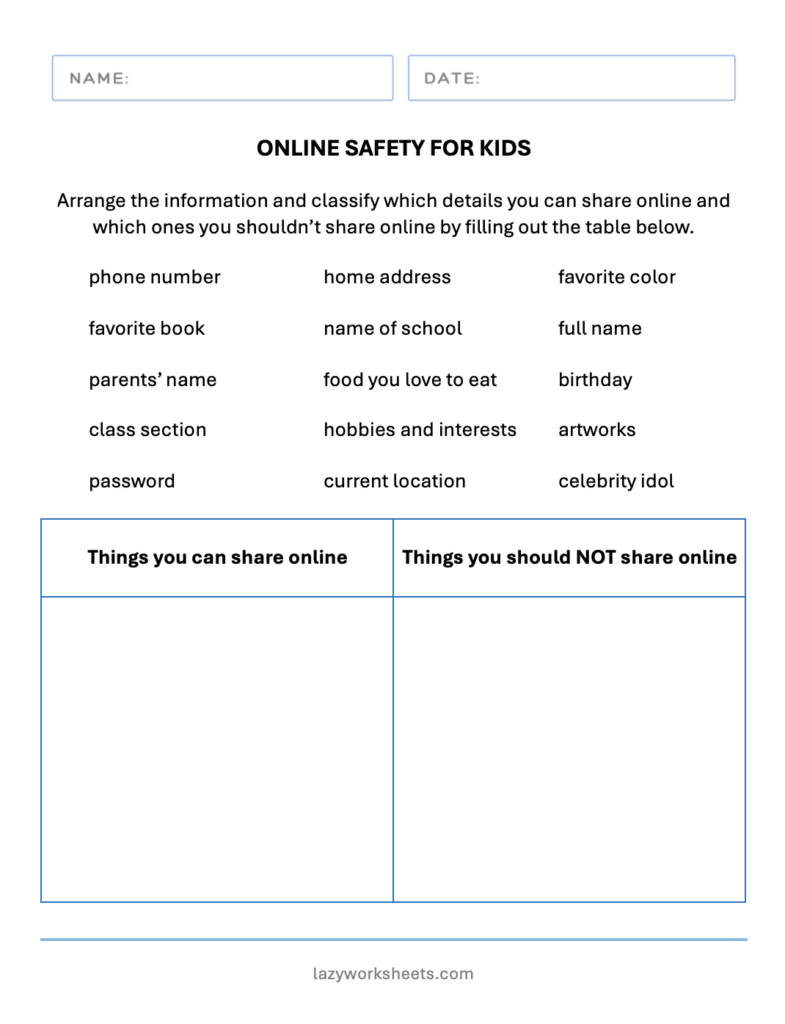
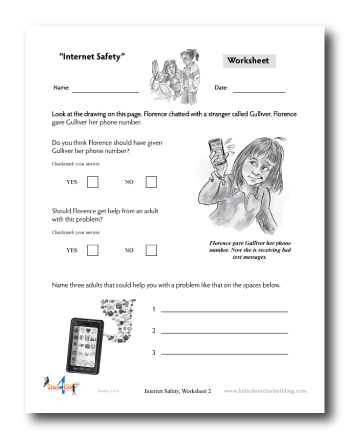
The printable resource centers on collaborative exercises designed specifically for second-grade comprehension levels. Abstract concepts like data privacy become tangible through interactive scenarios, role-playing prompts, and guided drawing tasks completed in small groups. Children practice identifying personal information that must remain private, such as home addresses, full names, and school titles. Collaborative worksheets also reinforce the essential habit of pausing before clicking or sharing, encouraging second-graders to consult a trusted adult whenever an online pop-up or message feels confusing. According to the Federal Trade Commission, children frequently share personal details online without realizing the permanence of digital footprints, making early habit-formation vital. The activities emphasize that asking questions is a sign of smart thinking rather than trouble. Every scenario reinforces a supportive reporting culture where young users learn they will never face punishment for reporting uncomfortable digital interactions.
Key Learning Outcomes
Group discussions encourage second-graders to articulate digital boundaries in their own words. Participants learn to distinguish between public knowledge, like a favorite color, and private data that belongs exclusively to the family circle. Another core outcome involves recognizing the emotional tone of digital communication, helping children understand that text lacks facial expressions and vocal inflections. This awareness supports empathy during cooperative gaming sessions and virtual classroom chats. It sounds simple, and that’s the point. Clear, repeatable routines stick in young minds much better than long lists of prohibitions. Exploring these concepts through Internet and Digital Safety modules helps bridge the gap between home rules and school expectations.
How to Use This Printable
Facilitating these group activities requires minimal preparation, making them ideal for busy classrooms, homeschool co-ops, and evening family discussions. Educators can divide children into small teams, distributing the printable sheets alongside colored pencils or markers. Each group tackles a scenario card, discussing how the characters should respond before presenting their ideas to the wider circle. Here’s what makes this resource different: it transforms passive listening into active peer communication, allowing children to learn from each other’s reasoning. Adults circulate through the room to ask guiding questions, gently steering conversations toward safe choices without dominating the dialogue. Pairing these exercises with printable Worksheets reinforces specific retention skills and offers tangible keepsakes for families to review at home.
Practical Tips for Parents and Teachers
Success relies heavily on maintaining a calm, empowering atmosphere. Avoid framing online safety as a minefield of hidden dangers, and instead present it as learning the rules of the digital road. Educators should encourage role-play where children practice saying no to peer pressure in multiplayer games or video platforms. Establishing a predictable family reporting routine ensures that children know exactly who to approach when something feels off. Consistency across home and school environments solidifies these protective habits. When adults model healthy tech boundaries themselves, children absorb those positive behaviors organically.
Age-Appropriate Recommendations
Second-graders thrive on concrete rules, visual cues, and narrative-based learning. Grounded in the Common Sense Education Digital Citizenship Curriculum framework, these activities align perfectly with developmental milestones for ages seven and eight. At this stage, children are expanding their social circles and beginning to understand perspective-taking, making it the ideal window to introduce digital empathy. Keep lessons brief, highly visual, and interactive to maintain high engagement levels. According to Common Sense Media, younger elementary students benefit immensely from guided offline discussions that unpack their digital media experiences before independent device use expands.
Young elementary students absorb digital citizenship lessons best through collaborative, discussion-based offline activities that connect screen rules to everyday social interactions. — Common Sense Media
Frequently Asked Questions
How do these group activities support actual safety? These exercises build critical thinking and communication habits, ensuring children know how to protect personal information and report uncomfortable encounters to trusted adults.
Can families download and print these materials easily? Yes, the resources are provided in standard PDF formats designed for quick printing on any home or school printer without requiring special software.
What does the Federal Trade Commission recommend for kids online? According to the Federal Trade Commission, families should establish clear boundaries around sharing personal details online and maintain open communication so children feel safe reporting digital concerns.
Explore More Free Kids Online Safety Printables
Expanding your digital citizenship toolkit helps reinforce these lessons throughout the entire school year. Discover additional resources by browsing our curated collections, including creative Coloring Pages that make discussing tech boundaries approachable for younger learners. Further guidance is available through specialized Online and Digital Safety materials designed to support educators and parents in fostering resilient, digitally confident children.
Developmental Milestone & Activity Table
| Development Stage | Recommended Daily Duration | Primary Learning Objective |
|---|---|---|
| Preschool & Pre-K | 10 – 15 Minutes | Pencil grip development & basic pre-stroke lines |
| Kindergarten | 15 – 20 Minutes | Letter/number formation & spatial line awareness |
| Early Elementary (Grade 1–2) | 20 – 30 Minutes | Fluency, sentence construction & neatness |
Images References