Introduction
The digital landscape requires proactive strategies for fostering responsible online behavior. A vital component of digital literacy involves understanding and managing screen time effectively. The “free screen time tracker for kids” is an invaluable printable resource designed primarily for Elementary grades (15) and early Middle School (grades 68), offering a tangible approach to digital well-being. This printable worksheet reinforces essential internet safety concepts through hands-on engagement, making abstract ideas concrete for young learners. Educators and parents consistently trust printable worksheets as foundational tools for building digital awareness and cultivating responsible online habits. Their effectiveness stems from providing a structured, interactive format that encourages reflection and skill development, proving indispensable in both classroom and home environments for establishing healthy digital routines.
💡 Educational Key Takeaways:
- Core Skill: Structured Free Screen Time Tracker For Kids focused on developing pencil grip, stroke control, and early literacy/math confidence.
- Target Scope: Suited for homeschoolers, preschool, kindergarten, and elementary learners.
- Best Recommendation: Practice 10–15 minutes daily with ergonomic writing tools to reinforce muscle memory without hand fatigue.
What This Worksheet Covers
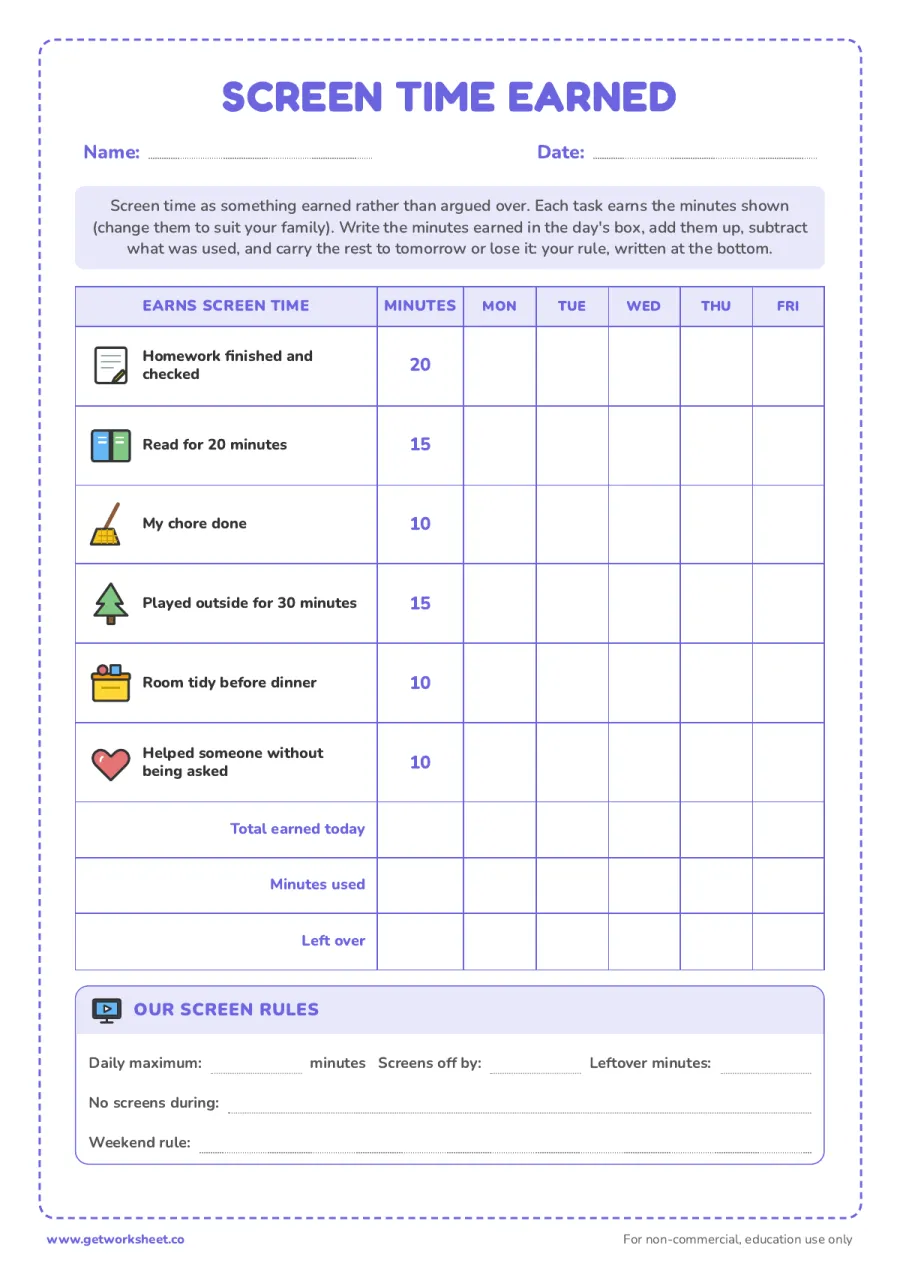
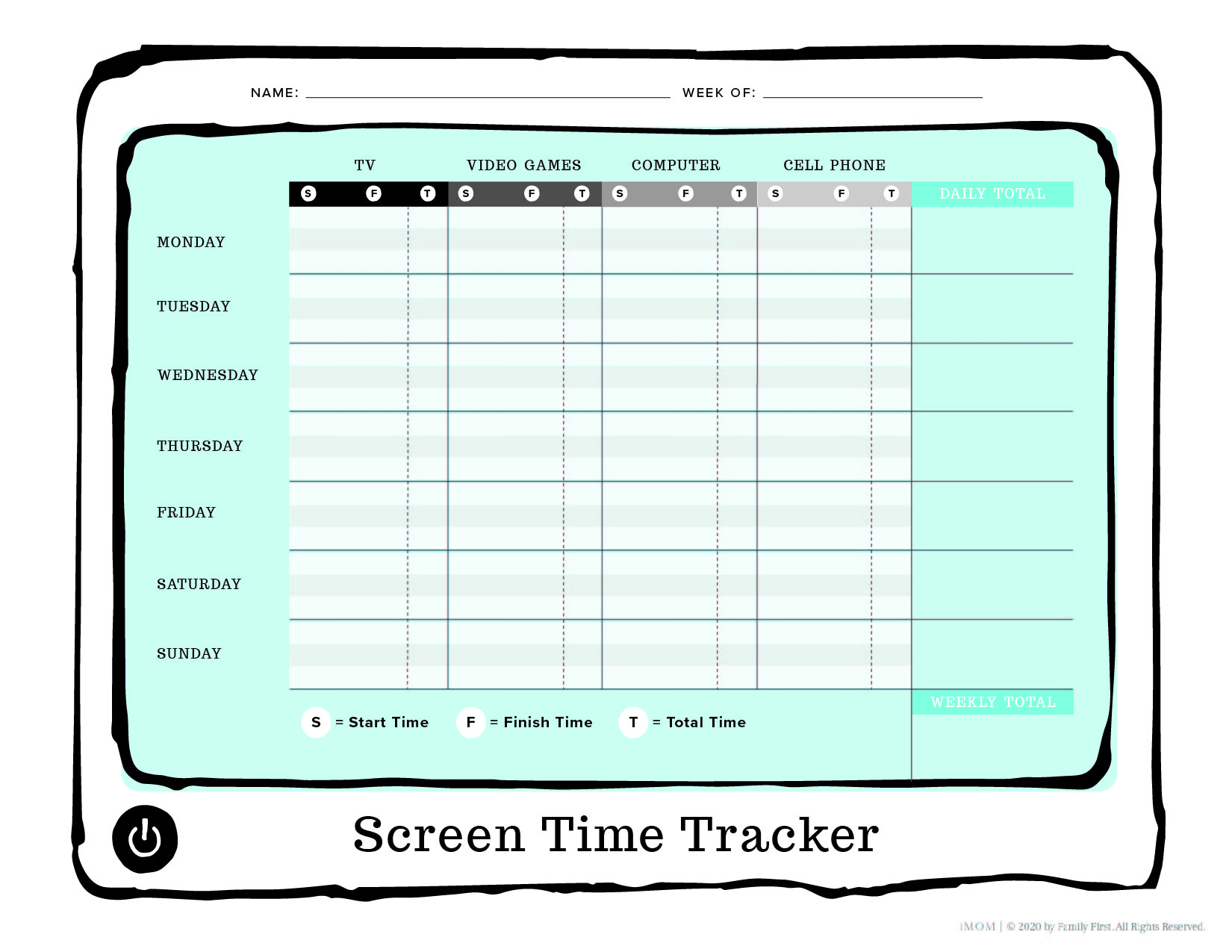
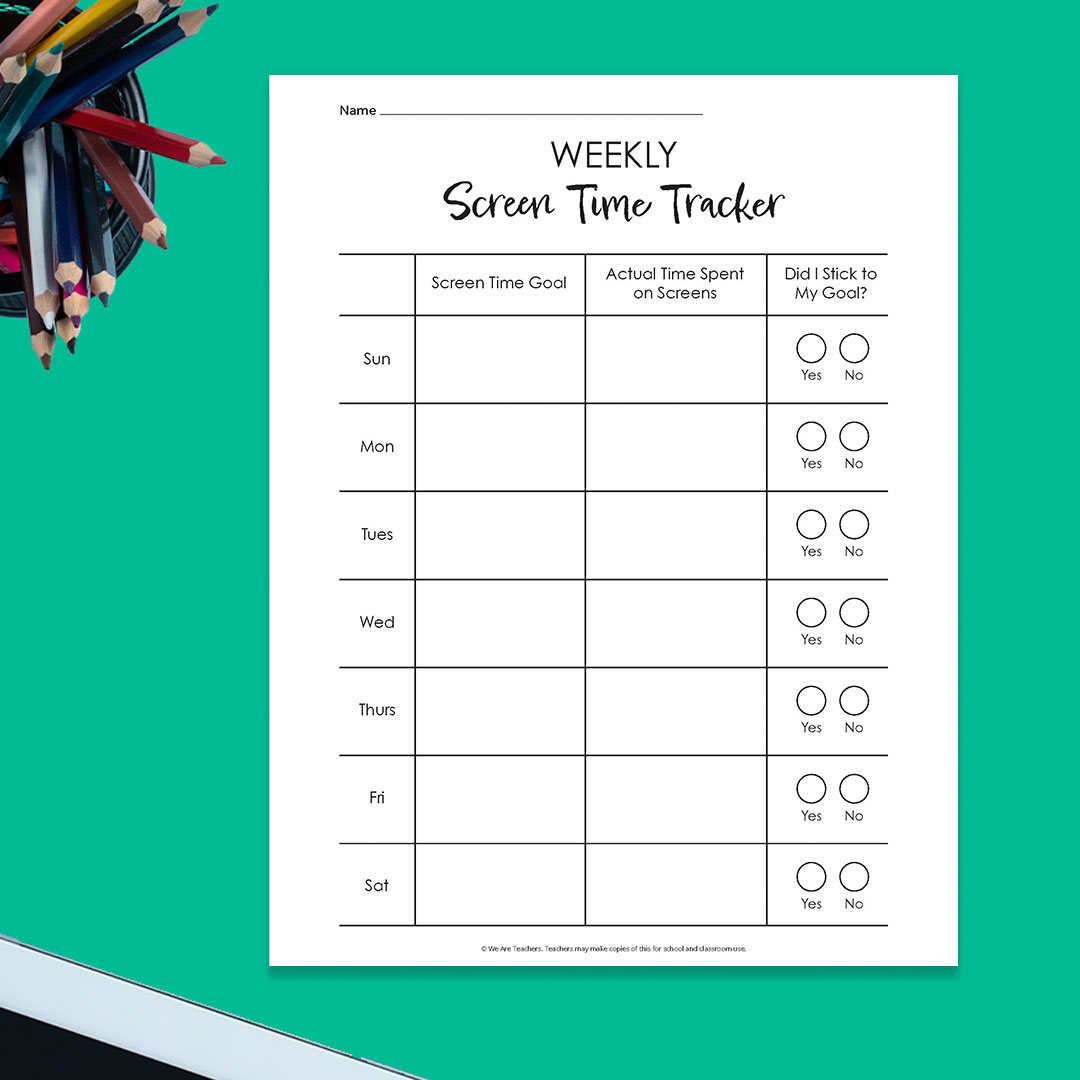
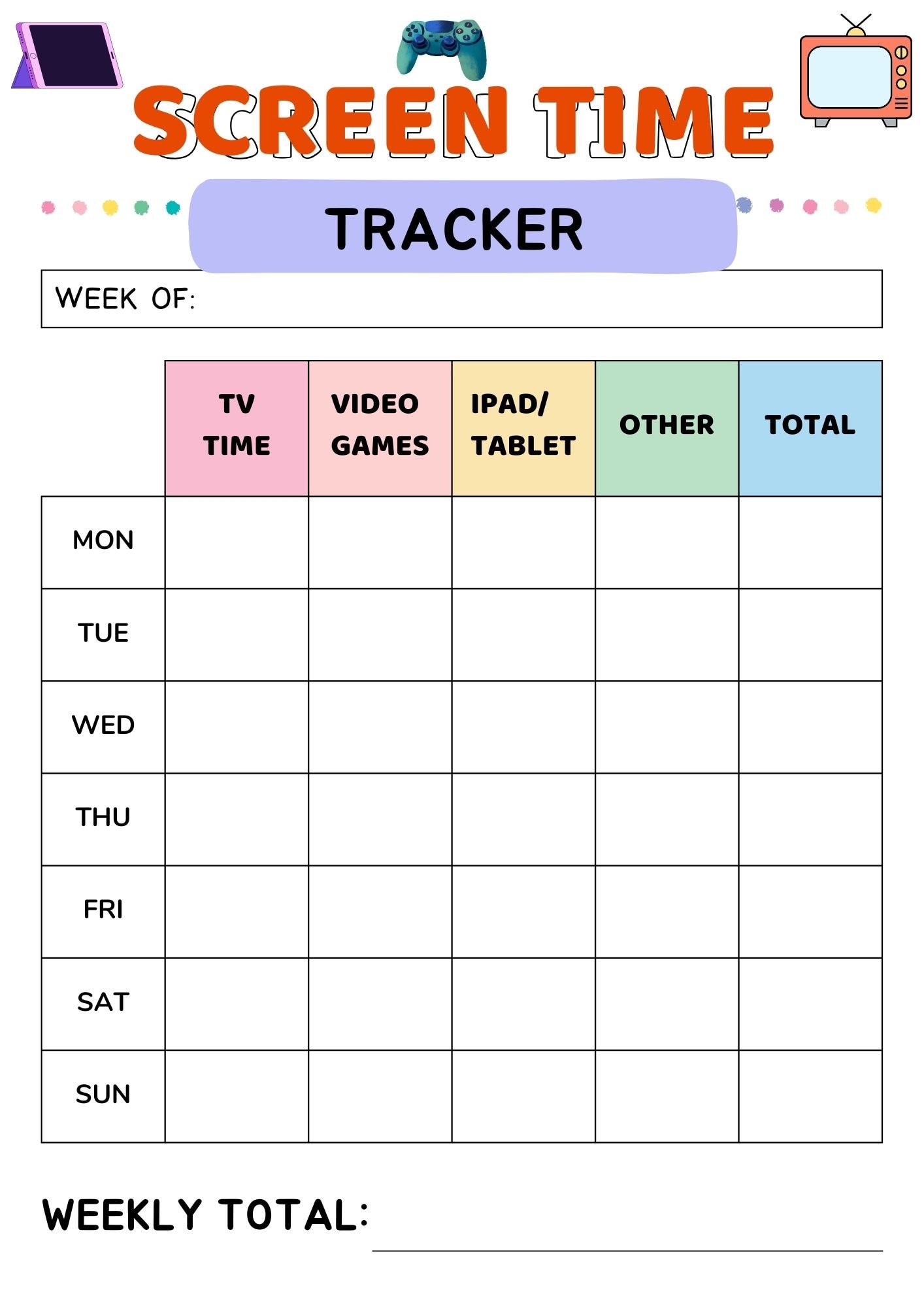
This “free screen time tracker for kids” worksheet specifically addresses the critical internet safety topic of digital balance and self-regulation concerning screen use. It guides children through the process of monitoring their daily and weekly screen interactions across various devices and activities. The worksheet covers fundamental concepts such as differentiating between types of screen time (e.g., educational, creative, social, entertainment), understanding usage patterns, and recognizing the duration of engagement. Content within the tracker connects directly to recognized digital citizenship and child safety education standards that emphasize responsible technology use, personal well-being, and the development of self-awareness regarding digital habits. The resource promotes an understanding that screen time, while often beneficial, requires mindful management for overall health and academic success.
Key Learning Outcomes
By engaging with the “free screen time tracker for kids,” children and students will develop several crucial skills and knowledge areas:. Browse more guides on Safe Wired Schools.
- Enhanced Self-Awareness: Learners will gain a clearer understanding of their personal screen usage patterns and the amount of time dedicated to digital activities.
- Activity Differentiation: Students will learn to categorize various screen-based activities, recognizing the purpose and potential impact of each.
- Goal Setting for Balance: Children will begin to set personal, achievable goals for balanced screen use, fostering habits of moderation.
- Time Management Skills: The act of tracking encourages the development of basic time management skills in relation to digital engagement.
- Foundational Digital Well-being: Participants will establish an early understanding of how screen time affects their well-being, paving the way for lifelong healthy digital habits.
How to Use This Worksheet
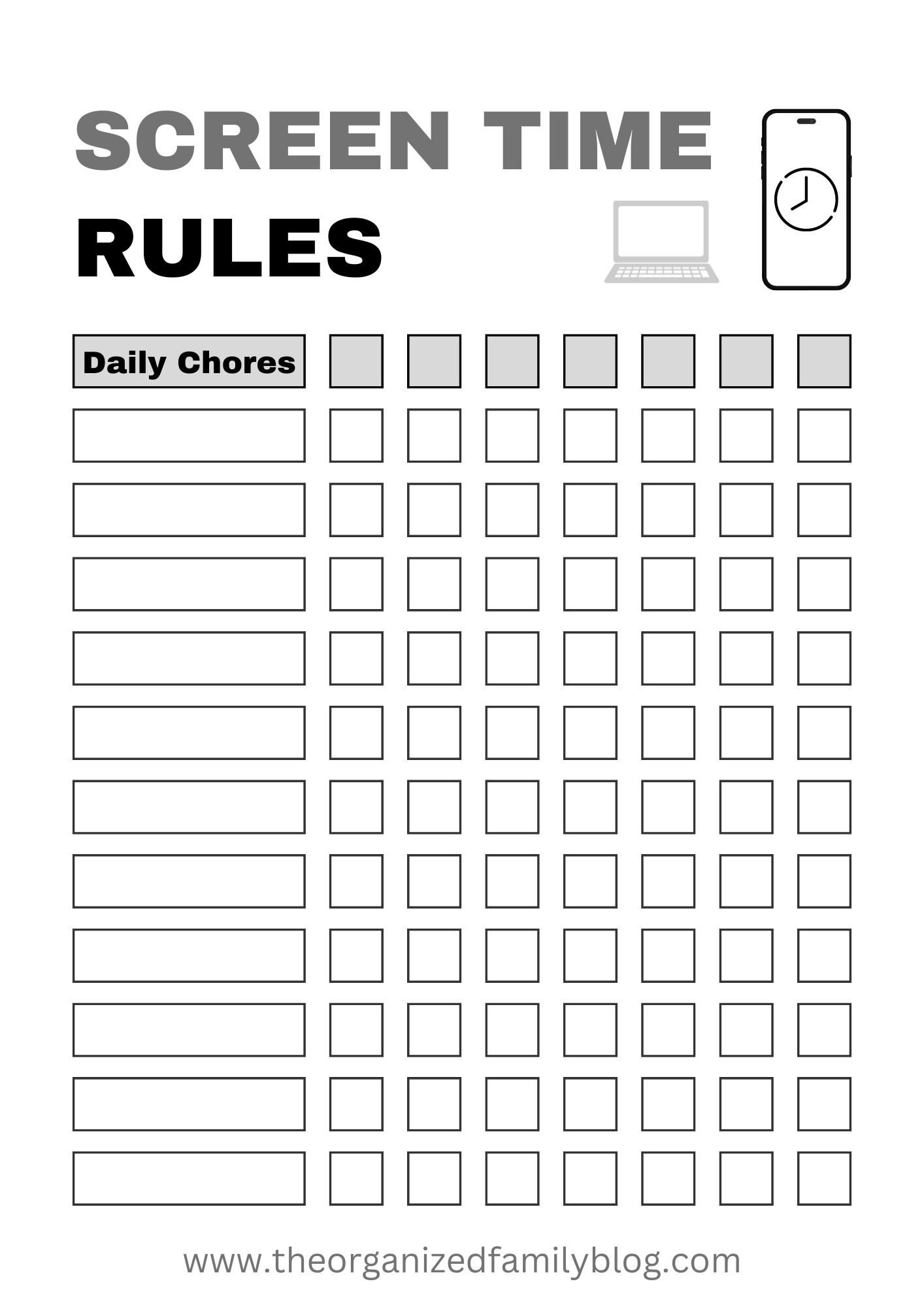
The “free screen time tracker for kids” provides a straightforward and adaptable format for monitoring screen engagement. This printable resource typically features sections for logging daily screen activities, noting the device used, the type of activity, and the duration. Activity types often include simple checkboxes or spaces for written entries, accommodating different age groups and writing abilities. The difficulty level is appropriate for elementary and middle school students, with clear instructions scaffolding learning progressively. Educators can integrate the worksheet as a weekly activity to initiate discussions on digital habits, while parents can utilize it as a daily log to foster family conversations about screen time. It functions effectively as a standalone assignment, a supportive element within a broader digital citizenship lesson plan, or as a practical homework task that extends learning into the home environment, promoting consistent self-monitoring and reflection.
Practical Tips for Parents and Teachers
- Establish a Routine: Encourage consistent daily or weekly tracking to build a habit of self-awareness. Integrate the tracker into existing daily schedules, perhaps at the start or end of the school day, or during a designated family reflection time.
- Foster Open Dialogue: Utilize the completed tracker as a springboard for constructive conversations about screen use. Focus on understanding choices and exploring alternatives, rather than solely imposing restrictions, promoting critical thinking and self-regulation.
- Celebrate Small Victories: Acknowledge and praise efforts in tracking and making mindful choices. Positive reinforcement encourages continued engagement and reinforces the value of balanced digital habits.
- Customize and Personalize: Allow children to personalize their trackers with colors or drawings, or adapt categories to reflect their specific activities. This ownership increases engagement and makes the tracking process more meaningful and relevant to individual experiences.
- Extend the Learning: Connect insights from the tracker to real-world scenarios. Discuss the importance of sleep, physical activity, and face-to-face interactions as alternatives or complements to screen time, broadening the understanding of overall well-being.
Age-Appropriate Recommendations
Effective implementation of the “free screen time tracker for kids” varies significantly across different developmental stages, requiring tailored approaches for optimal learning.
For Ages 58 (Early Elementary), the focus should be on foundational awareness and simple recording. Parents and teachers can guide children in identifying basic screen types (e.g., TV, tablet, computer) and marking approximate durations. Vocabulary support will be essential, with adults helping to label activities and record times. The activity pacing should be brief, perhaps a quick daily check-in. Parental or teacher involvement is high, assisting with transcription and leading discussions on what activities were done and how they felt afterward, perhaps using simple drawings of emotions.
For Ages 913 (Late Elementary/Middle School), students can engage in more independent and detailed tracking. The worksheet can encourage differentiating between various purposes of screen time, such as educational apps versus gaming or social media. They can record specific times and reflect on their choices. Vocabulary support shifts to discussing the nuances of digital content and its impact. Activity pacing can be a weekly review, allowing for deeper self-reflection and goal setting. Parental or teacher involvement transitions to facilitating discussions, offering guidance on setting realistic screen time goals, and exploring the benefits of balanced digital diets.
While the term “kids” often implies younger learners, the principles of self-monitoring are valuable for Ages 1418 (High School) as well. For this older group, the tracker serves as a starting point for discussions on productivity, digital detox strategies, and the impact of screen time on academic performance and mental health. The emphasis shifts from basic tracking to using the data for personal analysis and informed decision-making regarding digital well-being in preparation for future independence. The tracker can initiate conversations about digital citizenship and responsible technology use in a broader context.
Frequently Asked Questions
Q: What is the purpose of tracking screen time for children? A: Tracking screen time helps children develop awareness of their digital habits. It supports the understanding of how much time is spent on devices and what activities are being performed, fostering self-regulation and promoting a balanced approach to technology use for overall well-being.
Q: How can educators and parents access the “free screen time tracker for kids”? A: The “free screen time tracker for kids” is readily available for download directly from the SafeWiredSchools.org website. Navigate to the “Worksheets” section, locate the resource, and select the download option to print for immediate use in classrooms or at home.
Q: Is this tracker designed to completely eliminate screen time? A: No, the tracker is not intended to eliminate screen time. Its primary goal is to encourage mindful screen use and promote balance, helping children understand and manage their digital engagement responsibly. It facilitates healthy habits rather than imposing outright bans.
Explore More Free Printable Worksheets
A single worksheet works best as part of a broader collection of printable resources, providing a comprehensive and consistent approach to digital safety learning. Educators and parents are invited to explore a full collection of free printable internet safety worksheets, activity sheets, checklists, quizzes, and more at SafeWiredSchools.org Worksheets. These resources cover every internet safety topic and are meticulously designed for every grade level and learning environment, ensuring continuous engagement and reinforcement of critical digital citizenship skills.
Developmental Milestone & Activity Table
| Development Stage | Recommended Daily Duration | Primary Learning Objective |
|---|---|---|
| Preschool & Pre-K | 10 – 15 Minutes | Pencil grip development & basic pre-stroke lines |
| Kindergarten | 15 – 20 Minutes | Letter/number formation & spatial line awareness |
| Early Elementary (Grade 1–2) | 20 – 30 Minutes | Fluency, sentence construction & neatness |
Images References