Introduction
HR 7757, known as the Kids Internet and Digital Safety Kids Act, establishes rigorous legislative frameworks designed to protect minors from predatory digital practices and unverified data collection while navigating school networks and consumer platforms. According to the Family Online Safety Institute (FOSI), proactive digital policy implementation significantly reduces adolescent exposure to online exploitation and malicious digital vectors. Educational institutions, parents, and community stakeholders utilize legislative benchmarks like HR 7757 to audit existing device management protocols, reinforce robust privacy standards, and shape comprehensive student digital citizenship curricula. Emphasizing institutional compliance and student accountability ensures that campuses remain secure ecosystems where academic engagement supersedes digital distractions. Exploring specialized resources such as Internet and Digital Safety empowers educational leaders to deploy proactive risk mitigation strategies effectively.
Digital Safety Snapshot:
- Core Focus: HR 7757 mandates stringent platform transparency, data minimization for minors, and standardized online protection mechanisms.
- Target Scope: Middle schools, K-12 educational networks, student device administrators, and residential households.
- Key Recommendation: Implement automated network filtering and structured device hygiene routines aligned with federal safety standards.
Core Principles and Detailed Overview
HR 7757 addresses systemic vulnerabilities in student connectivity by targeting addictive design features, enforcing default privacy settings for minors, and empowering schools with legal tools to combat cyberbullying. Digital footprints expand rapidly during middle school years, making foundational education on data permanence an urgent pedagogical priority. Educational administrators integrate these legislative principles into Acceptable Use Policies (AUPs) to manage classroom screen balance and curb compulsive device checking. Furthermore, structured device hygiene—such as routine clearing of browser caches, enforcing strong multi-factor authentication, and disabling background location tracking—reduces student exposure to malicious actors. Educators frequently pair these technological controls with offline activity modules and complementary resources like Worksheets to reinforce healthy cognitive disengagement from screens.
Key Specifications and Breakdown
| Safety Pillar | Digital Risk Factor | Actionable Protective Habit |
|---|---|---|
| Data Privacy | Unauthorized commercial profiling of minor browsing habits | Enable strict privacy defaults and restrict third-party tracking permissions on school devices. |
| Cyberbullying Defense | Harassment via anonymous school-issued communication tools | Deploy keyword monitoring alerts and establish clear anonymous reporting pathways for students. |
| Screen Balance | Compulsive digital engagement affecting academic focus and sleep | Enforce scheduled offline intervals and restrict non-academic application usage during study hours. |
Proactive digital governance requires balancing robust technical network filtering with direct student instruction on digital ethics and personal data sovereignty. — ConnectSafely Research. Related guide: Teachers Of Grades 9–12 Should Expand Internet Safety Instruction To Include Which Of The Following Topics?.
Step-by-Step Practical Application and Guidelines
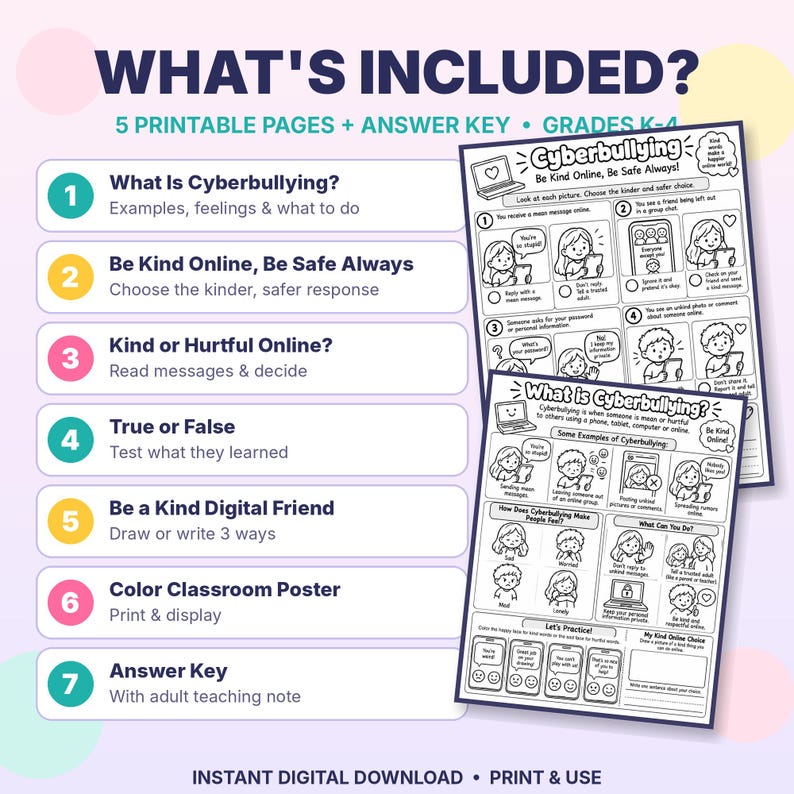
Executing the safety tenets of HR 7757 in a school environment requires a synchronized, multi-tiered approach involving network administrators, classroom teachers, and home supervisors. Initially, network administrators must configure school-issued routers and endpoints to block unauthorized social media domains and prevent the harvesting of student telemetry data. Concurrently, teachers integrate micro-lessons on cyberbullying prevention and digital permanence into daily lesson plans, encouraging students to evaluate the long-term impact of their online communications. Parents and guardians reinforce these lessons at home by establishing evening device curfews and monitoring application downloads. For younger students or foundational introductory sessions, educators utilize visual learning aids like Coloring Pages to introduce complex internet safety concepts in an age-appropriate format.
Common Challenges and How to Avoid Them
Over-reliance on automated filtering without corresponding human mentorship remains a primary pitfall in managing student digital safety across middle schools. Students frequently discover workarounds, such as virtual private networks (VPNs) or proxy servers, to bypass institutional content filters, necessitating regular endpoint audits and proactive teacher supervision. Another frequent error is ignoring the psychological impact of classroom screen saturation, which often leads to behavioral burnout and diminished academic retention. To prevent these vulnerabilities, schools must pair software-based restrictions with open dialogues regarding digital ethics, teaching middle schoolers why safety protocols exist rather than merely enforcing punitive compliance. Consistent maintenance of device software, combined with transparent communication channels between home and school, guarantees long-term digital resilience.
💬 Frequently Asked Questions
Explore More Kids Safety and Digital Citizenship Guides on SafeWiredSchools
Navigating the complexities of modern student connectivity demands continuous education, updated policy frameworks, and collaborative community action between educators and families. Stakeholders seeking further actionable insights, downloadable educational tools, and comprehensive compliance guidance are encouraged to explore the extensive digital safety library available at Safe Wired Schools. Continued advocacy and proactive instruction ensure that all children develop the critical thinking skills necessary to thrive safely in an interconnected world.
Visual Reference Gallery