Introduction
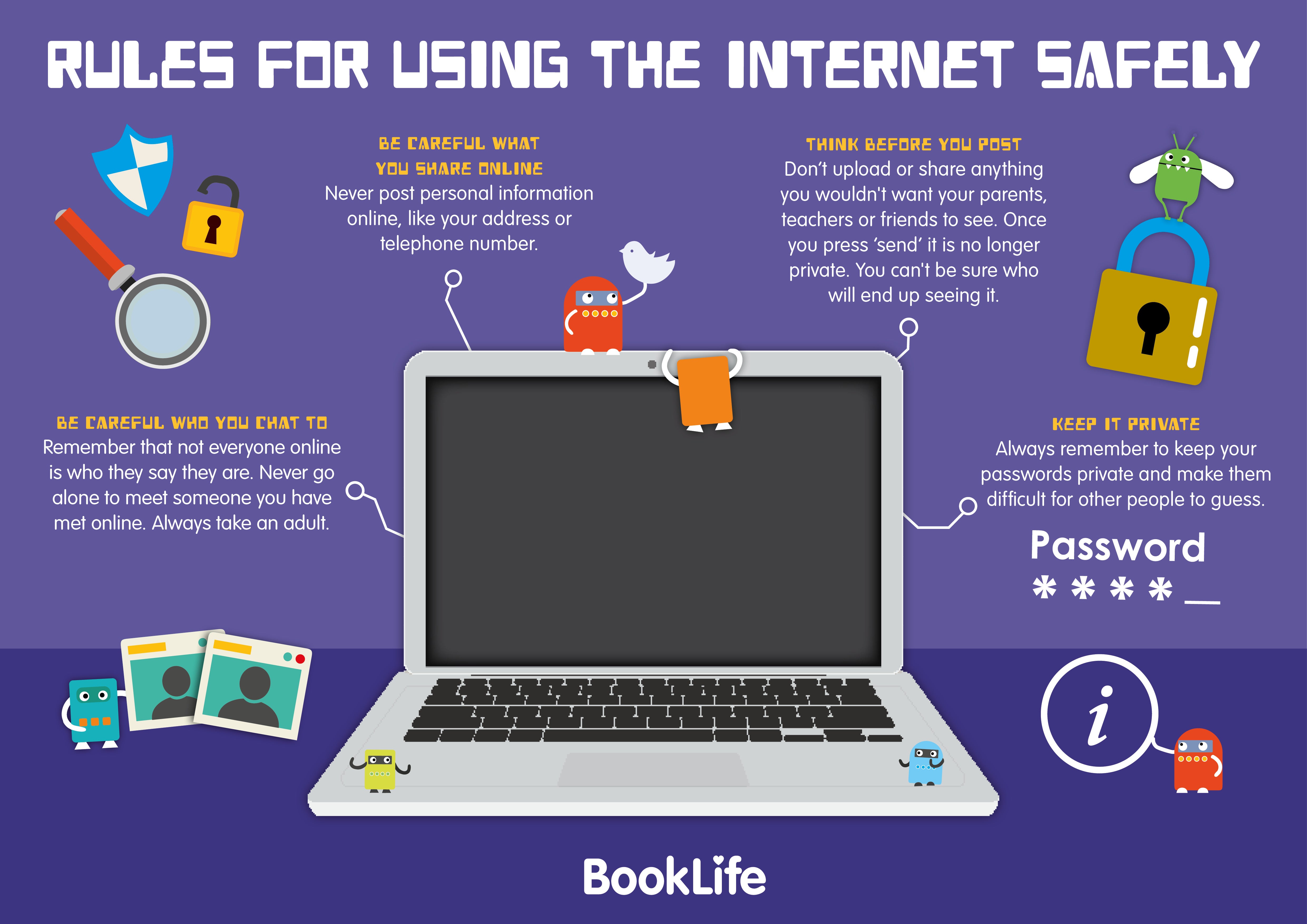
Internet safety cyber security encompasses the collective technical protocols, behavioral habits, and institutional policies required to shield minors from digital threats across educational and personal networks. According to the Cybersecurity and Infrastructure Security Agency (CISA), robust digital protection relies on maintaining strong account credentials, recognizing phishing attempts, and actively managing personal information online. Educational institutions, parents, and adolescent learners must collaborate to establish strict device boundaries, foster positive online interactions, and maintain healthy screen time balances. Integrating digital literacy resources into daily routines helps students navigate virtual spaces securely while building lifelong defensive habits. Educators can utilize specialized materials such as Internet and Digital Safety modules to reinforce core protection concepts in middle school classrooms.
Digital Safety Snapshot:
- Core Focus: Comprehensive protection of student data, device hygiene, and positive digital citizenship.
- Target Scope: Middle school students, classroom educators, school administrators, and parents.
- Key Recommendation: Enforce multi-factor authentication, regular software updates, and proactive cyberbullying reporting mechanisms.
Core Principles and Detailed Overview
School internet safety requires a multi-layered defense strategy that addresses student digital footprints, prevents cyberbullying, ensures strict device hygiene, and manages classroom screen balance. A permanent digital footprint is created every time a student posts comments, shares media, or creates online profiles, making reputation management a critical digital citizenship skill. Cyberbullying prevention demands immediate intervention frameworks and anonymous reporting tools within school networks to protect vulnerable learners. Device hygiene involves routine operating system updates, password complexity enforcement, and avoiding unauthorized application downloads on school-issued hardware. Furthermore, balancing classroom screen time with offline activities ensures optimal cognitive development and mitigates digital fatigue among middle school students. Related guide: Teachers Of Grades 9–12 Should Expand Internet Safety Instruction To Include Which Of The Following Topics?.
Key Specifications and Breakdown
| Safety Pillar | Digital Risk Factor | Actionable Protective Habit |
|---|---|---|
| Digital Footprint | Permanent archiving of inappropriate media | Audit social privacy settings and practice responsible posting |
| Cyberbullying | Harassment via messaging apps or school portals | Document evidence immediately and report incidents to trusted adults |
| Device Hygiene | Malware infection through unverified downloads | Enable automatic system patching and utilize multi-factor authentication |
Proactive cybersecurity requires continuous monitoring, strong credential management, and immediate incident reporting across all connected educational environments. — Cybersecurity & Infrastructure Security Agency (CISA)
Step-by-Step Practical Application and Guidelines
Implementing effective internet safety cyber security protocols begins with establishing clear usage agreements between schools, guardians, and students. Administrators should deploy robust content filtering systems that block malicious domains while permitting necessary educational tools. Teachers must integrate regular digital citizenship discussions into everyday lesson plans to address online etiquette and threat recognition. Students need explicit training on how to create passphrase-secured accounts and how to identify suspicious links that compromise network integrity. Finally, schools should provide engaging instructional assets like Online and Digital Safety guides to reinforce these protective standards continuously.
Common Challenges and How to Avoid Them
Overlooking password reusability and ignoring software update notifications remain the most frequent vulnerabilities undermining school network security and individual device safety. Many students utilize weak, repetitive passwords across multiple educational applications, creating significant exposure points for unauthorized data access. Administrators and teachers combat this vulnerability by mandating password managers and enforcing multi-factor authentication on all district-managed platforms. Additionally, unchecked screen fatigue can lead to careless clicking habits; scheduling structured offline breaks helps students maintain vigilance against phishing lures and social engineering tactics.
💬 Frequently Asked Questions
Explore More Kids Safety and Digital Citizenship Guides on SafeWiredSchools
Maintaining a secure and empowering digital learning environment requires continuous education, proactive monitoring, and reliable teaching aids. Educators, parents, and school leaders can access comprehensive safety curricula, printable exercises, and instructional tools by visiting the primary resource hub at Safe Wired Schools. Explore supplementary materials including Worksheets designed to reinforce healthy online habits and cyber defense knowledge in every classroom.
Visual Reference Gallery