Introduction
Children encounter digital environments long before they fully understand the underlying mechanics of computers and networks. Modern households and classrooms frequently rely on shared tablets, family laptops, and school-issued Chromebooks. Through these devices, young learners explore educational games, watch video platforms, and communicate via in-game chat features. Real-world observations show that accidental clicks on bright pop-up banners or modified game downloads happen with surprising frequency. Technical firewalls catch a vast majority of digital threats, yet human curiosity remains a significant vulnerability. Empowering children with foundational digital health knowledge transforms them from passive targets into mindful participants. Exploring foundational concepts through a malware definatio nhow do you protect children from malware printable helps bridge the gap between abstract internet risks and concrete, protective daily habits. No physical sheet guarantees complete security, but structured printables serve as effective catalysts for meaningful adult-child dialogues. Related guide: 5 Cyber Safety Tips Symbols That Can Be Read By The Grede 7 Students.
💡 Educational Key Takeaways:
- Core Skill: Structured Malware Definatio Nhow Do You Protect Children From Malware focused on developing pencil grip, stroke control, and early literacy/math confidence.
- Target Scope: Suited for homeschoolers, preschool, kindergarten, and elementary learners.
- Best Recommendation: Practice 10–15 minutes daily with ergonomic writing tools to reinforce muscle memory without hand fatigue.
What This Printable Covers
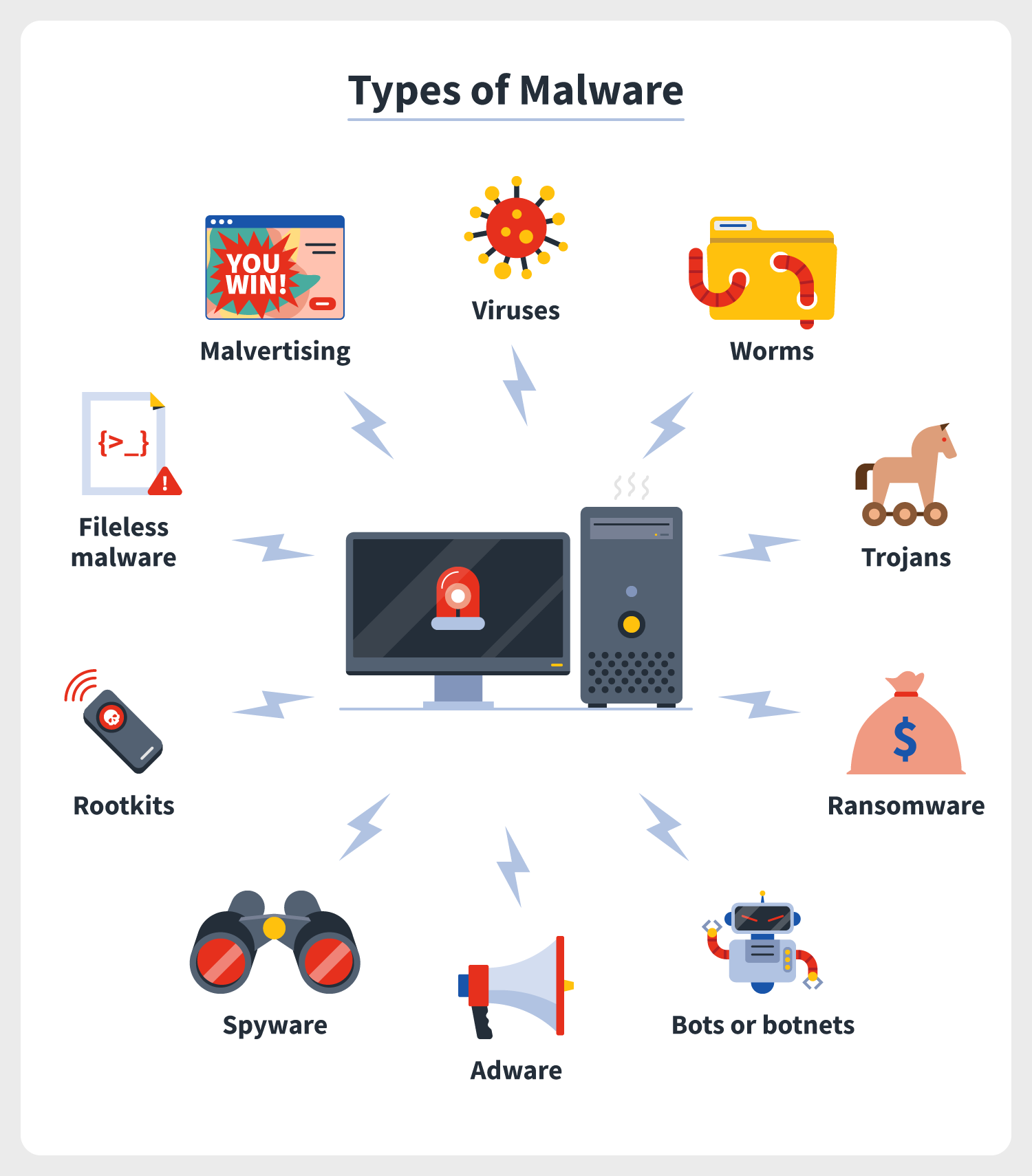
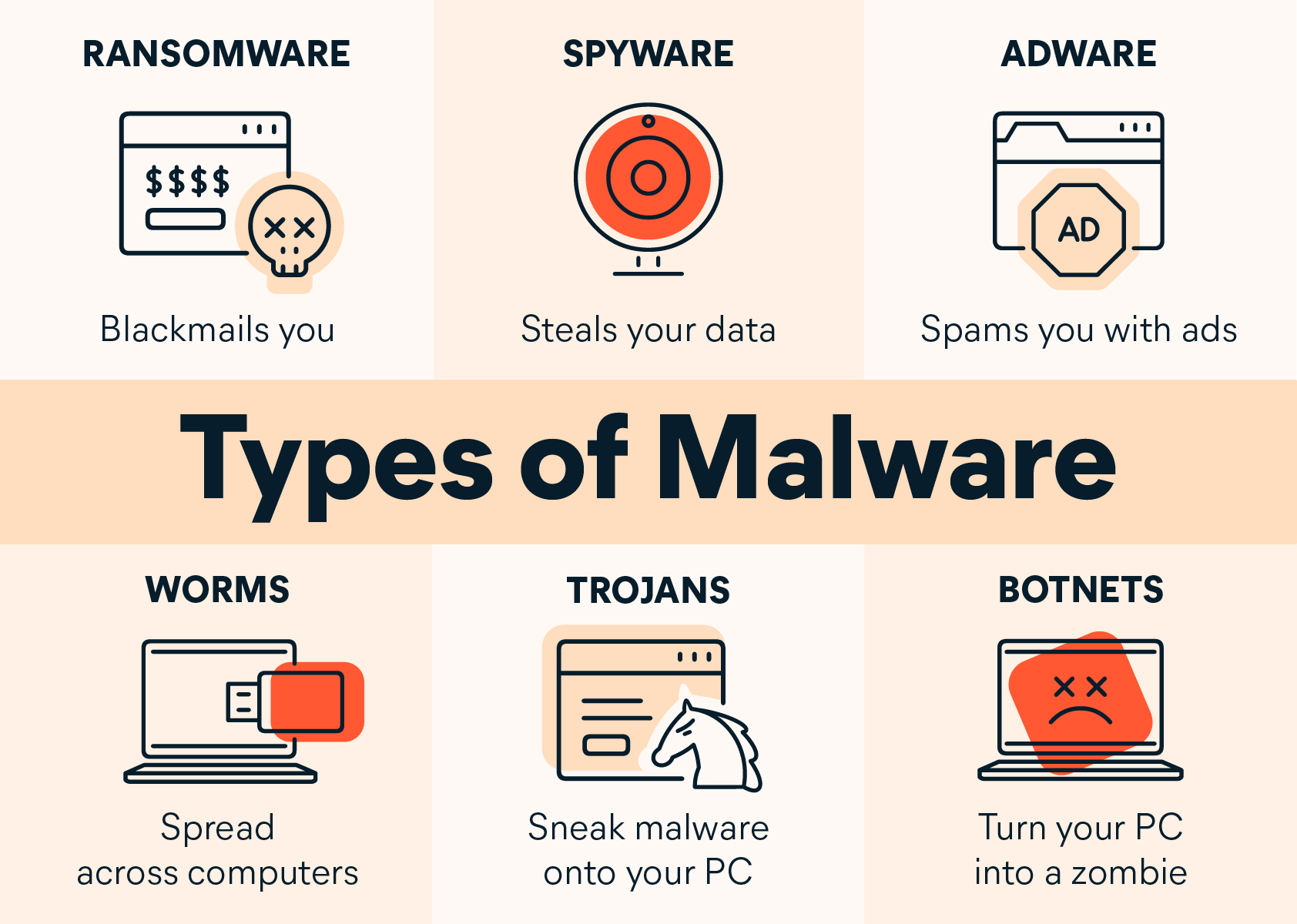
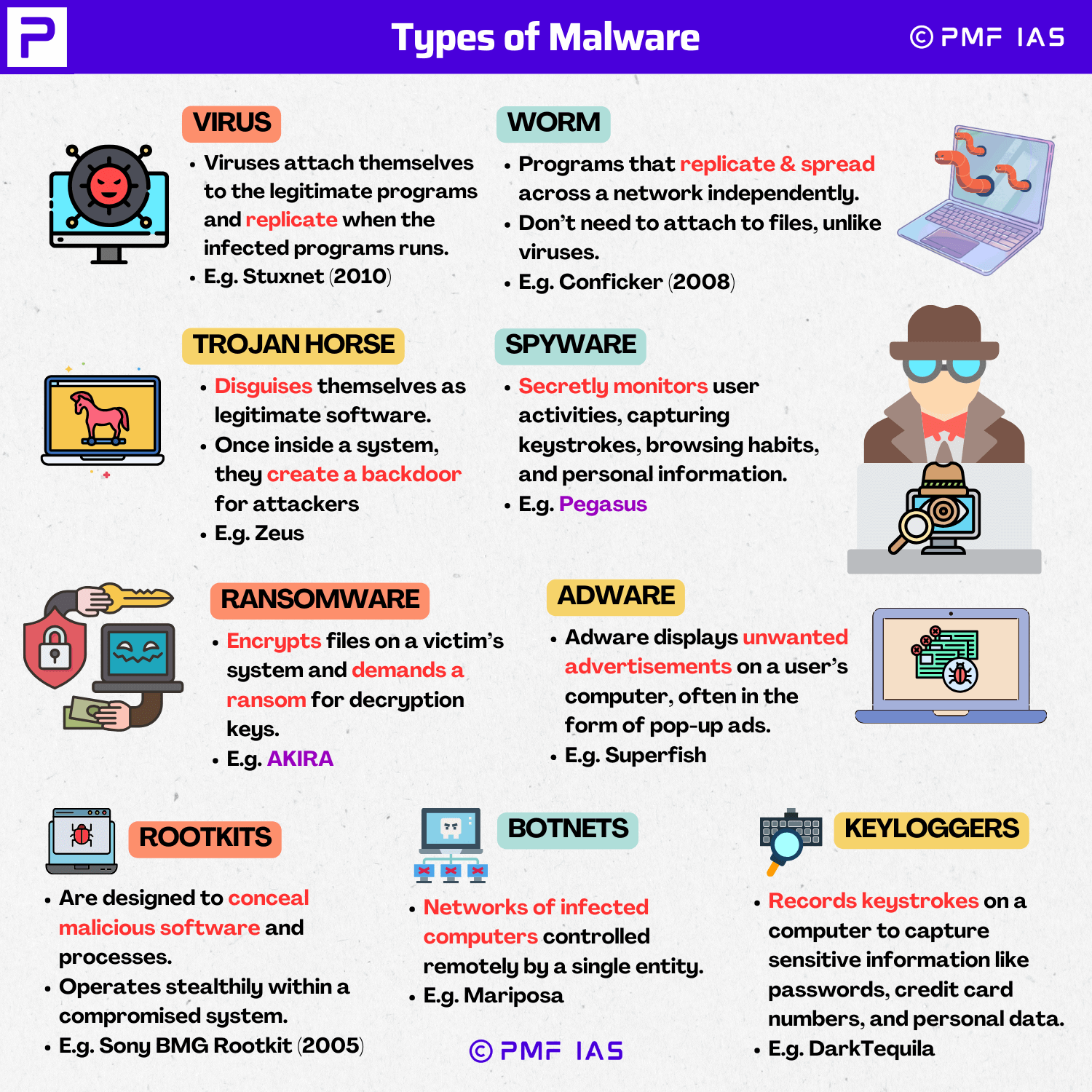
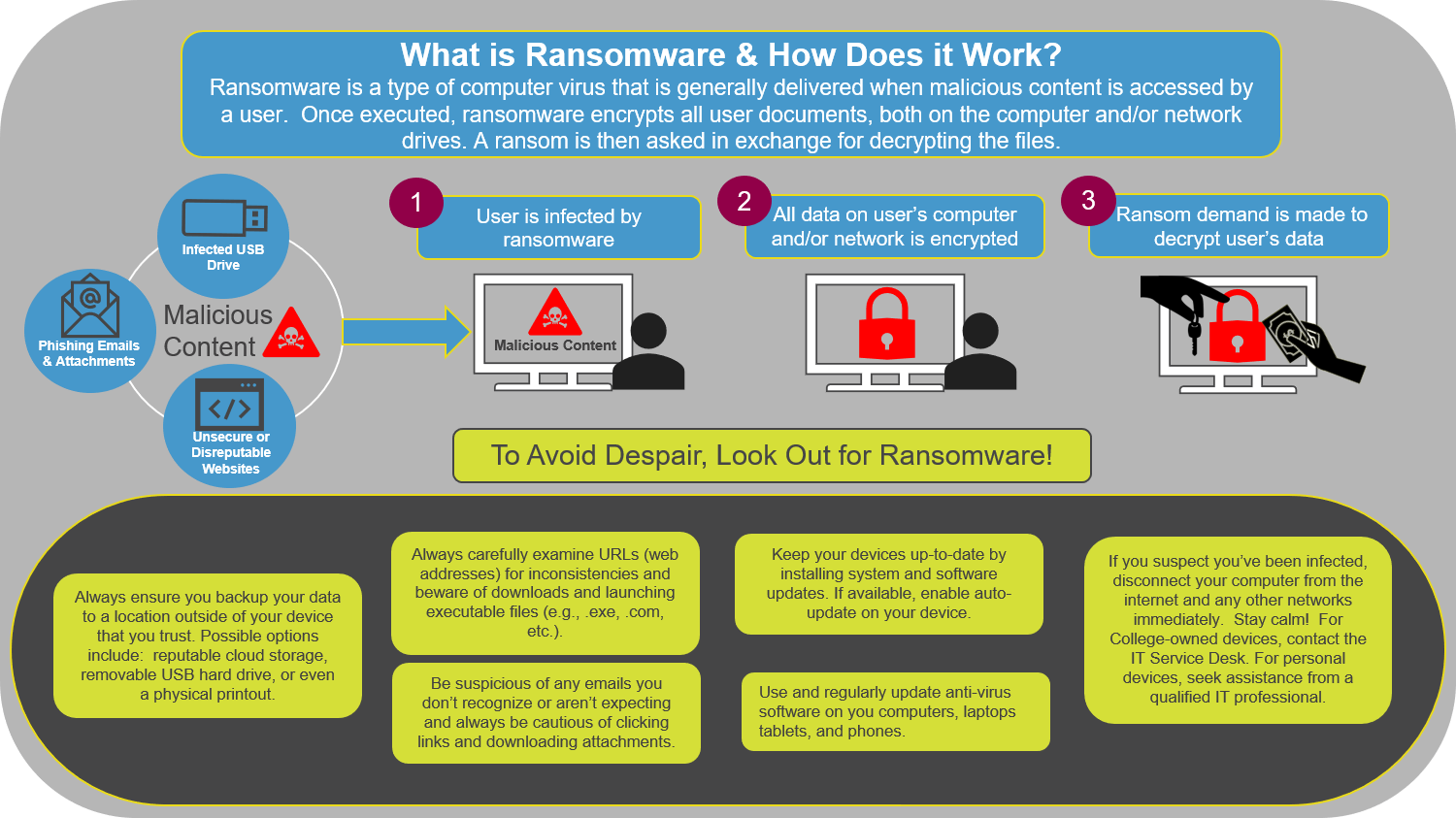
The free printable focuses on demystifying malicious software for elementary school learners. It introduces malware not as a terrifying monster, but as unwelcome digital litter that disrupts how devices function. Through clear visuals and simplified text, the resource breaks down how unwanted programs sometimes hide inside exciting-looking game modifications or free toy downloads. According to the Federal Trade Commission, children frequently encounter misleading advertisements and deceptive buttons on entertainment websites, making early education on file safety essential. The material encourages students to pause before clicking download buttons and to consult a trusted adult when encountering unfamiliar pop-ups. It normalizes hesitation, teaching young minds that taking a moment to think is a smart strategy rather than a sign of confusion.
Key Learning Outcomes
Targeted learning goals ensure that foundational technology concepts translate into reliable offline behaviors. Students who engage with this resource practice identifying warning signs, such as unexpected download prompts or strange device behavior. The activity reinforces the golden rule of device management: asking permission before adding new programs, apps, or games to any shared technology. Furthermore, the material emphasizes emotional safety by reinforcing that children are never in trouble for reporting an accidental click or an unusual screen message. Building this trust encourages honest communication long before minor tech mishaps escalate into major security concerns. Educators can pair these lessons with additional exercises found within the Internet and Digital Safety collection to expand understanding.
How to Use This Printable
Classrooms and living rooms serve as ideal laboratories for testing digital citizenship concepts. Grown-ups can introduce the sheet during a regular morning meeting or a dedicated family technology hour. Instead of lecturing, facilitators ask guiding questions about what makes a digital file trustworthy. Collaborative discussions allow children to voice their own experiences with pop-up windows and game advertisements. When utilized as a focused Worksheet, the resource tests critical thinking skills through matching exercises and scenario analysis. Children evaluate different digital choices and determine the safest path forward. This hands-on practice builds procedural memory, ensuring students remember these safety steps when operating devices independently.
Practical Tips for Parents and Teachers
Consistency between school rules and home expectations reinforces positive digital habits. Adults should model cautious behavior by verbalizing their own choices, such as checking a web address or closing a suspicious browser tab out loud. It sounds simple, and that is the point: transparency demystifies technology management. Educators can display completed student work on bulletin boards to foster peer-to-peer accountability. Meanwhile, parents can keep printed copies near family charging stations as a visual reminder of device boundaries. Establishing predictable routines around screen time and file management removes guesswork and lowers anxiety for everyone involved.
Age-Appropriate Recommendations
Tailoring digital safety instruction to developmental stages ensures maximum comprehension and retention. Younger children aged five to eight benefit from concrete metaphors, such as comparing malware to muddy boots tracked across a clean kitchen floor. Older children aged nine to twelve can explore the mechanics behind software updates, password hygiene, and privacy settings in greater detail. This progressive approach aligns directly with the Common Sense Education Digital Citizenship Curriculum, which emphasizes age-graded competencies in privacy, security, and digital footprint management. Keeping lessons developmentally appropriate prevents information overload while steadily constructing a robust protective skillset over time.
Pew Research Center reports that a vast majority of parents with young children worry about their digital exposure, highlighting the urgent need for structured, accessible guidance materials. — Pew Research Center
Frequently Asked Questions
Clear answers help facilitators implement digital literacy tools with confidence. The questions below address common inquiries regarding file access, learning integration, and industry standards for online safety education.
According to the National Center for Missing & Exploited Children (NCMEC), proactive conversations about online environments significantly reduce risky digital behaviors among school-aged youth. — NCMEC
Explore More Free Kids Online Safety Printables
Expanding a digital citizenship curriculum requires a diverse mix of instructional media. Educators and families can browse additional interactive Coloring Pages to engage younger learners with gentle safety messaging. Combining art activities with analytical Worksheets creates a well-rounded approach to technology education. For ongoing updates, the Online and Digital Safety portal offers continuous inspiration for building secure, confident digital citizens in any learning environment.
Developmental Milestone & Activity Table
| Development Stage | Recommended Daily Duration | Primary Learning Objective |
|---|---|---|
| Preschool & Pre-K | 10 – 15 Minutes | Pencil grip development & basic pre-stroke lines |
| Kindergarten | 15 – 20 Minutes | Letter/number formation & spatial line awareness |
| Early Elementary (Grade 1–2) | 20 – 30 Minutes | Fluency, sentence construction & neatness |
Images References