Why Clear Internet Safety Policies Matter for Modern Schools and Homes
Navigating the digital world requires more than a simple password or a basic web filter. For parents, teachers, and school administrators, separating myth from reality regarding digital protection is vital. True Statements About Internet Safety Policies show that effective safety is never just a static rulebook; it is a dynamic combination of age-appropriate device controls, transparent classroom protocols, and open parent-child communication. According to guidance from organizations like ConnectSafely and the Cybersecurity and Infrastructure Security Agency, keeping students secure online relies on pairing robust technical guardrails with proactive, shame-free conversations about digital habits. Related guide: Teachers Of Grades 9–12 Should Expand Internet Safety Instruction To Include Which Of The Following Topics?.
💡 Educational Key Takeaways:
- Core Skill: Structured True Statements About Internet Safety Policies focused on developing pencil grip, stroke control, and early literacy/math confidence.
- Target Scope: Suited for homeschoolers, preschool, kindergarten, and elementary learners.
- Best Recommendation: Practice 10–15 minutes daily with ergonomic writing tools to reinforce muscle memory without hand fatigue.
Technical Guardrails vs. Behavioral Cues: What Adults Need to Watch
Understanding how policies translate into daily device usage helps adults catch vulnerabilities early. Whether students are browsing on district-issued laptops at school or tablets at the kitchen table, specific risk signals require immediate attention. The following breakdown maps common digital settings to practical safeguards that keep children protected across different environments.
| Setting / Context | Common Vulnerability | Practical Safeguard |
|---|---|---|
| Home Wi-Fi & Personal Tablets | Unfiltered browser access and downloaded apps bypassing parental consent. | Establish router-level DNS filtering and require family password approval for all new application downloads. |
| School Chromebooks | Students attempting to circumvent extension blocks or share login credentials. | Enforce strict district endpoint management and pair technical monitoring with digital citizenship Worksheets. |
| Social Apps & In-Game Chat | Direct messaging from unknown profiles and location-sharing features left enabled. | Set profiles to private, disable geolocation sharing, and review privacy settings together every semester. |
Actionable Digital Routines for Classrooms and Living Rooms
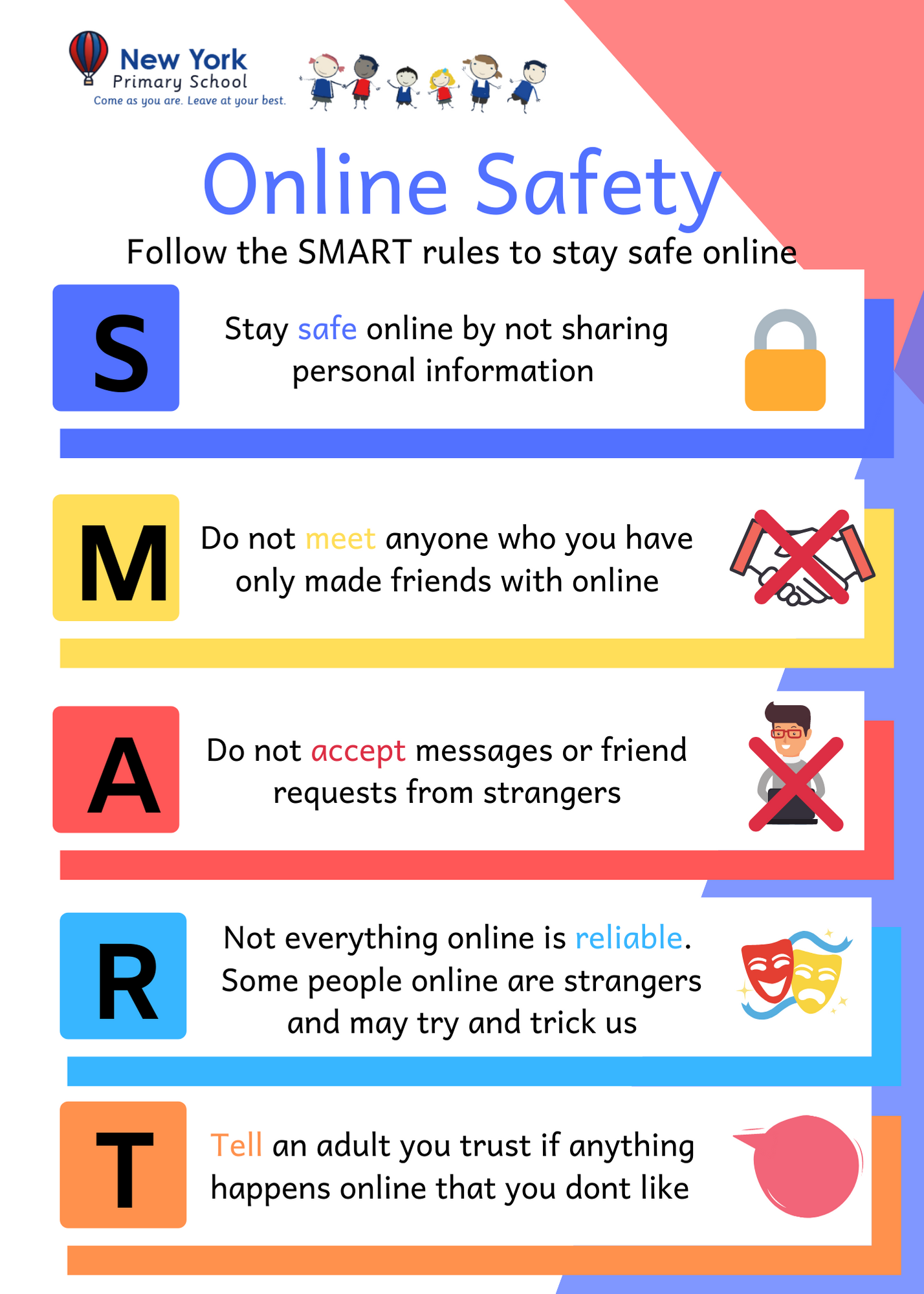
Translating policy into practice means building predictable, calm routines that eliminate guesswork. Schools can clearly communicate acceptable use policies during the first week of class, ensuring students understand why certain sites are restricted. At home, families benefit from establishing shared charging stations where all mobile devices rest overnight, which naturally limits late-night scrolling and sleep disruption. To reinforce these concepts during lessons, educators often utilize engaging Coloring Pages that introduce younger learners to basic internet safety habits. Furthermore, teaching students a simple reporting workflow—where they know they can report suspicious DMs or harmful screenshots without fear of losing their device privileges—encourages early disclosure if a student encounters cyberbullying or inappropriate content.
Overcoming Student Workarounds and Handling Digital Pushback
When adults implement overly restrictive bans or block educational tools, students often find clever technical workarounds, such as utilizing proxy sites or sharing secondary accounts. True Statements About Internet Safety Policies emphasize that heavy-handed censorship frequently backfires by driving student behavior underground. Instead of relying solely on reactive blocks, educators and parents should combine multi-layered technical filters with honest discussions about why certain policies exist. When kids understand the reasoning behind data privacy laws and cybersecurity guidelines, they are far more likely to cooperate and respect digital boundaries.
Frequently Asked Questions Regarding Digital Policy Implementation
What is the most effective way to introduce school internet policies to young students?
Introduce policies using positive, behavior-focused language rather than endless lists of prohibited actions. Frame rules around respect, kindness, and personal privacy so students understand how their online choices impact themselves and others.
How can parents align home internet rules with what is taught at school?
Ask your child to share their school’s digital citizenship expectations and mirror those consistent themes at home. Utilizing resources found in Internet and Digital Safety modules can also help bridge classroom lessons with family discussions.
What should an adult do immediately if a student encounters cyberbullying?
Stay calm, reassure the student that they did the right thing by speaking up, and document the incident with unedited screenshots. Avoid retaliating online, and report the behavior through the appropriate school administration or platform moderation channels.
Explore More Digital Citizenship Resources
Building a secure, resilient digital culture requires ongoing collaboration between educators, families, and communities. To discover more expert guides, printable tools, and practical safety frameworks, visit us anytime at SafeWiredSchools.org.
Visual Reference Gallery