Introduction
Children encounter digital environments long before they master traditional reading comprehension, navigating family tablets, gaming consoles, and streaming video platforms daily. Modern households and classrooms require proactive tools that demystify technology without introducing unnecessary fear or anxiety. Integrating structured digital citizenship concepts early helps transform abstract internet rules into concrete, manageable habits. An internet safety for kids pdf download provides an accessible, tangible starting point for adults seeking structured ways to guide elementary students through their first connected experiences. It sounds simple, and that’s the point: physical paper encourages focused attention away from glowing screens, allowing children to absorb foundational concepts through deliberate, unhurried practice. Related guide: Teachers Of Grades 9–12 Should Expand Internet Safety Instruction To Include Which Of The Following Topics?.
💡 Educational Key Takeaways:
- Core Skill: Structured Internet Safety For Kids Pdf Download focused on developing pencil grip, stroke control, and early literacy/math confidence.
- Target Scope: Suited for homeschoolers, preschool, kindergarten, and elementary learners.
- Best Recommendation: Practice 10–15 minutes daily with ergonomic writing tools to reinforce muscle memory without hand fatigue.
What This Printable Covers
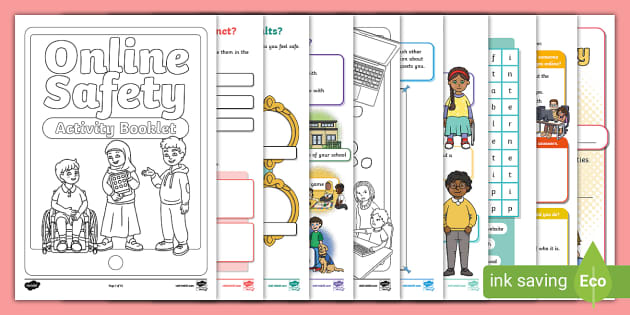
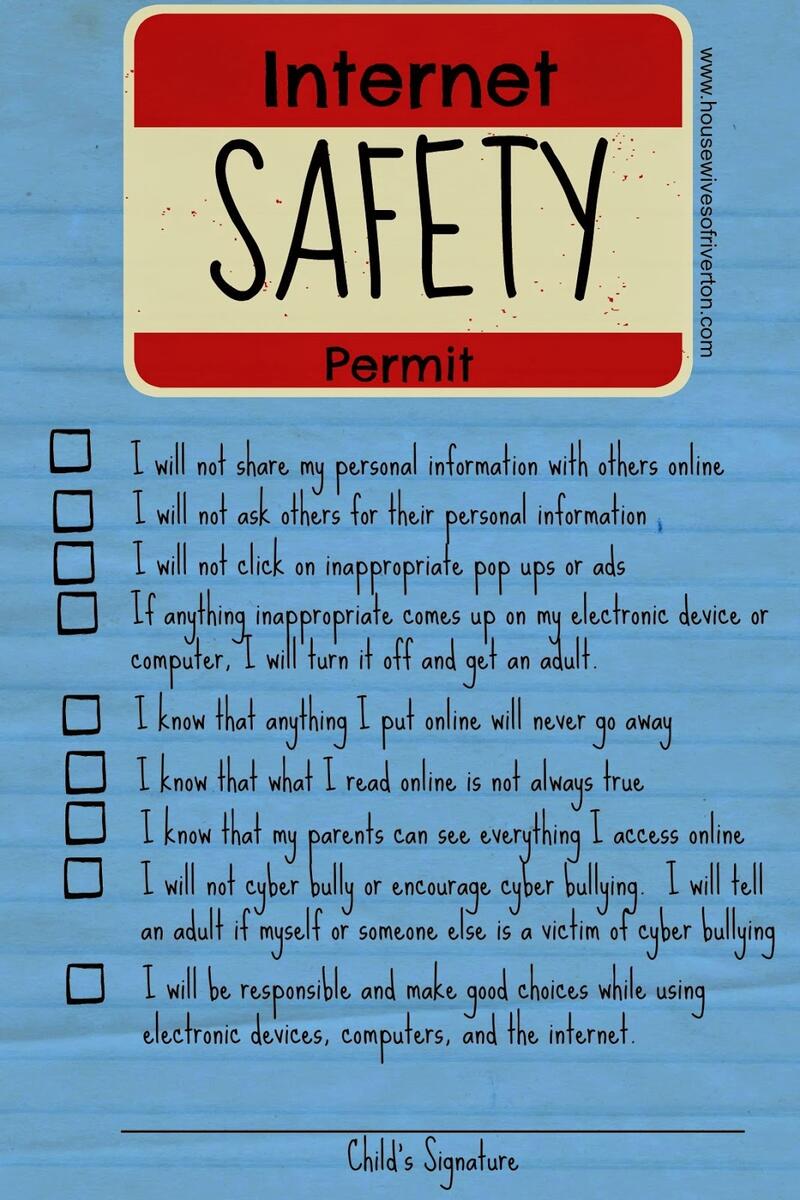
Comprehensive educational handouts focus on essential protective behaviors rather than complicated technical jargon. Young learners explore the fundamentals of keeping personal information private, such as full names, home addresses, and school names, away from public view. The material introduces the concept of strong passwords using memorable phrases rather than vulnerable sequences of birthdates or pet names. Another core theme involves pausing to think before sharing photos, comments, or digital creations with others. Crucially, every concept reinforces a vital emotional safety net: children learn that reporting something uncomfortable, confusing, or mean never places them in trouble with the adults who care for them.
Key Learning Outcomes
Working through these guided exercises helps students build a mental checklist for everyday digital interactions. According to Common Sense Media, the majority of children begin using mobile devices during toddlerhood, making early behavioral modeling essential for healthy technology habits. Learners practice identifying trusted adults in their immediate circles, including parents, teachers, and school counselors, whom they can approach when encountering unexpected content. Participants also gain the ability to recognize social boundaries online, understanding that kindness and empathy apply just as strongly behind a keyboard or a gaming headset as they do on the school playground. Navigating shared family devices safely requires distinguishing between public spaces and private accounts, a distinction reinforced directly within these activity pages.
How to Use This Printable
Educators and caregivers can seamlessly integrate these exercises into morning meeting routines, literacy centers, or family game nights at the kitchen table. Here’s what makes this resource different: rather than functioning as a rigid test of compliance, the activity is engineered to serve as a low-stakes conversational springboard. Adults can sit alongside learners, asking open-ended questions about favorite online games and popular video platforms while completing the sections together. This collaborative approach ensures children feel supported rather than monitored, framing digital safety as a shared journey of discovery and skill-building.
Practical Tips for Parents and Teachers
Establishing a calm, non-judgmental environment is paramount when discussing digital experiences that went wrong or felt uncomfortable. Adults should validate children’s feelings immediately when issues arise in in-game chats or video comment sections, praising transparent communication above all else. Keeping the printed pages visible on a refrigerator bulletin board or classroom resource wall serves as a gentle daily reminder of established household agreements. Exploring additional materials through dedicated Internet and Digital Safety collections can further reinforce these crucial lessons across different grade bands and developmental stages.
Age-Appropriate Recommendations
Tailoring digital citizenship instruction to developmental readiness ensures concepts resonate effectively across early and middle childhood. Younger elementary students in kindergarten through second grade benefit most from visual matching games and picture-based scenarios that focus on basic sharing rules and physical device boundaries. Older elementary students in third through fifth grade can engage with more nuanced discussions regarding digital footprints, peer pressure in chat rooms, and critical evaluation of online sources. Aligning these instructional conversations with the ISTE Standards for Students helps foster empowered, responsible learners who understand how to curate positive digital identities. Expanding this instruction with targeted Worksheets provides structured practice tailored precisely to these cognitive milestones.
Young children frequently encounter digital environments through shared family devices, making early and consistent safety conversations vital for building lifelong protective habits. — Pew Research Center
Frequently Asked Questions
Clear guidance helps adults maximize the educational value of digital citizenship materials in diverse learning environments. The following answers address common inquiries regarding access, implementation, and foundational safety research.
Explore More Free Kids Online Safety Printables
Deepening digital literacy requires a consistent variety of engaging, hands-on instructional tools that keep pace with changing technology trends. Educators and families can discover supplementary resources by browsing curated Online and Digital Safety galleries designed to make citizenship education interactive and memorable. Consistent reinforcement across multiple formats ensures children internalize healthy boundaries, empowering them to navigate digital spaces with confidence and resilience.
Developmental Milestone & Activity Table
| Development Stage | Recommended Daily Duration | Primary Learning Objective |
|---|---|---|
| Preschool & Pre-K | 10 – 15 Minutes | Pencil grip development & basic pre-stroke lines |
| Kindergarten | 15 – 20 Minutes | Letter/number formation & spatial line awareness |
| Early Elementary (Grade 1–2) | 20 – 30 Minutes | Fluency, sentence construction & neatness |
Images References