Introduction
Fourth-grade classrooms buzz with energy, curiosity, and an expanding awareness of the digital world. Nine-year-olds navigate shared family tablets, multiplayer game chats, and educational portals with casual confidence. Yet, this digital fluency often outpaces their understanding of online manipulation. Adults frequently notice that children encounter tricky pop-ups, fake reward offers in video games, or strange messages long before secondary school. Rather than relying on fear, educators and parents need proactive tools to build lasting protective habits. The free printable what is phishing for yr 4 bridges this gap by turning abstract cybersecurity concepts into concrete, approachable lessons for growing minds.
💡 Educational Key Takeaways:
- Core Skill: Structured What Is Phishing For Yr 4 focused on developing pencil grip, stroke control, and early literacy/math confidence.
- Target Scope: Suited for homeschoolers, preschool, kindergarten, and elementary learners.
- Best Recommendation: Practice 10–15 minutes daily with ergonomic writing tools to reinforce muscle memory without hand fatigue.
What This Printable Covers
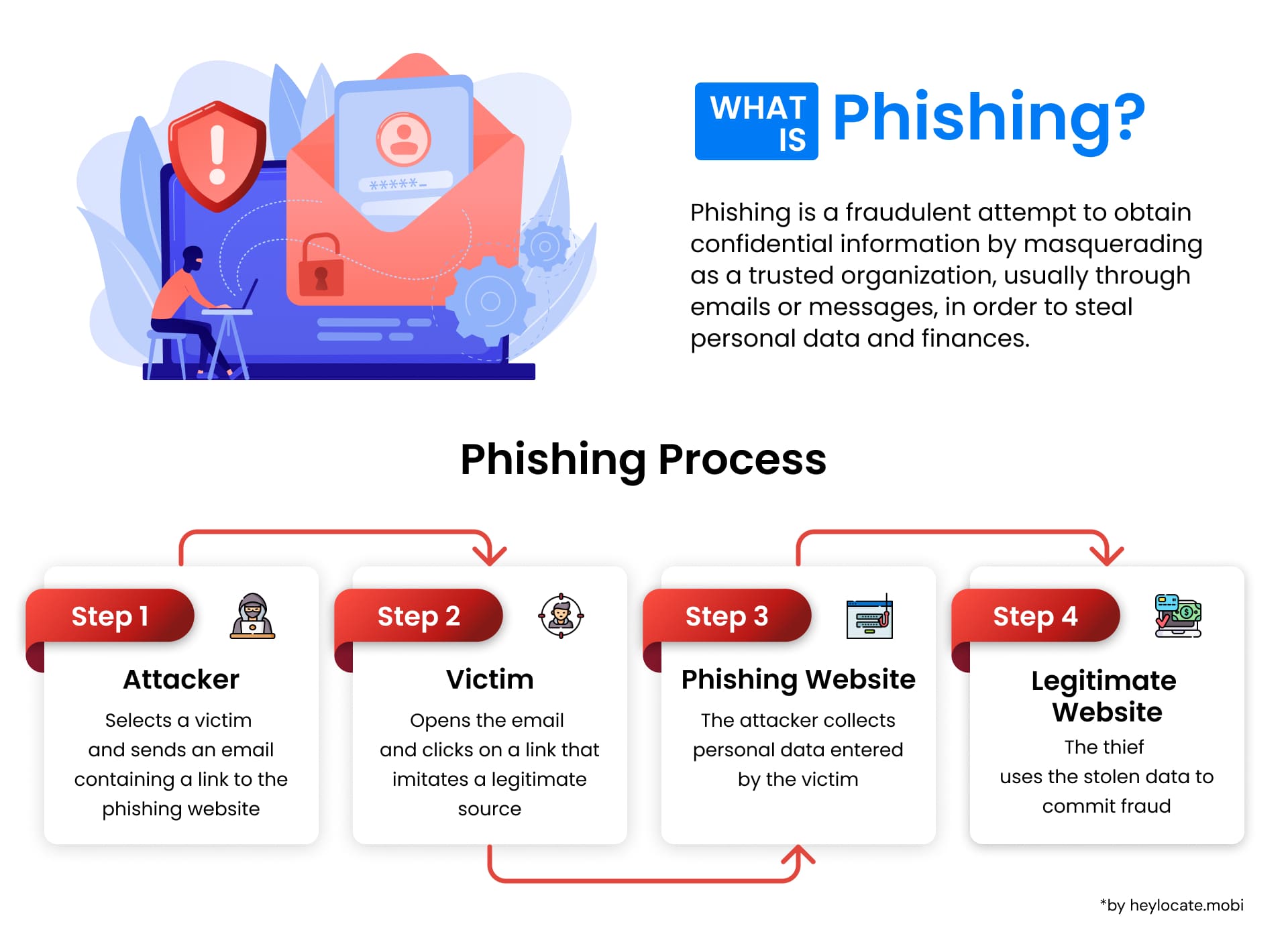
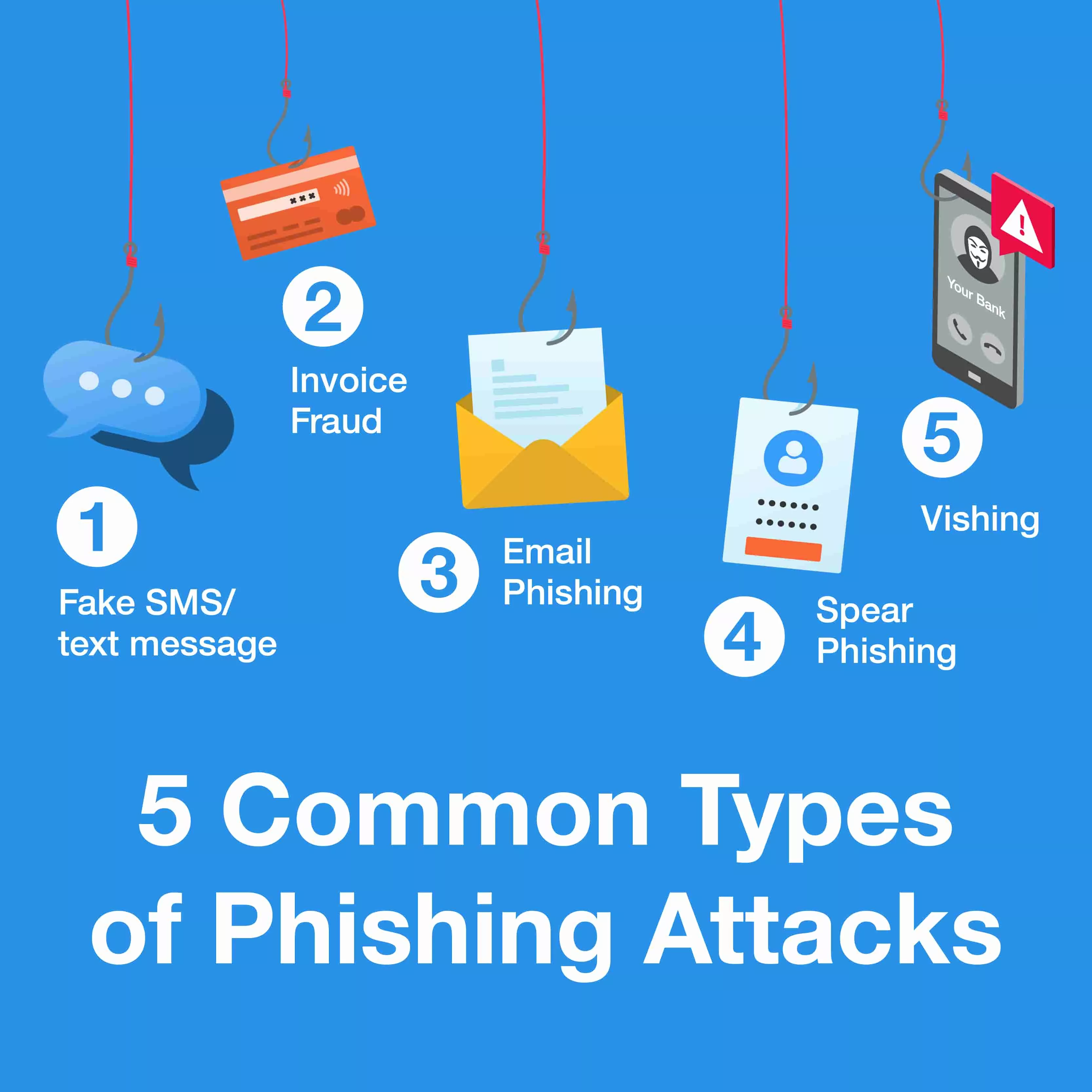
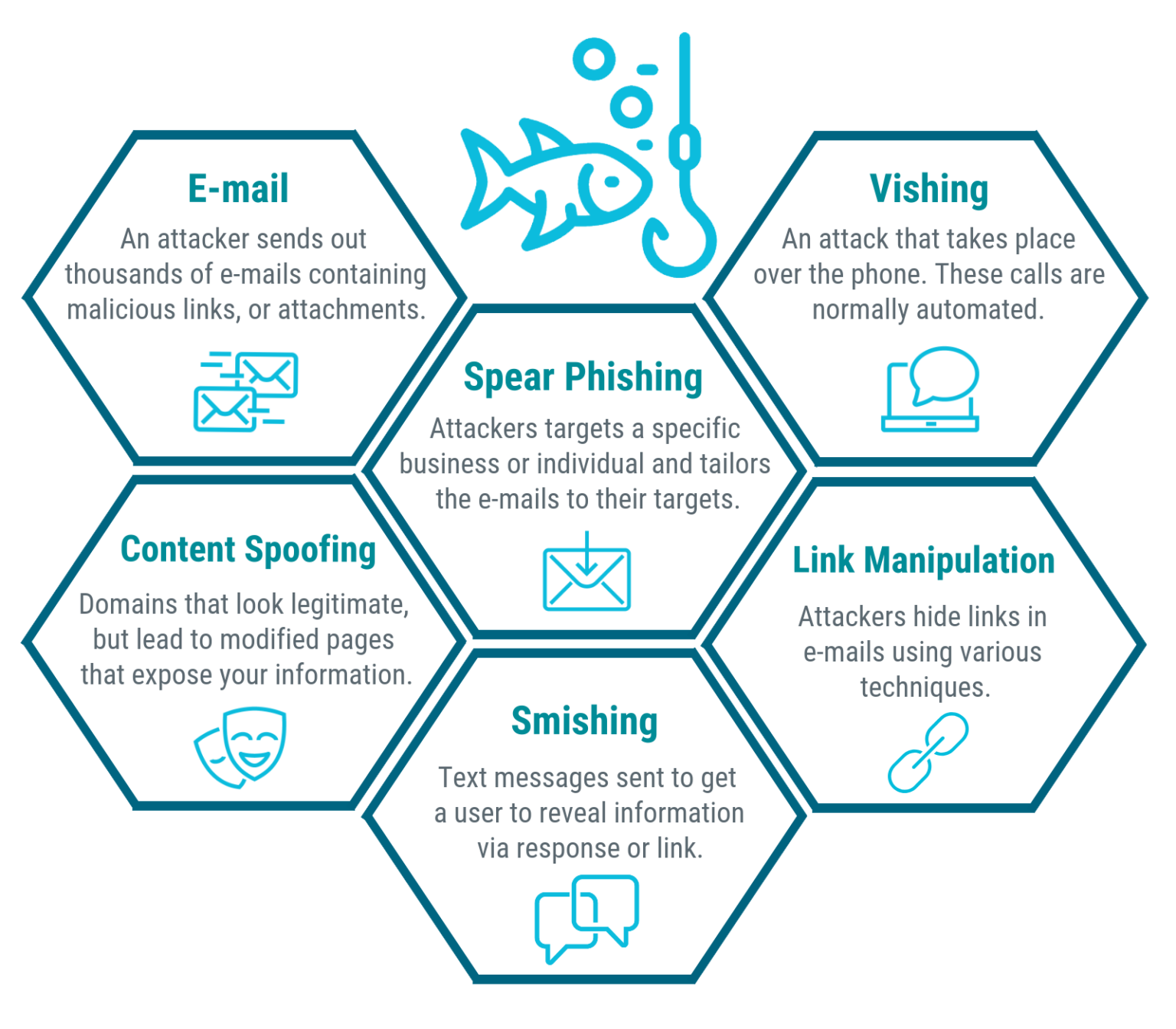
Digital literacy requires more than knowing how to tap a screen or open a browser tab. This specific worksheet introduces foundational digital citizenship skills tailored specifically for upper-elementary comprehension levels. It strips away complex enterprise jargon and translates online deception into relatable scenarios. Instead of discussing malware servers or server vulnerabilities, the material focuses on everyday digital encounters. Children learn that online trickery often mimics familiar friends, favorite gaming platforms, or exciting prizes designed to rush their decision-making. Through guided prompts and critical thinking exercises, students practice identifying the red flags of digital deception without feeling overwhelmed or frightened.
Key Learning Outcomes
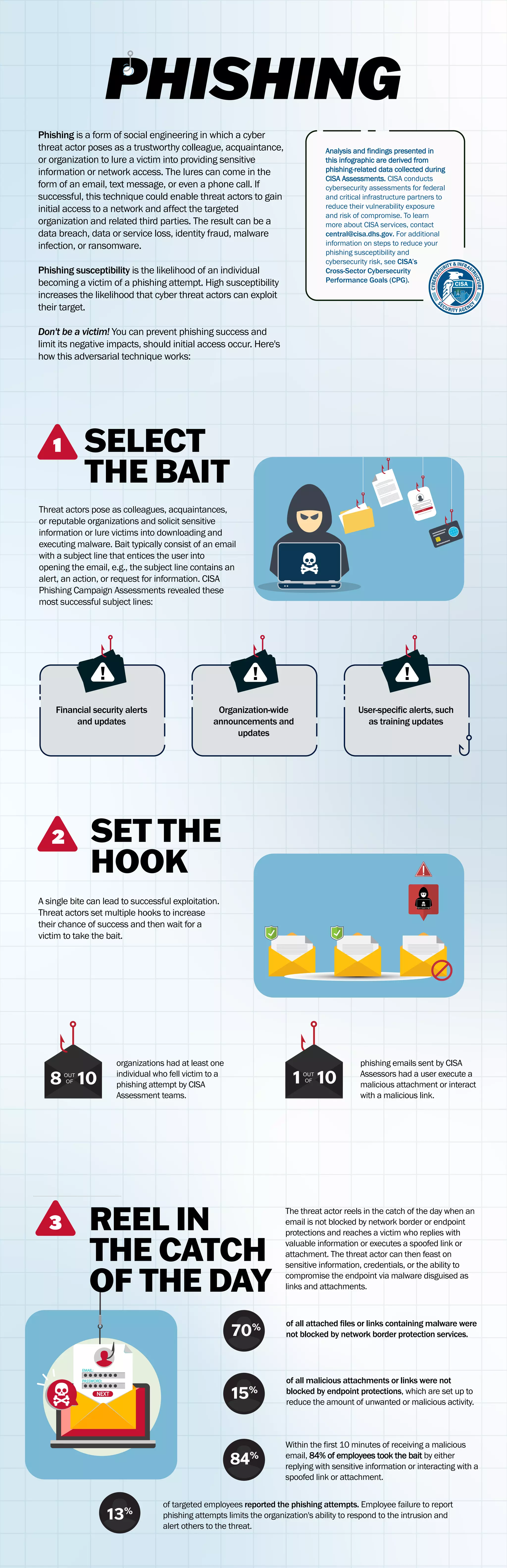
Targeted instructional design ensures that every minute spent with the printable yields measurable cognitive and behavioral growth. Students examine scenarios where an online message demands urgent action or requests personal details like home addresses, passwords, or favorite hobbies. The activity emphasizes the specific skill of pausing before clicking, teaching children to evaluate the sender’s true identity rather than taking friendly greetings at face value. Furthermore, the material reinforces the golden rule of digital safety: immediate reporting to a trusted adult. According to the Federal Trade Commission, youth frequently encounter online scams disguised as gaming currency giveaways, making this targeted practice essential for modern households.
How to Use This Printable
Flexible instructional formats allow educators and caregivers to seamlessly integrate the worksheet into morning meetings, technology lab sessions, or evening homework routines. It sounds simple, and that is the exact point. When children actively work through scenario-based problems with a supportive adult, the concepts transition from theory into instinct. Teachers often project the activity onto a whiteboard to model collaborative problem-solving, letting small groups debate whether a specific message looks trustworthy or suspicious. At home, sitting side by side at the kitchen table transforms a quiet worksheet into an engaging conversation about real digital experiences.
Practical Tips for Parents and Teachers
Creating a safe space for open dialogue matters far more than achieving a correct worksheet score. Adults can maximize the value of this exercise by encouraging children to share times they felt confused by a pop-up or game chat notification. Affirming their instincts builds vital confidence. Most importantly, educators and caregivers must explicitly communicate that children are never in trouble for reporting an uncomfortable online encounter or clicking a questionable link by accident. Establishing this trust ensures that kids come forward immediately rather than hiding mistakes out of fear. To discover additional ways to reinforce these lessons, browse through curated collections of Worksheets designed for elementary learners.
Age-Appropriate Recommendations
Aligning digital safety instruction with developmental readiness prevents unnecessary anxiety while cementing essential skills. According to the Common Sense Education Digital Citizenship Curriculum, fourth graders are developmentally ready to understand perspective-taking and digital footprint awareness. Educators should keep discussions grounded in observable behaviors rather than invisible digital threats. Focusing on simple rules—such as keeping personal information private, creating strong passwords, and thinking before sharing—empowers nine-year-olds to act as mindful digital citizens. Building these competencies requires ongoing reinforcement rather than a single lecture.
Young internet users frequently encounter deceptive pop-ups and fake gaming reward offers that demand urgent personal information. — Federal Trade Commission
Frequently Asked Questions
Navigating digital safety education often brings up practical questions for families and schools. Quick answers help adults implement these resources with confidence and clarity. Below are the most common inquiries regarding this curriculum tool and its implementation.
Explore More Free Kids Online Safety Printables
Expanding a child’s digital literacy toolkit takes continuous reinforcement across various subjects and creative formats. Pairing written activities with visual exercises helps cement these vital habits in young minds. For creative options that combine art with digital awareness, explore engaging Coloring Pages that spark gentle discussions about device boundaries. Families and educators looking for comprehensive strategies can also browse a wider selection of Internet and Digital Safety resources. Every conversation and age-appropriate lesson brings children one step closer to navigating the digital world safely, independently, and with absolute confidence.
Developmental Milestone & Activity Table
| Development Stage | Recommended Daily Duration | Primary Learning Objective |
|---|---|---|
| Preschool & Pre-K | 10 – 15 Minutes | Pencil grip development & basic pre-stroke lines |
| Kindergarten | 15 – 20 Minutes | Letter/number formation & spatial line awareness |
| Early Elementary (Grade 1–2) | 20 – 30 Minutes | Fluency, sentence construction & neatness |
Images References