Introduction
Digital spaces are as much a part of modern childhood as playgrounds and school bus rides. Children between the ages of five and twelve navigate tablets, shared household laptops, and video platforms long before they fully grasp the invisible boundaries of the internet. Often, online risks do not arrive through mysterious strangers or elaborate cyber schemes. Instead, they happen quietly on the living room couch while a child types into an in-game chat window or taps through recommended videos on a shared family tablet. Protecting kids in these environments requires building proactive habits rather than relying on fear. Educators and parents need accessible tools that transform abstract digital rules into concrete, memorable actions. The free printable stop infographic for internet safety provides a visual anchor for these crucial conversations, helping young learners recognize when to pause and seek guidance. Related guide: Teachers Of Grades 9–12 Should Expand Internet Safety Instruction To Include Which Of The Following Topics?.
💡 Educational Key Takeaways:
- Core Skill: Structured Stop Infographic For Internet Safety focused on developing pencil grip, stroke control, and early literacy/math confidence.
- Target Scope: Suited for homeschoolers, preschool, kindergarten, and elementary learners.
- Best Recommendation: Practice 10–15 minutes daily with ergonomic writing tools to reinforce muscle memory without hand fatigue.
WhatThis Printable Covers
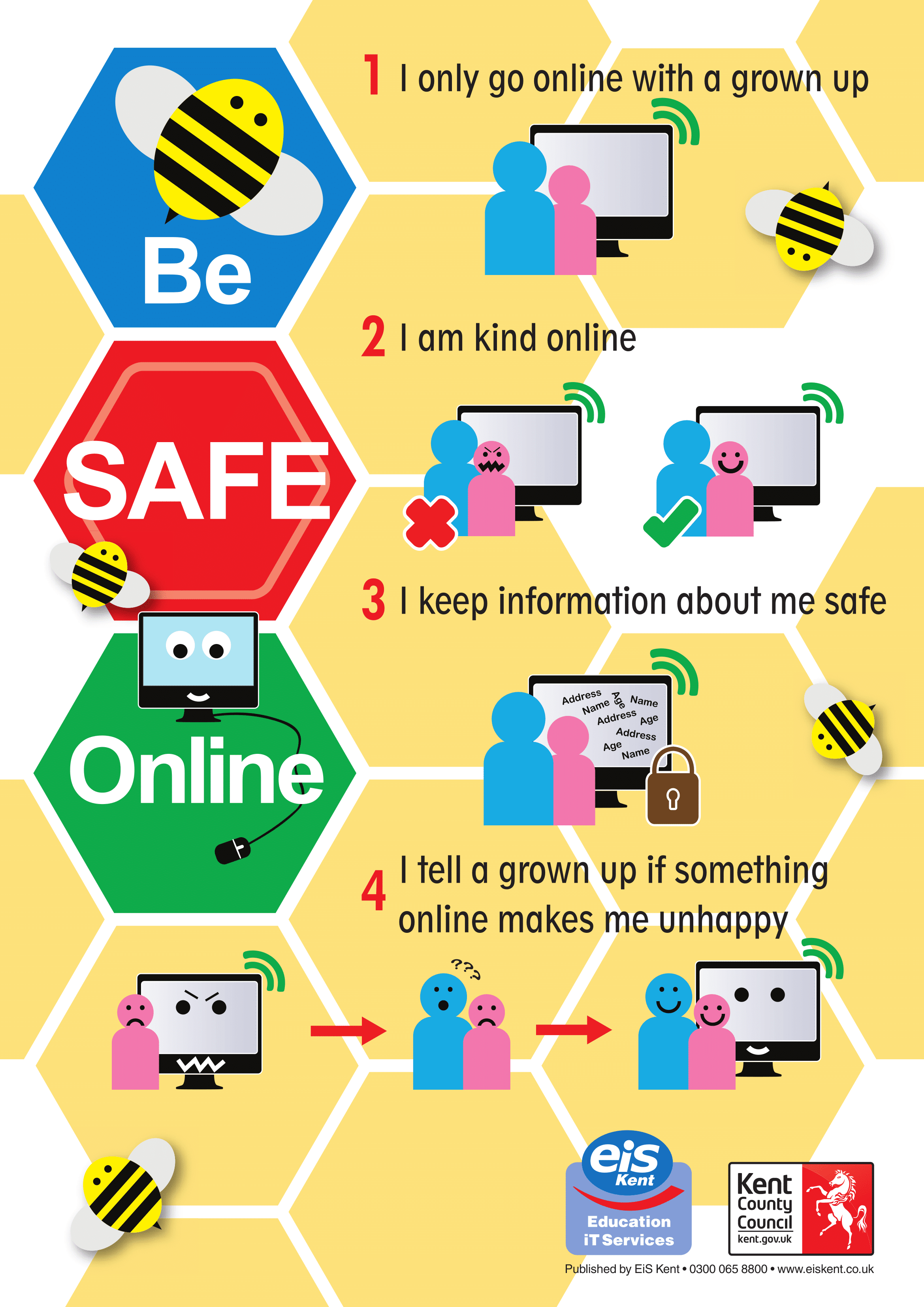
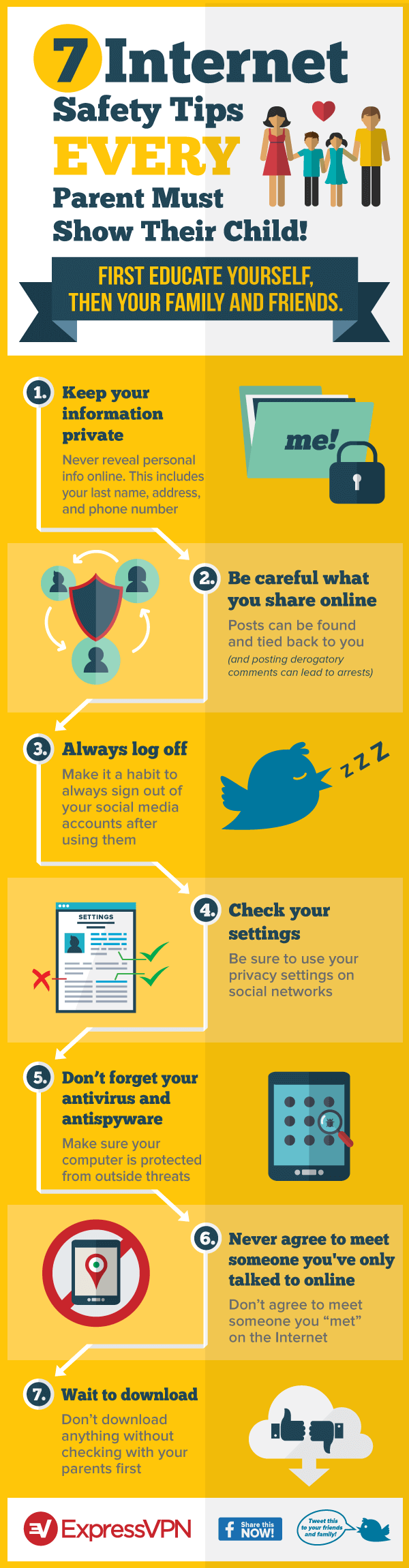
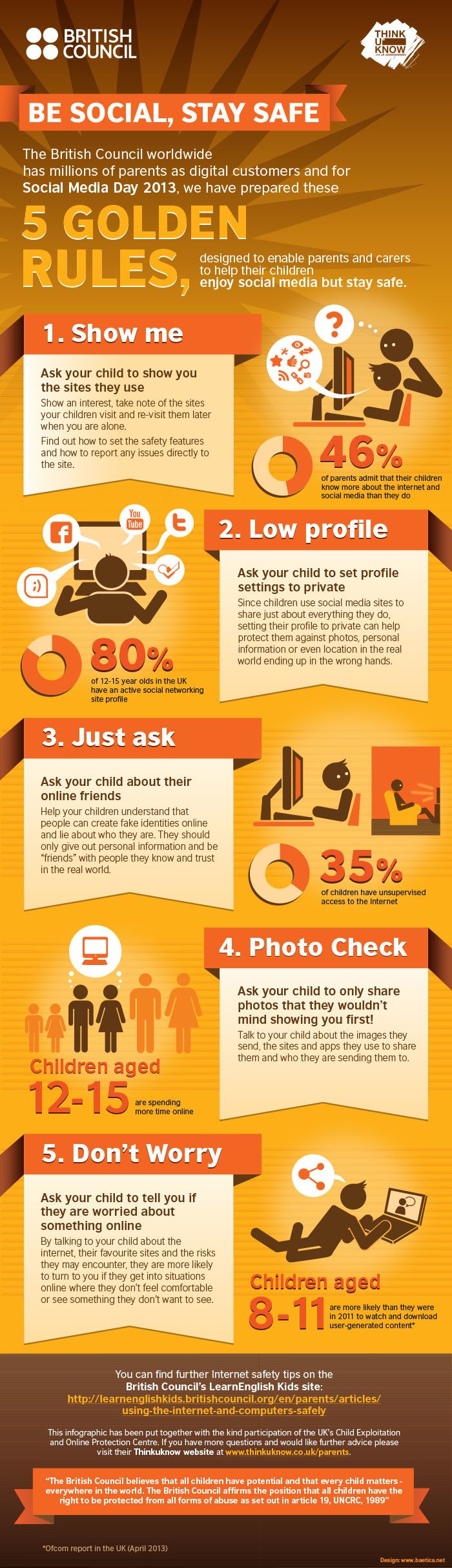
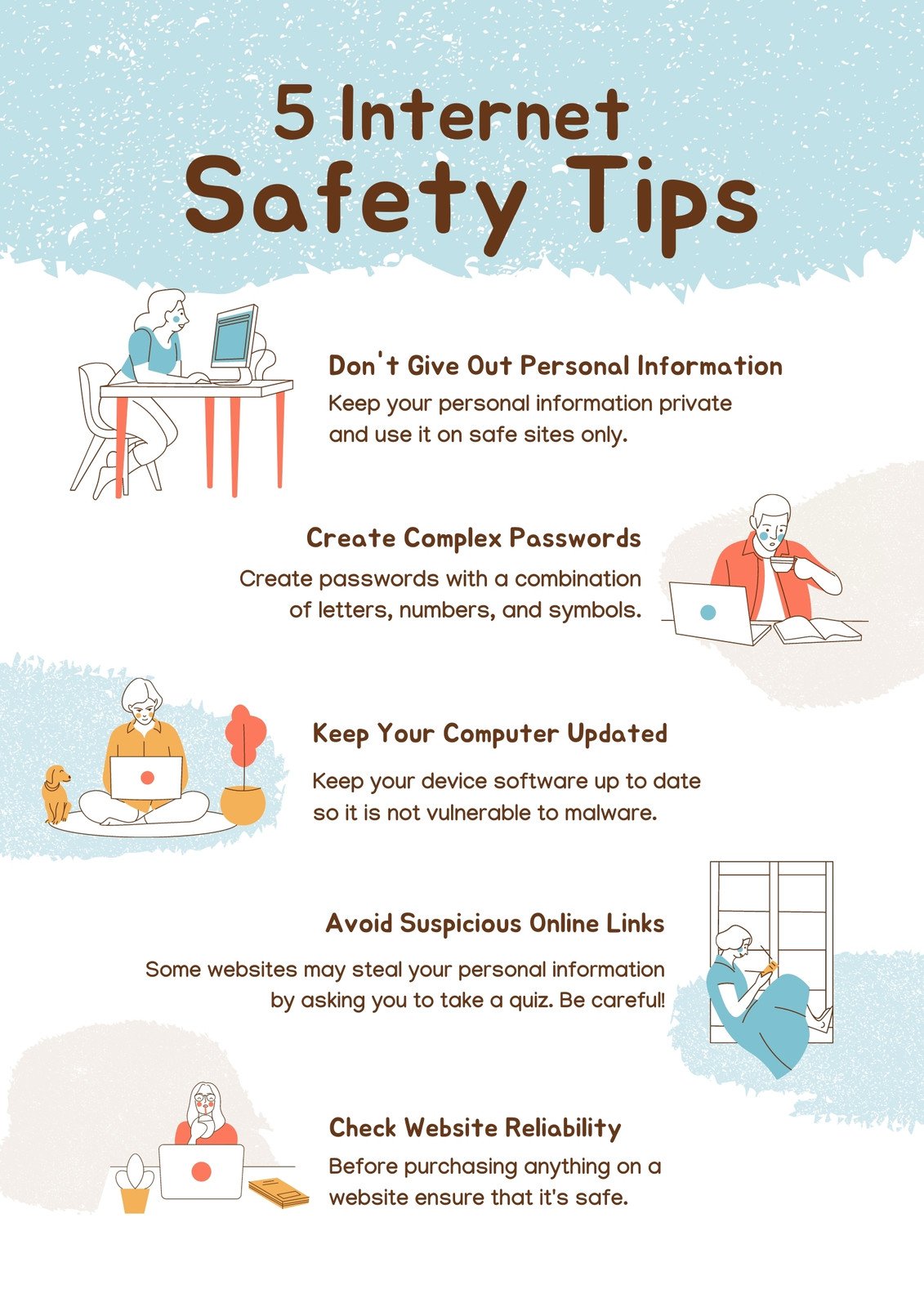
Visual aids work exceptionally well in elementary classrooms and living rooms because young minds process images faster than long lists of rules. This specific resource uses the universally recognized stop sign symbol to teach children the exact moments they need to pause online. Instead of overwhelming kids with complex cybersecurity jargon, the graphic focuses on four fundamental protective habits: keeping personal information private, creating strong passwords, thinking before sharing a photo or comment, and telling a trusted adult immediately if something feels uncomfortable. It sounds simple, and that is the point. When children encounter a pop-up window asking for their home address or a sudden strange message in a multiplayer video game, the mental image of a red stop sign helps interrupt the automatic impulse to click. The design serves as a gentle reminder that children are never in trouble for reporting an uncomfortable online experience, fostering an open environment of trust between youth and the adults guiding them.
Key Learning Outcomes
Working with this educational handout helps children develop strong critical thinking skills for the digital world. Students learn to identify red flags, such as requests for real names, school locations, or passwords. Beyond simply memorizing rules, children practice self-regulation by pausing before they post, like, or chat. This supports broader lessons found in Internet and Digital Safety curriculums, moving young learners from passive consumers of media to mindful digital citizens who understand that actions online have real-world impacts.
How to Use This Printable
Implementing this visual aid requires no special preparation, making it ideal for busy classrooms, homeschool environments, and evening family routines. Teachers can introduce the graphic during morning meeting discussions about community guidelines, while parents might post it near the family computer station or kitchen charging dock. As an interactive Worksheets extension, adults can prompt children to draw their own examples of online situations that require a “stop” moment. This hands-on reflection bridges the gap between seeing a rule and understanding how to apply it during real-time screen use.
Practical Tips for Parents and Teachers
Maximizing the impact of any safety resource depends entirely on the tone of the accompanying conversation. Adults should approach digital citizenship with curiosity rather than interrogation, asking children what games or apps they currently enjoy before introducing the handout. Role-playing scenarios work wonders for younger audiences. Caregivers can pose gentle hypotheticals, asking what the character on the page should do if a game asks for their birthday. Consistency matters immensely; referencing the stop graphic whenever new devices enter the home reinforces the habit without inducing anxiety. Safety is a skill built through patience, practice, and positive reinforcement.
Age-Appropriate Recommendations
Tailoring digital safety education to a child’s developmental stage ensures the message actually resonates. For five-to-seven-year-olds, the focus remains on basic boundaries, such as asking an adult before clicking any link or downloading a new application. Eight-to-twelve-year-olds can dive deeper into topics like digital footprints, respectful communication in group chats, and the permanence of shared content. Educators often anchor these lessons using the International Society for Technology in Education Standards for Students, which encourages digital agency and responsible participation. According to the Pew Research Center, a vast majority of parents express concern about their young children’s digital lives, making structured, calm dialogue more essential than ever for fostering healthy technology habits.
The vast majority of parents of young children express ongoing concerns regarding screen time and online safety in everyday digital environments. — Pew Research Center
Frequently Asked Questions
Navigating digital citizenship questions helps adults feel more confident in guiding young learners. The following answers address common inquiries regarding how to access, print, and utilize safety materials effectively.
Children who know they can report uncomfortable online encounters without fear of losing device privileges are significantly more likely to seek help early. — National Center for Missing & Exploited Children (NCMEC)
Explore More Free Kids Online Safety Printables
Expanding a digital citizenship library ensures children receive continuous reinforcement throughout the school year. Educators and families can browse additional resources, including creative Coloring Pages that make discussing password security engaging for early elementary students. For older learners, supplementary Online and Digital Safety materials provide deeper dives into cyber etiquette and respectful peer interactions. Building a safe digital environment is an ongoing journey, and having the right tools makes all the difference.
Developmental Milestone & Activity Table
| Development Stage | Recommended Daily Duration | Primary Learning Objective |
|---|---|---|
| Preschool & Pre-K | 10 – 15 Minutes | Pencil grip development & basic pre-stroke lines |
| Kindergarten | 15 – 20 Minutes | Letter/number formation & spatial line awareness |
| Early Elementary (Grade 1–2) | 20 – 30 Minutes | Fluency, sentence construction & neatness |
Images References