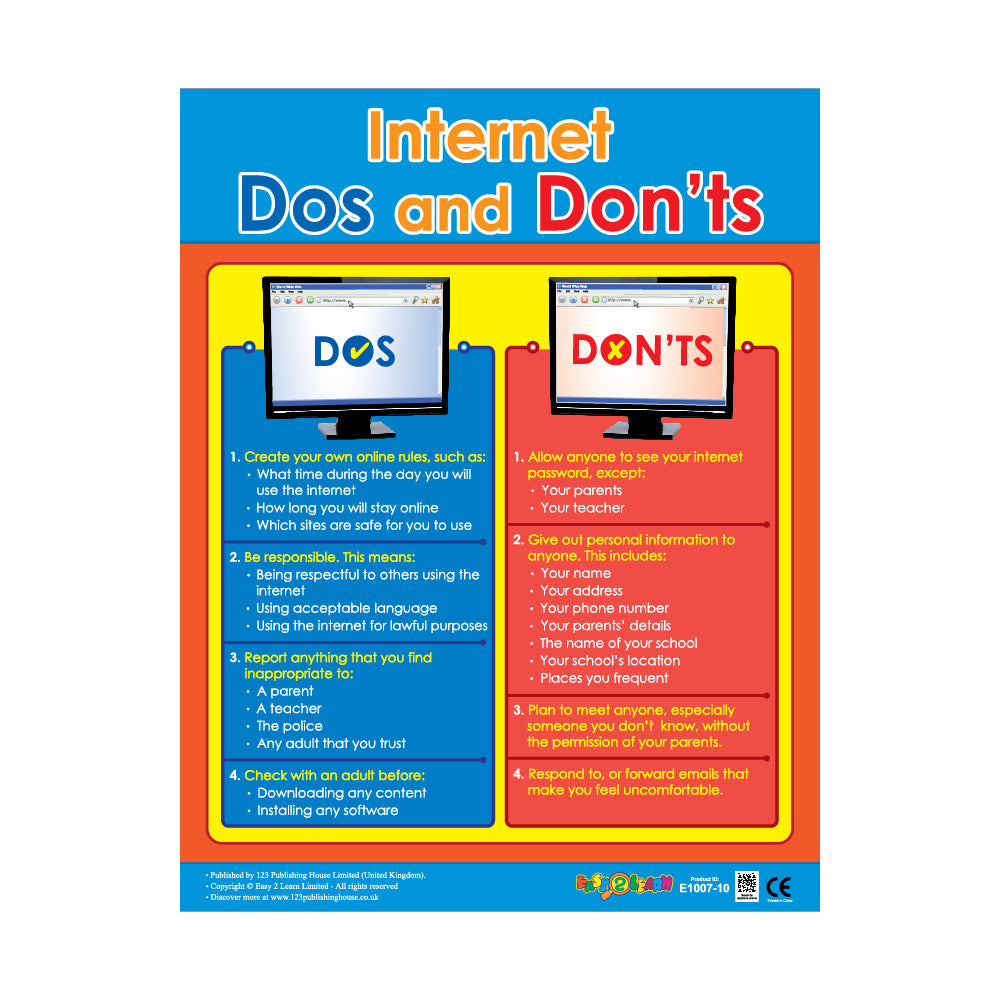
Demystifying Digital Tracking: Why Student Data Privacy Matters at School and Home
Every time a child or teenager opens a browser tab to complete homework or play an online game, invisible scripts and text files begin tracking their digital footprints. Guidance from organizations like the FTC and ConnectSafely emphasizes that understanding these mechanisms is essential for modern digital citizenship. When educators and parents look closer at Click Herefor More Info On Privacy And Cookies For Kids.#N##N#Click Herefor More Info On Privacy And Cookies For Parents/Guardians., they unlock critical insights into how third-party trackers, targeted ads, and persistent data collection shape a student’s online environment. Building safe habits early ensures children navigate the web with awareness rather than vulnerability.
💡 Educational Key Takeaways:
- Core Skill: Structured Click Herefor More Info On Privacy And Cookies For Kids.#N##N#Click Herefor More Info On Privacy And Cookies For Parents/Guardians. focused on developing pencil grip, stroke control, and early literacy/math confidence.
- Target Scope: Suited for homeschoolers, preschool, kindergarten, and elementary learners.
- Best Recommendation: Practice 10–15 minutes daily with ergonomic writing tools to reinforce muscle memory without hand fatigue.
To protect children effectively, adults must recognize the specific technical signals and behavioral cues associated with web tracking. Different devices present unique security profiles, ranging from school-managed hardware to personal smartphones. Related guide: 5 Cyber Safety Tips Symbols That Can Be Read By The Grede 7 Students.
| Setting / Context | Common Vulnerability | Practical Safeguard |
|---|---|---|
| Home Browsers & Laptops | Third-party cookies tracking search histories across educational and entertainment sites. | Configure browsers to block third-party cookies and clear cache regularly. |
| School Chromebooks & Tablets | Extension permissions granting unauthorized access to personal data and browsing habits. | Audit browser extensions routinely with IT staff via resources found in Internet and Digital Safety guidelines. |
| Mobile Apps & Social Chat | Location sharing and targeted profile building through seemingly harmless free games. | Disable precise location services and review privacy settings together using tools from Online and Digital Safety. |
Actionable Protocols for Families and Classrooms
Proactive protection goes beyond technical configuration; it relies on consistent routines and open dialogue. Educators can integrate lessons on data literacy into daily instruction, sometimes pairing them with creative materials like Coloring Pages for younger learners to introduce abstract concepts safely. At home, families should establish shared charging zones outside of bedrooms to prevent late-night scrolling and minimize exposure to unvetted tracking scripts. Adults should also teach kids how to recognize cookie consent banners and model how to click reject rather than blindly accepting all trackers.
Overcoming Student Pushback Without Crippling Tech Exploration
Overly restrictive content filters often backfire, prompting tech-savvy students to seek workarounds like unauthorized VPNs or incognito windows. Instead of relying solely on heavy-handed bans, parents and educators should explain the reasoning behind privacy rules. When children understand that blocking cookies protects them from invasive profiling rather than just spoiling their fun, they are far more likely to cooperate. Keep conversations calm and constructive, ensuring students feel comfortable reporting strange pop-ups or accidental data sharing without fear of losing their device privileges.
Frequently Asked Questions About Youth Data Privacy and Tracking
Essential cookies help websites function correctly by remembering login states or shopping cart items. Tracking cookies, however, follow users across multiple websites to build behavioral profiles for targeted advertising, which is a key concern when addressing youth privacy.
Basic concepts can be introduced as early as elementary school using simple analogies like digital footprints. By middle school, students should understand how to manage browser settings, recognize consent banners, and protect their personal information.
How can teachers address privacy topics without overwhelming younger students?
Educators can use interactive discussions, guided activities, and age-appropriate prompts to explain that websites sometimes remember what you do online. Keeping the tone empowering rather than fear-based helps students build healthy digital habits.
Explore More Digital Citizenship Resources
Empowering the next generation of digital citizens requires ongoing education, practical tools, and collaborative communication between home and school. Discover additional guides, expert tips, and downloadable resources by visiting SafeWiredSchools.org today.