Introduction
Teaching young children about digital citizenship often begins long before a device ever enters a backpack. Educators and families frequently look for creative, non-intimidating ways to introduce protective habits. Coloring activities remain a staple in early childhood education because they slow down fast-paced learning and create a calm space for dialogue. Free printable sun safety colouring sheets for kids offer a playful metaphor for digital protection, translating the physical concept of shielding oneself from harsh rays into easy-to-understand online boundaries. It sounds simple, and that’s the point. Children grasp concepts faster when abstract ideas connect to tangible, everyday routines like applying sunscreen or wearing a wide-brimmed hat. Building healthy digital habits requires patience, repetition, and tools that avoid fear-based messaging entirely. Related guide: Please Provide Free 8.5″X11″ Digital Safety Coloring Pages For K-2 Grade.
💡 Educational Key Takeaways:
- Core Skill: Structured Sun Safety Colouring Sheets For Kids focused on developing pencil grip, stroke control, and early literacy/math confidence.
- Target Scope: Suited for homeschoolers, preschool, kindergarten, and elementary learners.
- Best Recommendation: Practice 10–15 minutes daily with ergonomic writing tools to reinforce muscle memory without hand fatigue.
What This Printable Covers
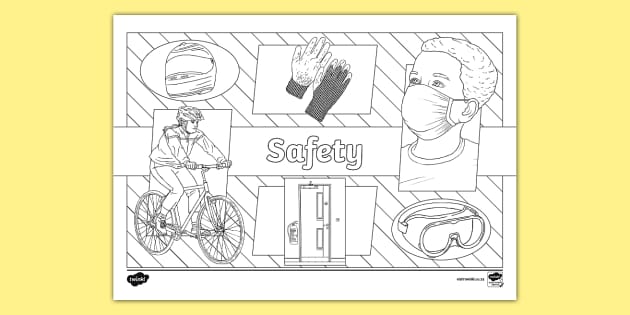
This specific coloring resource uses sunshine metaphors to guide children through fundamental concepts of internet safety. Illustrations feature children wearing sunglasses, sitting under beach umbrellas, and applying protective layers, directly mirroring the digital practice of putting up healthy privacy barriers. Instead of focusing on online dangers, the artwork highlights protective habits such as keeping personal information private, creating strong passwords, and pausing to think before sharing a photo or message. Children frequently encounter online risks in unstructured environments, such as open chat boxes on shared family tablets, in-game messaging during multiplayer sessions, or autoplay video platforms. By coloring these scenes, learners explore how to navigate shared digital spaces safely while reinforcing the idea that they are never in trouble for reporting something uncomfortable to a trusted adult.
Key Learning Outcomes
Every stroke of a crayon reinforces cognitive retention of safety rules. According to the Common Sense Education Digital Citizenship Curriculum, early learners benefit most from structured, repeatable lessons that emphasize empathy, privacy, and community standards. This resource strengthens fine motor skills while prompting conversations about digital boundaries. Learners practice recognizing when something feels uncomfortable online, exactly like noticing when the midday sun feels too hot. They discover the value of turning to parents, teachers, or school counselors whenever an online interaction raises questions. Ultimately, the activity transforms passive screen time knowledge into active, discussion-driven skill building.
How to Use This Printable
Classrooms and living rooms transform into interactive workshops when adults sit alongside children with a fresh set of crayons. Coloring provides a low-pressure anchor for discussions that might otherwise feel heavy or clinical. Adults can ask open-ended questions about the pictures, such as asking what kind of digital umbrella helps protect personal details from strangers. To expand this lesson, educators often pair the artwork with Coloring Pages that cover complementary topics like kindness in digital messaging. The goal is never to guarantee absolute protection, but rather to foster an open dialogue where children feel completely safe sharing their digital experiences.
Practical Tips for Parents and Teachers
Facilitating a meaningful safety conversation requires a calm and encouraging demeanor. Adults should avoid lecturing during the art session, allowing the imagery to guide the flow of questions. Here’s what makes this resource different: it frames digital safety as a form of self-care rather than a list of rigid prohibitions. Educators can display completed artwork on bulletin boards alongside interactive Worksheets that check for comprehension. Keeping the tone light and empowering ensures that children view safety rules as helpful tools rather than scary restrictions.
Age-Appropriate Recommendations
Children between ages five and twelve process digital safety concepts through distinct developmental lenses. Kindergarten and early elementary students benefit from concrete metaphors like the sun protection theme, which aligns closely with the ISTE Standards for Students regarding digital agency and responsible participation. Older elementary students can take the coloring themes a step further by writing their own personal rules for device usage on the back of the page. According to the Pew Research Center, a significant majority of young children interact with digital devices daily, making early and consistent foundational guidance essential for every age group.
A vast majority of young children interact with connected devices daily, highlighting the need for early habit-building resources. — Pew Research Center
Frequently Asked Questions
Accessing and utilizing these educational materials is straightforward for busy educators and families. Questions often arise regarding the best ways to integrate printables into existing daily routines or curriculum plans. Clear answers help ensure that both home and school environments maximize the learning potential of every downloaded page. Reviewing these common inquiries provides a quick roadmap for effective implementation.
Explore More Free Kids Online Safety Printables
Expanding a digital citizenship curriculum requires a diverse mix of creative tools and guided discussions. Families and educators can discover additional resources by browsing through comprehensive collections dedicated to Internet and Digital Safety. Fostering a secure and confident digital journey is an ongoing process, and having access to fresh, engaging materials makes continuous learning enjoyable for everyone involved. For broader instructional support, exploring Online and Digital Safety materials helps reinforce these vital habits across multiple subjects and grade levels.
Developmental Milestone & Activity Table
| Development Stage | Recommended Daily Duration | Primary Learning Objective |
|---|---|---|
| Preschool & Pre-K | 10 – 15 Minutes | Pencil grip development & basic pre-stroke lines |
| Kindergarten | 15 – 20 Minutes | Letter/number formation & spatial line awareness |
| Early Elementary (Grade 1–2) | 20 – 30 Minutes | Fluency, sentence construction & neatness |
Images References