Why Creative Offline Breakouts Help Reinforce Digital Safety
Integrating creative exercises into a digital citizenship curriculum offers a reliable, low-pressure way to discuss technology habits with elementary and middle school students. When children sit down to work on interactive printables, educators and parents have a natural window to introduce vital concepts like personal data privacy, screen time balance, and respectful online communication. Organizations such as ConnectSafely and the Cybersecurity and Infrastructure Security Agency regularly highlight that early, non-threatening dialogues help children build foundational resilience against online risks long before they encounter complex digital threats.
💡 Educational Key Takeaways:
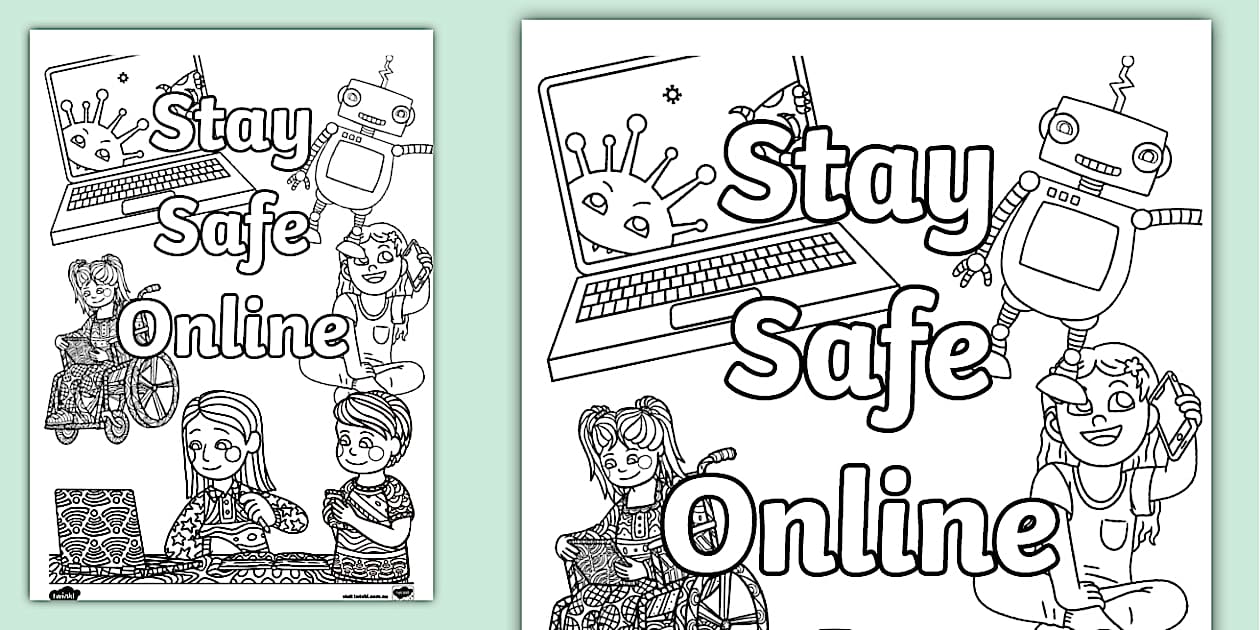
- Core Skill: Structured Stay Safe Online Colouring focused on developing pencil grip, stroke control, and early literacy/math confidence.
- Target Scope: Suited for homeschoolers, preschool, kindergarten, and elementary learners.
- Best Recommendation: Practice 10–15 minutes daily with ergonomic writing tools to reinforce muscle memory without hand fatigue.
Balancing Digital Engagement with Practical Offline Guardrails
Even safe educational platforms require active monitoring to ensure children do not accidentally navigate to unvetted third-party domains or expose personal information through interactive web forms. Adults must balance technical filters on school-issued devices with observant supervision at home. To help educators and parents identify potential vulnerabilities across different environments, review the common scenarios and preventive measures outlined below.
| Setting / Context | Common Vulnerability | Practical Safeguard |
|---|---|---|
| Home Tablets & Laptops | Unfiltered browser pop-ups redirecting kids to commercial or ad-heavy sites. | Configure parental controls, use kid-safe search engines, and leverage resources from Online and Digital Safety guidelines. |
| School Chromebooks & Tablets | Students sharing logins or bypassing classroom extensions during independent center time. | Reinforce device accountability, verify active district web filters, and utilize structured Worksheets for guided offline-to-online lessons. |
| Interactive Art & Gaming Hubs | In-app chat features exposing children to unmonitored peer-to-peer messaging. | Disable chat permissions entirely on creative apps and establish clear rules about never sharing real names or locations. |
Establishing Healthy Routines Between Screen Time and Creative Play
Building sustainable digital habits requires consistent routines that bridge the gap between school expectations and home life. Schools can communicate their acceptable use policies clearly during orientation nights, ensuring families understand how devices are managed in the classroom. At home, families should establish designated offline zones, such as keeping charging stations in common family areas overnight to prevent late-night device use. Pairing digital lessons with hands-on activities helps reinforce concepts without causing screen fatigue. Adults should also establish an open-door reporting policy where children feel safe coming forward if they encounter something confusing online, ensuring they know they will not face harsh punishment for reporting an accidental click.
Overcoming Resistance When Setting Device Boundaries
Children naturally push back against sudden restrictions or unexpected device shutdowns, often viewing them as a punishment rather than a protective measure. Overly strict, punitive bans frequently backfire, driving children to find clever workarounds or hide their online activity out of fear of getting in trouble. Instead of reacting with anger when a boundary is tested, adults should use these moments as teachable coaching opportunities. Explain the why behind safety rules, validate their frustration, and collaborate on finding engaging alternatives, such as switching from a digital painting application to physical art supplies when daily screen limits are reached.
Answers to Common Questions About Student Digital Wellness
At what age should we start talking to children about online safety?
Conversations can begin as soon as children start interacting with touchscreen devices, typically around preschool or kindergarten. Keep discussions simple by teaching them to ask an adult before clicking unfamiliar links or downloading new apps, foundational habits supported by groups like FOSI.
How can teachers integrate digital citizenship without adding more to the curriculum?
Teachers can seamlessly embed digital safety concepts into existing subjects by utilizing pre-made activities found in Internet and Digital Safety resource hubs. Combining art projects with brief discussions on kindness and privacy takes only a few minutes of instructional time.
What should a child do if a pop-up window scares them or asks for personal details?
Teach children the freeze and tell rule: freeze, do not click anything or type personal data, and immediately walk away to tell a trusted adult. Emphasize that they will never be in trouble for an accidental pop-up as long as they report it right away.
Continue Exploring Digital Citizenship and Safety Guides
Empowering children to navigate the digital world safely is an ongoing partnership between dedicated educators and supportive families. To discover more practical lesson plans, safety tips, and expert-backed strategies, visit us anytime at SafeWiredSchools.org.