Why Emergency Readiness Materials Matter for Modern Digital and Physical School Safety
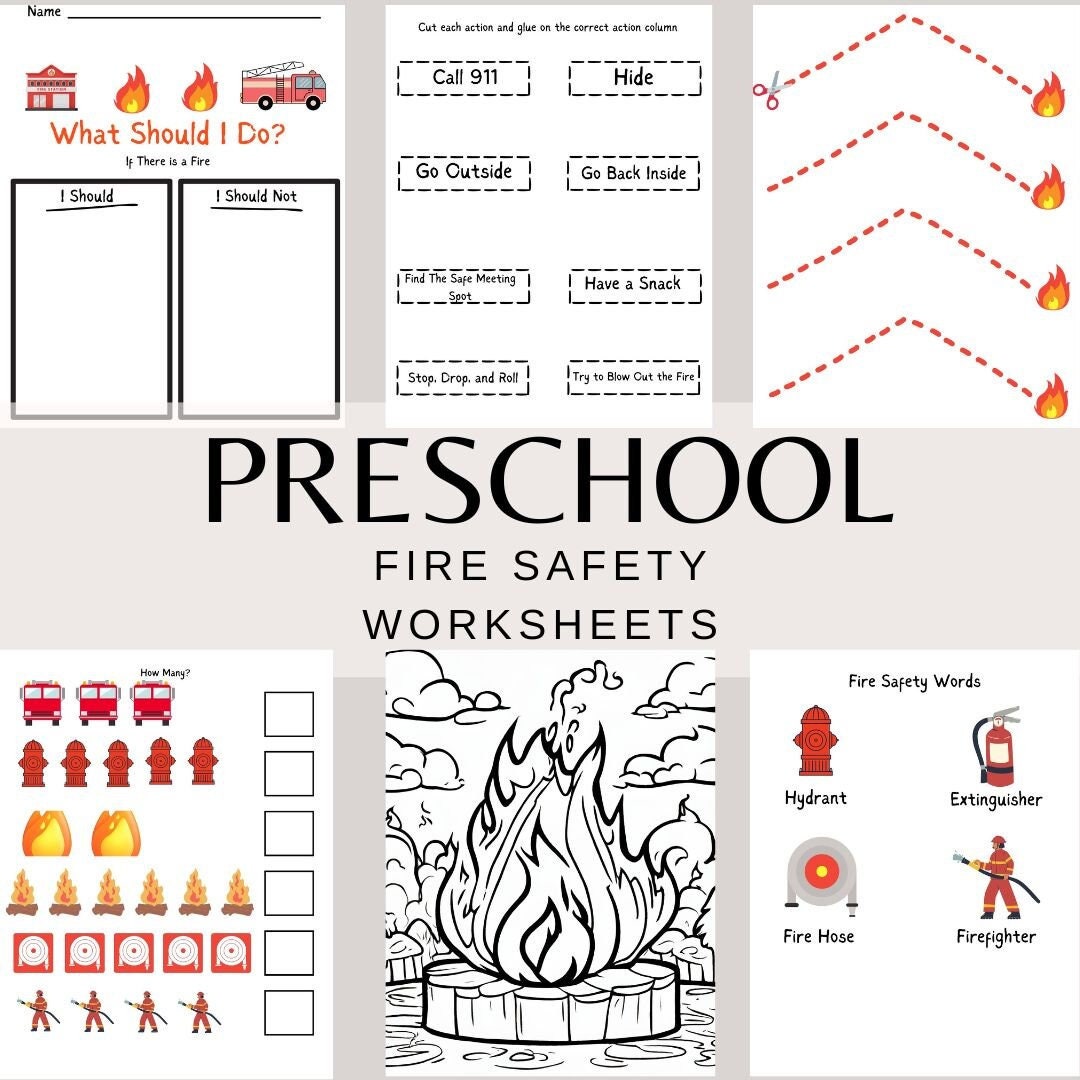
Integrating a fire drill worksheet into your lesson plans or home routine bridges the gap between physical emergency preparedness and digital citizenship. When students practice structured emergency responses—whether evacuating a physical classroom or logging off safely during a severe weather alert—they build critical executive functioning skills. According to guidance from organizations like ConnectSafely and the Cybersecurity and Infrastructure Security Agency, teaching kids how to quickly secure their physical and digital environments minimizes panic and promotes mindful online habits, ensuring personal data security even during urgent interruptions.
💡 Educational Key Takeaways:
- Core Skill: Structured Fire Drill Worksheet focused on developing pencil grip, stroke control, and early literacy/math confidence.
- Target Scope: Suited for homeschoolers, preschool, kindergarten, and elementary learners.
- Best Recommendation: Practice 10–15 minutes daily with ergonomic writing tools to reinforce muscle memory without hand fatigue.
Assessing Vulnerabilities and Setting Up Protective Guardrails
Transitioning between urgent offline drills and online environments can expose students to various distractions, accidental data exposure, or unmonitored browsing windows. Educators and parents must look out for specific digital risk signals, such as leaving open accounts unprotected during a rapid evacuation or bypassing school content filters when rushing to complete assignments. Reviewing these potential pitfalls helps families and staff establish proactive device configurations.
| Setting / Context | Common Vulnerability | Practical Safeguard |
|---|---|---|
| School Chromebooks & Tablets | Leaving active login sessions exposed when rushing out for an unexpected drill. | Enforce auto-lock timers and configure single-sign-on timeouts across all educational devices. |
| Home Personal Devices | Children downloading unverified emergency checklist apps from third-party sites. | Utilize official parent-controlled app stores and vet resources found within reliable worksheets libraries. |
| Classroom Collaboration Apps | Unregulated chat windows staying open during emergency instructions, causing confusion. | Establish a clear classroom policy to close messaging tabs and lock screens immediately upon the alarm sounding. |
Actionable Steps for Building Consistent Safety Routines
Establishing predictable emergency and digital safety habits requires a combination of clear classroom policies and supportive home routines. Educators can introduce a fire drill worksheet as a multi-step activity that reinforces listening skills, situational awareness, and digital accountability. At home, families can complement these lessons by designating central charging zones where devices remain powered down and secure during family discussions. Pair these technical routines with open, non-judgmental conversations about why we secure our personal devices, treating digital security as an extension of everyday physical safety.
Overcoming Pushback and Addressing Student Workarounds
Overly restrictive device bans or sudden drill mandates often trigger resistance or clever workarounds from tech-savvy children. When students feel micromanaged, they may attempt to bypass locks or find unauthorized ways to access entertainment platforms during transitions. Instead of relying solely on heavy-handed restrictions—which often discourage children from reporting mistakes—adults should combine age-appropriate device controls with open dialogue. Explain the reasoning behind locking screens and completing safety tasks, reinforcing that digital guardrails protect their personal privacy just as physical exit routes protect their physical well-being.
Frequently Asked Questions About Integrating Emergency Lessons
How do I make an emergency readiness activity engaging for younger students?
You can incorporate visual aids, interactive coloring elements, and step-by-step sequencing activities to help younger children grasp complex safety concepts without causing anxiety. Many educators find success by exploring specialized resources like coloring pages that visually depict safe evacuation paths alongside responsible device handling.
What should I do if a student panics during a sudden transition drill?
Acknowledge their feelings calmly and guide them step-by-step through a predictable routine, reminding them that practice helps everyone stay safe. Ensure that digital expectations are kept minimal during high-stress moments so the primary focus remains on physical safety and clear communication.
How can teachers reinforce digital hygiene during emergency preparedness weeks?
Incorporate brief, low-stakes reminders into your daily routine, such as practicing a five-second screen lock before standing up for a drill. Pairing these quick habits with structured lessons found in Internet and Digital Safety modules helps students internalize responsible habits naturally.
Explore More Digital Citizenship Resources
Equipping students with the tools to navigate both physical emergencies and digital spaces safely is an ongoing partnership between home and school. To discover additional lesson plans, printable activities, and expert guidance tailored for K-12 communities, visit SafeWiredSchools.org.
Worksheet Previews & Reference Materials