Why Combining Creative Printables and Digital Awareness Matters for Youth
When educators and parents seek out a water safety coloring sheet, they are usually looking for a simple way to teach essential swimming and pool rules to young children. However, in our increasingly connected classrooms and homes, children encounter digital content alongside physical learning materials every single day. Whether students are searching for downloadable resources on school-issued tablets or opening browser tabs at the kitchen table, integrating offline mindfulness activities with strong digital habits is vital. Drawing on guidance from organizations like ConnectSafely and the Cybersecurity and Infrastructure Security Agency, adults can guide students toward safe online exploration while reinforcing real-world physical safety lessons.
💡 Activity Key Takeaways:
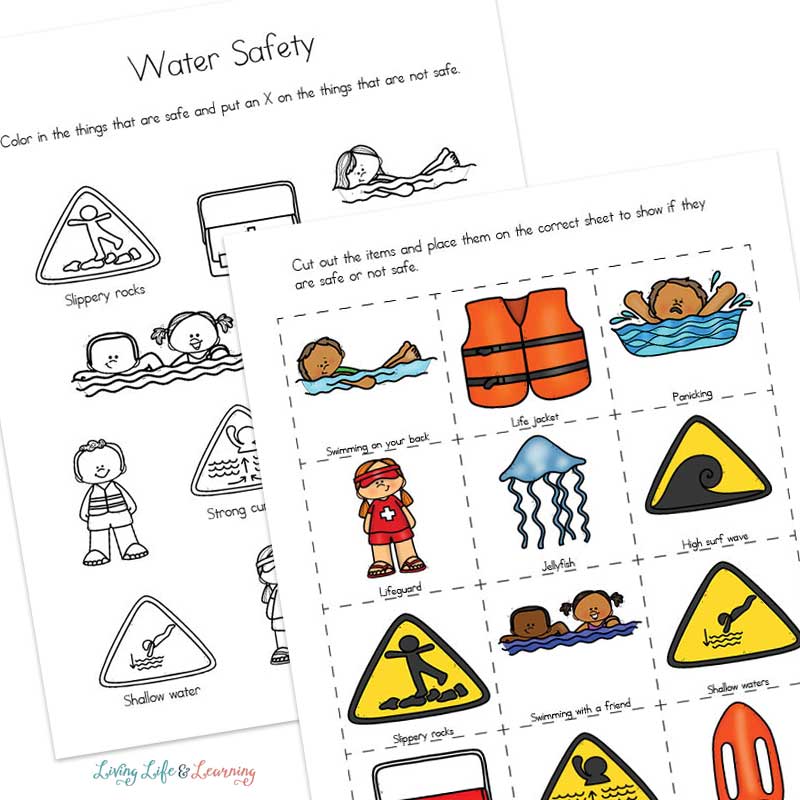
- Core Focus: Printable Water Safety Coloring Sheet designed for creative expression and fine-motor coordination.
- Target Scope: Ideal for toddlers, preschool, kindergarten, and classroom art activities.
- Best Recommendation: Use standard heavy printer paper (24–28 lb) or cardstock for vibrant results with crayons, colored pencils, or washable markers.
Understanding Digital Risk Signals and Preventive Guardrails
Even innocent searches for educational printables can occasionally lead children toward unverified third-party websites laden with intrusive ads, pop-ups, or malicious tracking cookies. Parents and school staff must understand how to configure devices properly and recognize behavioral cues that indicate a child has encountered inappropriate web content or unsafe downloads. Related guide: Please Provide Free 8.5X11″ Digital Safety Coloring Pages For K-2 Grade.
| Setting / Context | Common Vulnerability | Practical Safeguard |
|---|---|---|
| Home Devices & Tablets | Unfiltered search engines exposing kids to unsafe links or scam sites while looking for free downloads. | Enable strict search restrictions, safe search filters, and utilize pre-vetted educational resource hubs like our Coloring Pages library. |
| School Chromebooks | Bypassing network filters through unauthorized proxy extensions or peer-to-peer file sharing. | Maintain district-wide cloud management controls and regularly audit installed browser extensions during device check-ins. |
| Interactive Chat & Apps | In-app advertising or chat rooms embedded within free game and printable applications requesting personal info. | Disable in-app purchases and external messaging permissions on all minor accounts before granting access. |
Establishing Balanced Rules and Healthy Offline-Online Habits
Protecting children online does not require locking devices away permanently; rather, it relies on establishing predictable routines and predictable boundaries. Families and school staff can foster a healthy digital culture by implementing structured device-free zones, such as keeping tablets out of bedrooms during overnight charging hours. When introducing a water safety coloring sheet into lesson plans or rainy-day routines, pair the activity with a quick discussion about why we trust certain websites over others. Emphasize open communication so that students feel comfortable coming forward to report strange pop-ups, redirect loops, or upsetting images without fear of losing their device privileges. For structured guidance on managing daily screen routines, explore our Worksheets collection.
Children and teens are remarkably resourceful when it comes to bypassing restrictive filters or opening unauthorized browser tabs. When adults rely solely on aggressive, punitive blocks without explaining the reasoning behind them, students often seek out stealthy workarounds like incognito windows or peer-to-peer file sharing. Instead of reacting with immediate punishment when a child encounters a questionable link, treat the moment as a teachable milestone. Calmly examine how the pop-up occurred, review the importance of safe search practices, and reinforce critical thinking skills. Pairing robust technical filtering with calm, ongoing conversations ensures children internalize digital citizenship lessons long after they finish their coloring activities.
Frequently Asked Questions About Managing Digital Printables and Safety
Are free printable websites safe for young children to browse independently?
Not all free resource websites maintain adequate advertising standards or secure connections. It is always best for an adult to download and print materials directly rather than letting young children navigate search engines unsupervised.
Educators should distribute PDFs directly through secure, password-protected learning management systems rather than directing students to open public web searches where misleading ads or malware links are common.
What should a child do if they click a link that leads to an inappropriate or scary pop-up?
Teach children to immediately close the browser tab, turn the screen away, and notify a trusted adult right away. Reassure them that they will not get into trouble for accidental clicks as long as they communicate honestly.
Explore More Digital Citizenship Resources
Empowering the next generation requires continuous learning, practical tools, and active collaboration between educators and families. To discover more expert-backed articles, safety checklists, and lesson plans designed to keep students secure both online and offline, visit SafeWiredSchools.org.
Printable Coloring Page Previews