Why Creative Offline Prompts Build Stronger Digital Boundaries
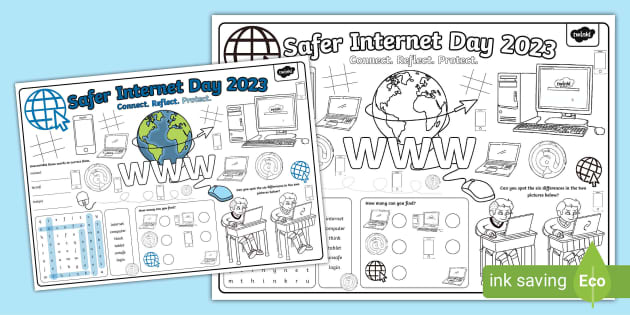
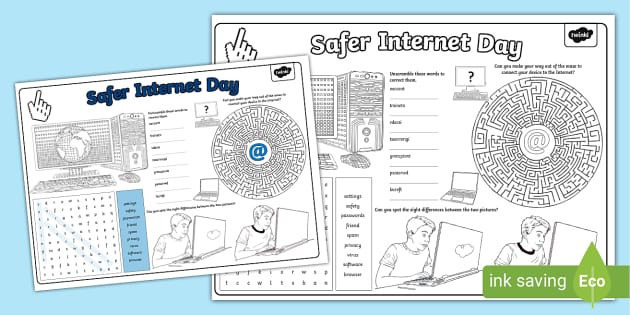
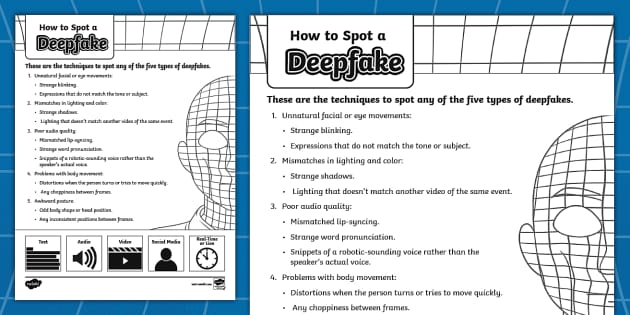
Every February, educators and families look for impactful ways to mark Safer Internet Day without overwhelming young learners with scare tactics or technical jargon. Using creative exercises like Coloring Pages offers a gentle entry point into complex topics like digital footprints, online kindness, and privacy settings. Organizations like ConnectSafely and the Cybersecurity and Infrastructure Security Agency emphasize that early, positive conversations build lasting resilience. When children color illustrations featuring secure passwords, balanced screen time, and respectful chat habits, they internalize these abstract concepts through tactile, stress-free engagement.
💡 Activity Key Takeaways:
- Core Focus: Printable Safer Internet Day Coloring Activity Sheets designed for creative expression and fine-motor coordination.
- Target Scope: Ideal for toddlers, preschool, kindergarten, and classroom art activities.
- Best Recommendation: Use standard heavy printer paper (24–28 lb) or cardstock for vibrant results with crayons, colored pencils, or washable markers.
Balancing Creativity and Caution in K-12 Environments
While visual resources engage young minds, adults must maintain clear guardrails around device usage, classroom network access, and informal communication channels. Reviewing age-appropriate device controls ensures that exploratory lessons remain safe whether students are on school-issued Chromebooks or personal family tablets. The table below outlines common digital vulnerabilities across different settings and pairs them with practical, proactive safeguards.
| Setting / Context | Common Vulnerability | Practical Safeguard |
|---|---|---|
| Home Devices | Over-reliance on default parental controls without ongoing dialogue about why filters exist. | Pair baseline filtering software with age-appropriate Internet and Digital Safety discussions during routine device check-ins. |
| School Chromebooks | Students sharing logins or bypassing classroom monitoring extensions during independent tasks. | Enforce clear classroom policies, individual accountability, and regular audits of browser extension statuses. |
| Social and Chat Apps | Accidental sharing of personal identifiers like home addresses, school names, or sports schedules. | Integrate offline safety Worksheets that prompt kids to identify red-flag data requests before they type. |
Establishing Calm Routines Between Home and School
Translating digital citizenship concepts from a classroom activity into everyday behavior requires consistency between teachers and parents. Start by establishing predictable physical habits, such as parking all personal devices in a centralized charging station outside of bedrooms overnight. Encourage two-factor authentication on personal accounts where permitted, and establish a clear reporting workflow that allows children to come forward if they encounter cyberbullying or inappropriate content. Crucially, emphasize that reporting incidents will not result in an immediate device ban, which often drives secretive behavior underground. Related guide: Two Factor Authentication Coloring Page Kids.
Overcoming Resistance and Managing Student Workarounds
Children and teens are remarkably resourceful when encountering technological restrictions, often discovering clever workarounds or proxy sites to bypass school web filters. When adults react with anger or immediate punishment, students simply learn to hide their digital exploration. Instead, treat these moments as teachable opportunities. Frame filter workarounds not as acts of defiance, but as expressions of curiosity that require redirected guidance. Pair technical adjustments with calm, open-ended check-ins to understand what apps or games the student is trying to access and why.
Frequently Asked Questions From Educators and Parents
What age group benefits most from Safer Internet Day creative exercises?
Children in kindergarten through fifth grade respond exceptionally well to visual and tactile safety prompts. These activities introduce foundational concepts like password security and kindness without exposing younger kids to scary cyber threat scenarios.
How can teachers integrate these printables into a busy curriculum?
Educators often use these sheets during morning meetings, library media blocks, or as quiet reflection tasks following a digital citizenship lesson. They serve as a great springboard for small group discussions about online behavior.
Are offline art activities truly effective for modern tech education?
Yes, stepping away from the screen allows children to process digital concepts without cognitive overload. Creative tasks anchor abstract rules in tangible memories, making it easier for kids to recall safety advice when they are back online.
Explore More Digital Citizenship Resources
Equipping students for a connected world requires continuous, collaborative effort from both teachers and families. To access additional lesson plans, printable guides, and expert-backed safety advice tailored to every grade level, visit SafeWiredSchools.org today.
Printable Coloring Page Previews