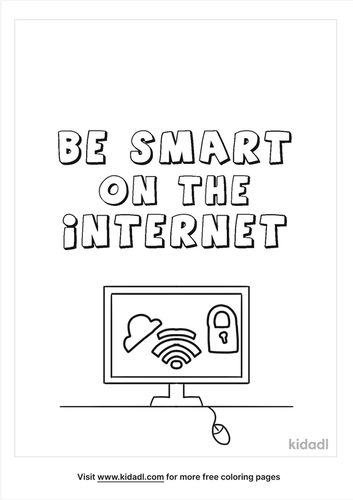
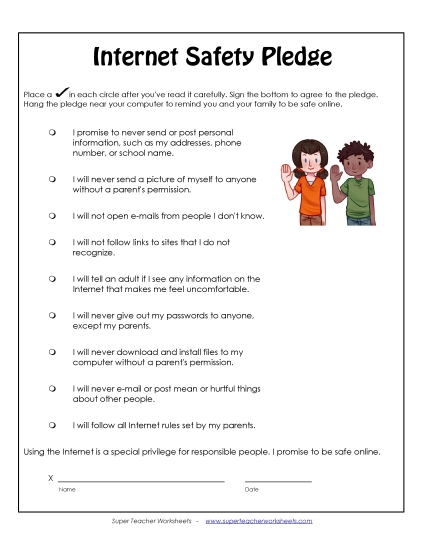
Bridging the Gap Between Creativity and Digital Literacy
In the fast-paced world of K-12 education, teaching children how to navigate the web requires more than just lectures. Educators and parents often struggle to find entry points for complex discussions about privacy, cyberbullying, and screen time. Safe Internet Habits Coloring Sheets serve as a tactile, low-pressure bridge to these vital conversations. By grounding digital safety in creative play, we help younger students internalize core concepts—such as keeping personal information private or identifying helpful adults—before they encounter high-stakes online situations. This approach aligns with guidance from organizations like ConnectSafely, which emphasizes that early digital literacy is a foundational component of long-term online resilience.
💡 Activity Key Takeaways:
- Core Focus: Printable Safe Internet Habits Coloring Sheets designed for creative expression and fine-motor coordination.
- Target Scope: Ideal for toddlers, preschool, kindergarten, and classroom art activities.
- Best Recommendation: Use standard heavy printer paper (24–28 lb) or cardstock for vibrant results with crayons, colored pencils, or washable markers.
Mapping Potential Risks to Proactive Digital Guardrails
To effectively protect students, we must understand the intersection of technical vulnerabilities and behavioral patterns. While coloring sheets help establish a baseline for safe habits, adults should maintain a layered defense strategy. Use the following guide to ensure that the physical environment at home and the digital environment at school are working in tandem to support student safety.
| Setting / Context | Common Vulnerability | Practical Safeguard |
|---|---|---|
| Home Devices | Unmonitored app downloads | Enable parental controls and utilize centralized charging stations. |
| School Chromebooks | Bypassing content filters | Review district-approved Worksheets for acceptable use policy reinforcement. |
| Social / Chat | Oversharing personal details | Practice the “Think Before You Post” rule using visual aids and coloring activities. |
Establishing Consistent Routines for Digital Wellness
Consistency is the bedrock of digital citizenship. When schools and homes use the same vocabulary, children feel more secure. Start by integrating Coloring Pages that depict scenarios like “The Privacy Shield” or “The Respectful Commenter” into the weekly curriculum or home routine. These tools allow children to visualize their online boundaries. Beyond creative exercises, implement a “no-shame” reporting workflow. Encourage students to come forward if they encounter something that makes them feel uncomfortable, emphasizing that they will be supported rather than punished. For older students, ensure that two-factor authentication is set up on accounts where applicable, and maintain a shared digital inventory of all devices used within the household or classroom.
It is common for students to push back against digital restrictions or attempt to find workarounds, such as using private browsing modes or alternate accounts. Rather than reacting with overly strict bans—which often drive behavior further underground—use these moments as teaching opportunities. If a student tries to bypass a filter, sit down and discuss the “why” behind the rule. Refer back to the safety concepts discussed in your Online and Digital Safety lessons. By pairing technical filters with open, calm check-ins, you maintain a relationship of trust. Remember that the goal is not to eliminate all risk, but to build the student’s capacity to recognize and manage risk independently as they grow older.
Frequently Asked Questions About Integrating Safety Activities
At what age should we start using coloring sheets for digital safety?
These activities are most effective for students in grades K-3. At this developmental stage, visual learning helps cement concepts like the difference between public and private information before they begin using more complex social platforms.
How can teachers keep parents informed about these safety lessons?
Include a brief “take-home” component with every coloring activity that explains the safety rule being practiced. This ensures that the conversation continues at the dinner table, reinforcing the school-home partnership.
Do these tools work for students with different learning needs?
Yes, visual and kinesthetic learning tools are highly effective for neurodiverse students. Coloring provides a calming, focused activity that allows for personalized pacing when discussing sensitive topics like cyberbullying or online stranger danger.
Explore More Digital Citizenship Resources
Digital safety is a journey that evolves as your students grow. By combining creative resources like coloring activities with robust technical safeguards and open communication, you create a safer, more informed digital environment for every child. For more tips, guides, and age-appropriate materials to support your digital citizenship efforts, visit SafeWiredSchools.org.
Printable Coloring Page Previews