Why Creative Offline Tools Build Better Digital Habits
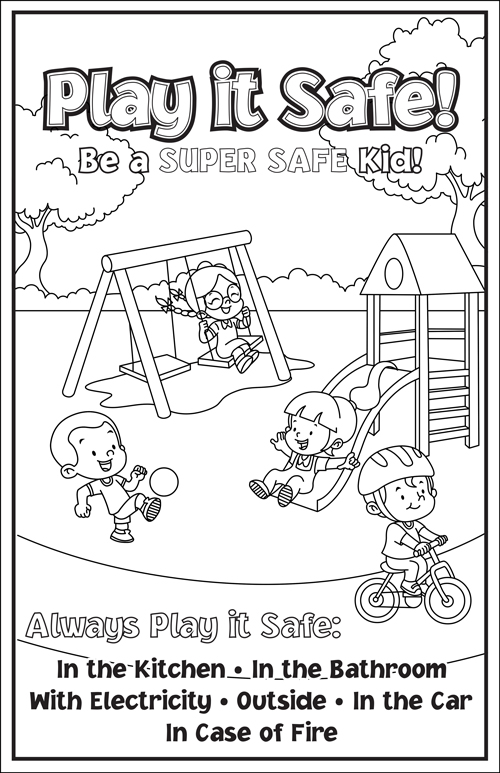
Introducing digital citizenship concepts to young learners requires approaches that engage both creativity and critical thinking. When educators and parents rely exclusively on heavy-handed internet restrictions, children rarely learn the underlying logic of cybersecurity. Instead, integrating coloring pages into early elementary routines offers a tactile, low-stress entry point to complex topics like privacy, strong passwords, and device etiquette. Grounded in youth digital safety frameworks from organizations like ConnectSafely and the FTC, visual learning tools give children the vocabulary to recognize online risks long before they encounter them independently on school-issued tablets or home smartphones.
💡 Activity Key Takeaways:
- Core Focus: Printable Online Safety Coloring Pages designed for creative expression and fine-motor coordination.
- Target Scope: Ideal for toddlers, preschool, kindergarten, and classroom art activities.
- Best Recommendation: Use standard heavy printer paper (24–28 lb) or cardstock for vibrant results with crayons, colored pencils, or washable markers.
Technical Guardrails and Behavioral Risk Signals
Protecting children online requires a balanced approach that combines robust device controls with attentive adult observation. Whether students are browsing on classroom Chromebooks or streaming entertainment on personal devices at home, specific risk signals demand prompt attention. The breakdown below outlines common technical vulnerabilities alongside practical safeguards that parents and teachers can implement immediately. Related guide: Two Factor Authentication Coloring Page Kids.
| Setting / Context | Common Vulnerability | Practical Safeguard |
|---|---|---|
| Home Wi-Fi & Personal Devices | Unmonitored late-night browsing and unfiltered search engines. | Set automated router bedtimes, enforce centralized device charging, and pair safe-search defaults. |
| School Chromebooks & Tablets | Browser extension bypasses or unapproved proxy workarounds. | Rely on district-managed filtering via Internet and Digital Safety policies and lock down extension permissions. |
| In-App Chat & Gaming Rooms | Direct messaging with unverified strangers in multiplayer platforms. | Disable public chat features entirely for young children and restrict friend requests to known peers. |
Establishing Calm Routines and Open Communication
Technical filters alone cannot prevent every online mishap; children must feel secure coming to an adult when something feels confusing or frightening online. Building a culture of transparency starts with predictable, shame-free household and classroom habits. Educators can utilize worksheets and art projects to spark discussions about personal information, helping students understand why they should never share their home address or full name with online avatars. At home, families should establish a central charging station in a common area like the kitchen, eliminating unsupervised device use behind closed bedroom doors after dark. When mistakes happen, responding with calm curiosity rather than immediate punishment ensures that children remain willing to report suspicious pop-ups, cyberbullying, or accidental exposure to inappropriate content.
As children grow more tech-savvy, they frequently discover workarounds to technical filters, such as using alternative browsers or guessing household router passwords. When adults react with anger or instant device confiscation, children simply learn to hide their digital activities more effectively. A more resilient strategy pairs age-appropriate device controls with continuous dialogue. Cybersecurity authorities like CISA emphasize that resilience comes from understanding human vulnerability, not just software blocklists. Use pushback as a teachable moment to discuss why security protocols exist, reinforcing the lessons first introduced through basic creative activities and interactive classroom discussions.
Frequently Asked Questions for Parents and Teachers
At what age should children start learning about digital safety?
Foundational concepts like keeping personal details private and asking an adult before downloading apps can begin as early as kindergarten. Using visual tools helps simplify these abstract rules into concrete behaviors that young children can easily grasp and remember.
How can teachers reinforce digital citizenship without making students anxious?
Framing digital safety around empowerment, kindness, and smart choices rather than fear keeps the tone positive. Art-based activities and guided group discussions allow students to explore online scenarios in a safe, imaginative environment.
What is the best way to handle accidental exposure to harmful online content?
Stay calm, reassure the child that they are not in trouble for stumbling upon the content, and immediately close the window or turn off the screen. Review how to use the back button or report feature so they know exactly what steps to take next time.
Explore More Digital Citizenship Resources
Equipping children for a connected world requires ongoing education, collaborative school policies, and practical tools for every developmental stage. To discover additional lesson plans, classroom activities, and expert safety guides designed for modern educators and families, visit SafeWiredSchools.org.
Printable Coloring Page Previews