Why Combining Digital Literacy with a Kitchen Safety Activity Worksheet Matters for Modern Kids
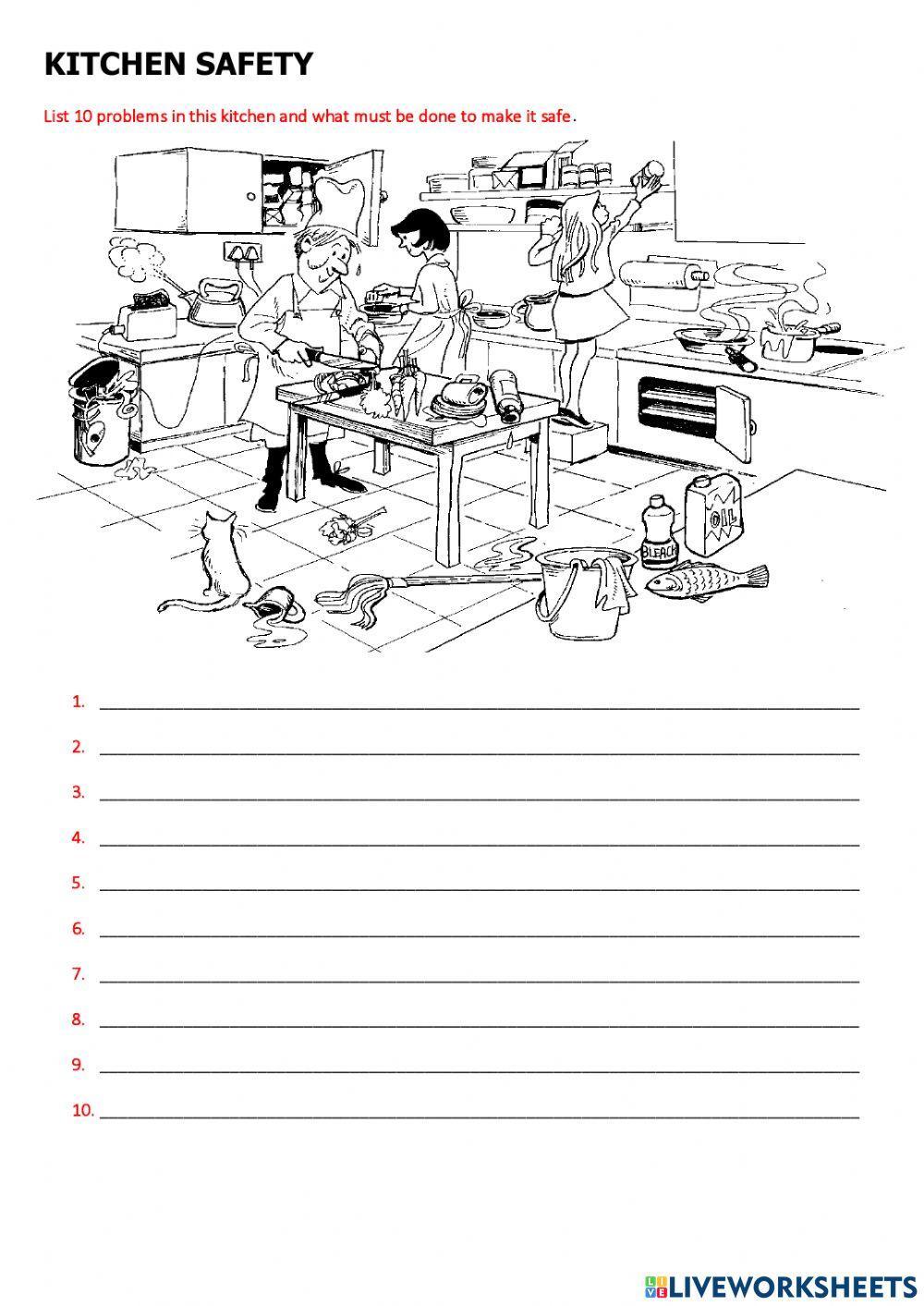
In today’s interconnected world, children learn through a mix of physical exploration and digital media. When educators and parents introduce a kitchen safety activity worksheet, they are building vital real-world risk awareness. However, students frequently encounter these exact lessons via online videos, cooking channels, and interactive apps. Aligning offline household rules with online content consumption helps children recognize reliable guidance. Leading youth advocacy organizations, including ConnectSafely and the Family Online Safety Institute (FOSI), emphasize that blending hands-on activities with digital safeguards empowers children to navigate both physical and virtual environments securely.
💡 Educational Key Takeaways:
- Core Skill: Structured Kitchen Safety Activity Worksheet focused on developing pencil grip, stroke control, and early literacy/math confidence.
- Target Scope: Suited for homeschoolers, preschool, kindergarten, and elementary learners.
- Best Recommendation: Practice 10–15 minutes daily with ergonomic writing tools to reinforce muscle memory without hand fatigue.
Identifying Online Vulnerabilities While Using Educational Home Economics Media
As students look up recipes, watch tutorial videos, or complete digital homework assignments related to home economics, they can easily stumble upon unverified safety advice, predatory advertisements, or distracting web trackers. Adults must monitor how children interact with digital media platforms during school and home projects. Reviewing the technical settings and behavioral cues outlined in the matrix below ensures that young learners remain protected while engaging with online educational materials.
| Setting / Context | Common Vulnerability | Practical Safeguard |
|---|---|---|
| Home Devices & Streaming | Exposing children to unregulated video content or autoplay features displaying risky cooking practices. | Use curated educational portals and enable strict content filters on YouTube Kids or school accounts. |
| School Chromebooks & Tablets | Bypassing network firewalls to access external video clips or unverified recipe blogs during class. | Enforce district-wide DNS filtering and review browsing histories regularly in line with CISA guidance. |
| Social Media & Cooking Apps | Interacting with strangers in comment sections or downloading unvetted interactive game applications. | Disable direct messaging features and limit downloads to approved Worksheets and district tools. |
Establishing Practical Guardrails and Offline-Online Safety Habits
Consistency between school policies and home routines is essential for effective digital citizenship. When students complete a kitchen safety activity worksheet, teachers and parents can reinforce those lessons by establishing clear technology boundaries. Create a centralized family media charging station in a common household area so devices are tucked away overnight. Implement age-appropriate device controls, such as safe-search locks and restricted app installation permissions. Furthermore, educators can pair offline lesson plans with digital safety modules found in Internet and Digital Safety resources, ensuring students understand that rules protecting them in the kitchen also apply to their online interactions.
Preventing Workarounds and Managing Student Pushback
Children are naturally curious and tech-savvy, often finding clever ways around strict digital restrictions when looking for quick video tutorials or game shortcuts. Overly punitive bans typically backfire, driving students to seek unmonitored workarounds on personal smartphones or peer devices. Instead of relying solely on heavy-handed blocks, adults should foster open, calm conversations about why certain digital platforms pose security or privacy risks. Acknowledge their desire to explore engaging multimedia content while clearly explaining the hidden data privacy pitfalls associated with unverified third-party cooking websites.
Frequently Asked Questions From Educators and Parents
How can I ensure my child stays safe when they search for cooking videos online?
Stick to trusted educational channels, turn on restricted mode, and watch content together whenever possible. Incorporating printable Coloring Pages and guided printouts can also keep younger children engaged offline without requiring constant screen time.
What should I do if a student encounters inappropriate pop-up ads during a school assignment?
Instruct the student to immediately close the tab, notify an adult or IT support staff without fear of getting into trouble, and document the incident so the domain can be blocked by school filters.
Are interactive digital worksheets safer than traditional paper printouts?
Both have unique value, but paper printouts eliminate digital distractions, tracking cookies, and accidental clicks on malicious web advertisements during early childhood learning sessions.
Explore More Digital Citizenship Resources
Keeping students secure in both physical environments and digital spaces requires continuous education, open dialogue, and dependable tools. Visit SafeWiredSchools.org to discover additional guides, lesson plans, and safety strategies tailored for modern classrooms and families.
Worksheet Previews & Reference Materials