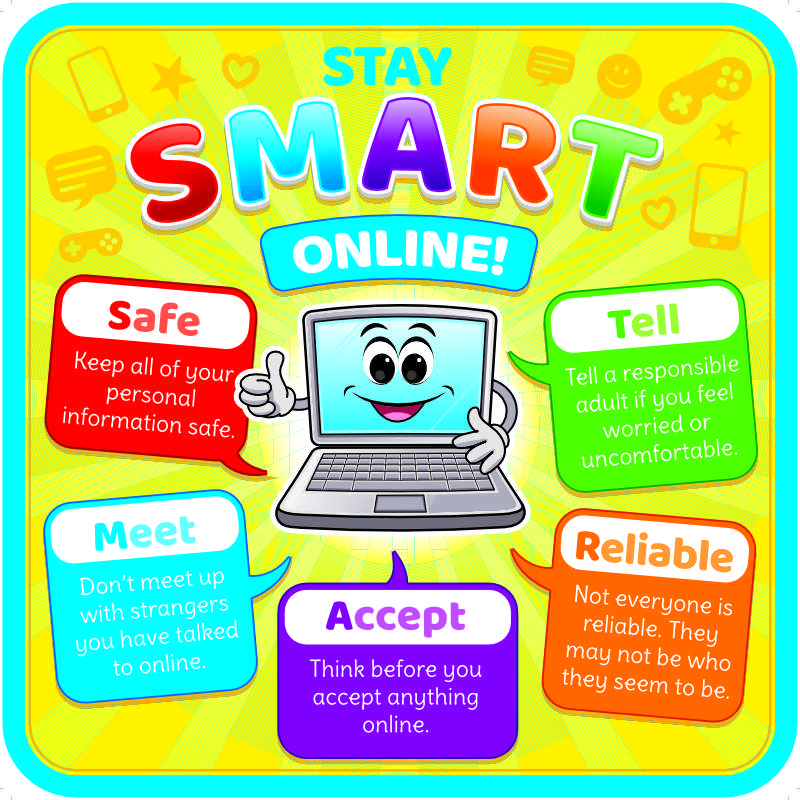
Why Building Foundational Digital Habits Matters for School and Home Safety
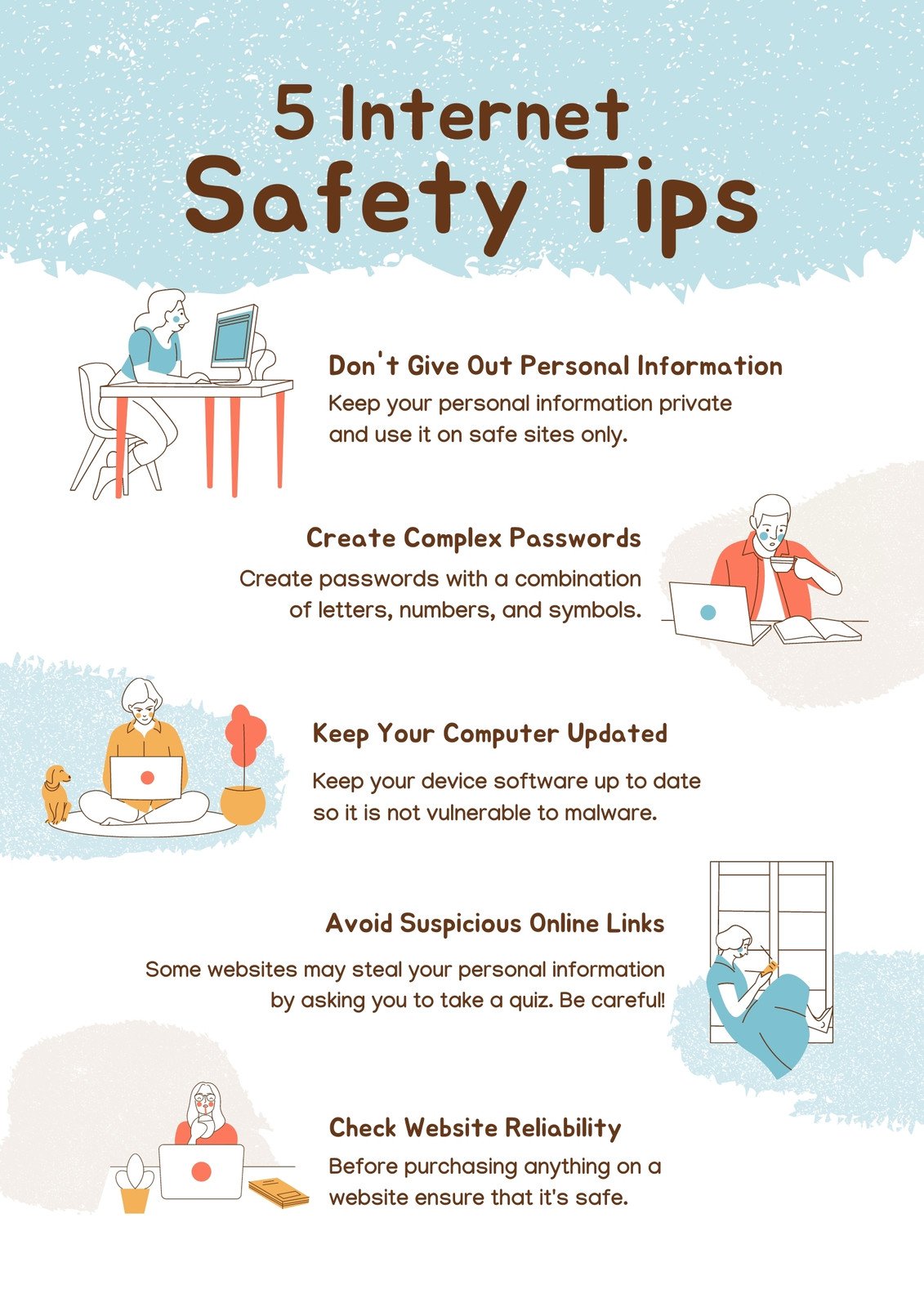
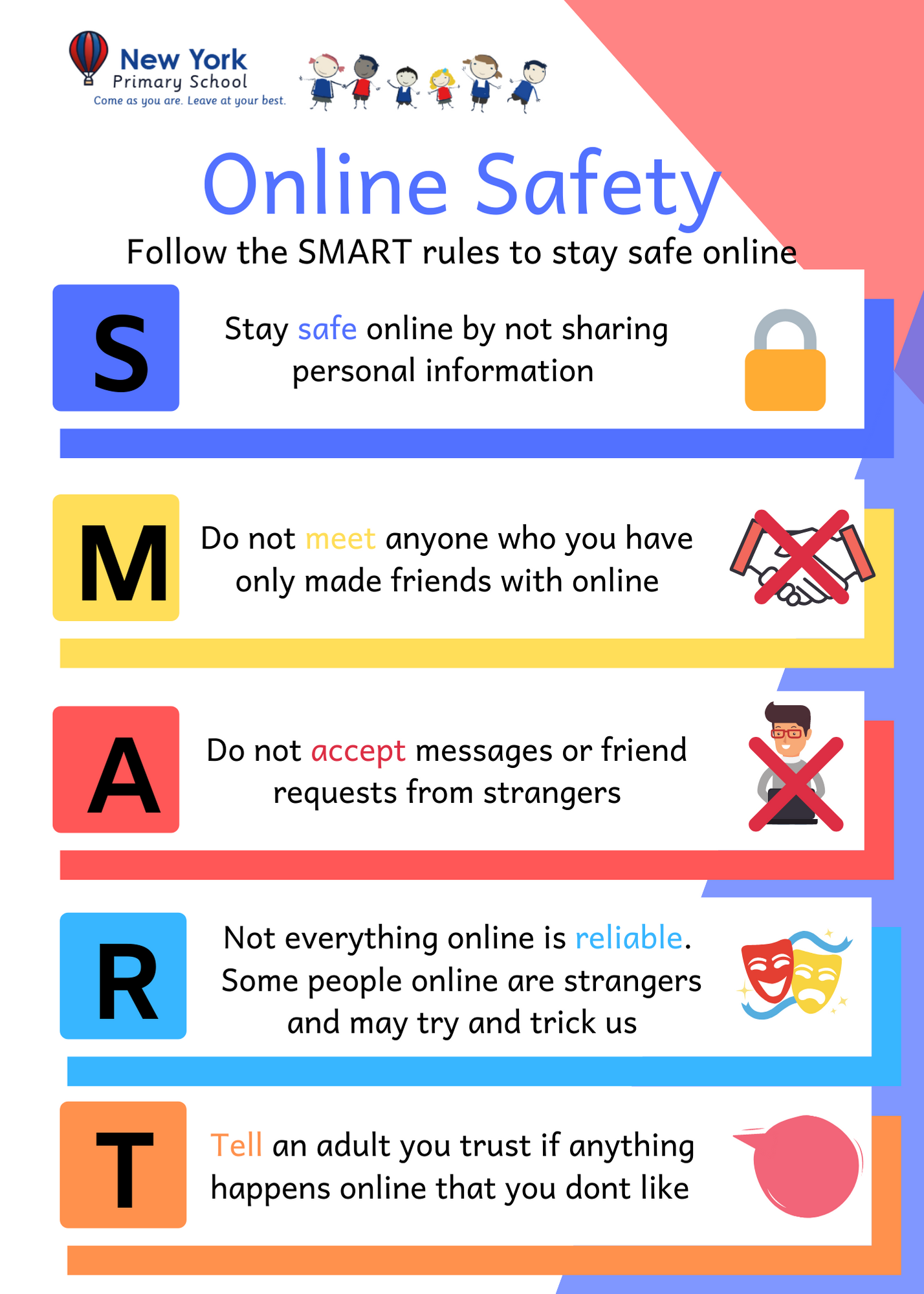
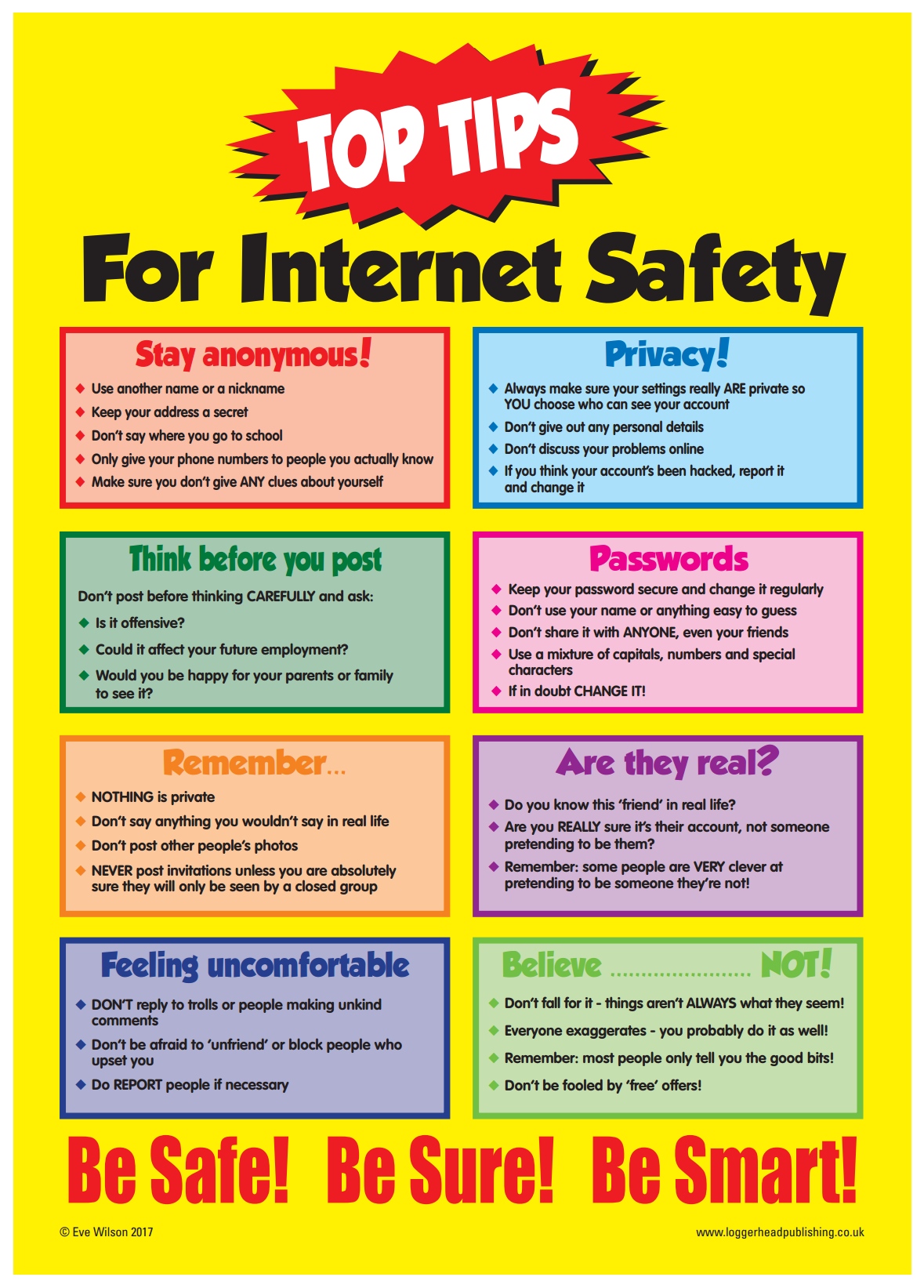
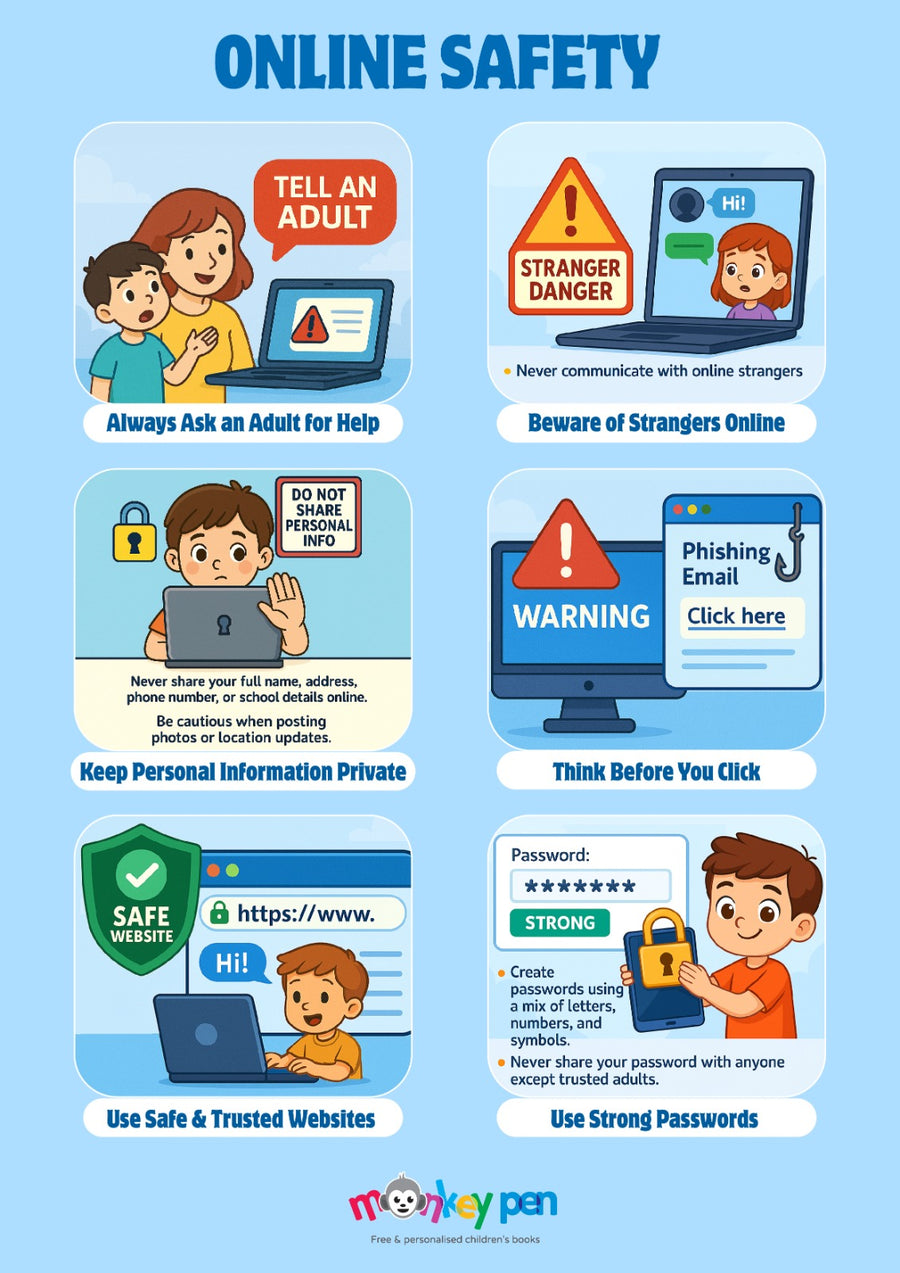
Introducing children to connected devices requires more than just handing over a tablet or a school-issued laptop; it demands a structured introduction to digital citizenship. According to youth privacy guidance from organizations like ConnectSafely and the Cybersecurity and Infrastructure Security Agency, young learners need clear, gentle boundaries before they begin exploring independent web browsing. Establishing baseline internet safety rules for beginners helps students understand that the digital world mirrors the physical one, requiring basic manners, caution, and trusted adult guidance. By blending technical guardrails with ongoing conversations, parents and educators can create a secure environment where children feel confident asking for help when something online feels confusing or uncomfortable. Related guide: 5 Cyber Safety Tips Symbols That Can Be Read By The Grede 7 Students.
💡 Educational Key Takeaways:
- Core Skill: Structured Internet Safety Rules For For Beginners focused on developing pencil grip, stroke control, and early literacy/math confidence.
- Target Scope: Suited for homeschoolers, preschool, kindergarten, and elementary learners.
- Best Recommendation: Practice 10–15 minutes daily with ergonomic writing tools to reinforce muscle memory without hand fatigue.
Understanding Risk Signals and Preventive Guardrails
Adults often struggle to keep pace with how young children interact with apps, games, and shared classroom browsers. Identifying common digital vulnerabilities requires looking beyond simple screen time limits and examining how children navigate permissions, chat windows, and unexpected pop-ups. The breakdown below highlights everyday risk signals across home and school environments alongside immediate, practical safeguards educators and families can implement right away.
| Setting / Context | Common Vulnerability | Practical Safeguard |
|---|---|---|
| Home Tablets & Smartphones | Unregulated app store downloads and accidental in-app purchases | Enable password protection for all downloads and configure parental controls to restrict explicit content. |
| School Chromebooks & Laptops | Bypassing network filters using incognito modes or proxy extensions | Coordinate with IT staff to lock browser extensions and review active monitoring tools regularly. |
| Online Games & Chatrooms | Interacting with unknown users through open voice or text chat features | Disable public chat functionalities entirely or restrict communication strictly to verified school-approved contacts. |
Actionable Rules and Habits Families and Schools Can Apply
Translating abstract safety concepts into daily routines ensures that children internalize positive digital habits naturally. Both classrooms and homes benefit from predictable structures, such as establishing a centralized charging station in a common family room rather than allowing devices in private bedrooms overnight. Adults should also integrate foundational resources, supplementing discussions with structured activities like Coloring Pages that reinforce offline-to-online safety transitions for younger children. Additionally, ensure that two-factor authentication is enabled on all primary family accounts, and practice a reporting workflow that rewards honesty. If a child encounters something unsettling, the immediate reaction from adults must be calm and supportive rather than punitive, ensuring the child never hesitates to speak up.
Handling Pushback and Common Student Workarounds
As children grow more tech-savvy, they frequently experiment with workarounds, such as deleting browser history, swapping device accounts, or using hidden apps. Overly restrictive bans often backfire by driving this behavior underground, making children less likely to confide in adults when they stumble across harmful content or cyberbullying. Instead of relying solely on lock-down technical filters, pair your digital rules with open, non-judgmental check-ins. Acknowledge their growing desire for autonomy while firmly anchoring expectations around device usage. When students understand the reasoning behind a rule—such as why personal addresses or full names should never be shared online—they are far more likely to respect those boundaries even when adult supervision is absent.
Common Questions from Educators and Parents
What is the best age to introduce formal internet safety rules for beginners?
Formal digital safety concepts should be introduced as soon as a child begins using an interactive screen independently, typically around preschool or early elementary school. Starting early with basic concepts like private versus public information lays a strong psychological foundation for complex topics later.
How can teachers reinforce these digital habits without taking up valuable instructional time?
Educators can seamlessly weave digital citizenship into daily routines by utilizing engaging, low-prep educational tools such as Worksheets during morning meetings or computer lab orientation sessions.
What should a child do immediately if they encounter an inappropriate pop-up or a strange message?
Teach children the flip-the-screen rule: tilt the device down, walk away, and find a trusted adult immediately. Reassure them repeatedly that they will never get in trouble for reporting a weird or accidental pop-up.
Explore More Digital Citizenship Resources
Building a resilient digital safety culture requires ongoing collaboration between home and school communities, ensuring children receive consistent messages wherever they learn and play. To discover additional guides, downloadable tips, and expert strategies for fostering healthy tech habits, visit SafeWiredSchools.org.
Visual Reference Gallery