Introduction
Digital citizenship starts long before children receive smartphones or personal laptops. Early childhood encounters with technology usually happen on shared family tablets, through multiplayer video games, or on educational streaming platforms. Real-world risks rarely arrive through complex hacking schemes. Instead, vulnerabilities surface naturally when a young player types into an in-game chat box or clicks an unexpected pop-up window during a favorite online game. Equipping children ages five through twelve requires proactive habit-building rather than fear-based warnings. Navigating the digital world safely is a foundational life skill, much like crossing a busy street or swimming in a pool. Educators and caregivers need reliable tools to translate abstract concepts like privacy and digital footprints into concrete daily actions. Free educational printables bridge this gap by offering visual anchors that children can comprehend and discuss. Grounding these lessons in calm, practical instruction helps young learners develop confidence and critical thinking long before tricky situations arise. Related guide: Teachers Of Grades 9–12 Should Expand Internet Safety Instruction To Include Which Of The Following Topics?.
💡 Educational Key Takeaways:
- Core Skill: Structured Infographic On Internet Safety For Students focused on developing pencil grip, stroke control, and early literacy/math confidence.
- Target Scope: Suited for homeschoolers, preschool, kindergarten, and elementary learners.
- Best Recommendation: Practice 10–15 minutes daily with ergonomic writing tools to reinforce muscle memory without hand fatigue.
What This Printable Covers
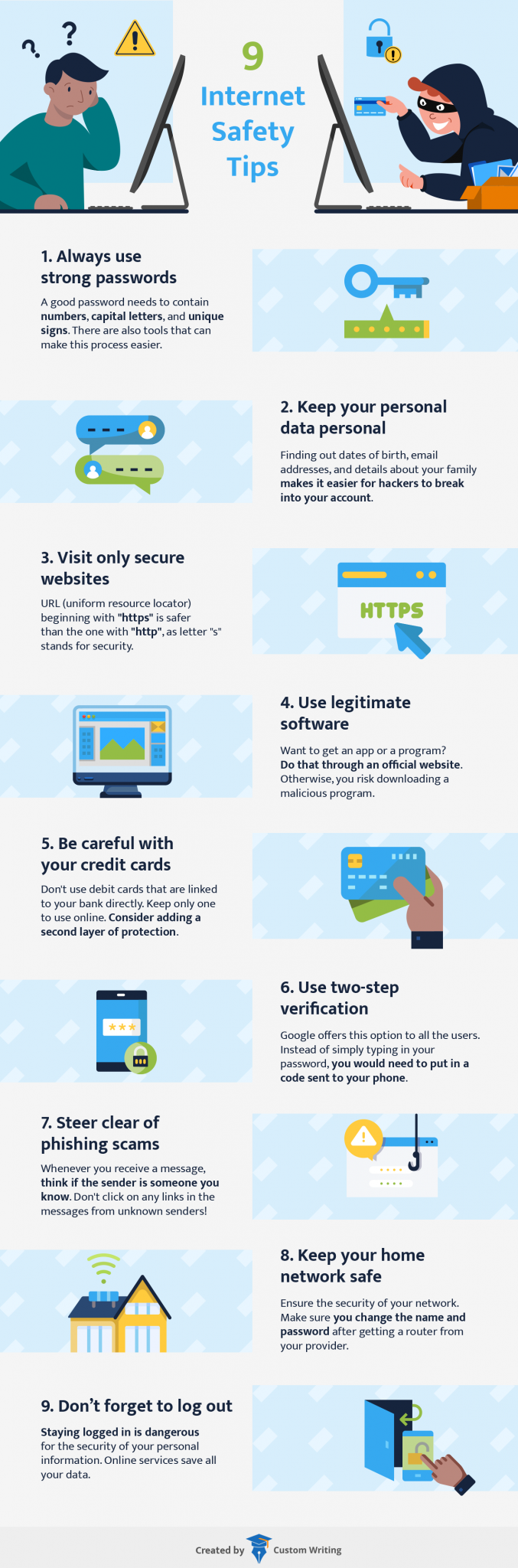
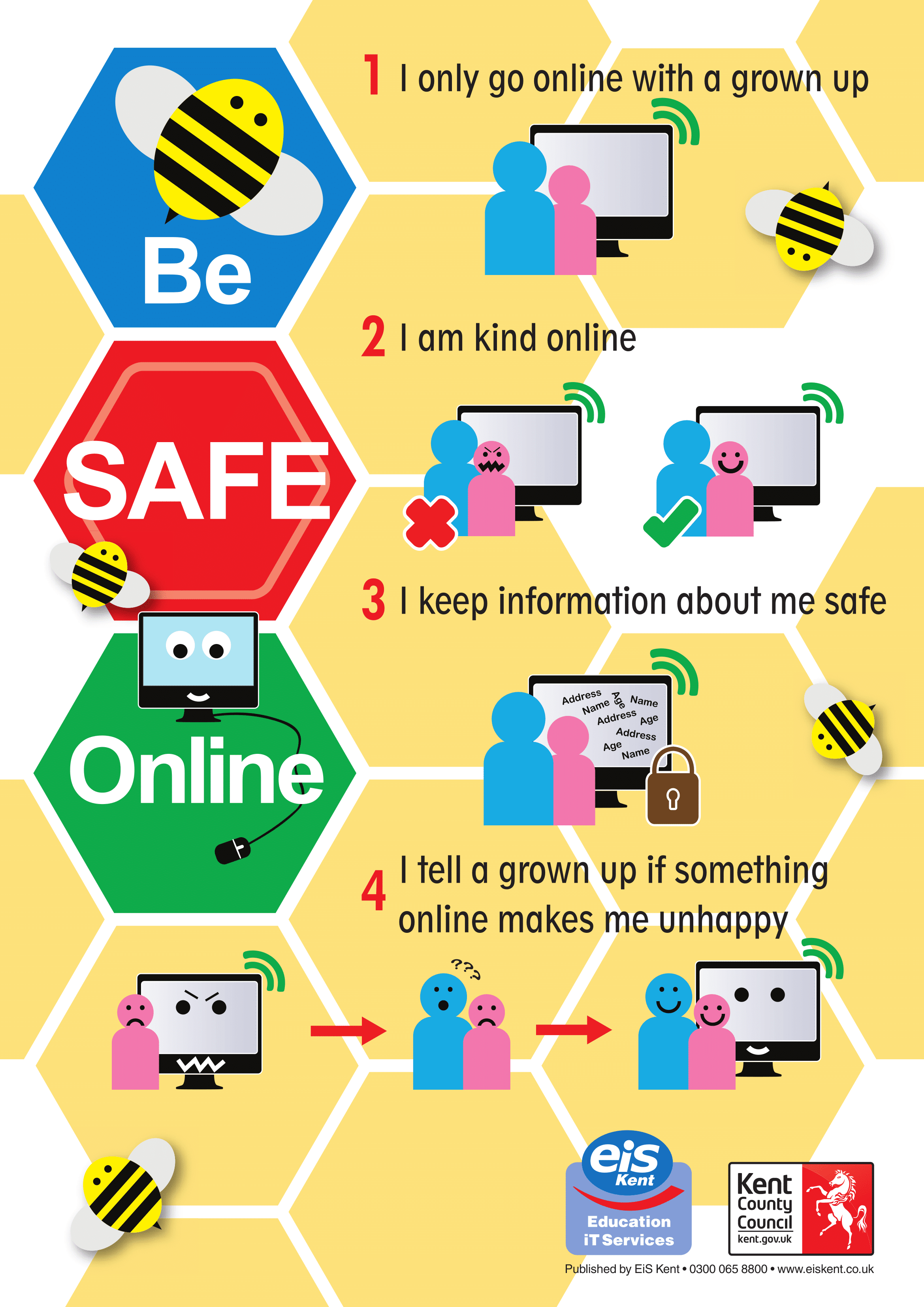
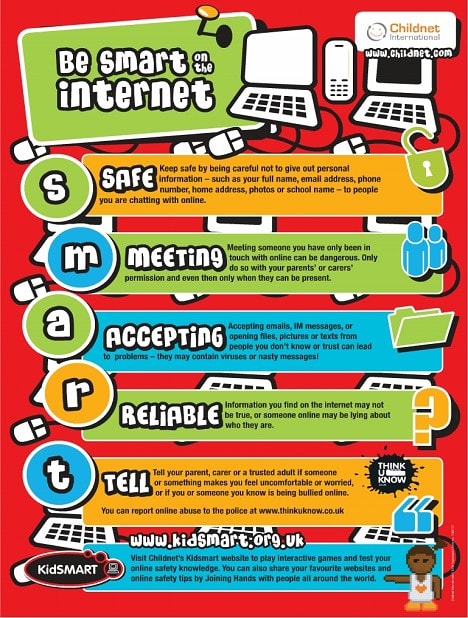
The free printable infographic on internet safety for students condenses vital digital literacy concepts into clear, engaging visual sections designed specifically for elementary and middle school minds. It outlines core protective habits, including the importance of keeping personal information private, creating strong passwords, and recognizing when to pause and think before sharing text or images. Rather than relying on technical jargon, the guide uses accessible language and memorable icons to illustrate what safe online behavior looks like in practice. Children learn that their home address, school name, and full birthdate should never be typed into public forums or casual messaging apps. Furthermore, the resource emphasizes that children are never in trouble for reporting something uncomfortable or confusing online. This specific reassurance removes the fear of punishment, which remains the primary barrier preventing young users from confiding in trusted adults after encountering questionable content.
Key Learning Outcomes
Working through this visual guide helps students build a solid framework for recognizing digital boundaries. Learners discover how to identify secure websites and understand that not everyone encountered in a virtual space is who they claim to be. The curriculum embedded within the graphic encourages kids to pause whenever a digital interaction feels rushed, secretive, or emotionally overwhelming. Another vital focus area involves password hygiene, teaching students how to combine random words or numbers without writing sensitive data on sticky notes attached to monitor screens. By focusing heavily on communication, the material ensures that every child can identify at least two trusted adults—such as a parent, teacher, or school counselor—to approach immediately when digital dilemmas occur. Exploring related topics through dedicated Internet and Digital Safety modules allows educators to expand these individual lessons into comprehensive units.
How to Use This Printable
Effective implementation turns a static piece of paper into an active springboard for meaningful household or classroom discussions. Teachers can project the graphic onto a smartboard during morning meetings to prompt collaborative brainstorming around everyday online scenarios. Homeschoolers might incorporate the sheet into weekly computer lab sessions, pausing to discuss what safe browsing entails before children open any browser windows. It sounds simple, and that’s the point. Clear, repetitive messaging helps young brains internalize safety rules without feeling overwhelmed by catastrophic warnings. Adults should frame the document not as a list of strict prohibitions, but as a pilot’s checklist for exploring the digital universe safely and responsibly.
Practical Tips for Parents and Teachers
Maximizing the impact of any educational aid requires consistency and a welcoming emotional climate. Caregivers can pin the infographic directly next to home desktop computers or inside classroom media centers as an ongoing, friendly reminder of best practices. Here’s what makes this resource different: it relies on positive reinforcement rather than restricting access as a punitive measure. Adults should initiate low-stakes conversations by asking open-ended questions, such as what games have fun chat features and how players handle rude comments. Establishing an open-door policy ensures children feel psychologically safe when reporting accidental clicks or awkward chat encounters. For additional hands-on practice, educators often pair these visual aids with printable exercises found in curated collections of Student Safety Worksheets designed to reinforce critical thinking.
Age-Appropriate Recommendations
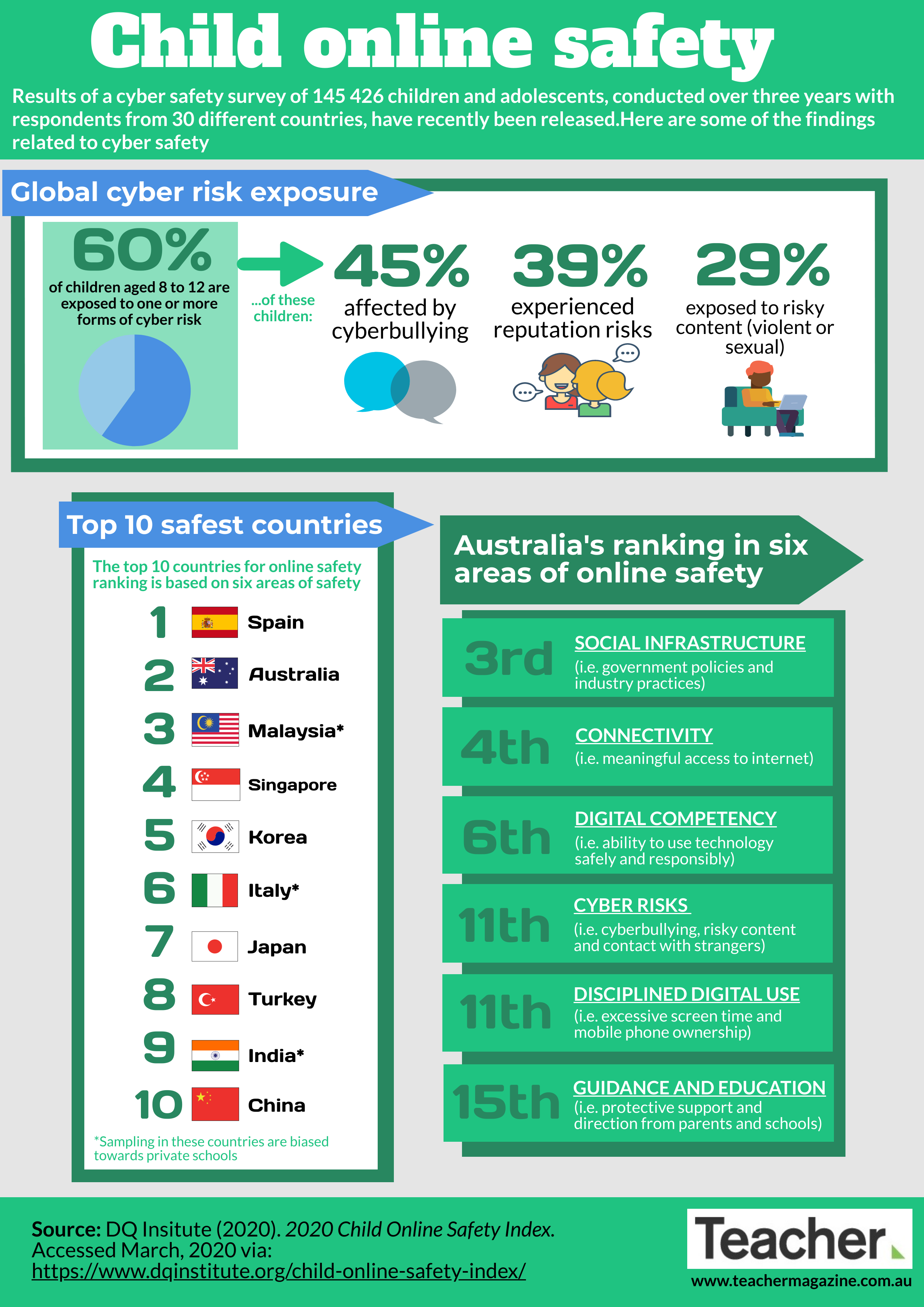
Younger elementary students, particularly ages five through eight, benefit most from direct, concrete rules focused on adult supervision and keeping basic personal details private. Instruction at this developmental stage aligns closely with the Common Sense Education Digital Citizenship Curriculum, which emphasizes empathy, self-regulation, and basic device boundaries. As children progress into upper elementary and middle school ages nine through twelve, their digital habits evolve to include independent research, social messaging apps, and collaborative gaming platforms. Educators can tailor the infographic discussions for older groups by exploring more nuanced concepts like digital footprints, respectful online communication, and the permanence of shared images. According to the Pew Research Center, a vast majority of teens and pre-teens access the internet daily via mobile devices, making early and continuous guidance essential for healthy technology habits. Meeting children at their specific developmental level guarantees that safety rules remain relevant, memorable, and actionable throughout their growing years.
Young adolescents and children increasingly navigate complex digital environments through shared household devices and multiplayer video platforms daily — Pew Research Center
Frequently Asked Questions
Navigating digital citizenship questions often brings up logistical and pedagogical concerns for busy educators and parents. The answers below address the most common inquiries regarding how to access, print, and utilize the visual safety guide effectively in diverse learning environments. According to the National Center for Missing & Exploited Children, teaching children clear communication pathways remains one of the most effective preventive measures against online exploitation. Integrating these practices into daily routines empowers students to become confident, cautious digital citizens who know how to seek help when online experiences go off track.
Explore More Free Kids Online Safety Printables
Reinforcing digital literacy requires a variety of engaging materials that cater to different learning styles and attention spans. Expanding your teaching toolkit with supplementary resources helps maintain student interest while deepening their understanding of core internet safety principles. Creative educators often utilize specialized Coloring Pages to introduce complex cybersecurity concepts to younger children through artistic expression and relaxed conversation. Combining these artistic activities with comprehensive Online and Digital Safety guides ensures that every student develops a well-rounded, resilient approach to navigating the modern connected world successfully.
Developmental Milestone & Activity Table
| Development Stage | Recommended Daily Duration | Primary Learning Objective |
|---|---|---|
| Preschool & Pre-K | 10 – 15 Minutes | Pencil grip development & basic pre-stroke lines |
| Kindergarten | 15 – 20 Minutes | Letter/number formation & spatial line awareness |
| Early Elementary (Grade 1–2) | 20 – 30 Minutes | Fluency, sentence construction & neatness |
Images References