Introduction
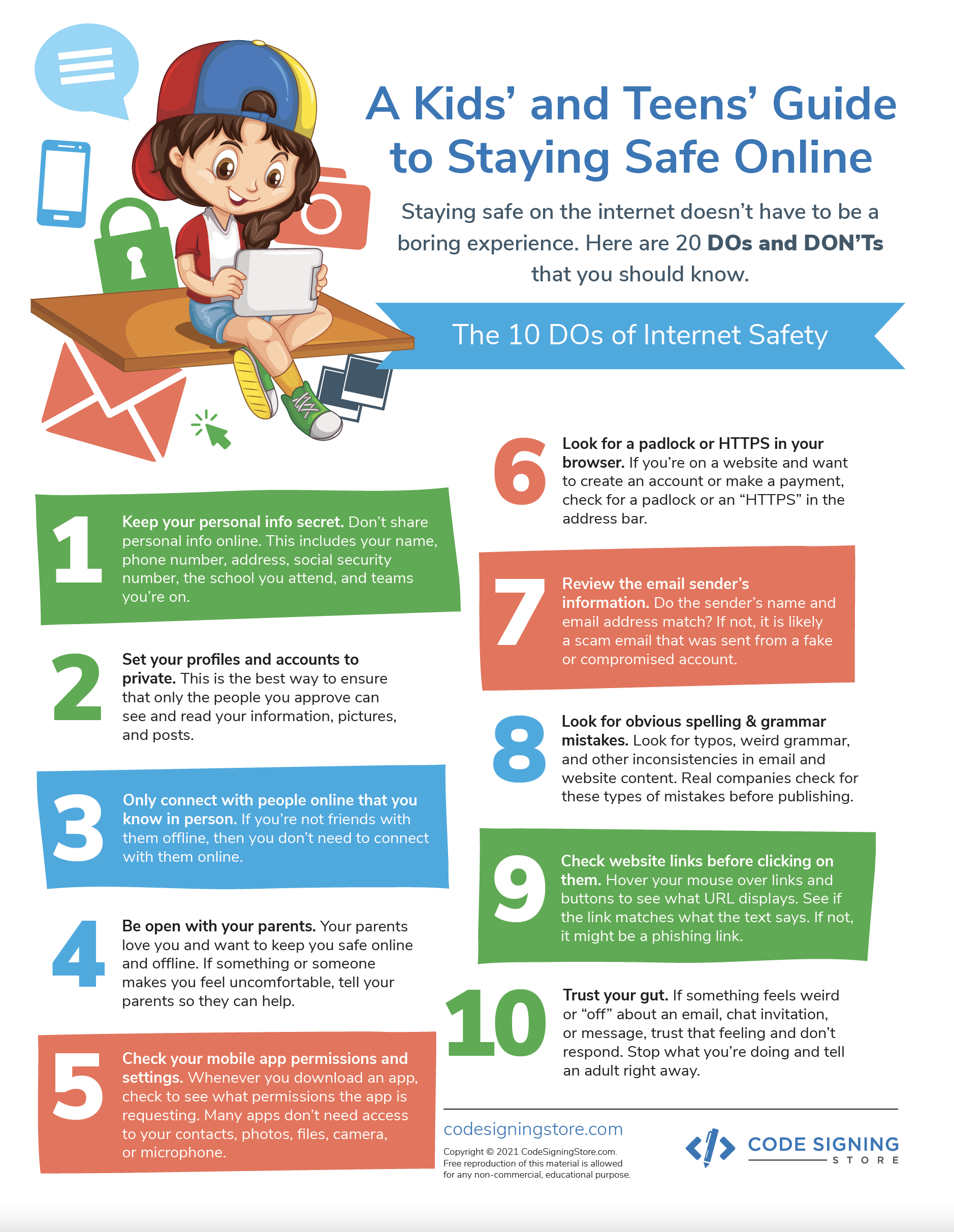
Understanding digital environments safely is a crucial skill for young people from elementary through high school, spanning grades 1-12. The concept of “incognito mode explained for kids” forms a vital component of this broader digital literacy. It introduces foundational ideas about online privacy, responsible browsing habits, and personal data protection. Equipping students with knowledge of tools like incognito mode fosters informed decision-making and builds digital awareness from an early age. Internet safety education stands as a trusted priority for all stakeholders involved in a child’s development, including educators, parents, and schools. Promoting safe online behavior requires a unified approach, ensuring every student develops the confidence to navigate the internet securely. Explore more in our Internet and Digital Safety category.
💡 Educational Key Takeaways:
- Core Skill: Structured Incognito Mode Explained For Kids focused on developing pencil grip, stroke control, and early literacy/math confidence.
- Target Scope: Suited for homeschoolers, preschool, kindergarten, and elementary learners.
- Best Recommendation: Practice 10–15 minutes daily with ergonomic writing tools to reinforce muscle memory without hand fatigue.
Why This Topic Matters
Knowledge of incognito mode contributes directly to a child’s digital resilience. Discussing this topic offers specific, measurable learning benefits, enhancing critical thinking skills regarding online information. Students learn to recognize potential dangers and understand the difference between public and private browsing sessions. Building safe digital habits becomes second nature through guided exploration of privacy settings. This understanding aligns with recognized digital citizenship milestones, promoting responsible internet use across various platforms. Acquiring these competencies helps individuals develop into conscientious online citizens, prepared for an increasingly interconnected world. The ability to differentiate browsing contexts supports positive child development within the digital realm. Related guide: Internet Safety Hunt For Students.
Key Concepts and Teaching Strategies
Core concepts covered in “incognito mode explained for kids” include understanding temporary data storage and the absence of browsing history on shared devices. Simple rules emphasize the mode’s limitations, clarifying it does not hide activity from internet service providers or school networks. Practical tips involve using incognito mode for quick searches on public computers without saving personal information. Real-life scenarios demonstrate its utility, such as researching a surprise gift or accessing content without affecting personalized recommendations. Warning signs about relying solely on incognito mode for complete anonymity are also discussed. Educators and parents can scaffold learning progressively, beginning with basic definitions for younger students and advancing to more nuanced discussions about digital footprints for older learners. Practical classroom activities might include role-playing scenarios involving shared computers. Home-based approaches involve family discussions about online privacy, using discussion prompts to explore responsible internet use together. Browse more guides on Safe Wired Schools.
Explore More Resources
Reinforcing the value of consistent digital safety learning ensures ongoing skill development. Understanding tools like incognito mode represents one facet of a comprehensive online safety curriculum. SafeWiredSchools.org offers extensive internet safety resources, guides, and printable materials designed for educators and parents. These tools support continued skill development in various aspects of digital citizenship. Visiting the website provides access to a wealth of information, empowering adults to further educate and protect young internet users. Ongoing engagement with these resources strengthens the collective commitment to fostering a safe and enriching online experience for every student.
Developmental Milestone & Activity Table
| Development Stage | Recommended Daily Duration | Primary Learning Objective |
|---|---|---|
| Preschool & Pre-K | 10 – 15 Minutes | Pencil grip development & basic pre-stroke lines |
| Kindergarten | 15 – 20 Minutes | Letter/number formation & spatial line awareness |
| Early Elementary (Grade 1–2) | 20 – 30 Minutes | Fluency, sentence construction & neatness |