Why Blending Emergency Preparedness with Digital Tools Matters Today
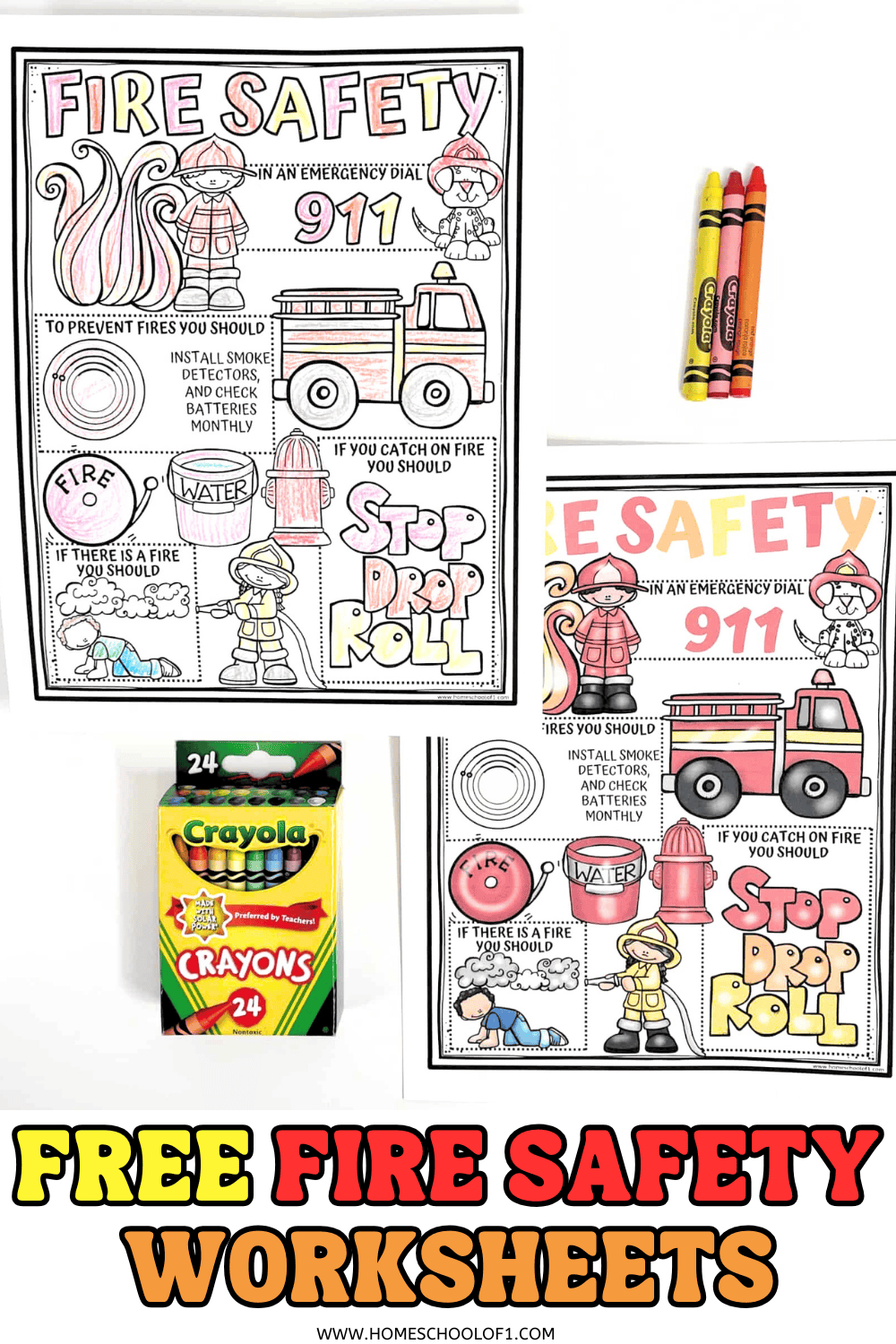
In modern K-12 environments, teaching students how to respond to an emergency extends far beyond physical hallways. As schools integrate interactive boards, personal Chromebooks, and cloud-based learning management systems, safety education must encompass both physical evacuation procedures and responsible device handling. Organizations like ConnectSafely and the Cybersecurity and Infrastructure Security Agency emphasize that digital citizenship involves protecting oneself and school networks during unexpected disruptions. Incorporating fire drill safety worksheets into your lesson plans provides a tangible way to reinforce classroom policies, ensuring that students know how to quickly lock screens, secure personal accounts, and prioritize evacuation over device retrieval when alarms sound.
💡 Educational Key Takeaways:
- Core Skill: Structured Fire Drill Safety Worksheets focused on developing pencil grip, stroke control, and early literacy/math confidence.
- Target Scope: Suited for homeschoolers, preschool, kindergarten, and elementary learners.
- Best Recommendation: Practice 10–15 minutes daily with ergonomic writing tools to reinforce muscle memory without hand fatigue.
Assessing Vulnerabilities Across School and Home Device Ecosystems
When emergency drills occur unexpectedly, students often exhibit varied behaviors regarding their personal and school-issued technology. Whether downloading resources from unverified educational portals or leaving cloud sessions active during a scramble for the exit, digital risks multiply during moments of disruption. To help parents and educators evaluate these exposures, the matrix below outlines common technical and behavioral vulnerabilities alongside concrete preventive measures.
| Setting / Context | Common Vulnerability | Practical Safeguard |
|---|---|---|
| School Chromebooks and Tablets | Leaving student accounts logged in and unlocked on rolling carts or desks during evacuations, risking unauthorized peer access. | Enforce a strict one-touch screen lock habit or automatic idle timeouts before students line up for drills. |
| Home Devices and Study Spaces | Accessing unverified printable links or downloading PDF files from sketchy web pop-ups while searching for offline emergency activities. | Rely on curated resource hubs and parental controls to block unauthorized file downloads and vet educational websites. |
| Social Media and Messaging Apps | Broadcasting real-time location details, unverified panic rumors, or classroom panic photos on personal chat apps during drills. | Establish clear school policies prohibiting device usage and photo-sharing during active emergency drills and evacuations. |
Establishing Clear Classroom Rules and Calm Family Routines
Consistency between school policies and home expectations is essential for reinforcing safe habits. When educators introduce fire drill safety worksheets in the classroom, they should explicitly pair the activity with clear instructions on digital device etiquette. For instance, teachers can emphasize that school-issued laptops must be powered down or locked instantly when the alarm sounds, rather than carried outdoors where drops or loss can compromise device security. Parents can support this reinforcement at home by discussing why equipment safety comes secondary to personal well-being. Utilizing structured Worksheets allows children to process emergency protocols visually and cognitively, reducing panic and building muscle memory for both physical and digital safety procedures.
Overcoming Student Pushback and Addressing Common Digital Workarounds
Children and teens are remarkably resourceful when it comes to bypassing rules, especially when a routine fire drill interrupts a favorite online game, streaming video, or social chat. Some students may attempt to slip personal smartphones into their pockets while pretending to grab a pencil, or try to secretly record the evacuation for online sharing. Overly restrictive, punitive bans often drive these behaviors underground, leading students to hide their device habits from adults. Instead, educators and parents should maintain transparent, calm conversations about why digital distractions during safety drills create genuine bottlenecks in hallways and compromise emergency response times. By pairing reliable technical filters with open dialogues supported by resources found under Internet and Digital Safety, adults can help youth understand the real-world safety implications of multitasking during critical incidents.
Frequently Asked Questions About Integrating Digital and Physical Safety
How do fire drill safety worksheets support digital citizenship goals?
These exercises help students understand that responsible technology use includes knowing when to disconnect. By treating device security as an extension of emergency preparedness, children learn situational awareness both online and offline.
Should students take their personal devices outside during a school fire drill?
Generally, school policy dictates that students leave all personal belongings behind to ensure rapid, orderly evacuation. Fostering this habit prevents hallway congestion and protects expensive personal hardware from damage or loss.
How can parents reinforce emergency device protocols at home?
Parents can host family safety chats simulating home fire drills while practicing quick screen lockouts. Utilizing interactive Online and Digital Safety guides can also help families establish healthy boundaries around device management during unexpected disruptions.
Explore More Digital Citizenship Resources
Balancing physical emergency preparedness with smart device habits ensures that our schools and homes remain secure, resilient, and well-prepared for any unexpected event. To discover more practical lesson plans, safety guides, and printable learning materials, visit SafeWiredSchools.org today.
Worksheet Previews & Reference Materials