Introduction
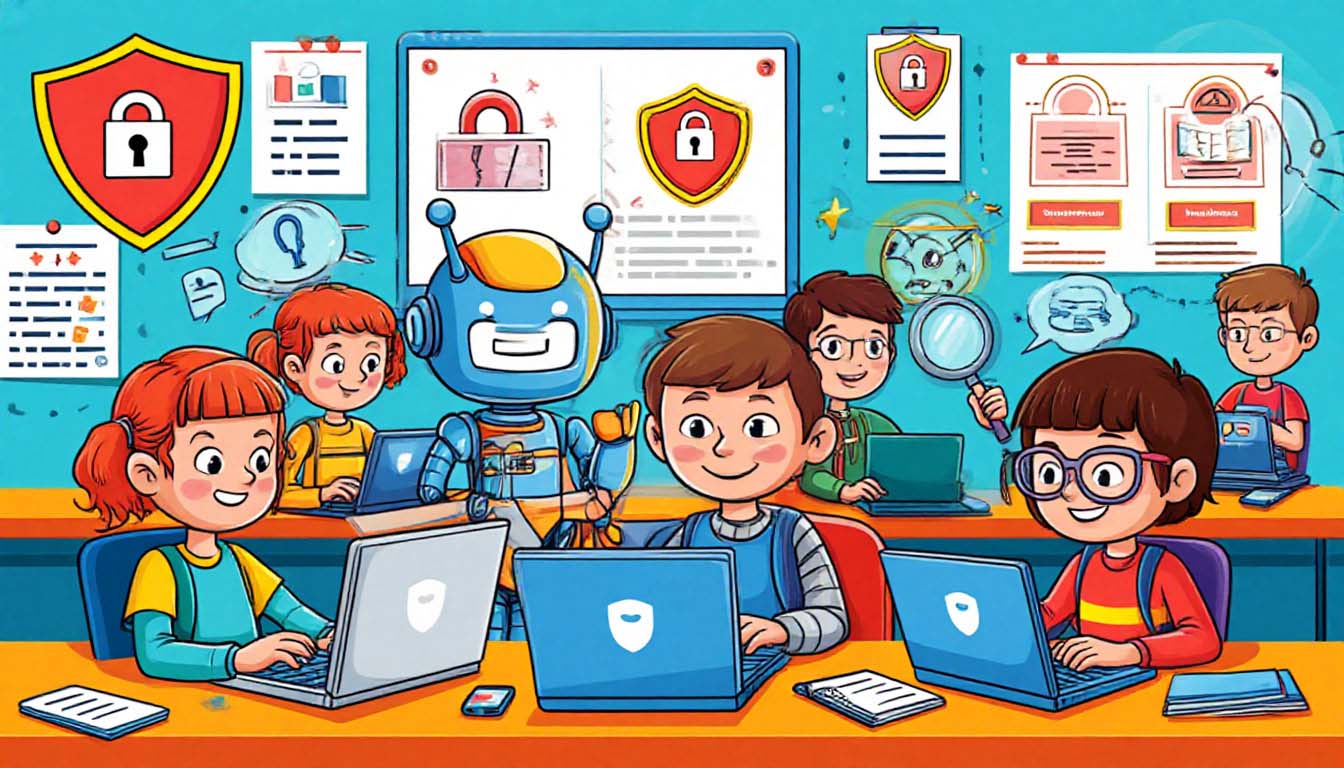
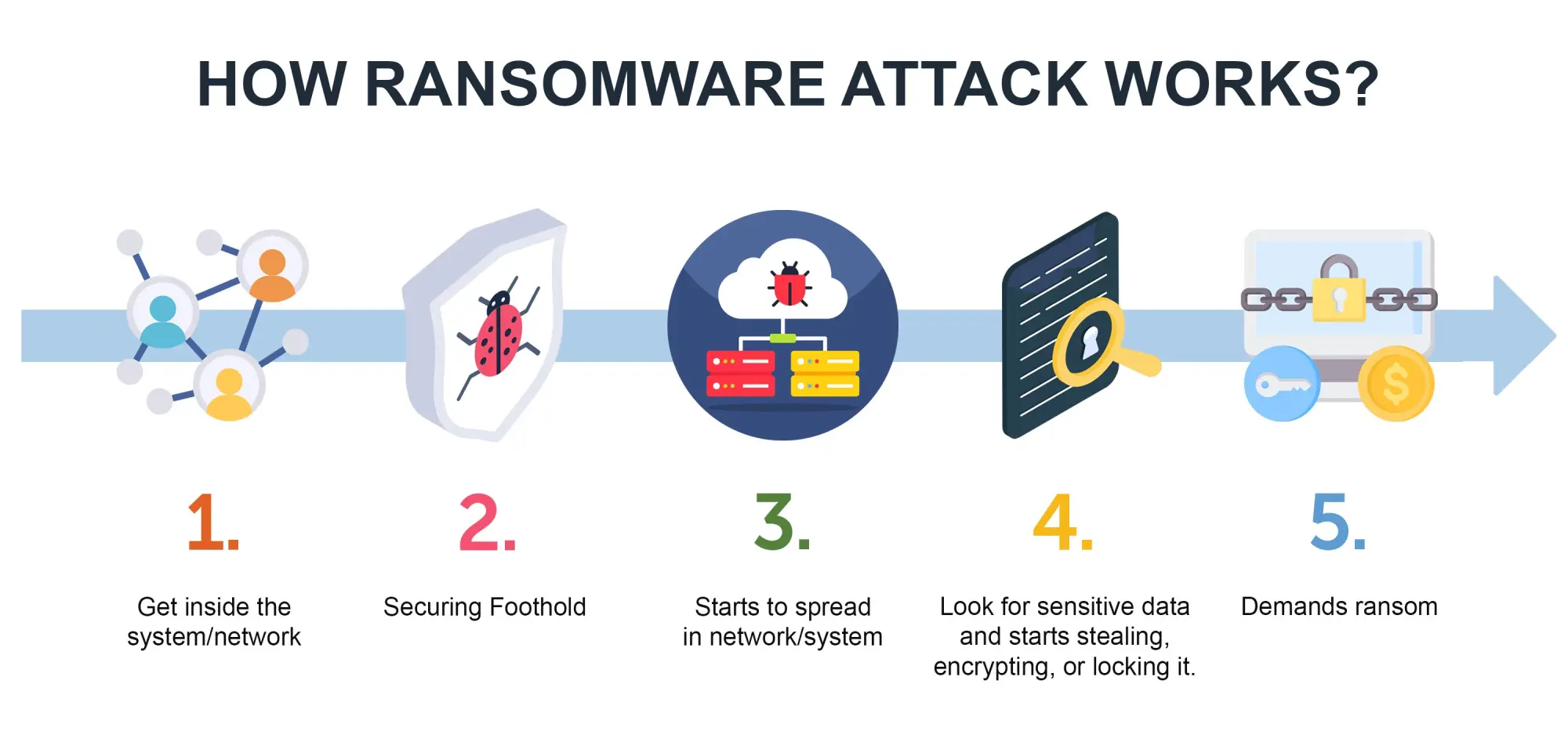
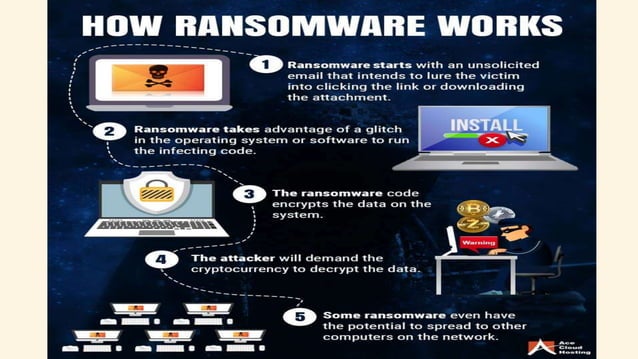
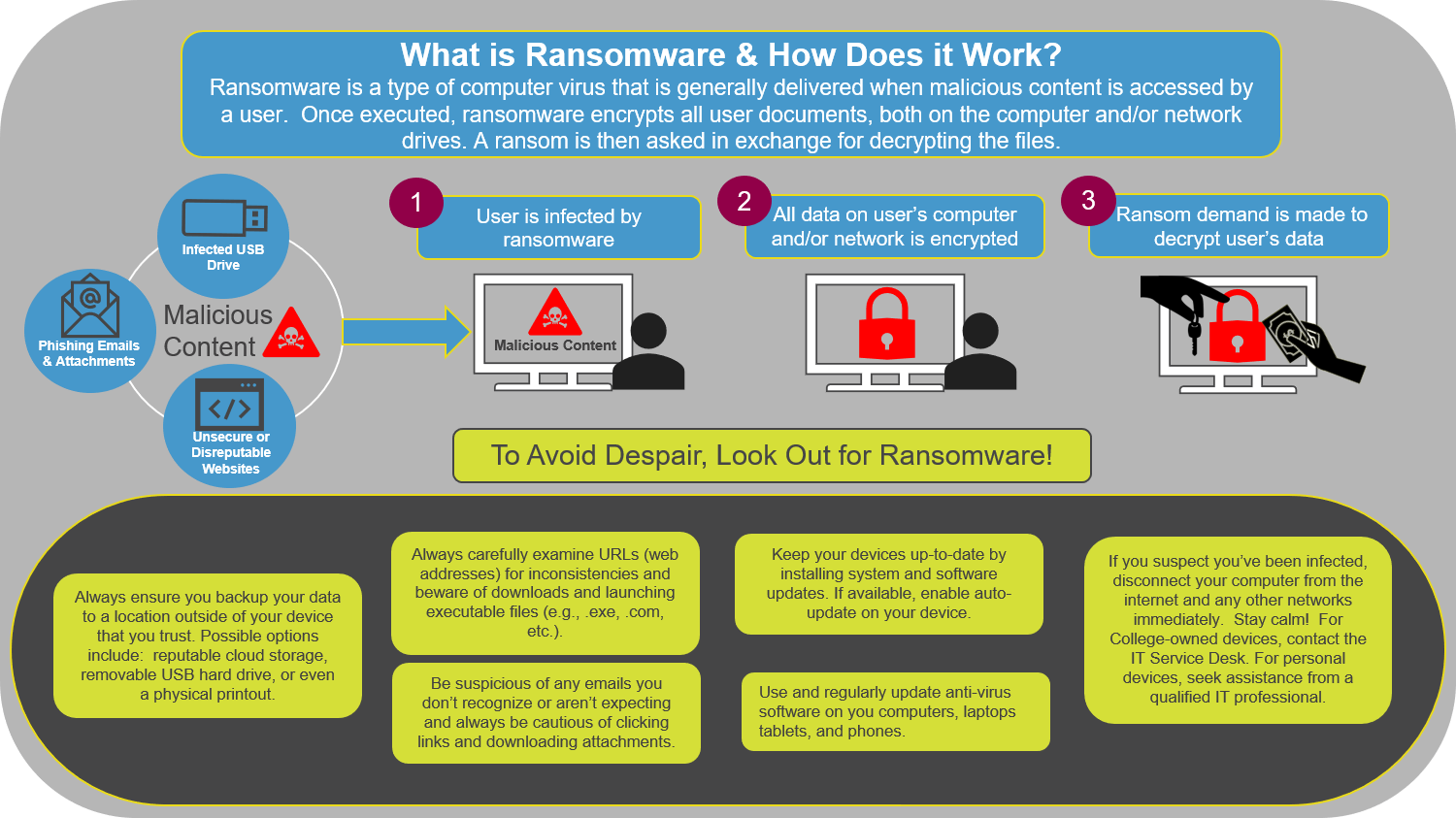
Children encounter digital environments long before they fully grasp the complex mechanics powering modern technology. Modern kids navigate shared family tablets, jump into cooperative multiplayer video games, and stream educational content on video platforms daily. These everyday interactions bring amazing opportunities for learning and connection. Yet, digital spaces also introduce abstract risks that young minds struggle to visualize. Adults often stumble when trying to explain advanced digital threats to elementary school students. Technical jargon falls flat, leaving children confused instead of protected. This is where physical teaching tools bridge the gap between abstract computer science concepts and concrete everyday behaviors. Utilizing a free printable cyber security ransomware definition for kids transforms invisible software risks into understandable classroom and kitchen-table conversations. Related guide: Online Stranger Danger For Children.
💡 Educational Key Takeaways:
- Core Skill: Structured Cyber Security Ransomwaredefinition For Kids focused on developing pencil grip, stroke control, and early literacy/math confidence.
- Target Scope: Suited for homeschoolers, preschool, kindergarten, and elementary learners.
- Best Recommendation: Practice 10–15 minutes daily with ergonomic writing tools to reinforce muscle memory without hand fatigue.
What This Printable Covers
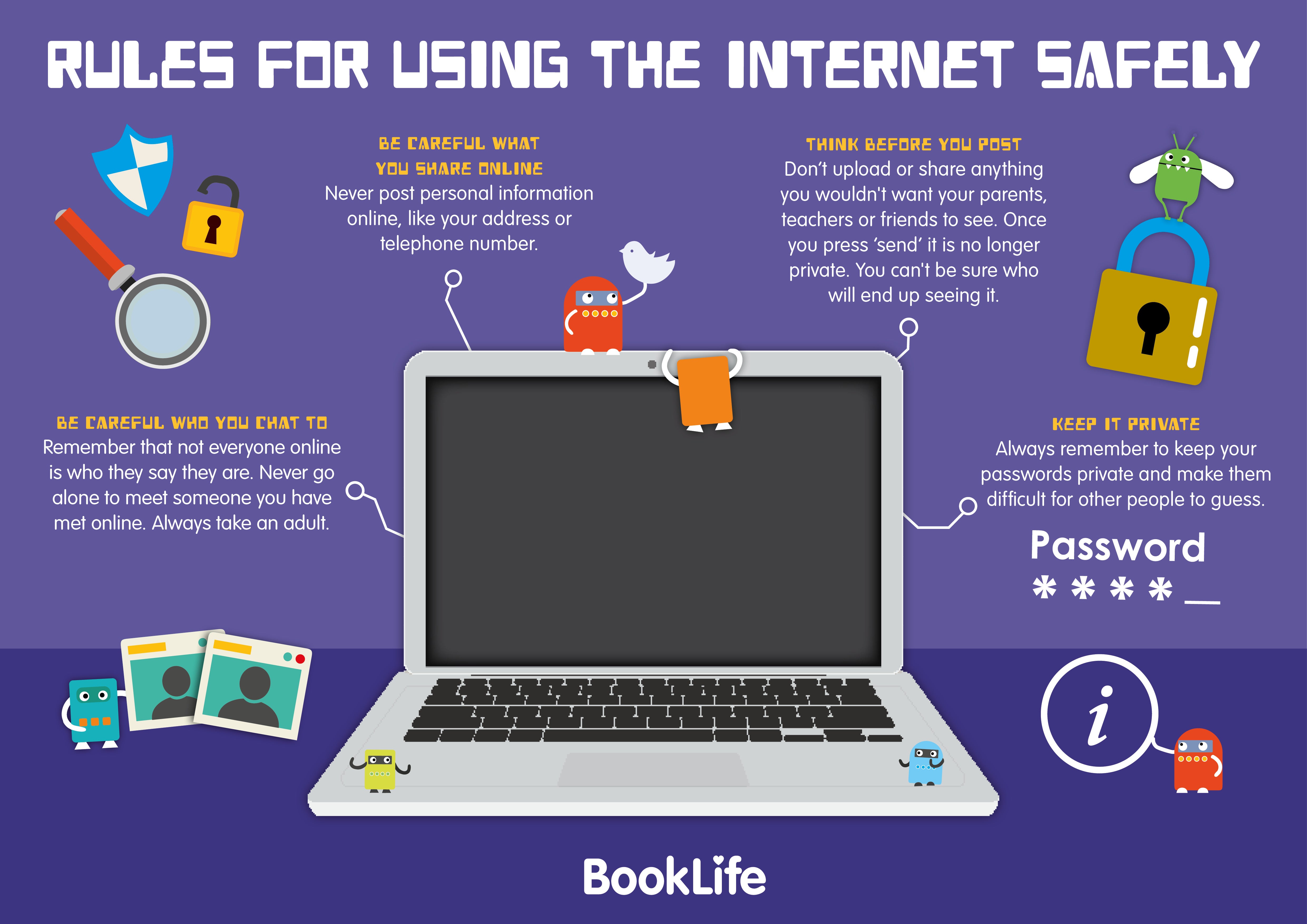
Complex technical vocabulary often intimidates young learners, but foundational concepts become accessible through careful scaffolding. This educational resource breaks down software locking mechanisms into simple, child-friendly terms without using fear-based language. It focuses on foundational protective habits rather than scaring students with worst-case scenarios. Children learn that computers and tablets sometimes encounter tricky digital traps disguised as friendly pop-ups or unexpected file downloads. The material emphasizes core digital citizenship rules: keeping personal information private, recognizing suspicious links, and immediately pausing to ask a trusted adult for help. It reassures learners that experiencing a digital mishap never brings trouble upon them, provided they report it right away. Building these cognitive reflexes early empowers children to handle unexpected screen events calmly and responsibly.
Key Learning Outcomes
Engaging with structured physical activities helps children internalize protective digital habits much faster than verbal lectures alone. Working through these pages builds specific critical thinking skills, teaching students to pause and evaluate online requests before clicking buttons. According to Common Sense Media, children who engage in regular digital citizenship discussions demonstrate stronger critical evaluation skills regarding online content. Learners discover the importance of strong passwords and understand why downloading unverified files from game mods or chat rooms poses risks to shared devices. Furthermore, the activity reinforces emotional resilience. Students practice identifying feelings of confusion or unease, linking those physical sensations directly to the cue of seeking adult guidance. This process shifts children from passive technology consumers into mindful, observant digital citizens.
How to Use This Printable
Delivering digital literacy lessons works best when integrated smoothly into existing daily routines at home or inside the classroom. Educators can introduce the sheet during morning meeting slots, media lab visits, or computer literacy blocks. Caregivers can print out the resource for weekend homework, library visits, or family technology discussions around the kitchen table. It sounds simple, and that’s the point. Physical completion of the worksheet prompts natural dialogue, allowing adults to ask guiding questions about favorite online games and video streaming habits. Children feel more comfortable discussing tricky in-game chat messages while their hands remain busy coloring or solving puzzles. The resource acts as a visual anchor, keeping conversations constructive, calm, and entirely focused on proactive safety measures rather than restrictive bans.
Practical Tips for Parents and Teachers
Maximizing the educational impact of any teaching tool requires patience, active listening, and a supportive environment. Adults should start by completing the activity alongside the child, turning the exercise into a collaborative team project rather than a formal test. Educators exploring Worksheets designed for digital literacy find that stopping to discuss real-world scenarios keeps student engagement high. When a child mentions seeing a strange pop-up message while playing a game, treat the disclosure with calm appreciation. Reinforce the rule that devices can always be fixed or reset, but open communication remains the most valuable protection tool available. Establishing this predictable, non-punitive routine ensures young learners never hide mistakes out of fear of losing screen privileges.
Age-Appropriate Recommendations
Matching digital safety concepts to developmental stages prevents cognitive overload and keeps learning developmentally appropriate. Younger elementary students in kindergarten through second grade benefit most from focusing on basic rules, such as asking permission before downloading anything or clicking unfamiliar links. Older elementary students in third through fifth grade can handle more nuanced discussions regarding software updates, device locks, and data privacy. Aligning these lessons with established educational frameworks, such as the Common Sense Education Digital Citizenship Curriculum, ensures proper scaffolding across grade bands. Children in the upper elementary bracket can explore broader Online and Digital Safety topics, connecting foundational computer care to wider internet habits. Educators can pair these lessons with creative Coloring Pages to keep the mood light and engaging for mixed-age learning groups.
Digital literacy programs significantly improve children’s ability to identify online risks and seek trusted adult guidance. — Common Sense Media
Frequently Asked Questions
Navigating digital safety education often brings up practical questions for supervising adults. Clear answers help families and educators implement these free resources effectively across various learning environments. According to the Federal Trade Commission, open dialogue between children and caregivers remains a primary defense against online threats. Reviewing common implementation queries helps clarify how to get started right away with confidence and ease.
Routine technology conversations at home build lifelong digital resilience and healthy online habits. — Federal Trade Commission
Explore More Free Kids Online Safety Printables
Expanding a digital citizenship library helps reinforce crucial online habits across the entire school year. Educators and parents can discover additional resources covering passwords, cyberbullying prevention, and respectful digital communication by browsing the Internet and Digital Safety archives. Consistent, gentle reinforcement turns complex security topics into second nature for growing minds.
Developmental Milestone & Activity Table
| Development Stage | Recommended Daily Duration | Primary Learning Objective |
|---|---|---|
| Preschool & Pre-K | 10 – 15 Minutes | Pencil grip development & basic pre-stroke lines |
| Kindergarten | 15 – 20 Minutes | Letter/number formation & spatial line awareness |
| Early Elementary (Grade 1–2) | 20 – 30 Minutes | Fluency, sentence construction & neatness |
Images References