Introduction
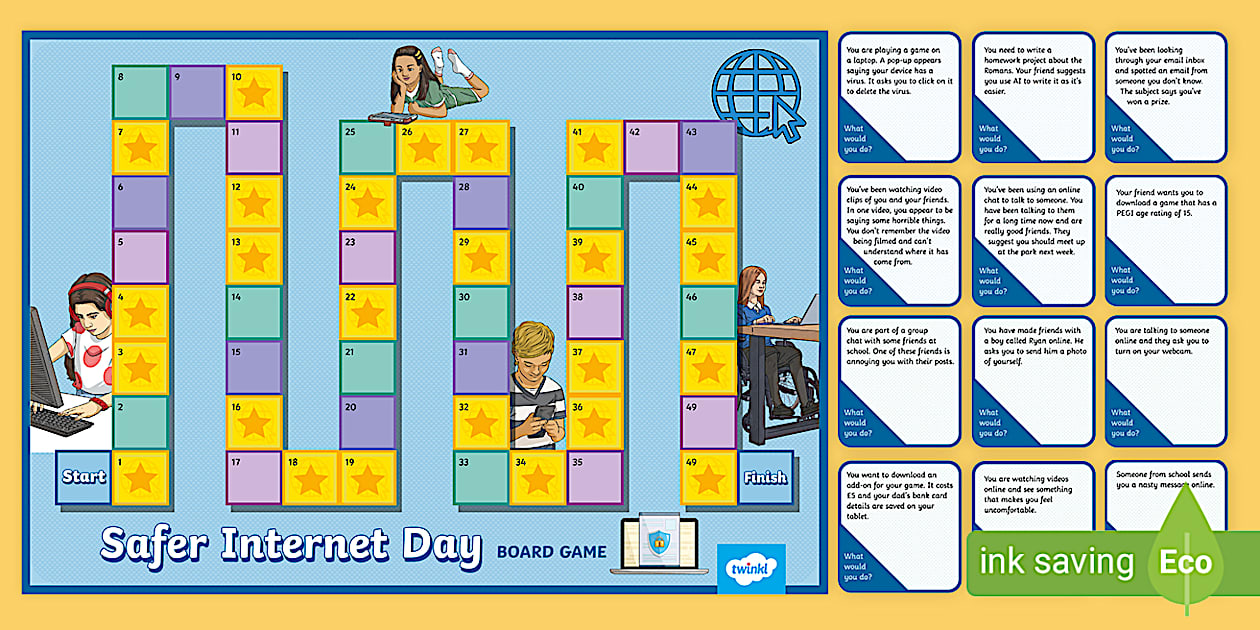
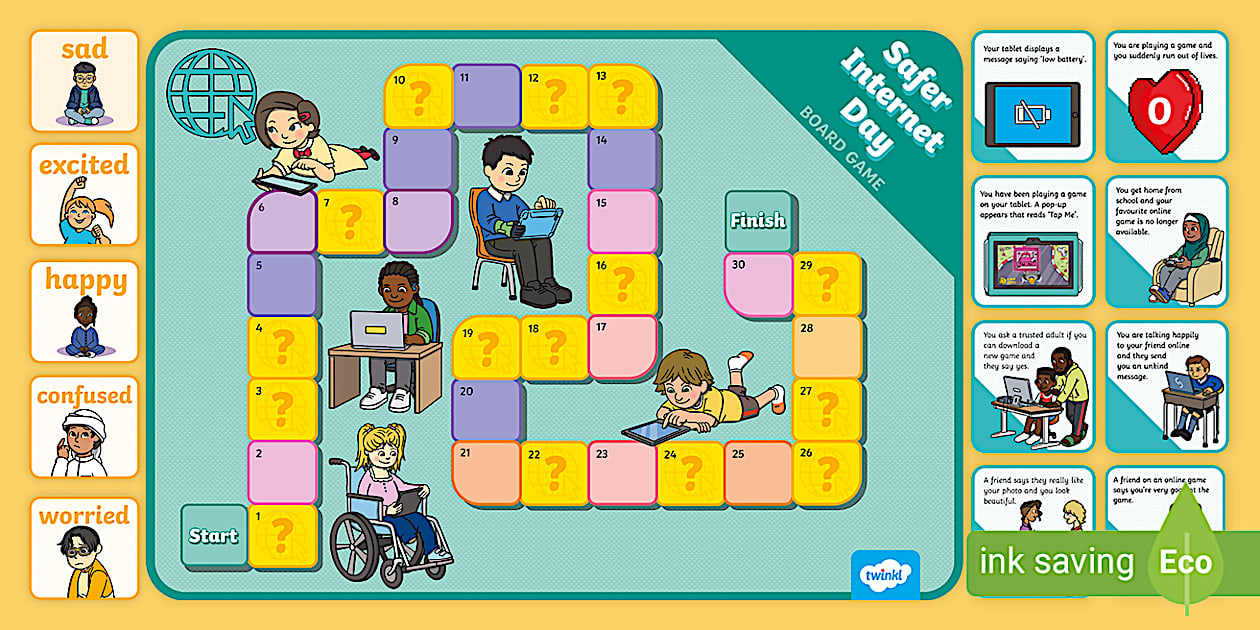
Children today navigate touchscreens with the effortless muscle memory once reserved for turning book pages. Long before they learn multiplication tables, young learners explore vibrant virtual worlds, trade digital items in favorite mobile games, and watch endless tutorial videos on family tablets. While these digital playgrounds offer incredible avenues for creativity and connection, they also introduce unfamiliar social territory. Real-world experience shows that children rarely encounter online risks through sophisticated breaches. Instead, those moments happen quietly in the living room while a child shares a family device, types a casual message in an open game chat, or clicks through a video platform’s autoplay loop. Building healthy digital habits requires more than restricting screen time or installing automated filters. Adults must actively guide young users through the unwritten rules of virtual spaces. This foundational education starts best away from the screen using tactile tools that turn abstract digital concepts into concrete, understandable choices. The free printable app game internet safety students project available on {site_name} bridges this exact gap, giving educators and families a structured, engaging way to introduce digital citizenship. It sounds simple, and that is precisely the point. By transforming online safety into a collaborative activity, this resource supports habit-building without triggering fear or anxiety in young minds. Related guide: Internet Safety Hunt For Students.
💡 Educational Key Takeaways:
- Core Skill: Structured App Game Internet Safety Students Project focused on developing pencil grip, stroke control, and early literacy/math confidence.
- Target Scope: Suited for homeschoolers, preschool, kindergarten, and elementary learners.
- Best Recommendation: Practice 10–15 minutes daily with ergonomic writing tools to reinforce muscle memory without hand fatigue.
What This Printable Covers
Navigating modern applications and games requires specific protective behaviors that go beyond basic password security. This targeted activity breaks down the digital environment into recognizable scenarios, such as creating safe usernames that reveal no personal details, recognizing popup tricks, and understanding why personal information like home addresses or full names must never be shared with online strangers. Furthermore, the printable emphasizes the golden rule of digital life: telling a trusted adult immediately whenever something feels confusing, mean, or uncomfortable. Crucially, the resource reinforces a supportive safety net by teaching students that they are never in trouble for reporting a digital mistake. According to Common Sense Media, children as young as kindergarten age interact regularly with interactive media and multi-player gaming environments long before they fully grasp the concept of public versus private data. Here’s what makes this resource different: it frames safety as a toolkit rather than a list of scary prohibitions. Children learn to evaluate app permissions, identify red flags in chat boxes, and pause before tapping an unfamiliar link.
Key Learning Outcomes
Working through this guided activity helps children build essential competencies for the modern internet. Students learn to differentiate between real-life friends and online acquaintances, practicing the caution needed when interacting within collaborative gaming platforms. Another core objective involves understanding digital footprints, helping learners realize that actions taken inside an app game leave permanent digital traces. The activity also encourages critical thinking regarding screen time balance and respectful communication. Through structured student worksheets, learners practice evaluating hypothetical online scenarios in a low-stakes environment. This rehearsal method prepares them to handle real digital dilemmas with confidence, poise, and clear boundaries.
How to Use This Printable
Flexibility defines the best educational tools, and this project adapts seamlessly to classrooms, homeschool routines, and kitchen table discussions. Begin by printing out the activity pages and gathering colored pencils or markers to create a relaxed, welcoming atmosphere. Invite children to read through the game-themed scenarios or talk about their favorite current apps before diving into the questions. Teachers often use these materials during morning meetings or technology lab preparation to set positive digital expectations. Meanwhile, parents find success utilizing the printables during weekend screen-time transitions, prompting natural conversations about favorite virtual hobbies. Instead of lecturing, adults can ask open-ended questions about how characters in the activity solved their digital puzzles. This conversational approach transforms passive rule-following into active critical thinking, empowering children to internalize safety measures as everyday life skills.
Practical Tips for Parents and Teachers
Maximizing the impact of any digital citizenship lesson relies heavily on tone and timing. Keep discussions calm, empowering, and focused on proactive problem-solving rather than fearful restrictions. Acknowledge that mistakes happen, such as accidentally tapping an ad or sharing too much in a game chat, and use those moments as teaching opportunities rather than reasons for punishment. Educators can pair these printed exercises with broader lessons found within internet and digital safety modules to create a comprehensive curriculum. Establishing an open-door policy ensures children feel completely safe approaching an adult when a digital interaction goes sideways. Consistency across home and school environments reinforces these protective habits until they become second nature.
Age-Appropriate Recommendations
Tailoring digital safety education to developmental stages ensures the message resonates without overwhelming young minds. For younger elementary students aged five to eight, focus heavily on basic boundaries, such as keeping personal details private and always asking an adult before downloading a new app. Aligning these lessons with the Common Sense Education Digital Citizenship Curriculum provides a structured progression that honors cognitive development. Older elementary students aged nine to twelve can explore more nuanced topics, including digital footprints, peer pressure in multiplayer games, and the mechanics of online privacy settings. Introducing online and digital safety concepts through guided discussions helps pre-teens navigate independent digital exploration with maturity and critical awareness.
According to Pew Research Center, a substantial majority of parents report that their young children use mobile devices and play interactive video games regularly, making early digital literacy education an essential part of modern childhood development. — Pew Research Center
Frequently Asked Questions
Getting started with digital citizenship resources should be straightforward for every educator and parent. The answers below address common inquiries regarding downloading, implementation, and educational frameworks.
Explore More Free Kids Online Safety Printables
Expanding a digital citizenship library ensures students receive continuous reinforcement throughout the school year. Educators can incorporate creative elements like coloring pages to engage younger learners in tactile safety discussions. Combining various printable formats creates a robust, well-rounded approach to preparing children for confident, secure digital exploration.
Developmental Milestone & Activity Table
| Development Stage | Recommended Daily Duration | Primary Learning Objective |
|---|---|---|
| Preschool & Pre-K | 10 – 15 Minutes | Pencil grip development & basic pre-stroke lines |
| Kindergarten | 15 – 20 Minutes | Letter/number formation & spatial line awareness |
| Early Elementary (Grade 1–2) | 20 – 30 Minutes | Fluency, sentence construction & neatness |
Images References