Introduction
Young children frequently encounter digital environments long before mastering the technical mechanics powering those platforms. Modern elementary students navigate shared household tablets, jump into cooperative in-game chat features, and stream educational videos on everyday devices. Encountering unfamiliar software prompts, strange pop-up windows, or unexpected game downloads happens routinely during these digital explorations. Equipping learners with foundational vocabulary helps demystify these technical hurdles. Introducing complex cybersecurity concepts requires translating abstract terms into concrete, understandable ideas. That exact translation process drives the creation of the free printable “what is malware kids defonitions” available on {site_name}. Educational tools of this nature serve as bridges between intimidating technical jargon and everyday digital literacy. Supporting children through calm, structured dialogue builds enduring confidence without sparking unnecessary anxiety or fear about technology. Related guide: 5 Cyber Safety Tips Symbols That Can Be Read By The Grede 7 Students.
💡 Educational Key Takeaways:
- Core Skill: Structured What Is Malware Kids Defonitions focused on developing pencil grip, stroke control, and early literacy/math confidence.
- Target Scope: Suited for homeschoolers, preschool, kindergarten, and elementary learners.
- Best Recommendation: Practice 10–15 minutes daily with ergonomic writing tools to reinforce muscle memory without hand fatigue.
What This Printable Covers
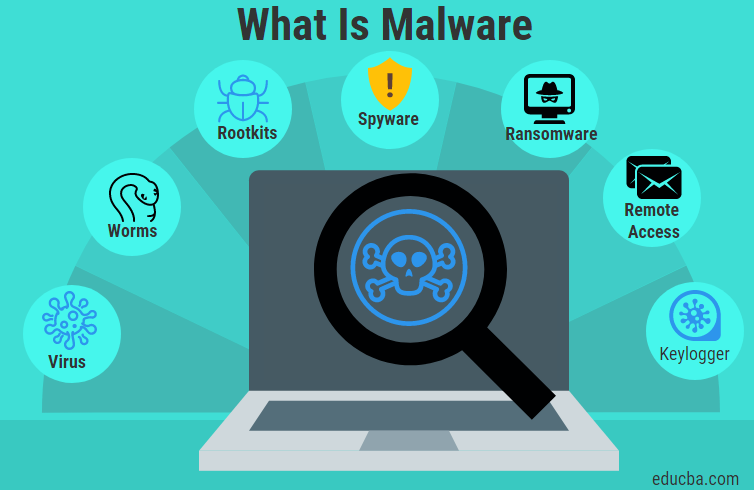
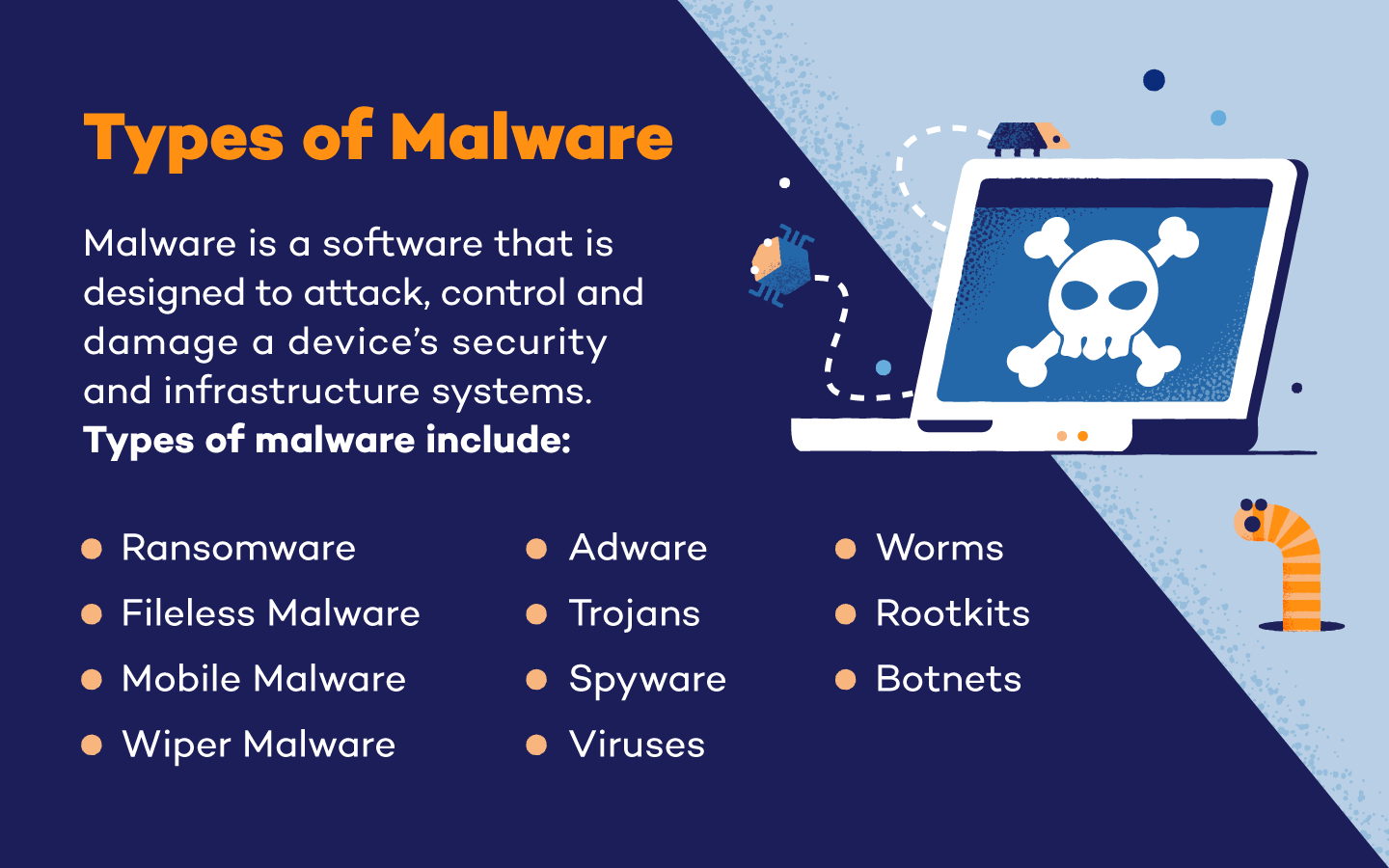
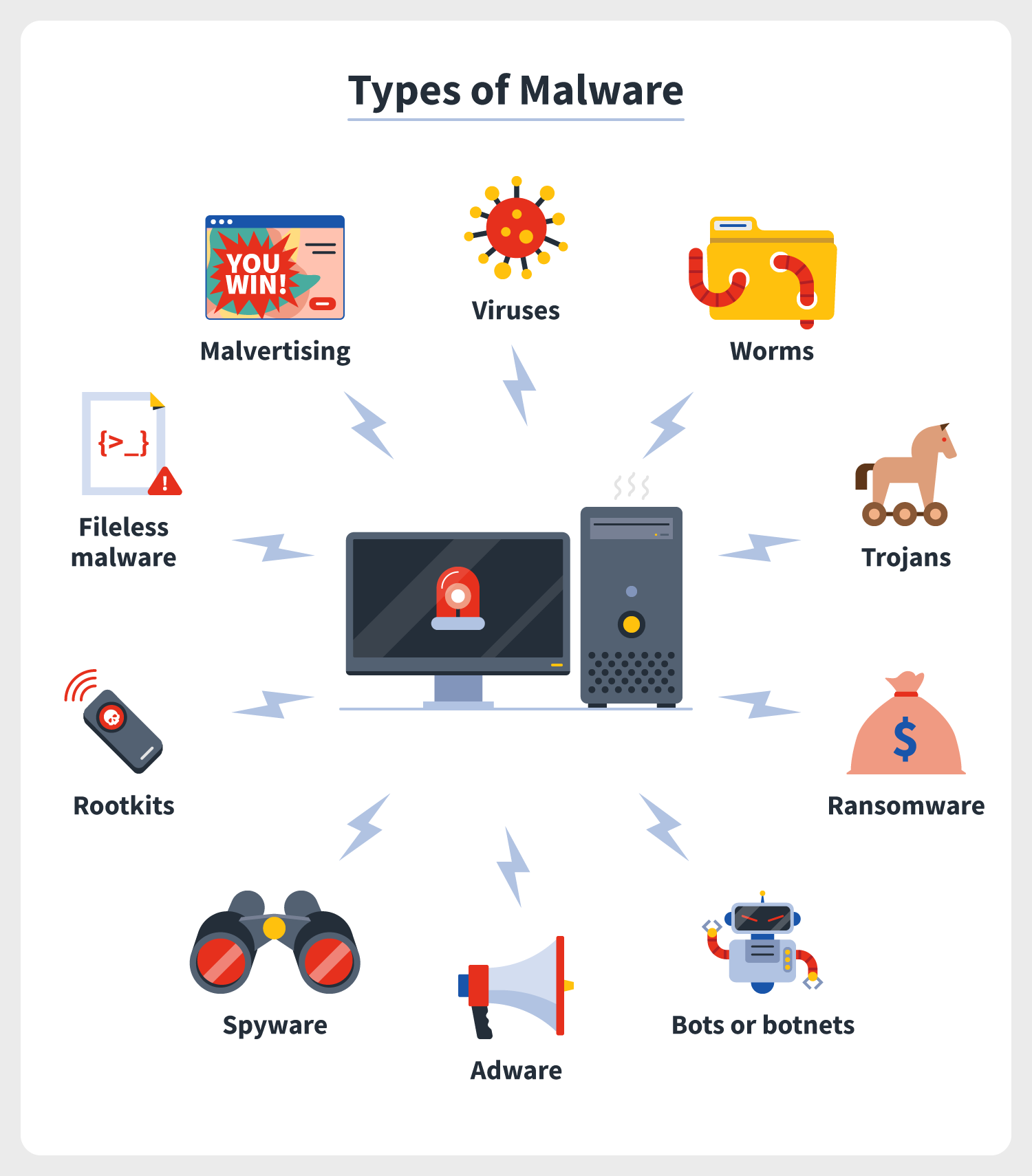
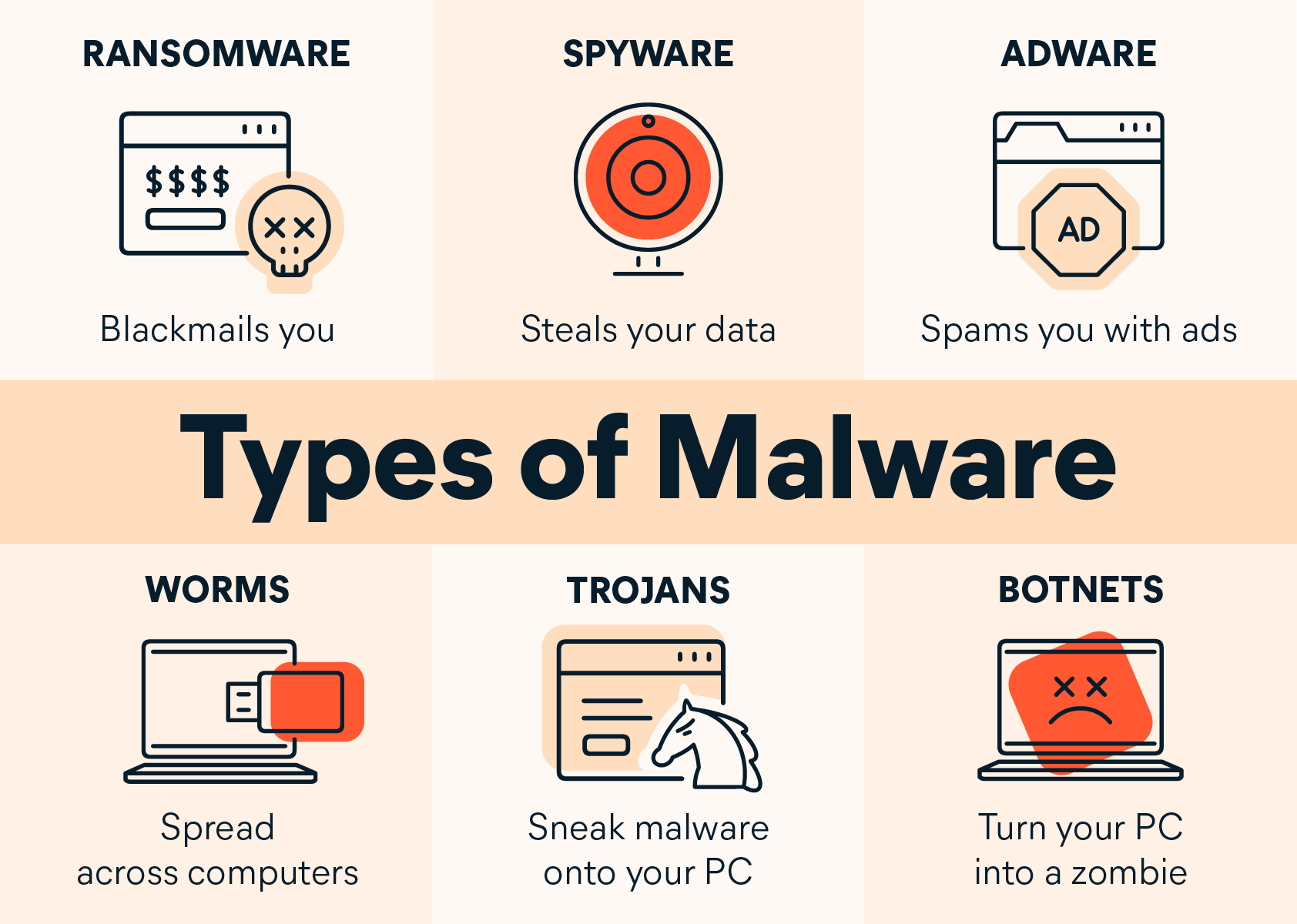
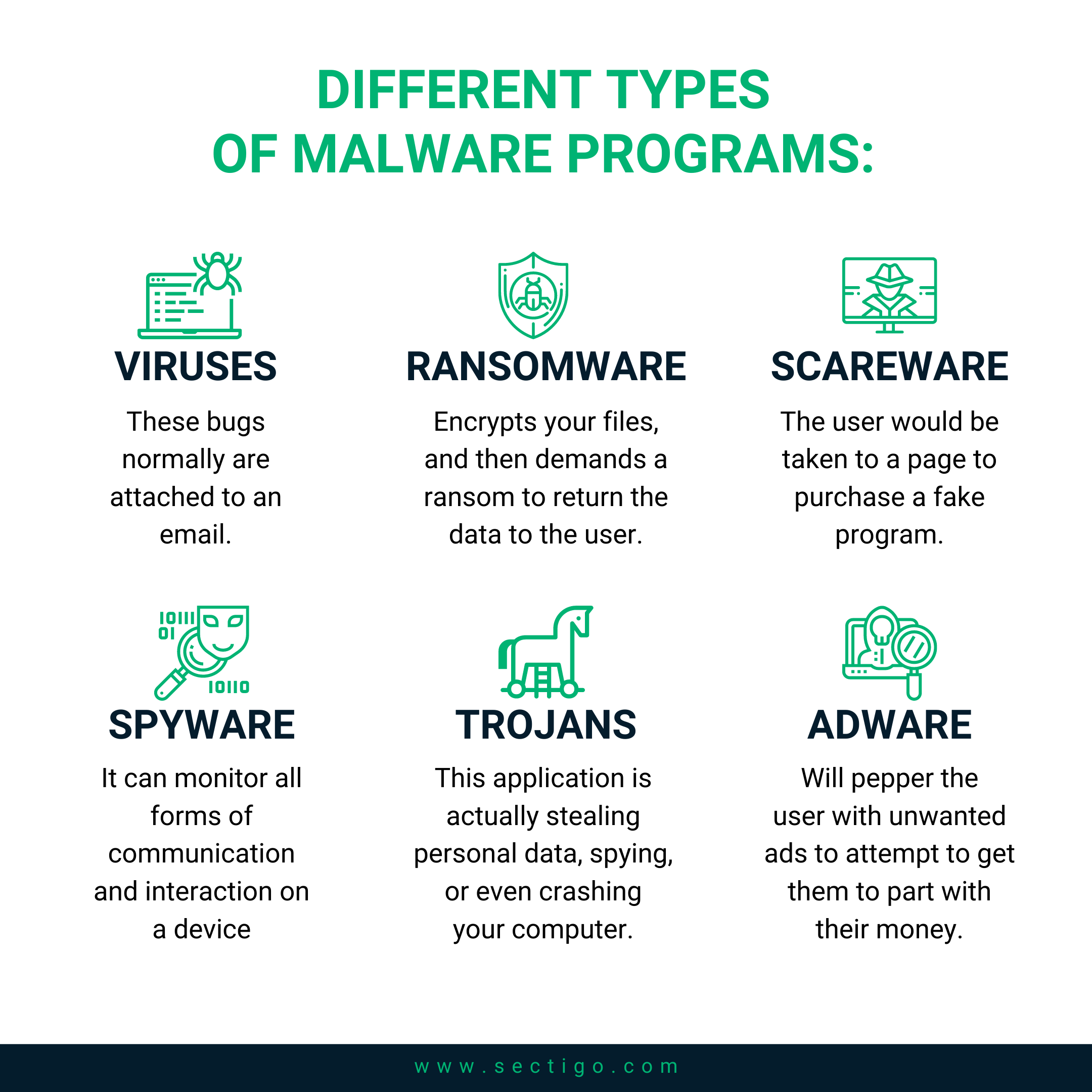
Digital safety education works best when concepts remain grounded in everyday experiences rather than abstract warnings. This targeted educational worksheet breaks down potentially confusing software definitions into digestible, kid-friendly language. Children learn that not every button, download link, or pop-up game request comes from a helpful source. The material explains harmful software concepts through analogies involving sticky notes left by strangers or unexpected gifts dropped on a doorstep. Clear definitions outline why clicking random links or downloading unverified files can disrupt a device’s normal functions. Crucially, the text reinforces protective habits such as checking with a trusted adult before installing anything new. Exploring these topics through structured printables transforms invisible digital risks into visible, manageable concepts that young minds can easily grasp.
Key Learning Outcomes
Students engaging with these definitions develop a stronger awareness of their digital surroundings. Recognizing the warning signs of suspicious software prompts stands among the primary objectives of this resource. Children learn to pause and evaluate a situation before clicking on unfamiliar buttons or accepting unexpected game modifications. Another critical outcome involves reinforcing the habit of transparent communication. Learners understand that encountering strange device behavior or unexpected pop-ups is a normal part of using technology, provided they immediately inform a parent, teacher, or counselor. Furthermore, the activity emphasizes that asking for help after making a mistake never results in trouble. This supportive framework nurtures proactive problem-solving skills that apply across all Internet and Digital Safety scenarios.
How to Use This Printable
Classroom integration requires minimal preparation, making this resource ideal for morning meetings, computer lab introductory sessions, or rainy day activities. Educators often project the definitions onto a smartboard to guide a collaborative group discussion about safe device habits. At home, families can review the material together at the kitchen table while setting up a new shared tablet or laptop. Reading the definitions aloud invites natural questions from children about their own past experiences with annoying game advertisements or frozen screens. It sounds simple, and that is precisely the point. Removing the intimidation factor encourages honest conversations about what happens when devices behave unexpectedly. Educators and caregivers can pair this exercise with broader Online and Digital Safety lessons to create a cohesive learning journey throughout the school year.
Practical Tips for Parents and Teachers
Maximizing the educational value of any printable relies heavily on the facilitation style chosen by the adult. Asking open-ended questions invites children to share their own digital observations without feeling interrogated. Inquiring about what a favorite game looks like when something strange pops up helps bridge the gap between abstract definitions and real-world experiences. Adults should validate every observation, treating accidental clicks or confusing downloads as natural learning opportunities rather than disciplinary infractions. Reinforcing the rule that trusted adults provide a safe harbor ensures children never hide digital mistakes out of fear. Consistency across both home and school environments solidifies these protective habits until they become second nature.
Age-Appropriate Recommendations
Tailoring digital citizenship instruction to match developmental stages ensures maximum comprehension and engagement. For younger primary students aged five to eight, instruction centers on simple rules like asking before clicking and recognizing that not everything on a screen is friendly. Older elementary students aged nine to twelve can explore the mechanics behind software definitions in greater depth, examining how unwanted programs spread through unverified downloads or malicious links. This structured progression aligns closely with the Common Sense Education Digital Citizenship Curriculum, which emphasizes age-graded competencies for responsible technology use. Educators can scaffold these lessons by moving from basic recognition tasks to collaborative problem-solving scenarios as children mature and encounter broader digital landscapes.
According to research by the Pew Research Center, the vast majority of parents with young children report that their kids interact with digital devices regularly, highlighting the pressing need for early, accessible cybersecurity education. — Pew Research Center
Frequently Asked Questions
Explore More Free Kids Online Safety Printables
Expanding a digital citizenship library involves utilizing a variety of complementary formats to keep learning engaging and fresh. Beyond text-based definitions, visual learners thrive when concepts are reinforced through creative exercises found within specialized Coloring Pages collections. Combining multiple resources allows educators and parents to reinforce essential protective habits across different modalities throughout the academic year. Continued exploration ensures children view digital safety not as a set of rigid restrictions, but as an empowering toolkit for navigating the modern world with confidence and curiosity.
Developmental Milestone & Activity Table
| Development Stage | Recommended Daily Duration | Primary Learning Objective |
|---|---|---|
| Preschool & Pre-K | 10 – 15 Minutes | Pencil grip development & basic pre-stroke lines |
| Kindergarten | 15 – 20 Minutes | Letter/number formation & spatial line awareness |
| Early Elementary (Grade 1–2) | 20 – 30 Minutes | Fluency, sentence construction & neatness |
Images References