Introduction
Children cross the digital threshold long before they read chapter books or navigate middle school hallways. Shared family tablets, classroom laptops, and smart television interfaces invite young learners into vast virtual landscapes every single day. Modern children typically encounter online risks not through shadowy corners of the internet, but right in the middle of family living rooms via casual in-game chat features, video recommendation feeds, and shared household devices. Fostering healthy digital habits requires proactive guidance rather than reactive fear. Building these protective instincts takes consistent, gentle repetition. Utilizing a structured approach, such as the free printable internet safety rules for kids can, helps transform abstract concepts into tangible everyday practices for elementary students and early learners. Related guide: Teachers Of Grades 9–12 Should Expand Internet Safety Instruction To Include Which Of The Following Topics?.
💡 Educational Key Takeaways:
- Core Skill: Structured Internet Safety Rules For Kids Can focused on developing pencil grip, stroke control, and early literacy/math confidence.
- Target Scope: Suited for homeschoolers, preschool, kindergarten, and elementary learners.
- Best Recommendation: Practice 10–15 minutes daily with ergonomic writing tools to reinforce muscle memory without hand fatigue.
WhatThis Printable Covers
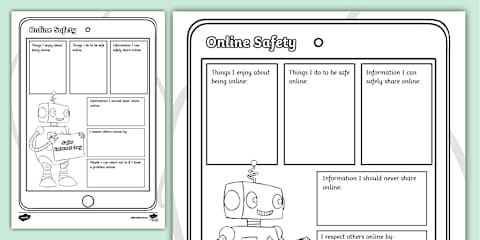
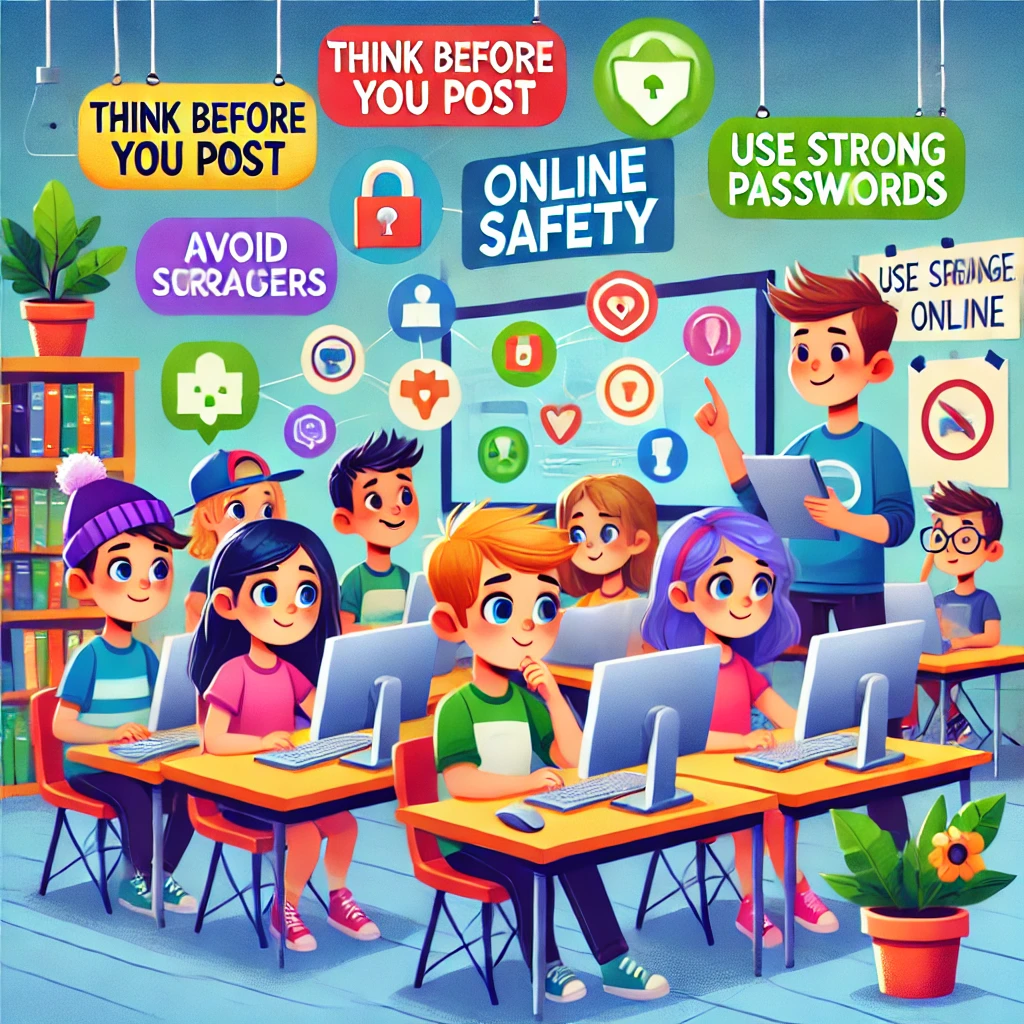
Navigating the digital world successfully relies on clear, memorable boundaries rather than rigid restrictions. This resource focuses on foundational protective habits that elementary students can easily understand and apply independently. Core topics include keeping personal information private, creating strong passwords, recognizing safe sharing behaviors, and identifying trusted adults to approach when something feels unusual. It sounds simple, and that is the exact point. Children retain guidance best when core principles are distilled into memorable, positive statements. This instructional tool supports the broader mission of teaching children how to enjoy technology safely while maintaining open channels of communication with the adults in their lives.
Key Learning Outcomes
Working through these guided rules helps young learners build essential critical thinking skills for the digital age. According to the Common Sense Education Digital Citizenship Curriculum, early learners benefit immensely from practicing fundamental decision-making steps before they encounter complex online situations. Students learn to pause before clicking, evaluate whether information is safe to share, and understand that their digital actions have real-world impacts. Furthermore, children internalize the crucial message that reporting something uncomfortable never gets them in trouble. This reassurance breaks down the fear of punishment, ensuring kids run toward a trusted adult instead of hiding a digital mistake.
How to Use This Printable
Classrooms and homes thrive on interactive learning experiences that turn passive listeners into active participants. Educators often incorporate visual aids during morning meetings, while families find success reviewing safety guidelines at the kitchen table before screen time begins. Here is what makes this resource different: the design encourages collaborative dialogue rather than quiet compliance. Adults can prompt kids to explain what a specific rule means in their own words, connecting the text to favorite games or educational apps they use regularly. Exploring these concepts alongside related interactive digital citizenship worksheets reinforces the core messages through varied learning formats.
Practical Tips for Parents and Teachers
Establishing a positive tone around technology transforms safety rules from a chore into a superpower. Begin by laminating the page or posting it directly next to household computer stations or classroom device carts for easy reference. Keep conversations light, curious, and collaborative. Instead of asking if children followed every rule, ask what fun discoveries they made online and whether anything felt confusing or strange. Consistency is key across environments. When adults at home and school use the exact same terminology regarding personal data and trusted helpers, children build a rock-solid safety net.
Age-Appropriate Recommendations
Tailoring digital safety education to developmental stages ensures messages resonate without causing undue anxiety. For five-to-seven-year-olds, focus exclusively on fundamental boundaries, such as asking permission before downloading apps and keeping full names offline. According to the Pew Research Center, young children frequently access mobile devices independently, making basic boundary-setting an urgent priority for early elementary educators and families. Eight-to-twelve-year-olds are ready for deeper discussions regarding digital footprints, respectful communication in multi-player games, and evaluating online sources. Integrating these concepts aligns seamlessly with the ISTE Standards for Students, which emphasize empowered, responsible technology use. For more creative avenues to reinforce these lessons, browsing through curated educational coloring pages provides a relaxing, hands-on way for younger children to engage with online safety themes.
Young children frequently access mobile devices independently, making basic boundary-setting an urgent priority for early elementary educators and families. — Pew Research Center
Frequently Asked Questions
Navigating digital citizenship resources is straightforward when adults have quick access to answers. The frequently asked questions below address common topics regarding implementation, printing, and foundational safety education standards. For additional inspiration on keeping students secure across platforms, explore comprehensive guides on internet and digital safety to further support learning.
Explore More Free Kids Online Safety Printables
Building robust digital citizenship habits is an ongoing journey that benefits from a diverse toolkit of activities. Expanding beyond a single resource allows educators and families to keep safety discussions fresh, engaging, and developmentally appropriate throughout the school year. Discover additional teaching aids by exploring a wider selection of online and digital safety materials tailored specifically for elementary learners.
Developmental Milestone & Activity Table
| Development Stage | Recommended Daily Duration | Primary Learning Objective |
|---|---|---|
| Preschool & Pre-K | 10 – 15 Minutes | Pencil grip development & basic pre-stroke lines |
| Kindergarten | 15 – 20 Minutes | Letter/number formation & spatial line awareness |
| Early Elementary (Grade 1–2) | 20 – 30 Minutes | Fluency, sentence construction & neatness |
Images References